

Copy-Paste Trolls Probably the most annoying of them all, they practically are just spamming fake and questionable wall of texts or digital posters. Google Drive is now rolling out support for familiar keyboard shortcuts to cut, copy, and paste. If you have ever stored your files on Google Drive, you know the annoyance of not being able to copy and paste using Ctrl + C and Ctrl + V. However, you'll now be able to save some time by using the shortcuts you've been familiar in Google Drive when copying files in new locations and across multiple tabs. [caption id="attachment_309063" align="alignnone" width="840"] Image Credit: Google[/caption] Shortcuts that will now be supported in Goole Drive include Ctrl + X to cut, Ctrl + C to copy, Ctrl + V to paste, Ctrl + Enter to open files or folders in a new tab, and Ctrl + Shift + V to create shortcuts to files. Furthermore, when copying a file, a link to the file and its title will also be captured for you to easily paste into an email or document. https://twitter.com/cyrildiagne/status/1256916982764646402 By taking advantage of machine learning and AI, Diagne was able to essentially copy items from the real world and paste them onto Photoshop on a Mac. Read more in our articles including "5 Types of Trolls you see Online" and "Google Drive implements copy-paste keyboard shortcuts".

At times of crisis like this pandemic right now, it’s best that we stay informed…
Apr 10, 2020
Google Drive is now rolling out support for familiar keyboard shortcuts to cut, copy, and…
May 29, 2022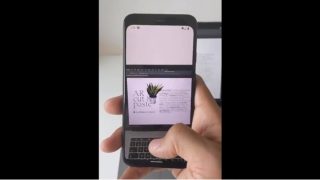
Artist, designer, programmer Cyril Diagne has tweeted a demo showing an AR app that can…
May 6, 2020
You’re most likely stuck at your home due to the whole country’s enhanced community quarantine,…
Mar 25, 2020
Business laptops have come a long way from being simple tools for emails and spreadsheets.…
Jul 1, 2026
As someone who occasionally uses a laptop to work, one thing I sometimes wish for…
Jun 30, 2026Copy-Paste Trolls Probably the most annoying of them all, they practically are just spamming fake and questionable wall of texts or digital posters. Google Drive is now rolling out support for familiar keyboard shortcuts to cut, copy, and paste.
If you have ever stored your files on Google Drive, you know the annoyance of not being able to copy and paste using Ctrl + C and Ctrl + V. However, you'll now be able to save some time by using the shortcuts you've been familiar in Google Drive when copying files in new locations and across multiple tabs. [caption id="attachment_309063" align="alignnone" width="840"] Image Credit: Google[/caption] Shortcuts that will now be supported in Goole Drive include Ctrl + X to cut, Ctrl + C to copy, Ctrl + V to paste, Ctrl + Enter to open files or folders in a new tab, and Ctrl + Shift + V to create shortcuts to files.
Our coverage of Copy Paste includes: "5 Types of Trolls you see Online"; "Google Drive implements copy-paste keyboard shortcuts"; "AR Demo allows users to copy and paste real world items to Photoshop". Each article provides unique insights and information.