

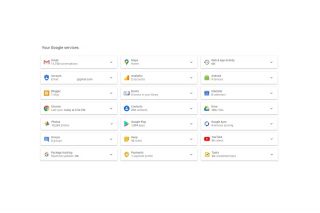
Google has a feature that you can use to download your data called Google Takeout. The first thing you need to do is go to https://takeout.google.com/, then sign in with your Google account. From here, you will see the data you can see the Google products or services with downloadable data. You will also see a 'Download your data' button, which will also redirect you to Google Takeout. Once you're in Google Takeout, just select which product data you want to download by ticking a box. Google is testing a new storage policy that gives some newly created accounts only 5GB of free cloud storage unless users verify their account with a phone number. Previously, Google accounts automatically received 15GB of free storage shared across Gmail, Google Drive, and Google Photos. According to Google, the change is intended to improve account security and recovery while helping prevent abuse of free cloud storage. Read more in our articles including "How to download your Google data" and "Google tests 5GB storage limit for new accounts without phone number verification".
If you’re reading this article, then you’re probably one of us users who are dependent…
Apr 30, 2020
Google is testing a new storage policy that gives some newly created accounts only 5GB…
May 17, 2026
A new school year means new projects, research papers, presentations, and online learning tasks. Whether…
Jun 14, 2026
With the announcement of the Xiaomi 17T series today, those hoping to upgrade from last…
May 29, 2026
Inflation is now (May 2026) at 7.2%, electricity rates at Php14.33/kWhr, and gas prices through…
May 28, 2026
GCash has expanded its in-app help tools and security features to address a growing number…
May 22, 2026Google has a feature that you can use to download your data called Google Takeout. The first thing you need to do is go to https://takeout.google.com/, then sign in with your Google account.
From here, you will see the data you can see the Google products or services with downloadable data. You will also see a 'Download your data' button, which will also redirect you to Google Takeout. Once you're in Google Takeout, just select which product data you want to download by ticking a box.
Our coverage of download google account includes: "How to download your Google data"; "Google tests 5GB storage limit for new accounts without phone number verification"; "Best Budget Tablets for Back-to-School 2026 | Under P10,000". Each article provides unique insights and information.