

Just head over to the Camera app, switch to Video mode, and on the upper part of the interface, toggle on the “Ultra Steady” and HDR options. Vlogging with two perspectives & seamless lens switching Speaking of vlogs, one way to spice things up is using the Dual Video mode. You can decide whether the front or rear camera takes the larger frame in dual video mode, and even change the layout to a circular frame or split-screen view. Read more in our articles including "OPPO Reno15 Series 5G: Delivering the Complete Mobile Creator Experience" and "ASUS ExpertBook Ultra - 5 Best Features That Make This a Serious Executive Productivity Machine".
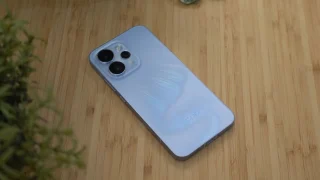
OPPO has released three new models recently: the standard Reno15, the more affordable Reno15 F,…
Apr 22, 2026
Business laptops have come a long way from being simple tools for emails and spreadsheets.…
Jul 1, 2026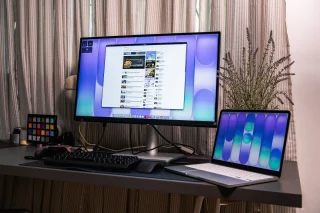
As someone who occasionally uses a laptop to work, one thing I sometimes wish for…
Jun 30, 2026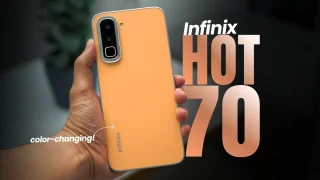
Coming in hot in the entry-level segment is the new Infinix HOT 70, and for…
Jun 25, 2026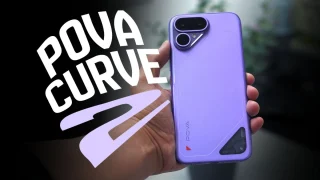
The TECNO POVA Curve 2 5G has arrived. It’s a slim, lightweight phone, and yet…
Jun 12, 2026
Everything Apple Announced at WWDC 2026: New Siri AI, iOS 27, macOS Golden Gate, and…
Jun 9, 2026Just head over to the Camera app, switch to Video mode, and on the upper part of the interface, toggle on the “Ultra Steady” and HDR options. Vlogging with two perspectives & seamless lens switching Speaking of vlogs, one way to spice things up is using the Dual Video mode.
You can decide whether the front or rear camera takes the larger frame in dual video mode, and even change the layout to a circular frame or split-screen view.
Our coverage of dual video mode includes: "OPPO Reno15 Series 5G: Delivering the Complete Mobile Creator Experience"; "ASUS ExpertBook Ultra - 5 Best Features That Make This a Serious Executive Productivity Machine"; "See more, do more with BenQ’s new monitors". Each article provides unique insights and information.