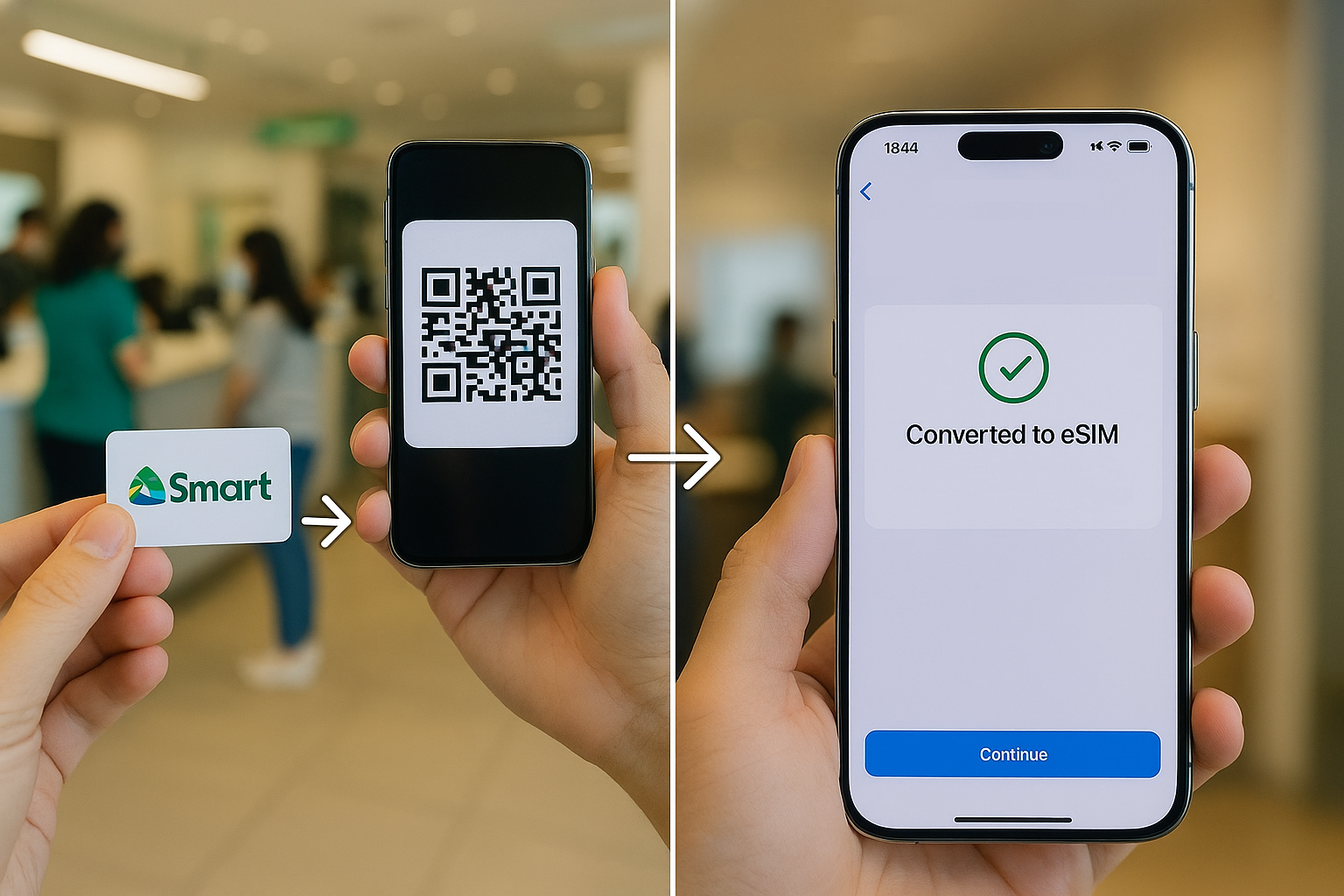

If you are looking to switch from an old physical SIM to an eSIM on your iPhone or Android device? As you may have heard from our previous articles, Smart Communications now allows users to convert their physical postpaid SIM to an eSIM—but here's the catch, you’ll need to do it through a Smart Store. On the iPhone (in this case, an iPhone 16 Pro Max), go to Settings > Cellular > Add eSIM > Use QR Code, then scan the code. If you ever need to request another eSIM or number, you’ll have to revisit a Smart Center to generate a new QR code. Final Thoughts The switch to eSIM is fast, hassle-free, and future-ready—especially if you’re using newer iPhones or Android flagships. Read more in our articles including "How to Convert Your Regular Smart Postpaid SIM to eSIM (2025 Guide)" and "Smart Bro now up to 2Mbps".
If you are looking to switch from an old physical SIM to an eSIM on…
Jun 3, 2025A new poster ad from Smart Bro promotes their broadband speed to be up to…
Oct 11, 2008Just after midnight today, we headed off to Baguio City to spend the holiday. I…
Nov 1, 2006Launched just yesterday, Smart WiFi is a new broadband internet service which allows users to…
Jun 16, 2005
Smart Communications is at the forefront of a steady rise in average monthly 5G data…
Apr 30, 2024
Earlier this week, the Makati City Government issued a closure order against Smart Communications Inc.’s…
Mar 4, 2023If you are looking to switch from an old physical SIM to an eSIM on your iPhone or Android device? As you may have heard from our previous articles, Smart Communications now allows users to convert their physical postpaid SIM to an eSIM—but here's the catch, you’ll need to do it through a Smart Store.
On the iPhone (in this case, an iPhone 16 Pro Max), go to Settings > Cellular > Add eSIM > Use QR Code, then scan the code. If you ever need to request another eSIM or number, you’ll have to revisit a Smart Center to generate a new QR code. Final Thoughts The switch to eSIM is fast, hassle-free, and future-ready—especially if you’re using newer iPhones or Android flagships.
Our coverage of eSIM iPhone Smart 2024 includes: "How to Convert Your Regular Smart Postpaid SIM to eSIM (2025 Guide)"; "Smart Bro now up to 2Mbps"; "Smart 3G to Baguio". Each article provides unique insights and information.