

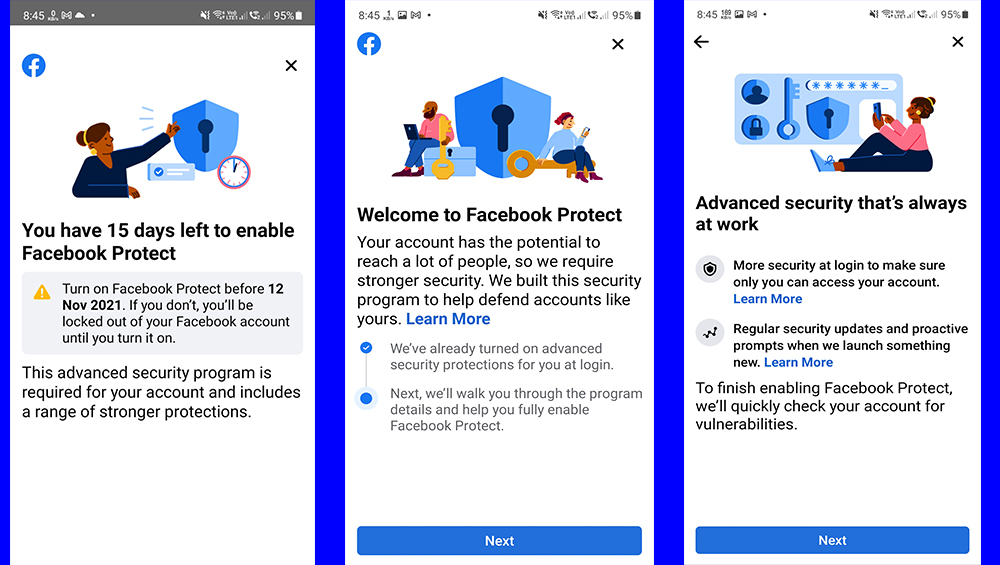


The hacking of Facebook accounts is no longer new, but it's still ongoing and anyone can be a target nowadays. The good news, though, is that Facebook has introduced security features over the years to help you secure your accounts. Before we dive into the features, you'll need to log into your Facebook account. Scroll down and tap on Settings & Privacy, tap on Settings, then tap on Password and Security. One of the first things you'll see is Facebook Protect. It should be 'On' as Facebook already activated it for you. Next is to Check Your Important Security Settings. Tap on it and it will provide you a summary of your Security Checkup. Read more in our articles including "How to secure your Facebook accounts" and "Facebook Protect rolls out to users in the Philippines".

The hacking of Facebook accounts is no longer new, but it’s still ongoing and anyone…
Feb 5, 2022
Facebook is now rolling out a feature for added security for its users in the…
Oct 28, 2021
More than 267 million Facebook user IDs, phone numbers, and names were exposed online and…
Dec 20, 2019
Facebook has revealed that they have discovered a security issue that is affecting almost 50…
Sep 29, 2018How well do you control your Facebook profiles? Here are five settings the social network…
Dec 23, 2014
Facebook is launching a new game, Your Profile, Your Home where users can build their…
May 20, 2022The hacking of Facebook accounts is no longer new, but it's still ongoing and anyone can be a target nowadays. The good news, though, is that Facebook has introduced security features over the years to help you secure your accounts.
Before we dive into the features, you'll need to log into your Facebook account. Scroll down and tap on Settings & Privacy, tap on Settings, then tap on Password and Security. One of the first things you'll see is Facebook Protect.
Our coverage of facebook security includes: "How to secure your Facebook accounts"; "Facebook Protect rolls out to users in the Philippines"; "267 million Facebook user IDs, phone numbers exposed online according to report". Each article provides unique insights and information.