

It seems that Google Assistant is everywhere these days, from smartphones and tablets, to smart speakers and smart displays. If you drive a vehicle that comes with an Android Auto-enabled entertainment system, then Google Assistant is coming to your car as well. PalawanPay has added Google Wallet support for its Visa Card, allowing eligible Android users to make contactless payments using their smartphones instead of a physical card. The new feature lets users link their PalawanPay Visa Virtual Card to Google Wallet and pay at stores that accept contactless payments through Google Pay's Tap to Pay feature. To use the feature, users need to open the PalawanPay app, go to the Cards section, tap the Tap to Pay GPay button, then select Add to Google Wallet. According to PalawanPay's FAQs, users must have an active PalawanPay Visa Virtual Card, an Android phone with NFC support, an updated Google Wallet app, and a screen lock such as a PIN, password, fingerprint, or face unlock. If users are unable to add their card, possible reasons include outdated versions of the PalawanPay or Google Wallet apps, disabled NFC, unsupported devices, inactive or blocked cards, or temporary system or internet connection issues. Read more in our articles including "Android Auto to get Google Assistant" and "PalawanPay Visa Card now works with Google Wallet".
It seems that Google Assistant is everywhere these days, from smartphones and tablets, to smart…
Jan 9, 2018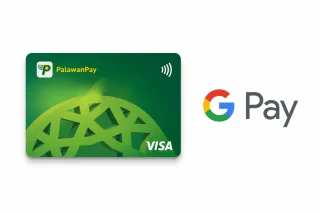
PalawanPay has added Google Wallet support for its Visa Card, allowing eligible Android users to…
Jun 30, 2026I’ve been an avid fan of the Moo cards ever since they went online. The…
Jul 22, 2008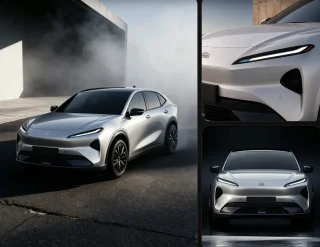
Francisco Motors has launched the Elektron, its first fully electric passenger vehicle, with prices starting…
Jul 28, 2026
The Land Transportation Office (LTO) has raised concerns over the future of its Land Transportation…
Jun 21, 2026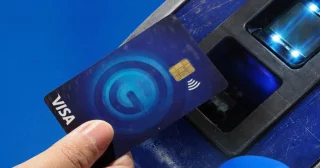
Commuters can now access the 50% fare discount on MRT-3 using GCash, as part of…
Apr 20, 2026It seems that Google Assistant is everywhere these days, from smartphones and tablets, to smart speakers and smart displays. If you drive a vehicle that comes with an Android Auto-enabled entertainment system, then Google Assistant is coming to your car as well.
PalawanPay has added Google Wallet support for its Visa Card, allowing eligible Android users to make contactless payments using their smartphones instead of a physical card. The new feature lets users link their PalawanPay Visa Virtual Card to Google Wallet and pay at stores that accept contactless payments through Google Pay's Tap to Pay feature. To use the feature, users need to open the PalawanPay app, go to the Cards section, tap the Tap to Pay GPay button, then select Add to Google Wallet.
Our coverage of google assistant car includes: "Android Auto to get Google Assistant"; "PalawanPay Visa Card now works with Google Wallet"; "Moo Mini Cards: An Expensive Lesson in Proofreading". Each article provides unique insights and information.