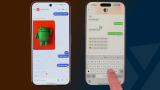

On iPhones running iOS 26.4 beta 2, encrypted RCS messages appear in the Messages app with a “Text Message · RCS” label and a lock icon indicating encryption. On Android, Google Messages shows the same lock icon used for encrypted conversations between Android devices. Users can check by going to Settings > Messages > RCS Messaging and ensuring that “End-to-End Encryption (Beta)” is enabled. Android users must install the latest Google Messages beta. Users are encouraged to download Google Messages from the Play Store and install the program on their smartphones. A pop-up window should appear soon after, wherein users are instructed to set Google Messages as their default SMS app. Next, users on older versions such as Android 12 or 13 need to add Google Messages to their home screens manually. End-to-end encrypted Apple and Google RCS messaging is rolling out in beta after an effort by Apple and Google to improve secure texting. Read more in our articles including "Google, Apple begin testing encrypted RCS between Android and iOS 26.4" and "Samsung axes Messages app, urges users to switch to Google".
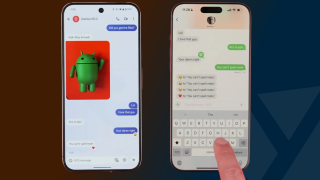
Google and Apple have started testing end-to-end encrypted RCS messaging between Android and iPhone users.…
Feb 26, 2026
Over time, it appears that Samsung has been slowly phasing out its in-house Messages app.…
Jul 8, 2026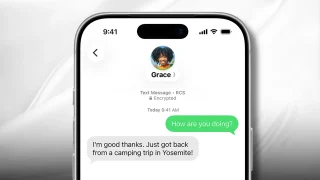
End-to-end encrypted Apple and Google RCS messaging is rolling out in beta after an effort…
May 12, 2026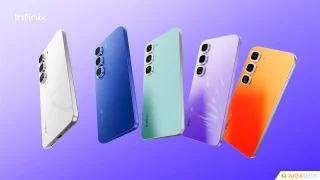
Nearly a month after releasing the Infinix HOT 70, Infinix has unveiled its Pro counterpart:…
Jul 17, 2026
OnePlus has confirmed that it’s exiting the North American and European markets. This means they…
Jul 17, 2026There was some sort of mass panic last night when Google was spewing a warning…
Feb 1, 2009On iPhones running iOS 26.4 beta 2, encrypted RCS messages appear in the Messages app with a “Text Message · RCS” label and a lock icon indicating encryption. On Android, Google Messages shows the same lock icon used for encrypted conversations between Android devices.
Users can check by going to Settings > Messages > RCS Messaging and ensuring that “End-to-End Encryption (Beta)” is enabled. Android users must install the latest Google Messages beta. Users are encouraged to download Google Messages from the Play Store and install the program on their smartphones.
Our coverage of Google Messages beta includes: "Google, Apple begin testing encrypted RCS between Android and iOS 26.4"; "Samsung axes Messages app, urges users to switch to Google"; "Apple and Google begin rolling out end-to-end encrypted RCS beta across platforms". Each article provides unique insights and information.