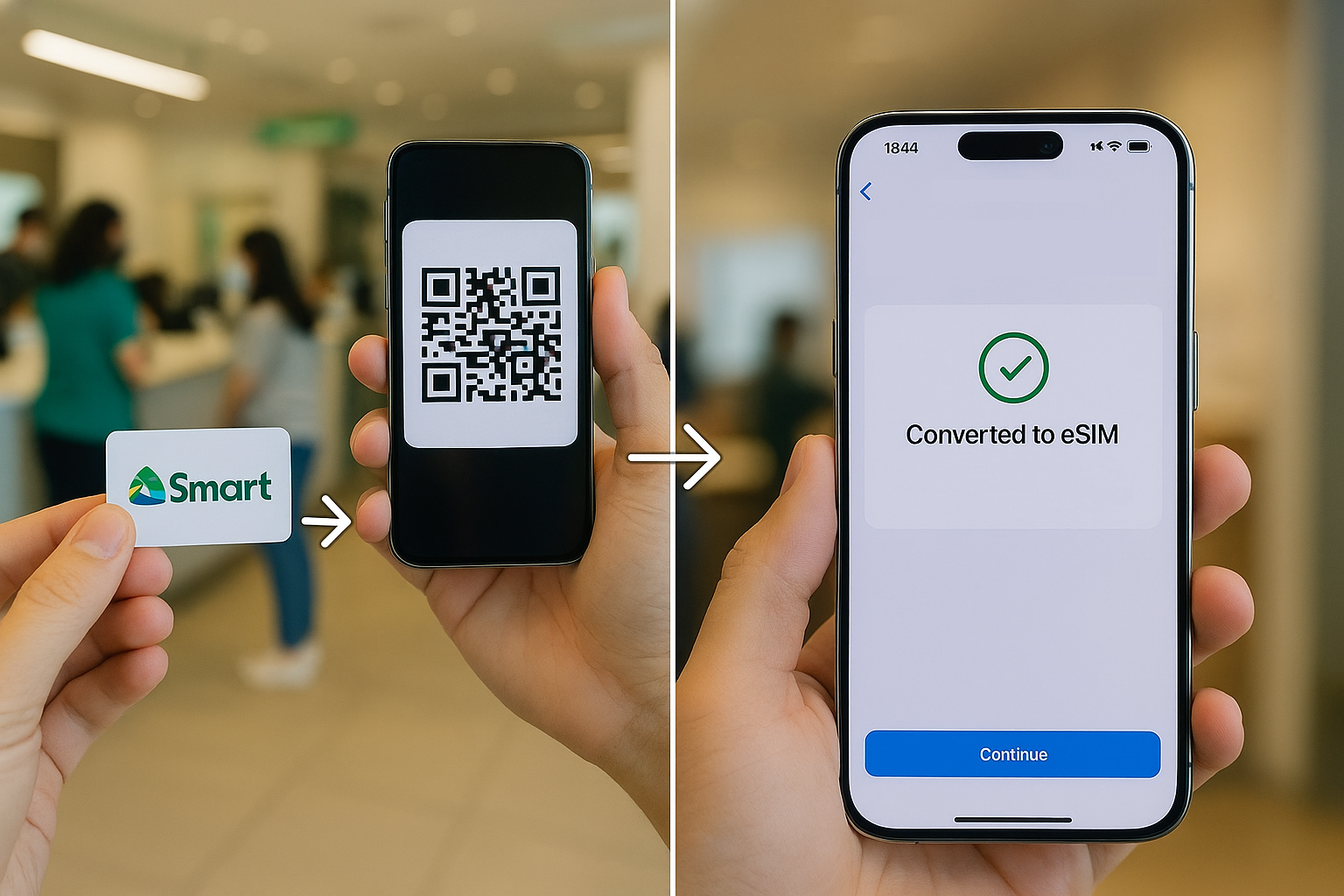

If you are looking to switch from an old physical SIM to an eSIM on your iPhone or Android device? As you may have heard from our previous articles, Smart Communications now allows users to convert their physical postpaid SIM to an eSIM—but here's the catch, you’ll need to do it through a Smart Store. Once you’re there, approach the customer service counter and inform them that you want to convert your postpaid SIM to an eSIM. The QR code that will be given is tied to your number and will activate the eSIM on your device. On the iPhone (in this case, an iPhone 16 Pro Max), go to Settings > Cellular > Add eSIM > Use QR Code, then scan the code. After a few minutes, you’ll see a prompt to complete the eSIM setup. Once finished, your device will reconnect using the newly activated eSIM. Reminder: Conversion time: Less than 1 minute once QR code is scanned Delivery of QR code: Within the same day via email Temporary no signal: Expected during transition After that, you’re all set—your Physical postpaid SIM is now a digital eSIM, and you can safely remove your physical SIM card. Read more in our articles including "How to Convert Your Regular Smart Postpaid SIM to eSIM (2025 Guide)" and "How BDO Pay Makes Pahabol Gifts and Late Pamasko Simple and Secure".
If you are looking to switch from an old physical SIM to an eSIM on…
Jun 3, 2025
The holidays are officially over, and if you’re anything like most Filipinos, you’re probably still…
Jan 20, 2026
We all know that Apple and its closed ecosystem is arguably THE best one out…
Aug 1, 2026
We’ve spent weeks using the HONOR 600 Series as our daily drivers to get a…
Jul 23, 2026
So, you just got a shiny new phone, and what’s exactly the first thing you’d…
Jul 23, 2026
It seems like it was only yesterday when 2026 started, but now we’re already halfway…
Jul 12, 2026If you are looking to switch from an old physical SIM to an eSIM on your iPhone or Android device? As you may have heard from our previous articles, Smart Communications now allows users to convert their physical postpaid SIM to an eSIM—but here's the catch, you’ll need to do it through a Smart Store.
Once you’re there, approach the customer service counter and inform them that you want to convert your postpaid SIM to an eSIM. The QR code that will be given is tied to your number and will activate the eSIM on your device. On the iPhone (in this case, an iPhone 16 Pro Max), go to Settings > Cellular > Add eSIM > Use QR Code, then scan the code.
Our coverage of how to convert sim to esim includes: "How to Convert Your Regular Smart Postpaid SIM to eSIM (2025 Guide)"; "How BDO Pay Makes Pahabol Gifts and Late Pamasko Simple and Secure"; "Xiaomi Ecosystem: It just works, too". Each article provides unique insights and information.