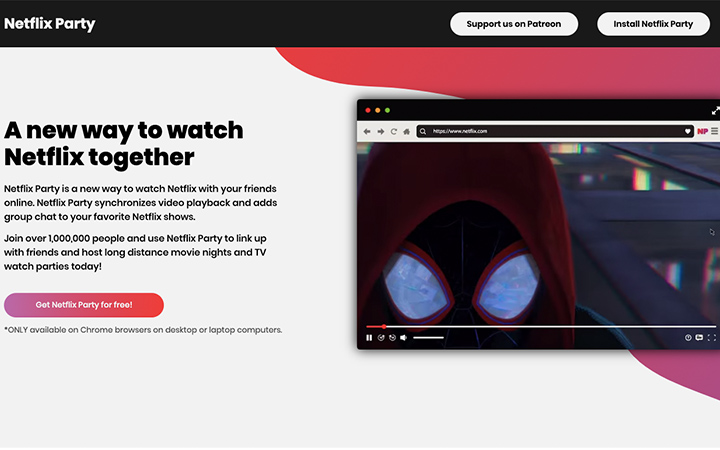

If you haven’t tried doing a Netflix Party yet, well now is most likely the best time to do so to bond with your loved ones—especially in times where we need to observe social-distancing. This Chrome extension will allow you and your friends to stream shows at the same time as long as you all have Netflix Party installed and a Netflix account of course. With Netflix Party, you’ll get a synchronized video playback experience with a live group chat to interact. Everyone in the party should install Netflix Party extension to your own Google Chrome browsers. Go to Netflixparty.com Click on the "Install Netflix Party" button and you’ll be redirected to the Chrome Web Store. Log in your Netflix account and pick the movie or series you all want to watch. Now that you all have your extensions installed, it's time to pick a show. You can end the party by clicking the “NP” icon again and click “disconnect” or you can just exit the show. Read more in our articles including "5 Quick Steps to Start a Netflix Party" and "CICC cracks down on GoreBox after Tacloban school shooting".

If you haven’t tried doing a Netflix Party yet, well now is most likely the…
Mar 30, 2020
The Cybercrime Investigation and Coordinating Center (CICC) has ordered the temporary blocking of the game…
Jun 23, 2026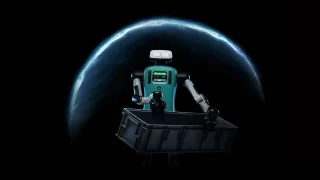
NVIDIA has announced Halos for Robotics. It is a new full-stack safety platform designed to…
Jun 23, 2026How to activate GPRS for Globe and TM (Touch Mobile) For a complete listing of…
Jun 10, 2011
Apple has released the second developer beta of iOS 27. It brings several new features…
Jun 23, 2026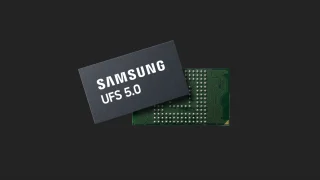
Samsung has announced the development of UFS 5.0. The brand states that UFS 5.0 is…
Jun 23, 2026If you haven’t tried doing a Netflix Party yet, well now is most likely the best time to do so to bond with your loved ones—especially in times where we need to observe social-distancing. This Chrome extension will allow you and your friends to stream shows at the same time as long as you all have Netflix Party installed and a Netflix account of course.
With Netflix Party, you’ll get a synchronized video playback experience with a live group chat to interact. Everyone in the party should install Netflix Party extension to your own Google Chrome browsers. Go to Netflixparty.com Click on the "Install Netflix Party" button and you’ll be redirected to the Chrome Web Store.
Our coverage of how to netflix party includes: "5 Quick Steps to Start a Netflix Party"; "CICC cracks down on GoreBox after Tacloban school shooting"; "NVIDIA announces Halos for safer AI-powered robots". Each article provides unique insights and information.