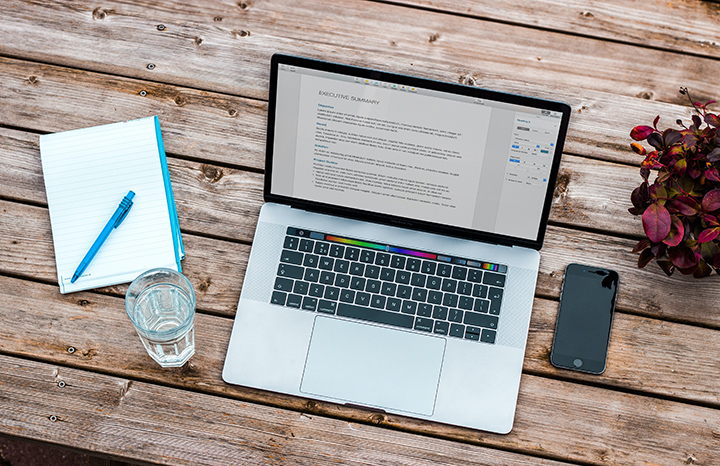

However, many PDF editing software makes it tricky to edit PDF files online, so here’s a list of the best free PDF editors you can use. Smallpdf One of the quickest ways to add images, text, shapes, or your signature to a PDF is with Smallpdf. This website allows you to upload a PDF, make changes to it, and then save it back to your computer, all without needing to make a user account or pay for any Anti-watermarking features. You also can draw on the PDF, add sticky notes, strikethrough text, put white space over anything you want to disappear, and insert lines, checkmarks, shapes, and comments. Read more in our articles including "5 Best Free PDF Editors You Can Use" and "Best Budget Tablets for Back-to-School 2026 | Under P10,000".
Have you found it difficult to look for PDF editors that let you not only…
Oct 25, 2020
A new school year means new projects, research papers, presentations, and online learning tasks. Whether…
Jun 14, 2026
With the announcement of the Xiaomi 17T series today, those hoping to upgrade from last…
May 29, 2026
Inflation is now (May 2026) at 7.2%, electricity rates at Php14.33/kWhr, and gas prices through…
May 28, 2026
GCash has expanded its in-app help tools and security features to address a growing number…
May 22, 2026
Smartphones today can handle all the basics. The real difference now is how well a…
Apr 30, 2026However, many PDF editing software makes it tricky to edit PDF files online, so here’s a list of the best free PDF editors you can use. Smallpdf One of the quickest ways to add images, text, shapes, or your signature to a PDF is with Smallpdf.
This website allows you to upload a PDF, make changes to it, and then save it back to your computer, all without needing to make a user account or pay for any Anti-watermarking features. You also can draw on the PDF, add sticky notes, strikethrough text, put white space over anything you want to disappear, and insert lines, checkmarks, shapes, and comments.
Our coverage of How to put signature in PDF includes: "5 Best Free PDF Editors You Can Use"; "Best Budget Tablets for Back-to-School 2026 | Under P10,000"; "Xiaomi 17T vs. Xiaomi 15T, what's different?". Each article provides unique insights and information.