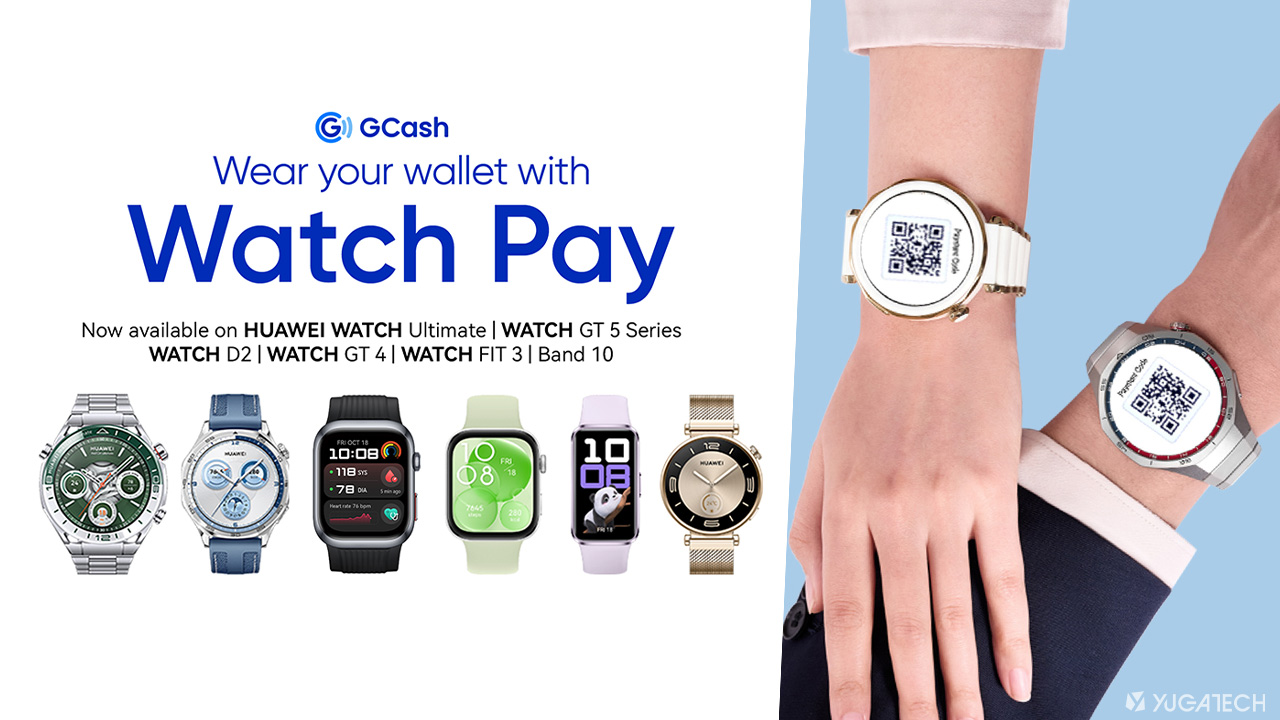

HUAWEI Philippines has recently introduced GCash Watch Pay feature allowing for easy, secure QR code-based payments directly from its smartwatches. Now, this feature is available to more HUAWEI wearables, including the HUAWEI WATCH Ultimate, WATCH GT 4, WATCH GT 5 Series, WATCH D2, WATCH Fit 3, and the HUAWEI Band 10. This collaboration with GCash makes HUAWEI the first to offer QR code payments through wearables in the country. How to set up Watch Pay on your HUAWEI device To use GCash on your HUAWEI smartwatch, follow these steps: Log your HUAWEI ID on their Android or HUAWEI phones. The HUAWEI ID region must be under the Philippines. Connect HUAWEI Health to your HUAWEI smartwatch. On your HUAWEI smartwatch menu, go to ‘Settings’ and select the ‘Payment’ option. After successfully linking a GCash account with a HUAWEI wearable, users can immediately use it to pay using the dynamic GCash QR payment code that will be displayed on the watch. Read more in our articles including "GCash Watch Pay now available to more HUAWEI wearables" and "Disputing Unauthorized Transactions on Paypal".
HUAWEI Philippines has recently introduced GCash Watch Pay feature allowing for easy, secure QR code-based…
Apr 3, 2025So my Paypal account was hacked at exactly 10:01am this morning. In the many years…
Jun 8, 2011Huawei has announced that they’ll be shipping the new E5 “Pocket MiFi” to the Philippines…
Nov 8, 2010Just finished guesting at Mornings @ ANC with @tjmanotoc where we discussed portable WiFi hotspots…
Jul 22, 2010
The Bangko Sentral ng Pilipinas (BSP) said it is reviewing the recent service disruption that…
Jun 18, 2026
Mynt, the fintech company behind GCash, has authorized the filing of a registration statement with…
Jun 17, 2026HUAWEI Philippines has recently introduced GCash Watch Pay feature allowing for easy, secure QR code-based payments directly from its smartwatches. Now, this feature is available to more HUAWEI wearables, including the HUAWEI WATCH Ultimate, WATCH GT 4, WATCH GT 5 Series, WATCH D2, WATCH Fit 3, and the HUAWEI Band 10.
This collaboration with GCash makes HUAWEI the first to offer QR code payments through wearables in the country. How to set up Watch Pay on your HUAWEI device To use GCash on your HUAWEI smartwatch, follow these steps: Log your HUAWEI ID on their Android or HUAWEI phones. The HUAWEI ID region must be under the Philippines.
Our coverage of HUAWEI Pay includes: "GCash Watch Pay now available to more HUAWEI wearables"; "Disputing Unauthorized Transactions on Paypal"; "Huawei introduces E5 "Pocket MiFi"". Each article provides unique insights and information.