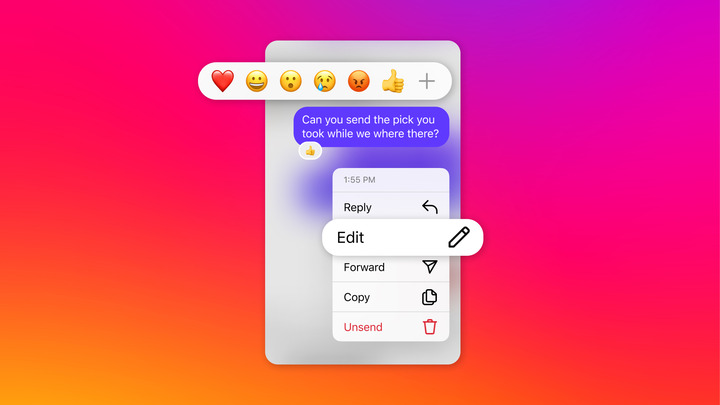

Instagram now has a feature that will allow its users to schedule their direct messages (DM). Users of Instagram now have the ability to schedule a message to send to others users through DM. This can be done by simply holding the Send button beside the user's message. The option to choose the date and time to send the message will be prompted afterwards. Texts appear when users receive messages, and users can view the full message by tapping on the bubble. Last year, reports of Mark Zuckerberg, Facebook CEO, was seen deleting his old messages which hinted the arrival of the "unsend" feature. Users will have 10 minutes to remove a message after it was sent to the recipient. To remove a message, just simply long-press or tap the message and press "Remove for Everyone" to delete the message on both ends or press "Remove for You" to delete it on your end only. Read more in our articles including "Instagram now allows scheduled direct messages" and "Google Messages test floating bubbles for Android 10".
Instagram now has a feature that will allow its users to schedule their direct messages…
Dec 17, 2024
Google has started testing floating conversation bubbles for its messaging app for Android 10. According…
Dec 29, 2019
The “unsend” feature of the Facebook Messenger has finally arrived in its mobile application. Last…
Feb 6, 2019
Zoom has introduced ZoomMate, a new AI-powered work platform designed to help teams turn conversations…
Jun 20, 2026
The Philippine Atmospheric, Geophysical and Astronomical Services Administration (PAGASA) has launched the PANaHON mobile app,…
Jun 16, 2026
EStrava has announced a set of new and updated hiking features aimed at helping users…
Jun 13, 2026Instagram now has a feature that will allow its users to schedule their direct messages (DM). Users of Instagram now have the ability to schedule a message to send to others users through DM.
This can be done by simply holding the Send button beside the user's message. The option to choose the date and time to send the message will be prompted afterwards. Texts appear when users receive messages, and users can view the full message by tapping on the bubble.
Our coverage of IG scheduled message includes: "Instagram now allows scheduled direct messages"; "Google Messages test floating bubbles for Android 10"; "Facebook rolls out Messenger unsend feature". Each article provides unique insights and information.