
Instagram is one of the most popular social media platforms, where we can upload our photos. Option 1: Download directly from Instagram This method works on the Android and iOS apps and is the best option if you want to download all your Instagram data, which includes the photos. Step 1: Open Instagram app Step 2: Tap on the icons with three lines on the upper right. Step 4: Tap on Security Step 5: Tap on Download Data under Data and History Step 6: Add your email address Step 7: Tap on Request Download From here, Instagram will now collect the data, which might take up to 48 hours, then send a link to your email. The data includes your photos, comments, profile information, and more. Option 2: Download from Facebook If you just want to download the photos, there's a way you can do it from Facebook. Step 3: Click on Photos Step 4: Click on Albums Step 5: Click on 'Instagram Photos' Step 6: Click on the gear icon on the upper right side of the album Step 7: Click on 'Download Album' From here, Facebook will collect the data then notify you when it's ready for download. Once it's ready, just enter your password when asked, then you will get a zip file containing the photos. Read more in our articles including "How to download your Instagram data and photos" and "Smartphones Under P10,000 | Q2 2026".

Instagram is one of the most popular social media platforms, where we can upload our…
May 12, 2020
It’s that time again when we round up the latest smartphone launches here in the…
Jun 26, 2026
A new school year means new projects, research papers, presentations, and online learning tasks. Whether…
Jun 14, 2026
With the announcement of the Xiaomi 17T series today, those hoping to upgrade from last…
May 29, 2026
Inflation is now (May 2026) at 7.2%, electricity rates at Php14.33/kWhr, and gas prices through…
May 28, 2026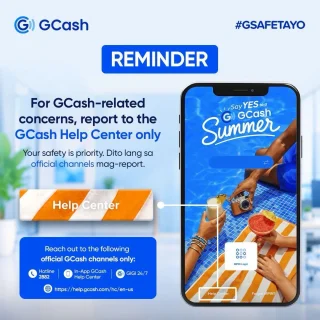
GCash has expanded its in-app help tools and security features to address a growing number…
May 22, 2026Instagram is one of the most popular social media platforms, where we can upload our photos. Option 1: Download directly from Instagram This method works on the Android and iOS apps and is the best option if you want to download all your Instagram data, which includes the photos.
Step 1: Open Instagram app Step 2: Tap on the icons with three lines on the upper right. Step 4: Tap on Security Step 5: Tap on Download Data under Data and History Step 6: Add your email address Step 7: Tap on Request Download From here, Instagram will now collect the data, which might take up to 48 hours, then send a link to your email. The data includes your photos, comments, profile information, and more.
Our coverage of instagram photos includes: "How to download your Instagram data and photos"; "Smartphones Under P10,000 | Q2 2026"; "Best Budget Tablets for Back-to-School 2026 | Under P10,000". Each article provides unique insights and information.