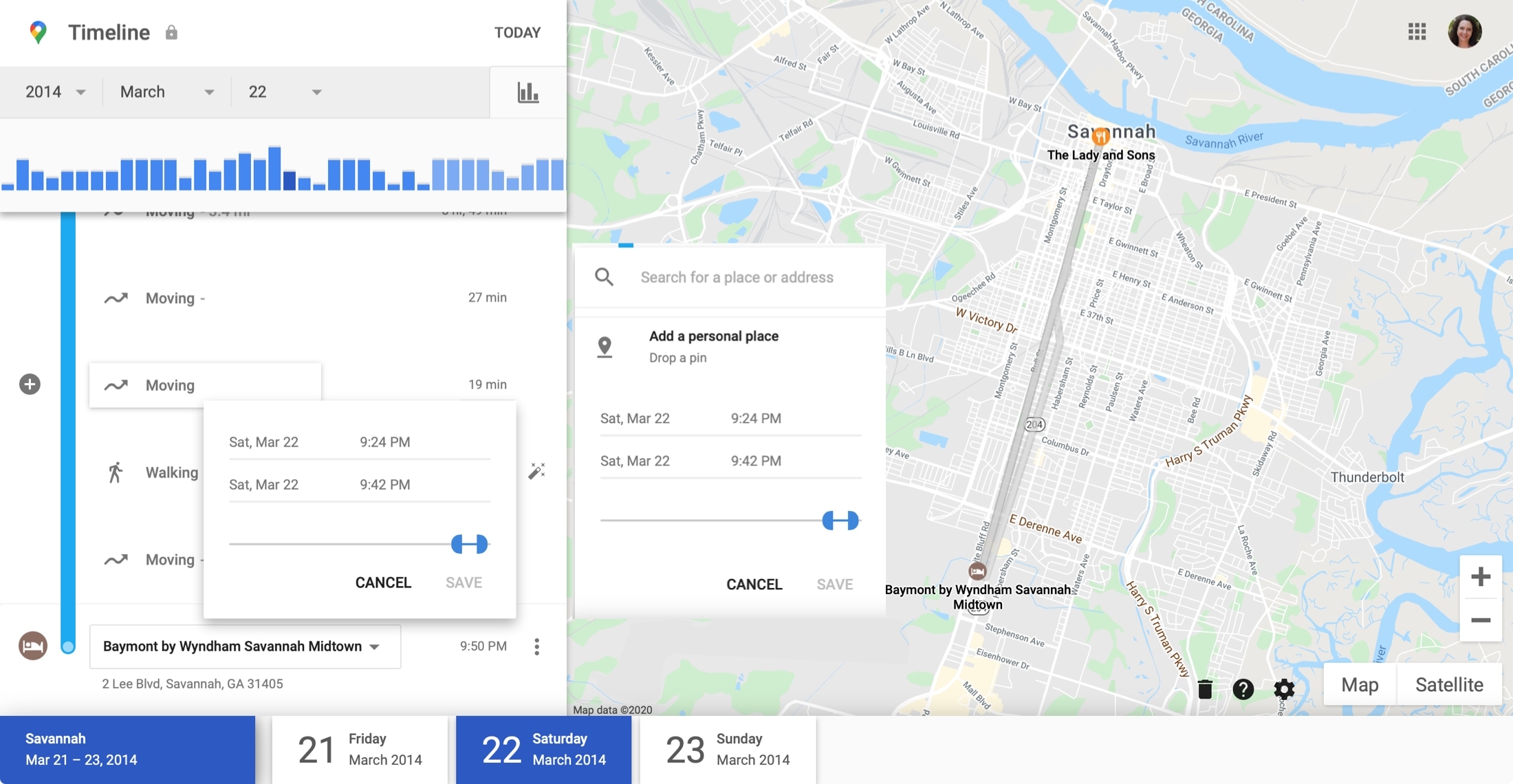

A recent glitch in Google Maps has resulted in the permanent loss of Timeline location history for some users, sparking frustration and confusion, especially among those who had been using the feature to document years—sometimes over a decade—of travel data. Google Maps Timeline, a feature that visually logs a user's travel history using location data, is widely used to keep track of trips, visits, and daily routes. Earlier this month, Google prompted Android and iOS users to update their Timeline settings to begin storing location data on their devices rather than in the cloud. Another called Google's response “a non-apology” after discovering that their Timeline history had been deleted even though they had already started transitioning to on-device storage in line with Google's instructions. Without clear communication and explicit user action, it's easy for even tech-savvy users to miss the backup step—especially with the assumption that Google services automatically retain such history. While Google’s statement attempts to downplay the scope of the issue, calling it a “brief technical issue,” the emotional weight of losing years of personal history is anything but brief for affected users. Google is finally rolling out its location history auto-delete feature which allows you to set a time limit to remove your web activity data. Read more in our articles including "Google Timeline Glitch Wipes Out Years of Location History for Some Users" and "Google location history auto-delete feature begins rolling out globally".
A recent glitch in Google Maps has resulted in the permanent loss of Timeline location…
Mar 24, 2025
Google is finally rolling out its location history auto-delete feature which allows you to set…
Jun 27, 2019
We all know what an iPhone or iPad is, but very few of us actually…
Jun 5, 2016
After being spotted in Lazada, the Infinix HOT 70 is now available in the Philippines.…
Jun 24, 2026
Apple has released the second developer beta of iOS 27. It brings several new features…
Jun 23, 2026
Samsung has announced the development of UFS 5.0. The brand states that UFS 5.0 is…
Jun 23, 2026A recent glitch in Google Maps has resulted in the permanent loss of Timeline location history for some users, sparking frustration and confusion, especially among those who had been using the feature to document years—sometimes over a decade—of travel data. Google Maps Timeline, a feature that visually logs a user's travel history using location data, is widely used to keep track of trips, visits, and daily routes.
Earlier this month, Google prompted Android and iOS users to update their Timeline settings to begin storing location data on their devices rather than in the cloud. Another called Google's response “a non-apology” after discovering that their Timeline history had been deleted even though they had already started transitioning to on-device storage in line with Google's instructions. Without clear communication and explicit user action, it's easy for even tech-savvy users to miss the backup step—especially with the assumption that Google services automatically retain such history.
Our coverage of location history includes: "Google Timeline Glitch Wipes Out Years of Location History for Some Users"; "Google location history auto-delete feature begins rolling out globally"; "What does the 'i' stand for in iPhone and other Apple products?". Each article provides unique insights and information.