
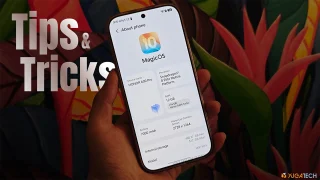
Toggling it OFF removes the specular highlights on certain UI elements, and you'll notice the difference most on the control center and lock screen. Tip 5: Stacked widgets Another Apple-inspired feature here is stacked widgets, which lets you cycle through multiple widgets in a single spot on your home screen. Tip 6: Lock screen widgets Continuing with widgets, did you know you can now add some to your lock screen, too? Just go to Settings > tap "Home screen & style" > tap "Customize" on the lock screen > and you should see an "Add widget" option right underneath the clock. Tap on it, and from here, you can add lock screen widgets like a Step Counter, Calendar, and even quick access to Notes, among others. Tip 7: Wallpaper depth effect While we're here at the lock screen, let me walk you through the wallpaper depth effect. On that same lock screen settings page, tap "Lock screen style" > tap "Select photo," then choose a fitting wallpaper. Read more in our articles including "HONOR MagicOS 10: Tips & Tricks" and "Debloat ANY Android Phone Using Canta + Shizuku Method".
We’ve spent weeks using the HONOR 600 Series as our daily drivers to get a…
Jul 23, 2026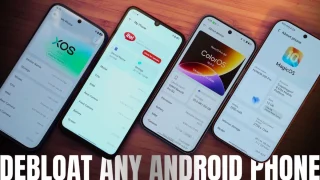
So, you just got a shiny new phone, and what’s exactly the first thing you’d…
Jul 23, 2026Just finished a taping for one segment of QTV 11’s “Ang Pinaka” and our topic…
Feb 6, 2009The biggest news for 2009 so far is the YellowSn0w unlocking application for the iPhone…
Jan 2, 2009
It seems like it was only yesterday when 2026 started, but now we’re already halfway…
Jul 12, 2026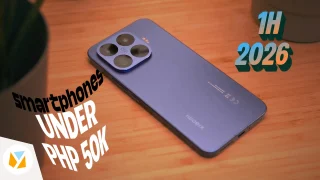
With June quickly coming to a close, we think it’s time to look back and…
Jul 12, 2026Toggling it OFF removes the specular highlights on certain UI elements, and you'll notice the difference most on the control center and lock screen. Tip 5: Stacked widgets Another Apple-inspired feature here is stacked widgets, which lets you cycle through multiple widgets in a single spot on your home screen.
Tip 6: Lock screen widgets Continuing with widgets, did you know you can now add some to your lock screen, too? Just go to Settings > tap "Home screen & style" > tap "Customize" on the lock screen > and you should see an "Add widget" option right underneath the clock. Tap on it, and from here, you can add lock screen widgets like a Step Counter, Calendar, and even quick access to Notes, among others.
Our coverage of lock screen widgets includes: "HONOR MagicOS 10: Tips & Tricks"; "Debloat ANY Android Phone Using Canta + Shizuku Method"; ""How to Overclock": Pinoys Most Searched". Each article provides unique insights and information.