

Launched in October 2018, the Windows 10 update version 1809 allows users to quickly remove the drives they connect without having to go through the "safely remove driver" process. This allows Windows to cache write operations to the external device but you must use the 'Safely Remove' If you've updated to the version 1809 or higher, then you can change the policy after following these steps: Connect the device to the computer. Read more in our articles including "Microsoft confirms you don't need to 'safely remove' drives after Windows 10 (1809) update" and "Microsoft extends Windows 10 lifespan for another year... again".

Microsoft has confirmed that users can remove the drives they connect without having to go…
Apr 9, 2019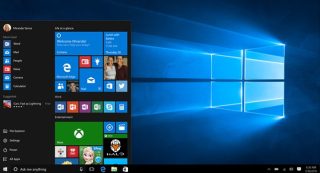
Despite Microsoft’s aggressive push to transition users onto Windows 11, a massive chunk of the…
Jun 26, 2026
Microsoft is reducing the number of Copilot AI integrations in Windows 11, signaling a shift…
Mar 21, 2026
Microsoft has started rolling out new preview updates for Windows Insiders in the Release Preview…
Feb 19, 2026Microsoft has finally announced the SKUs of their upcoming OS, Windows 7. The line-up didn’t…
Feb 4, 2009I’ve had the beta version of Windows 7 installed on my Intel Core 2 Quad,…
Jan 15, 2009Launched in October 2018, the Windows 10 update version 1809 allows users to quickly remove the drives they connect without having to go through the "safely remove driver" process. This allows Windows to cache write operations to the external device but you must use the 'Safely Remove' If you've updated to the version 1809 or higher, then you can change the policy after following these steps: Connect the device to the computer.
Our coverage of Microsoft Windows Update 1809 USB safely remove includes: "Microsoft confirms you don't need to 'safely remove' drives after Windows 10 (1809) update"; "Microsoft extends Windows 10 lifespan for another year... again"; "Microsoft reduces Copilot AI integrations on Windows 11". Each article provides unique insights and information.
Our article "Microsoft confirms you don't need to 'safely remove' drives after Windows 10 (1809) update" published on April 9, 2019 covers the latest information about Microsoft Windows Update 1809 USB safely remove. Check it out for the most current details.