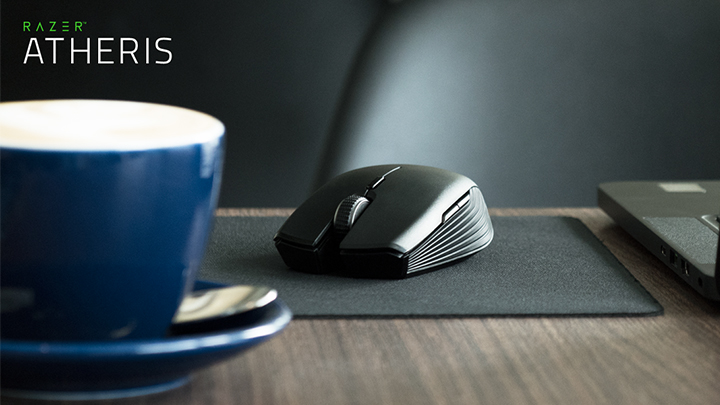

Razer releases a new mouse that is optimized for both work and play, namely, the Razer Atheris. But for those who couldn't seem to fully grasp how these two differ, check out our quick guide on whether an optical or laser mouse should be the right tool for you. In addition, it is useful for high-resolution displays like Full HD or UHD screens (with Dell just launching a slew of 4K and 5K resolution monitors) since the mouse will be sensitive enough to go end-to-end the screen, even when using multiple displays, without having to move your mouse across the entire table. Personally, I still prefer playing on an optical mouse with a decent dpi count (around 1200 - 2000 at the most) since I find it more stable and accurate. I recently used a laser gaming mouse and experienced the cursor to be a bit shaky when I try to aim for icons. RELATED: First-ever smart gaming mouse with built-in heart rate monitor To sum it up, the ideal mouse for you depends on the application or kind of game you're playing (if you need a lot of accuracy and speed-scrolling), the resolution of the display you'll use it on, and of course how you personally want your mouse to handle. Read more in our articles including "Razer outs new Atheris mouse" and "Optical vs Laser Mouse: Which Do You Need?".

Razer releases a new mouse that is optimized for both work and play, namely, the…
Aug 16, 2017Gone are the days when we use a mouse with a physical ball under it.…
Feb 5, 2015The IRIScan Mouse, an all-in-one device that works as a wired mouse and a portable…
Sep 2, 2014Several new mice came out of Microsoft lately but the one that got my attention…
Nov 10, 2008
Alongside the Nothing Phone (4b), the company also introduced the Nothing Ear (3a). It gets…
Aug 1, 2026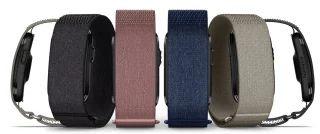
Garmin has officially launched the CIRQA Smart Band in the Philippines, expanding its lineup of…
Jul 27, 2026Razer releases a new mouse that is optimized for both work and play, namely, the Razer Atheris. But for those who couldn't seem to fully grasp how these two differ, check out our quick guide on whether an optical or laser mouse should be the right tool for you.
In addition, it is useful for high-resolution displays like Full HD or UHD screens (with Dell just launching a slew of 4K and 5K resolution monitors) since the mouse will be sensitive enough to go end-to-end the screen, even when using multiple displays, without having to move your mouse across the entire table. Personally, I still prefer playing on an optical mouse with a decent dpi count (around 1200 - 2000 at the most) since I find it more stable and accurate. I recently used a laser gaming mouse and experienced the cursor to be a bit shaky when I try to aim for icons.
Our coverage of mouse for playing includes: "Razer outs new Atheris mouse"; "Optical vs Laser Mouse: Which Do You Need?"; "IRIScan Mouse / Scanner now on Villman for Php3,888". Each article provides unique insights and information.