

Netflix is rolling out support for Apple’s spatial audio on both the iPhone and iPad. Designed for a more immersive surround-sound experience, Apple’s spatial audio is only accessible through compatible speakers or headphones such as the AirPods Pro and AirPods Max. You can adjust spatial audio modes by pressing on the "Music Upmix" button on the headphones, which can simulate Cinema, Game, or other settings as seen below. Read more in our articles including "Netflix adds support for spatial audio on iPhone and iPad" and "Netflix to launch in SG, HK, South Korea and Taiwan".

Netflix is rolling out support for Apple’s spatial audio on both the iPhone and iPad.…
Aug 19, 2021A couple of days ago, Netflix made the announcement that it will soon launch in…
Sep 11, 2015We just came from Singapore where Sony has announced its new lineup of high-resolution audio…
Oct 7, 2014
Alongside the Nothing Phone (4b), the company also introduced the Nothing Ear (3a). It gets…
Aug 1, 2026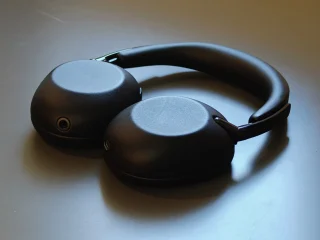
In the crowded wireless over-ear ANC headphone space we have in 2026, we have to…
Jul 15, 2026
When it comes to premium wireless earbuds these days, most brands focus on improving sound…
May 29, 2026Netflix is rolling out support for Apple’s spatial audio on both the iPhone and iPad. Designed for a more immersive surround-sound experience, Apple’s spatial audio is only accessible through compatible speakers or headphones such as the AirPods Pro and AirPods Max.
You can adjust spatial audio modes by pressing on the "Music Upmix" button on the headphones, which can simulate Cinema, Game, or other settings as seen below.
Our coverage of Netflix Spatial Audio iphone includes: "Netflix adds support for spatial audio on iPhone and iPad"; "Netflix to launch in SG, HK, South Korea and Taiwan"; "A Guide to Sony's New High-Res Audio System". Each article provides unique insights and information.