
Google has released a Chrome extension that enables the Always-on voice search on Chrome browser for desktop. Now you can start speaking your search by saying "Ok Google", like you would on an Android smartphone or tablet. The Google Voice Search Hotword (Beta) extension is a free download and is 4.85MB in size. 3) Visit Google.com on Chrome and give it a try. Just say "Ok Google" and then ask your question. We noticed that it doesn't work if your Chrome browser redirects you to the local search page which is www.google.com/ph. For that you need to use www.google.com/ncr (ncr = "no country redirect") to bypass country redirects. Google has announced new updates to Chrome Autofill. Read more in our articles including ""Ok Google" voice search arrives on Chrome for desktop" and "Google Chrome expands Autofill with Google Wallet integration".
Google has released a Chrome extension that enables the Always-on voice search on Chrome browser…
Nov 27, 2013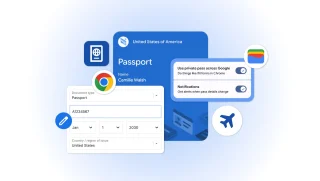
Google has announced new updates to Chrome Autofill. With this feature, it brings support for…
Jun 24, 2026
Google has introduced new AI-powered pointer features that let users interact with Google Gemini more…
May 14, 2026There was some sort of mass panic last night when Google was spewing a warning…
Feb 1, 2009Google Chrome recently got promoted to version 1.0 and dropping the beta label. At the…
Dec 16, 2008
Google is expanding its AI-powered Gemini experience in Chrome to more users across the Asia…
Apr 21, 2026Google has released a Chrome extension that enables the Always-on voice search on Chrome browser for desktop. Now you can start speaking your search by saying "Ok Google", like you would on an Android smartphone or tablet.
The Google Voice Search Hotword (Beta) extension is a free download and is 4.85MB in size. 3) Visit Google.com on Chrome and give it a try. Just say "Ok Google" and then ask your question.
Our coverage of ok google chrome includes: ""Ok Google" voice search arrives on Chrome for desktop"; "Google Chrome expands Autofill with Google Wallet integration"; "Google unveils AI-powered pointer for Chrome". Each article provides unique insights and information.