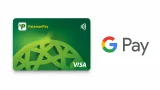

PalawanPay has added Google Wallet support for its Visa Card, allowing eligible Android users to make contactless payments using their smartphones instead of a physical card. The new feature lets users link their PalawanPay Visa Virtual Card to Google Wallet and pay at stores that accept contactless payments through Google Pay's Tap to Pay feature. To use the feature, users need to open the PalawanPay app, go to the Cards section, tap the Tap to Pay GPay button, then select Add to Google Wallet. According to PalawanPay's FAQs, users must have an active PalawanPay Visa Virtual Card, an Android phone with NFC support, an updated Google Wallet app, and a screen lock such as a PIN, password, fingerprint, or face unlock. If users are unable to add their card, possible reasons include outdated versions of the PalawanPay or Google Wallet apps, disabled NFC, unsupported devices, inactive or blocked cards, or temporary system or internet connection issues. PalawanPay recommends updating both apps, enabling NFC, checking the internet connection, and ensuring the Visa Card is active before trying again. More information is available through the PalawanPay Help Center. Read more in our articles including "PalawanPay Visa Card now works with Google Wallet" and "BPI to remove InstaPay, PESONet transfer fees starting July 1".
PalawanPay has added Google Wallet support for its Visa Card, allowing eligible Android users to…
Jun 30, 2026
Bank of the Philippine Islands (BPI) will permanently remove transfer fees for InstaPay and PESONet…
Jun 29, 2026
Pasig Mega Market now has satellite-powered internet to support cashless payments under the Paleng-QR Ph…
Jun 21, 2026
The Bangko Sentral ng Pilipinas (BSP) has introduced new rules aimed at making electronic payment…
Jun 19, 2026
The Bangko Sentral ng Pilipinas (BSP) said it is reviewing the recent service disruption that…
Jun 18, 2026
Mynt, the fintech company behind GCash, has authorized the filing of a registration statement with…
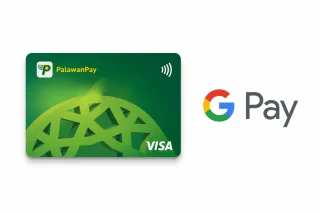
Jun 17, 2026PalawanPay has added Google Wallet support for its Visa Card, allowing eligible Android users to make contactless payments using their smartphones instead of a physical card. The new feature lets users link their PalawanPay Visa Virtual Card to Google Wallet and pay at stores that accept contactless payments through Google Pay's Tap to Pay feature.
To use the feature, users need to open the PalawanPay app, go to the Cards section, tap the Tap to Pay GPay button, then select Add to Google Wallet. According to PalawanPay's FAQs, users must have an active PalawanPay Visa Virtual Card, an Android phone with NFC support, an updated Google Wallet app, and a screen lock such as a PIN, password, fingerprint, or face unlock. If users are unable to add their card, possible reasons include outdated versions of the PalawanPay or Google Wallet apps, disabled NFC, unsupported devices, inactive or blocked cards, or temporary system or internet connection issues.
Our coverage of PalawanPay includes: "PalawanPay Visa Card now works with Google Wallet"; "BPI to remove InstaPay, PESONet transfer fees starting July 1"; "Pasig Mega Market gets Starlink internet for cashless payments". Each article provides unique insights and information.