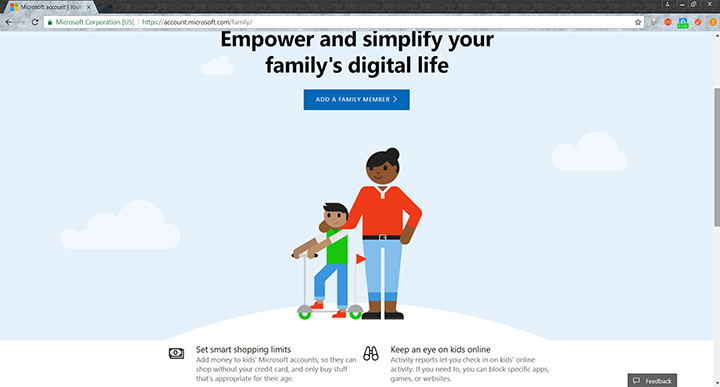

Windows Computer - Go to Control Panel > User Accounts then click on Manage another account. Use Parental controls One of the simplest and best ways to keep your children monitored without constant supervision is setting up parental controls on your devices or programs. Both Windows and Mac support this but there are also other devices, apps, and programs that have it. After doing all these you would be able to manage the parental controls on Microsoft's My Account on the web. MAC -- Go to System Preferences then Users & Groups then click on the user you would like to enable parental controls to on the left-hand window. and check the "Enable Parental Controls" check box. To manage the parental options just click "Open Parental Controls" YouTube -- enable YouTube Safety Mode in your web browser. Setup your router It proves quite a challenge for parents and guardians to monitor and control the internet usage of children who know how to operate the web. It is not just there to provide internet access throughout your house, it also has various settings you could tinker with to control internet access. Read more in our articles including "How to Manage Internet Use for your Children" and "Apple Overhauls Child Safety with New Parental Controls in iOS 27".
Have you ever experienced a time where your child is staying up late at night…
Sep 1, 2017
Apple dedicated a big chunk of WWDC 2026 to child safety, and the update is…
Jun 9, 2026
YouTube has announced new updates aimed at making the platform safer and more balanced for…
Jan 15, 2026
We all know that Apple and its closed ecosystem is arguably THE best one out…
Aug 1, 2026
We’ve spent weeks using the HONOR 600 Series as our daily drivers to get a…
Jul 23, 2026
So, you just got a shiny new phone, and what’s exactly the first thing you’d…
Jul 23, 2026Windows Computer - Go to Control Panel > User Accounts then click on Manage another account. Use Parental controls One of the simplest and best ways to keep your children monitored without constant supervision is setting up parental controls on your devices or programs. Both Windows and Mac support this but there are also other devices, apps, and programs that have it.
After doing all these you would be able to manage the parental controls on Microsoft's My Account on the web. MAC -- Go to System Preferences then Users & Groups then click on the user you would like to enable parental controls to on the left-hand window. and check the "Enable Parental Controls" check box.
Our coverage of parental control includes: "How to Manage Internet Use for your Children"; "Apple Overhauls Child Safety with New Parental Controls in iOS 27"; "YouTube introduces updated parental control feature". Each article provides unique insights and information.