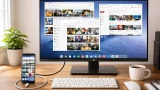

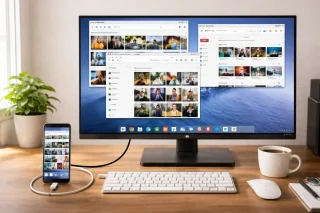
Google has started rolling out Android’s new Desktop Mode for Pixel phones, allowing users to connect their device to an external monitor and use it like a desktop computer. With a USB-C cable, Pixel users can connect their phone to a compatible monitor and get a desktop-style interface on a larger screen. Desktop Mode is available on Pixel 8 devices and newer models, including foldable Pixel phones, as long as they support USB DisplayPort. Users will also need a monitor that supports DisplayPort through USB-C. If the monitor does not support it, a USB-C to HDMI adapter can be used. The company said the update is starting to roll out now and should become available to supported Pixel devices soon. Read more in our articles including "Android Desktop Mode now available on Pixel phones" and "The Samsung Galaxy Glasses app interface has been leaked".
Google has started rolling out Android’s new Desktop Mode for Pixel phones, allowing users to…
Mar 4, 2026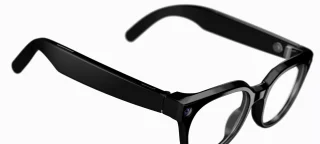
Smart glasses that are capable of video recording, meshing your everyday life with AI,…
Jul 1, 2026
Instagram has rolled out a new feature that allows creators to add unique captions to…
Jun 20, 2026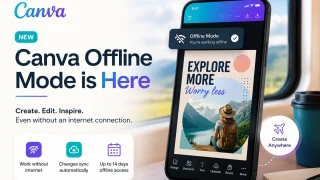
Canva has officially launched Offline Mode, allowing users to create and edit designs without an…
Jun 10, 2026
Google has announced that the Fitbit app will soon become the new Google Health app,…
May 9, 2026
Adobe just introduced new AI-powered features in Adobe Acrobat, allowing users to turn PDFs into…
May 6, 2026Google has started rolling out Android’s new Desktop Mode for Pixel phones, allowing users to connect their device to an external monitor and use it like a desktop computer. With a USB-C cable, Pixel users can connect their phone to a compatible monitor and get a desktop-style interface on a larger screen.
Desktop Mode is available on Pixel 8 devices and newer models, including foldable Pixel phones, as long as they support USB DisplayPort. Users will also need a monitor that supports DisplayPort through USB-C. If the monitor does not support it, a USB-C to HDMI adapter can be used.
Our coverage of Pixel external monitor support includes: "Android Desktop Mode now available on Pixel phones"; "The Samsung Galaxy Glasses app interface has been leaked"; "Instagram introduces Multiple Captions for Carousel Posts". Each article provides unique insights and information.