

New and existing PLDT Home subscribers may earn cashback vouchers when they pay their bills directly through the PayMaya app from October to December 2021. Users who pay their PLDT Home bills for the first time will earn a PHP 100 cashback voucher and a PHP 50 cashback voucher on subsequent payments done through the app. To pay for a PLDT Home bill in the PayMaya app, follow the steps below: 1) Log in to your PayMaya account 2) Tap “Bills” on the home screen 3) Select the Telecoms biller category and choose PLDT Home 4) Enter your PLDT Home account details (e.g. That’s why we are working closely with PayMaya to encourage more of our PLDT Home customers to shift to digital payments," said Patrick Tang, Vice President and Head of PLDT Home Customer Management. To know more about the PLDT Home bills payment PayMaya promo, visit the official PLDT Home website. Recognizing this growing reality, PLDT Home continues to go beyond delivering reliable and fast internet by championing responsible digital citizenship through Online Alerto, its online safety advocacy that empowers Filipinos to navigate the digital world more safely and responsibly. The initiative reinforces PLDT Home’s belief that while connectivity enables opportunities, meaningful digital progress also requires awareness, accountability, and shared responsibility. Read more in our articles including "Get cashback vouchers when you pay your PLDT Home bill with PayMaya" and "Beyond Reliable and Fast Internet: PLDT Home Champions Safer Digital Spaces for Filipinos".

New and existing PLDT Home subscribers may earn cashback vouchers when they pay their bills…
Oct 26, 2021
Every day, millions of Filipinos go online to work, study, run businesses, connect with loved…
May 30, 2026
PLDT has started offering faster home internet with speeds of up to 300 Mbps under…
Apr 27, 2026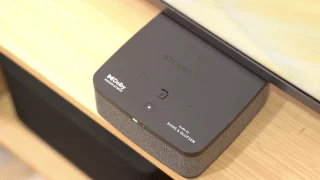
Beyond providing fast and reliable fiber connection, PLDT Home Life is committed to making life…
Mar 23, 2026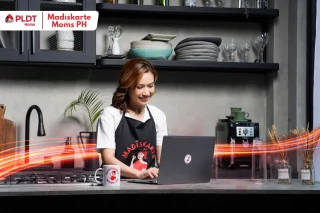
PLDT Home marks Women’s Month with a renewed focus on accelerating AI adoption and strengthening…
Mar 9, 2026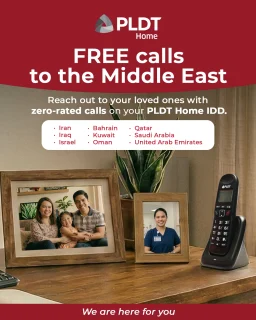
PLDT Home is offering free international calls from the Philippines to several countries in the…
Mar 4, 2026New and existing PLDT Home subscribers may earn cashback vouchers when they pay their bills directly through the PayMaya app from October to December 2021. Users who pay their PLDT Home bills for the first time will earn a PHP 100 cashback voucher and a PHP 50 cashback voucher on subsequent payments done through the app.
To pay for a PLDT Home bill in the PayMaya app, follow the steps below: 1) Log in to your PayMaya account 2) Tap “Bills” on the home screen 3) Select the Telecoms biller category and choose PLDT Home 4) Enter your PLDT Home account details (e.g. That’s why we are working closely with PayMaya to encourage more of our PLDT Home customers to shift to digital payments," said Patrick Tang, Vice President and Head of PLDT Home Customer Management. To know more about the PLDT Home bills payment PayMaya promo, visit the official PLDT Home website.
Our coverage of PLDT Home Bills includes: "Get cashback vouchers when you pay your PLDT Home bill with PayMaya"; "Beyond Reliable and Fast Internet: PLDT Home Champions Safer Digital Spaces for Filipinos"; "PLDT Home Fiber Prepaid now offers speeds up to 300 Mbps". Each article provides unique insights and information.