

We'll use that account and password later when we login to our RFOX ID for the tokens. In this case, you will need to convert KOINS to RFOX tokens, then RFOX tokens to WAX tokens. The WAX tokens will then be sent to your Binance account where you can trade them for coins like USDT, which you can sell for Philippine Peso (PHP) through P2P trading. Just press the + icon beside the RFOX token at the upper right to make the exchange. Once you've confirmed the amount, just wait for the transaction to finish and the RFOX tokens will reflect on the upper right. Step 2) RFOX to WAX Go to https://id.rfox.com/ and sign in using the account details you used in KOGs: SLAM! You should also see the RFOX tokens available to send. Once registered, you now have your WAX wallet address where we can send the RFOX token to. Read more in our articles including "KOGs: SLAM! - a POG-inspired free-to-play P2E game" and "Gaming cryptocurrency prices".

Play-to-earn (P2E) blockchain games are popular right now. Not only it’s a form of entertainment…
Feb 1, 2022
So you have already heard about play-to-earn games that use blockchain technology like Axie Infinity,…
Jul 27, 2021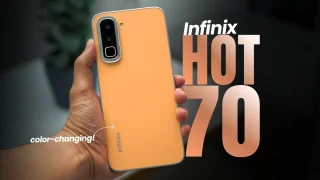
Coming in hot in the entry-level segment is the new Infinix HOT 70, and for…
Jun 25, 2026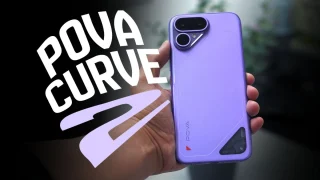
The TECNO POVA Curve 2 5G has arrived. It’s a slim, lightweight phone, and yet…
Jun 12, 2026
Everything Apple Announced at WWDC 2026: New Siri AI, iOS 27, macOS Golden Gate, and…
Jun 9, 2026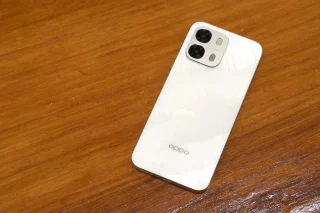
When it comes to OPPO’s budget-friendly options, it’s hard to beat what the new A6…
May 16, 2026We'll use that account and password later when we login to our RFOX ID for the tokens. In this case, you will need to convert KOINS to RFOX tokens, then RFOX tokens to WAX tokens.
The WAX tokens will then be sent to your Binance account where you can trade them for coins like USDT, which you can sell for Philippine Peso (PHP) through P2P trading. Just press the + icon beside the RFOX token at the upper right to make the exchange. Once you've confirmed the amount, just wait for the transaction to finish and the RFOX tokens will reflect on the upper right.
Our coverage of rfox to wax token includes: "KOGs: SLAM! - a POG-inspired free-to-play P2E game"; "Gaming cryptocurrency prices"; "Infinix HOT 70: Coming in HOT Under P8,000!". Each article provides unique insights and information.