

Connecting a Keyboard and Mouse Photo by: PCWorld Most people are used to typing on a touchscreen on their smartphone, but nothing can take away the feeling of typing on a regular keyboard– particularly when you need to be efficient. Not all of us have access to external displays, but you can still experience a desktop-like screen mainly on your smartphone. The larger screen offers a wider view for reading, attending online classes, and reviewing documents. It has a 12-inch IPS LCD screen with 2K resolution and 90Hz refresh rate. This is the device for users who want more screen real estate, more room to work, and a phone that can shift between compact and expansive depending on what they need at the moment. It is designed to keep your screen clear while limiting what people nearby can see, which makes it especially useful in public spaces, on commutes, or in situations where you are handling private information. Read more in our articles including "Turn your Smartphone into a Desktop PC" and "Best Budget Tablets for Back-to-School 2026 | Under P10,000".
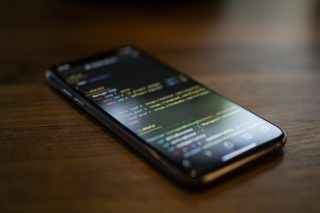
Now that today’s smartphones are capable of doing a bunch of things, from replying to…
Jul 21, 2020
A new school year means new projects, research papers, presentations, and online learning tasks. Whether…
Jun 14, 2026
With the announcement of the Xiaomi 17T series today, those hoping to upgrade from last…
May 29, 2026
Inflation is now (May 2026) at 7.2%, electricity rates at Php14.33/kWhr, and gas prices through…
May 28, 2026
GCash has expanded its in-app help tools and security features to address a growing number…
May 22, 2026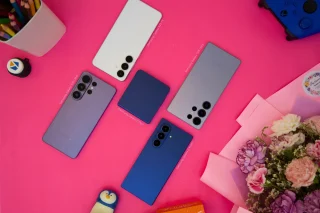
Smartphones today can handle all the basics. The real difference now is how well a…
Apr 30, 2026Connecting a Keyboard and Mouse Photo by: PCWorld Most people are used to typing on a touchscreen on their smartphone, but nothing can take away the feeling of typing on a regular keyboard– particularly when you need to be efficient. Not all of us have access to external displays, but you can still experience a desktop-like screen mainly on your smartphone.
The larger screen offers a wider view for reading, attending online classes, and reviewing documents. It has a 12-inch IPS LCD screen with 2K resolution and 90Hz refresh rate. This is the device for users who want more screen real estate, more room to work, and a phone that can shift between compact and expansive depending on what they need at the moment.
Our coverage of screen mirroring includes: "Turn your Smartphone into a Desktop PC"; "Best Budget Tablets for Back-to-School 2026 | Under P10,000"; "Xiaomi 17T vs. Xiaomi 15T, what's different?". Each article provides unique insights and information.