

YouTube is rolling out a new feature that allows users to set a daily limit on how long they can scroll through Shorts. The new 'Shorts feed limit' option can be found in the app’s Time Management settings. There is also an option to completely disable the Shorts feed by setting the limit to zero. Here is how users can set their Shorts feed limit: Open the YouTube app and sign in Tap the You tab Go to Settings Click Time management which is the Dashboard icon Select Shorts feed limit Choose your preferred time limit For parents managing supervised teen accounts through Google Family Link, the limit can’t be bypassed. It blocks further access to Shorts once the limit is reached. Desktop users will still need to rely on browser extensions or other tools to limit the Shorts feed. Read more in our articles including "YouTube announces Shorts feed limit feature" and "Smart Home WiFi Postpaid expands to 100+ Smart Stores".

YouTube is rolling out a new feature that allows users to set a daily limit…
Apr 16, 2026
Smart Communications has expanded the availability of its Smart Home WiFi Postpaid service to more…
Jul 20, 2026
Kodak has announced the EC35, the brand’s newest reusable 35mm film camera. The Kodak EC35…
Jul 20, 2026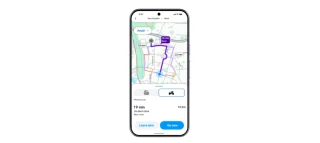
Waze has announced a new Motorcycle Mode designed specifically for riders, with the Philippines included…
Jul 19, 2026
TikTok is testing a new AI-powered tool that helps creators detect unauthorized AI-generated content that…
Jul 19, 2026
Xiaomi has introduced the Smart Camera C701 Pro in the Philippines, offering a new indoor…
Jul 19, 2026YouTube is rolling out a new feature that allows users to set a daily limit on how long they can scroll through Shorts. The new 'Shorts feed limit' option can be found in the app’s Time Management settings.
There is also an option to completely disable the Shorts feed by setting the limit to zero. Here is how users can set their Shorts feed limit: Open the YouTube app and sign in Tap the You tab Go to Settings Click Time management which is the Dashboard icon Select Shorts feed limit Choose your preferred time limit For parents managing supervised teen accounts through Google Family Link, the limit can’t be bypassed. It blocks further access to Shorts once the limit is reached.
Our coverage of Shorts feed limit includes: "YouTube announces Shorts feed limit feature"; "Smart Home WiFi Postpaid expands to 100+ Smart Stores"; "Kodak announces EC35 reusable 35mm film camera". Each article provides unique insights and information.