

Spotify has updated their Shuffle feature, which now has the options to retain Standard Shuffle or choose Fewer Repeats. Users can still have Standard Shuffle enabled under settings. Premium users can also still toggle off Smart Shuffle should they prefer it. If users prefer the old Standard Shuffle, simply go to Spotify Settings, select Playback, and choose your Standard Shuffle. Notably, at the time of writing, the new feature hasn't rolled out to devices in the Philippines. Let us know what you think of the small update to Spotify’s Shuffle feature in the comment section below! The latest iPod Shuffle (4th generation) does not enjoy the title of the smallest music player from Apple. Check out our full review of the iPod Shuffle 4G after the jump. Read more in our articles including "Spotify updates Shuffle feature with Fewer Repeats option" and "iPod Shuffle 4G Review".

Spotify has updated their Shuffle feature, which now has the options to retain Standard Shuffle…
Nov 14, 2025The latest iPod Shuffle (4th generation) does not enjoy the title of the smallest music…
Sep 24, 2010The new iPod Shuffle 3G is the smallest music player from Apple. The biggest change to…
Apr 8, 2009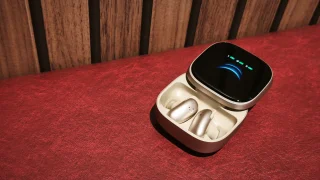
When it comes to premium wireless earbuds these days, most brands focus on improving sound…
May 29, 2026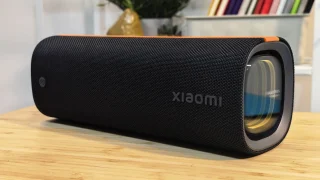
When it comes to speakers, I bet the very first thing that comes to mind…
May 27, 2026
Soundcore has officially launched its new Liberty 5 Pro Series in the Philippines, a flagship…
May 23, 2026Spotify has updated their Shuffle feature, which now has the options to retain Standard Shuffle or choose Fewer Repeats. Users can still have Standard Shuffle enabled under settings.
Premium users can also still toggle off Smart Shuffle should they prefer it. If users prefer the old Standard Shuffle, simply go to Spotify Settings, select Playback, and choose your Standard Shuffle. Notably, at the time of writing, the new feature hasn't rolled out to devices in the Philippines.
Our coverage of Shuffle feature includes: "Spotify updates Shuffle feature with Fewer Repeats option"; "iPod Shuffle 4G Review"; "iPod Shuffle 3G Review". Each article provides unique insights and information.