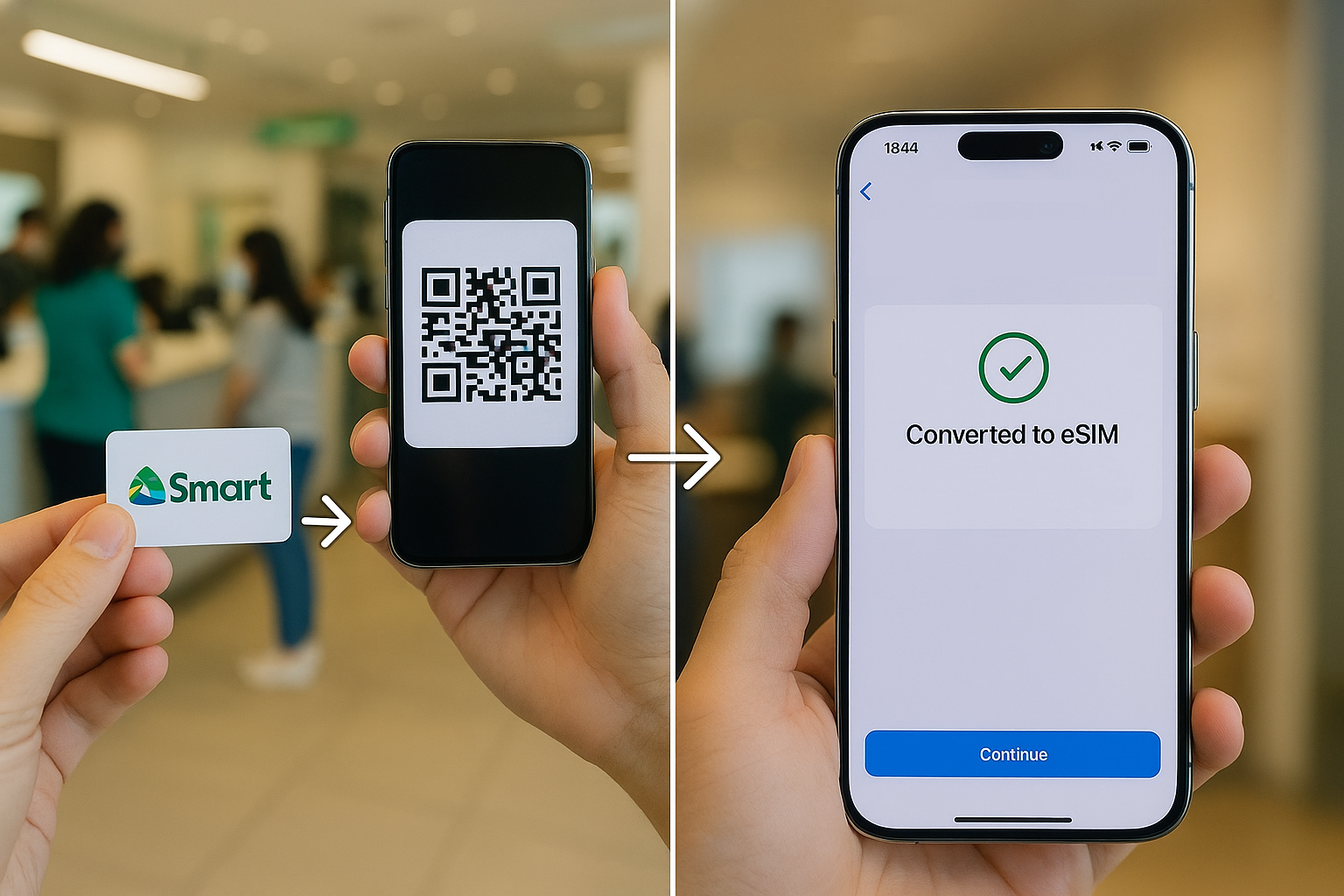

If you are looking to switch from an old physical SIM to an eSIM on your iPhone or Android device? As you may have heard from our previous articles, Smart Communications now allows users to convert their physical postpaid SIM to an eSIM—but here's the catch, you’ll need to do it through a Smart Store. Once you’re there, approach the customer service counter and inform them that you want to convert your postpaid SIM to an eSIM. The QR code that will be given is tied to your number and will activate the eSIM on your device. On the iPhone (in this case, an iPhone 16 Pro Max), go to Settings > Cellular > Add eSIM > Use QR Code, then scan the code. After a few minutes, you’ll see a prompt to complete the eSIM setup. Once finished, your device will reconnect using the newly activated eSIM. Reminder: Conversion time: Less than 1 minute once QR code is scanned Delivery of QR code: Within the same day via email Temporary no signal: Expected during transition After that, you’re all set—your Physical postpaid SIM is now a digital eSIM, and you can safely remove your physical SIM card. Read more in our articles including "How to Convert Your Regular Smart Postpaid SIM to eSIM (2025 Guide)" and "Galaxy Watch9, Watch Ultra2 now up for pre-order via Smart Postpaid".
If you are looking to switch from an old physical SIM to an eSIM on…
Jun 3, 2025
Smart is offering pre-order deals for the Samsung Galaxy Watch9 and Galaxy Watch Ultra2 through…
Aug 1, 2026
Smart Communications has opened pre-orders for Samsung’s latest foldable smartphones in the Philippines, offering customers…
Jul 27, 2026
Smart Communications has expanded the availability of its Smart Home WiFi Postpaid service to more…
Jul 20, 2026
Smart Communications has introduced its All-New Postpaid Plans+ with Unli Apps, offering subscribers unlimited access…
Apr 20, 2026A new poster ad from Smart Bro promotes their broadband speed to be up to…
Oct 11, 2008If you are looking to switch from an old physical SIM to an eSIM on your iPhone or Android device? As you may have heard from our previous articles, Smart Communications now allows users to convert their physical postpaid SIM to an eSIM—but here's the catch, you’ll need to do it through a Smart Store.
Once you’re there, approach the customer service counter and inform them that you want to convert your postpaid SIM to an eSIM. The QR code that will be given is tied to your number and will activate the eSIM on your device. On the iPhone (in this case, an iPhone 16 Pro Max), go to Settings > Cellular > Add eSIM > Use QR Code, then scan the code.
Our coverage of Smart Postpaid SIM to eSIM includes: "How to Convert Your Regular Smart Postpaid SIM to eSIM (2025 Guide)"; "Galaxy Watch9, Watch Ultra2 now up for pre-order via Smart Postpaid"; "Smart postpaid opens pre-orders Galaxy Z Fold8, Z Fold8 Ultra, and Z Flip8". Each article provides unique insights and information.