
Now some of you may not know this, but the Sony DUALSHOCK 3 controller can actually be used on select Xperia devices running on Android 4.2 to play games. The only other thing you’ll need for this setup apart from the DUALSHOCK 3 and supported Xperia device is a USB OTG (On-The-Go) cable. On your supported Xperia device, go to Settings > Xperia > DUALSHOCK 3 wireless controller (See image above). The next screen will prompt you to hard wire your controller to your Xperia through a USB OTG cable. Just to reiterate, you don’t need the USB OTG every time you want to sync your controller to your Xperia. Once you’re through with the initial setup, you just have to turn on the Bluetooth on your Xperia device, press and hold the PS button on the controller and it’ll automatically pair. Bear in mind though that not all apps are compatible with the Sony DUALSHOCK 3 controller. Sony has announced the Xperia 1 VIII, its latest flagship smartphone focused on photography, audio, and AI-powered camera features. Read more in our articles including "Use DUALSHOCK 3 on your Xperia device" and "Sony unveils Xperia 1 VIII".
Now some of you may not know this, but the Sony DUALSHOCK 3 controller can…
Oct 27, 2013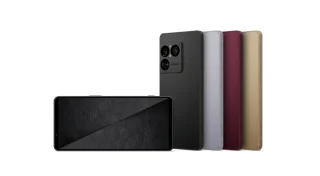
Sony has announced the Xperia 1 VIII, its latest flagship smartphone focused on photography, audio,…
May 17, 2026
Sony has confirmed that it will launch the Xperia 1 VIII on May 13 at…
May 11, 2026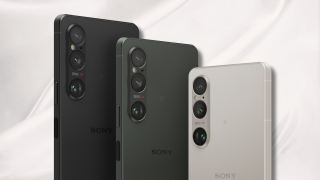
Sony’s Xperia 1 VIII has surfaced in an eSIM database, hinting that the next-generation flagship…
Oct 17, 2025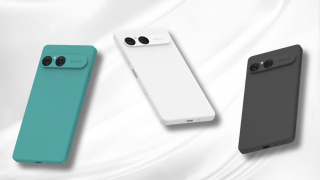
Sony has officially unveiled the Xperia 10 VII, a mid-range smartphone that brings notable upgrades…
Sep 12, 2025
Something different just came in the mail, and it’s not a smartphone, not a tablet,…
Jul 1, 2026Now some of you may not know this, but the Sony DUALSHOCK 3 controller can actually be used on select Xperia devices running on Android 4.2 to play games. The only other thing you’ll need for this setup apart from the DUALSHOCK 3 and supported Xperia device is a USB OTG (On-The-Go) cable.
On your supported Xperia device, go to Settings > Xperia > DUALSHOCK 3 wireless controller (See image above). The next screen will prompt you to hard wire your controller to your Xperia through a USB OTG cable. Just to reiterate, you don’t need the USB OTG every time you want to sync your controller to your Xperia.
Our coverage of sony dualshock 3 controller xperia includes: "Use DUALSHOCK 3 on your Xperia device"; "Sony unveils Xperia 1 VIII"; "Sony confirms Xperia 1 VIII launch date". Each article provides unique insights and information.