

It is probably one of the most underrated, in my opinion. It has evolved into something more cooler - the in-display type. Placing the scanner under the screen provides some benefits, including a more seamless look and it frees up space inside the device to make way for more essential components. However, in-display fingerprint scanners have limitations. However, there are reports that Apple might use an in-display fingerprint scanner in the future. Cherry Mobile has officially announced one of the new members of its quad-core-powered family of smartphones and the successor to the Thunder we reviewed back in February, the Thunder 2.0. The Cherry Mobile Thunder 2.0 sports a 5-inch FWVGA (480 x 854) touch screen display or equal to 196ppi, an 8 megapixel rear camera, 2 megapixel front-facing, 4GB of internal storage and a 2,100mAh battery. Running under the hood is a quad-core processor clocked at 1.2GHz, 512MB of RAM and Android 4.2 Jellybean. Read more in our articles including "Fingerprint scanner placement: Where do you want it?" and "Cherry Mobile Thunder 2.0 officially announced, priced".

Fingerprint scanners are now standard in smartphones. This biometric security feature has made our mobile…
Aug 27, 2019Cherry Mobile has officially announced one of the new members of its quad-core-powered family of…
Jun 18, 2013Anybody still remembers the Thundercats back in the late 80’s? At first glance, this home-made…
Jan 20, 2009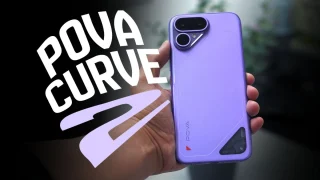
The TECNO POVA Curve 2 5G has arrived. It’s a slim, lightweight phone, and yet…
Jun 12, 2026
Everything Apple Announced at WWDC 2026: New Siri AI, iOS 27, macOS Golden Gate, and…
Jun 9, 2026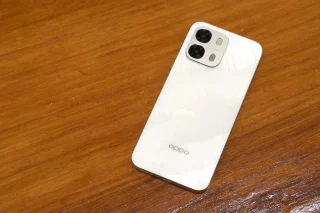
When it comes to OPPO’s budget-friendly options, it’s hard to beat what the new A6…
May 16, 2026It is probably one of the most underrated, in my opinion. It has evolved into something more cooler - the in-display type.
Placing the scanner under the screen provides some benefits, including a more seamless look and it frees up space inside the device to make way for more essential components. However, in-display fingerprint scanners have limitations. However, there are reports that Apple might use an in-display fingerprint scanner in the future.
Our coverage of under display includes: "Fingerprint scanner placement: Where do you want it?"; "Cherry Mobile Thunder 2.0 officially announced, priced"; "Home-made Video: Thundercats Trailer". Each article provides unique insights and information.