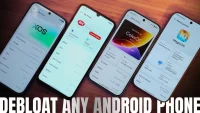

Step 5: The fun part (removing bloatware apps using Canta) Now here's the fun part: we finally get to uninstall apps using Canta. Debloating OPPO/ realme/ OnePlus Next, we have the OPPO Reno15 Pro with ColorOS 16, which is also a premium midrange phone having a bunch of bloat, both system-wide and third-party apps. And if you’ll notice, system apps here have “oplus” and “heytap” labels, both of which are also present with realme and OnePlus devices. [caption id="attachment_444456" align="alignnone" width="1262"] List of removed apps/ services on Infinix, itel phones[/caption] You can see that “transsion” labels are present on their system apps, so yes, the apps you see here are most likely the same with a TECNO phone. Also, if you accidentally uninstalled an app, you can safely reinstall it by going to Canta's Uninstalled apps page > select the app you want to reinstall > tap on the reinstall icon on the lower right corner of the screen. Read more in our articles including "Debloat ANY Android Phone Using Canta + Shizuku Method" and "Best Wallpaper Apps for iOS and Android devices".
So, you just got a shiny new phone, and what’s exactly the first thing you’d…
Jul 23, 2026
The ability to set your phone’s wallpaper is one of the most basic forms of…
Apr 11, 2020
Weekend Download is here!
Sep 29, 2018
Wednesday FREE Android Games and Apps!
Sep 19, 2018
Another week another compilation of apps and games that went FREE temporarily this week. We…
Sep 12, 2018Step 5: The fun part (removing bloatware apps using Canta) Now here's the fun part: we finally get to uninstall apps using Canta. Debloating OPPO/ realme/ OnePlus Next, we have the OPPO Reno15 Pro with ColorOS 16, which is also a premium midrange phone having a bunch of bloat, both system-wide and third-party apps.
And if you’ll notice, system apps here have “oplus” and “heytap” labels, both of which are also present with realme and OnePlus devices. [caption id="attachment_444456" align="alignnone" width="1262"] List of removed apps/ services on Infinix, itel phones[/caption] You can see that “transsion” labels are present on their system apps, so yes, the apps you see here are most likely the same with a TECNO phone. Also, if you accidentally uninstalled an app, you can safely reinstall it by going to Canta's Uninstalled apps page > select the app you want to reinstall > tap on the reinstall icon on the lower right corner of the screen.
Our coverage of uninstall system apps includes: "Debloat ANY Android Phone Using Canta + Shizuku Method"; "Best Wallpaper Apps for iOS and Android devices"; "250+ Premium Apps, Games on sale in Google Play Store this week". Each article provides unique insights and information.