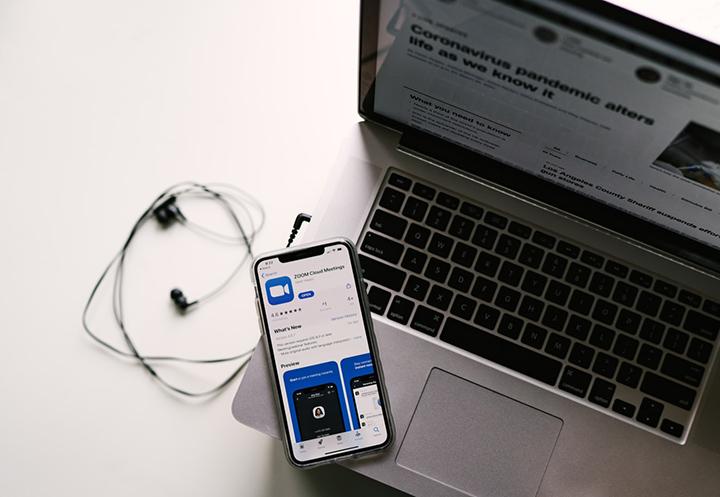

But let's face it, most webcam quality today are low, nonetheless, thankfully you can use your smartphone's camera app as your webcam, and to do this, you'll need an additional app to make it happen. Follow the steps below to install and configure the correct software, and then launch your phone as a webcam in chat software like Zoom. First step is to install your preferred webcam app on your computer. Step two is to now download the Iriun app on your Android/iOS smartphone. Download: iOS / Android Third, once the installation is done, open the app on your phone and it will automatically connect to your PC. Under the camera option, you will see the Iriun Webcam then select it and that’s it! So regardless of what app you’re going to use this will definitely work. We chose the Iriun app as it is easier to use, simpler, and straightforward. Read more in our articles including "How to Use Your Android and iOS Smartphone as Webcam" and "DJI Osmo Pocket 4P now official in the Philippines".

The way we value web cameras today has drastically changed due to the situation we…
Sep 24, 2020
DJI has officially launched the Osmo Pocket 4P in the Philippines, introducing a new handheld…
Jun 29, 2026
Apple has revealed that the iPhone 12 and 12 mini now come in the color…
Apr 21, 2021
Apple has a reputation for making premium and expensive products– from accessories down to smart…
Aug 9, 2020
Apple released the iPhone SE 2020 last week. It’s Apple’s most affordable iPhone in its…
Apr 24, 2020
Apple has just announced its Independent Repair Provider Program, allowing companies interested in offering out-of-warranty…
Aug 30, 2019But let's face it, most webcam quality today are low, nonetheless, thankfully you can use your smartphone's camera app as your webcam, and to do this, you'll need an additional app to make it happen. Follow the steps below to install and configure the correct software, and then launch your phone as a webcam in chat software like Zoom.
First step is to install your preferred webcam app on your computer. Step two is to now download the Iriun app on your Android/iOS smartphone. Download: iOS / Android Third, once the installation is done, open the app on your phone and it will automatically connect to your PC.
Our coverage of Webcam App includes: "How to Use Your Android and iOS Smartphone as Webcam"; "DJI Osmo Pocket 4P now official in the Philippines"; "Apple iPhone 12, 12 mini in Purple now official". Each article provides unique insights and information.