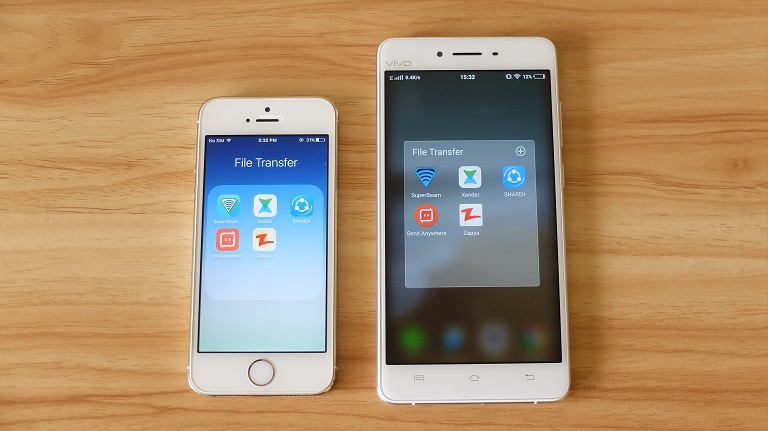

There are multiple ways of transferring files from one device to another, there's Bluetooth, swapping of microSD cards, USB OTG, or online via messaging services, e-mail, or file storage platforms. To address those issues, we're going for a faster and more convenient option - WI-Fi File Transfer Apps. Author's note: The apps we selected are those that work cross-platform, meaning they work both on Android and iOS and can transfer files to each other. If you want to transfer files to the PC, there's a desktop version as well. Other than that, it transfers files seamlessly and works with your PC via its browser version called Xender Web. Download: Android / iOS Zapya What we liked about Zapya is the added features aside from the usual file transfer. There's file encryption, a Phone Replicate feature that transfers phone log and photos from your old phone to the new phone, GIF viewer, group transfer, and the best part - offline chat. Read more in our articles including "5 Wi-Fi File Transfer Apps for Android and iOS" and "MSI Wind WiFi Problem?".
There are multiple ways of transferring files from one device to another, there’s Bluetooth, swapping…
Sep 13, 2016Was fixing the built-in wifi device of the MSI Wind for several hours now to…
Aug 13, 2008
It’s that time again when we round up the latest smartphone launches here in the…
Jun 26, 2026
A new school year means new projects, research papers, presentations, and online learning tasks. Whether…
Jun 14, 2026
With the announcement of the Xiaomi 17T series today, those hoping to upgrade from last…
May 29, 2026
Inflation is now (May 2026) at 7.2%, electricity rates at Php14.33/kWhr, and gas prices through…
May 28, 2026There are multiple ways of transferring files from one device to another, there's Bluetooth, swapping of microSD cards, USB OTG, or online via messaging services, e-mail, or file storage platforms. To address those issues, we're going for a faster and more convenient option - WI-Fi File Transfer Apps.
Author's note: The apps we selected are those that work cross-platform, meaning they work both on Android and iOS and can transfer files to each other. If you want to transfer files to the PC, there's a desktop version as well. Other than that, it transfers files seamlessly and works with your PC via its browser version called Xender Web.
Our coverage of wifi file transfer includes: "5 Wi-Fi File Transfer Apps for Android and iOS"; "MSI Wind WiFi Problem?"; "Smartphones Under P10,000 | Q2 2026". Each article provides unique insights and information.