

Microsoft has updated the Xbox app on Windows to allow manual importing of games and apps. How to manually add games to Xbox PC app: Open the Xbox app on your PC Go to your Library Click on “Add a game” or “Add a non-Xbox app” Browse and select the game or application file (.exe) Confirm to add it to your library The game will now appear alongside your Xbox titles Read more in our articles including "Xbox PC app now supports manual game importing" and "Microsoft revises Xbox One DRM & connectivity policies".
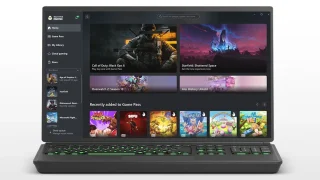
Microsoft has updated the Xbox app on Windows to allow manual importing of games and…
Mar 22, 2026After almost a month of constant negative feedback from the gaming community, Microsoft finally caves…
Jun 20, 2013Microsoft has finally pulled down the curtain on their next-generation gaming console. Aptly named the…
May 22, 2013
AMD has officially unveiled the Radeon RX 9050, expanding its Radeon RX 9000 desktop graphics…
Jul 29, 2026
Smart Communications has partnered with cloud gaming provider Blacknut to give Smart and TNT subscribers…
Jul 28, 2026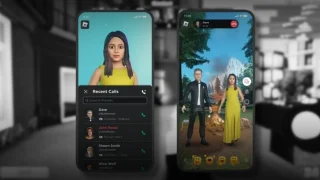
Roblox is shutting down Roblox Connect, its avatar-based video calling feature introduced in 2023, according…
Jul 16, 2026Microsoft has updated the Xbox app on Windows to allow manual importing of games and apps. How to manually add games to Xbox PC app: Open the Xbox app on your PC Go to your Library Click on “Add a game” or “Add a non-Xbox app” Browse and select the game or application file (.exe) Confirm to add it to your library The game will now appear alongside your Xbox titles
Our coverage of Xbox manual import includes: "Xbox PC app now supports manual game importing"; "Microsoft revises Xbox One DRM & connectivity policies"; "Microsoft XBox One finally revealed". Each article provides unique insights and information.
Our article "Xbox PC app now supports manual game importing" published on March 22, 2026 covers the latest information about Xbox manual import. Check it out for the most current details.