
Nag-iwan ka ng lumang PC o gusto mo lang subukan ang bagong karanasan sa iyong kasalukuyang PC? Maaari mong bigyan ito ng bagong buhay sa Android gamit ang Remix OS.
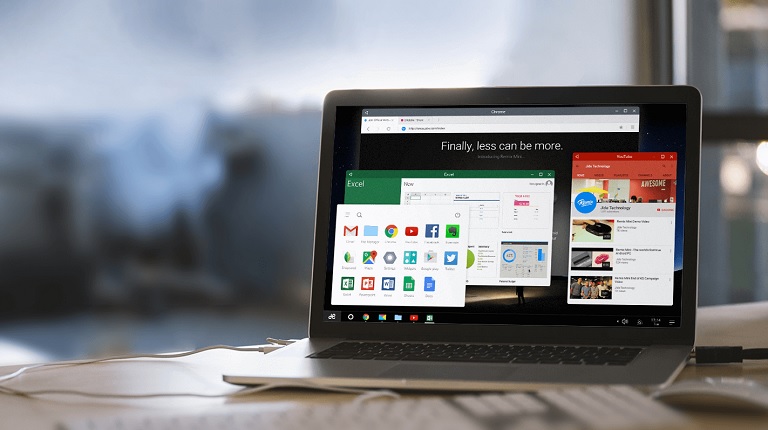
Ang Remix OS ay ginawa ng kumpanyang tinatawag na Jide Technology. Tulad ng binanggit noong una, pinapayagan nitong i-install ang Android OS sa isang PC na base sa x86. Gayunpaman, ito ay isang forked version ng Android, na batay naman sa Android Lollipop. Dahil ito ay dinisenyo para i-install sa isang PC, ang UI ay may katulad na layout na parang Windows.

Nagsuporta ito ng Left at Right-click, Multitasking, Resizable Windows, Maximize/Minimize, at may sarili nitong Start Menu, Taskbar, System Tray, Notifications Tab, at File Manager. Mayroon pa itong multi-window feature, na nagbibigay-daan sa iyo na patakbo ng maraming apps nang magkatabi, katulad ng ginagawa mo sa Windows o Mac.
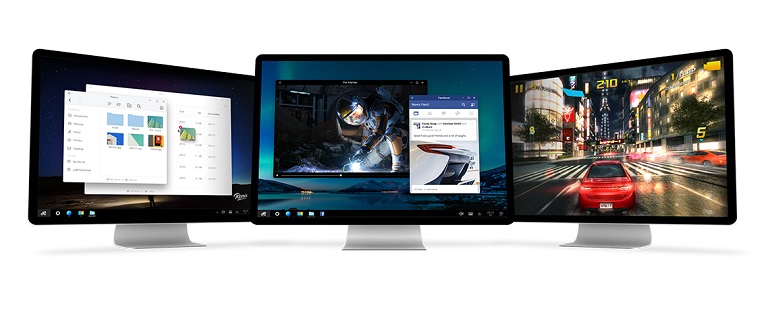
Kaya't dahil ito ay Android, nandito ang Google Play na nagbibigay sa iyo ng access sa maraming app. Sa mga update, may sarili nitong OTA updater ang Remix OS at si Jide ay nakatuon na magpadala ng mga update nang regular. At oo, ang Android Marshmallow ay nasa pipeline.

Upang mag-install ng Remix OS, kailangan mong i-download ang installer nito sa isang USB 3.0 flash drive na sumusuporta sa FAT32 format, na may minimum na kapasidad na 8GB at inirerekomendang bilis ng pagsulat na 20MB/s. Mayroon ka ring opsyon na mag-dual-boot nito kasama ang iyong umiiral na OS.
Hindi pa ito magagamit ngunit darating sa gitna ng Enero bilang libreng pag-download. Upang matutunan ang higit pang tungkol sa Remix OS para sa PC, pindutin lamang ang link ng pinagmulan sa ibaba.
pinagmulan: Jide



It works with usb 2.0, but it’s still super buggy.
Mine did boot but kept rebooting.
As to those wondering about old PCs and USB 3.0, you can always buy a card. They are available, aren’t they?
Of course, if you’re trying this on a laptop, you’re SOL. I’d suggest CloudReady, which is not Android but a variant of Chrome OS. The browser’s way faster and more stable than Chrome on any other OS