

如果您不熟悉XPPen,它是图形绘图板行业中的一个知名品牌。
XPPen 专为艺术家、设计师及其他创意专业人士制造绘图板、数位屏及其他数字绘画工具。
因此,如果您一直在寻找数位屏或绘图板,您很可能听说过这个品牌,以及 Wacom 和 Huion。
如果您曾陷入“该选哪款绘图板”的纠结中,只因您热爱绘画,您可能甚至考虑过直接入手一款 iPad Pro。
XPPen Artist Pro 16(第二代)正如名称所示,是XPPen Artist Pro 16系列的第二版。

构建与显示
这是一款 16 英寸绘图板,配备 2.5K 层压式 X-Nature 显示屏(分辨率为 2560 x 1600),采用 16:10 宽高比。层压式显示屏意味着屏幕与下方面板之间没有任何空隙,从而可减少视差现象——即玻璃与显示层之间的偏移,这种现象在多年前的平板电脑上较为常见。
在16英寸的屏幕上,2.5K分辨率确实优于FHD,画面更加锐利且细节丰富,同时我们还获得了出色的160度广视角!
在显示规格方面,我们获得了99%的sRGB色域覆盖率和159%的sRGB面积覆盖率,跳过那些枯燥的细节,这意味着这块显示屏能够输出非常精准的色彩!
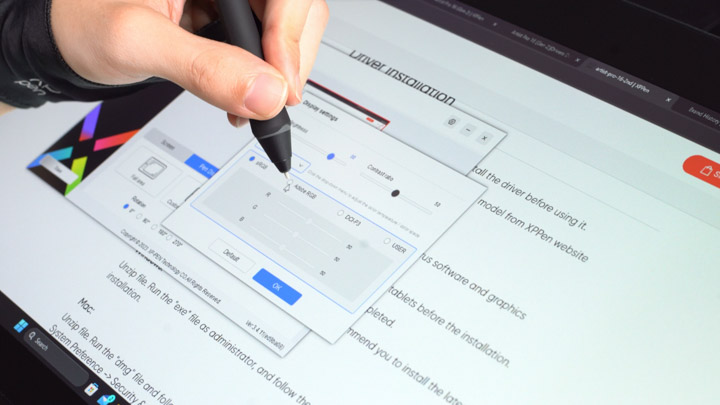
该面板甚至可在 sRGB、Adobe RGB 和 DCI-P3 色域之间切换,以实现最准确的结果。
其重量不到 7 磅,尺寸为 405.11 x 291.37 x 20.23 mm,相当便携。
但就我个人而言,我不会随身携带它到处走,除非那是我的生命。
不过,如果我想的话,我也可以;因为凭借我当前的设备,我只需要包装盒中附带的那根精巧的 USB Type-C 转 C 线缆即可为该显示器供电。

如果您的笔记本电脑或家用台式机没有支持显示器供电的 Type-C 端口,Artist Pro 16(第二代)包装盒内也附带了交流电源适配器,并配有 USB-A 转 C 线缆和 USB-A 延长线,为您提供更多线缆管理选项。
–是的,它附带了您在世界各地使用所需的所有适配器插脚!
但它不包含用于连接HDMI和USB A端口为平板电脑供电的3合1连接线。
X3 Pro 智能芯片手写笔及配件
除了这些,我们还获得了一块超细纤维清洁布、一只绘图手套,以及请看这个笔袋。
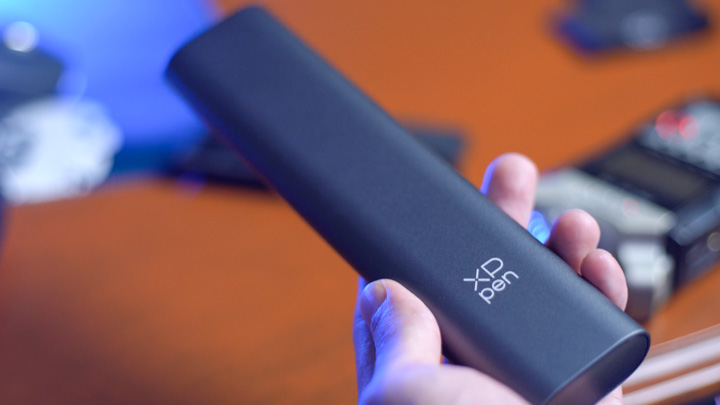
其外壳采用铝制,外观与手感同样出色。
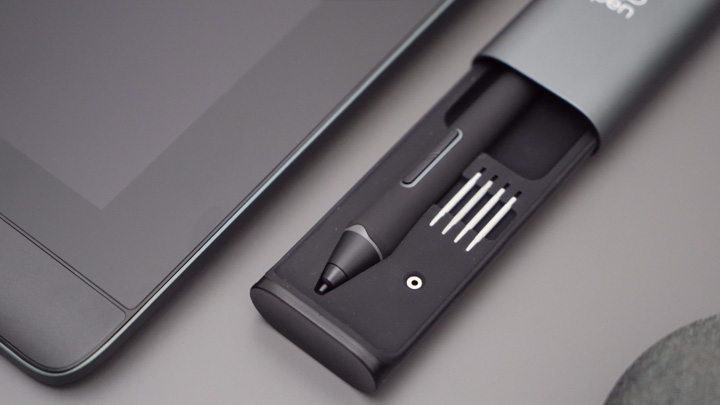
此收纳盒可存放所有塑料笔尖和毡制笔尖,以及X3 Pro智能芯片触控笔。

要打开它,只需像高档汽车的抽屉一样向下推底盖,即可轻松开启!
这款X3 Pro智能芯片触控笔的手感与保护壳一样出色,并非因为其采用了金属材质,而是得益于其硅胶或橡胶握持材料;它表面呈哑光质感且触感柔软,真正让我感觉自己已是一名专业的漫画家或动画师(无需担心明显的冒名顶替综合征)!
橡胶材质的另一个酷之处在于,它不像旧款触控笔那样容易粘附绒毛,从而避免变得脏兮兮,这一点我非常喜欢!
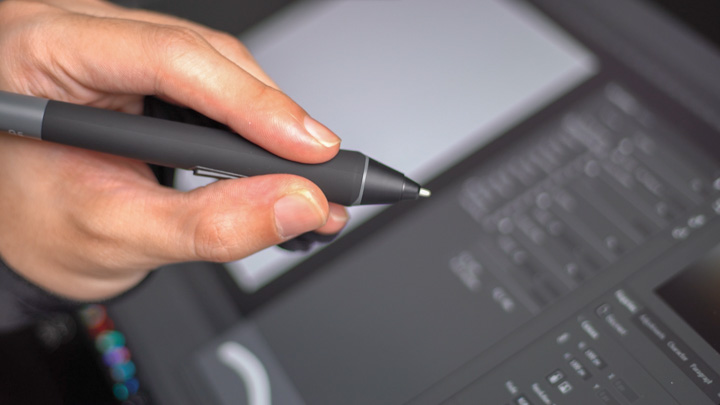
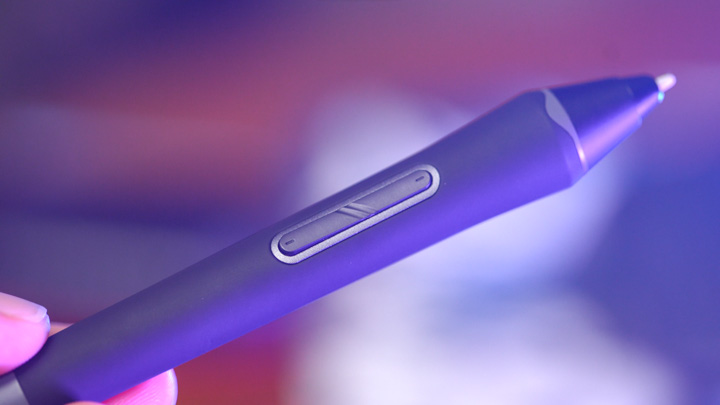
侧面的宏按钮布局非常符合人体工学,它们舒适地置于我的拇指正下方。
这支手写笔提供 16000 级压感,另一端则是具备压感功能的橡皮擦。(不过,我理解您或许并不需要它——毕竟您已经习惯了频繁按下映射的“撤销”按钮。)
其整体配重非常适合长时间绘图,为让各位读者有更直观的了解,它比一节全新的AA电池还要轻。
切换到其中一种毡尖笔头,手感会更像传统绘画,类似于使用细头马克笔进行勾线。
Overall with the 16 thousand+ levels of pressure, which does feel kinda overkill btw just like mouse DPI is AMAZING!
My reference is from the pressure sensitivity of stylus’ from smart tablets like an iPad Pro, and honestly with something like the XPPen Artist Pro 16 Gen 2, I feel I have a lot more control over my lines more like on real paper, but this time I don’t need to worry about bleed-outs!
Apparently we also get a higher activation rate at 3g, which I don't particularly notice because the product itself works so damn well already, but I believe that was worth mentioning.
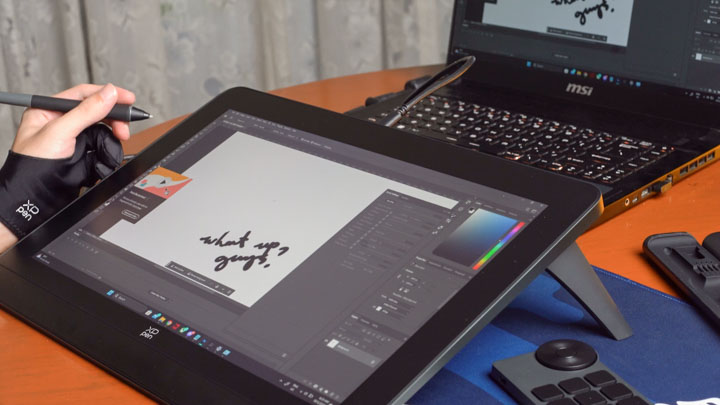
Wireless Remote
Now this could strike you as a surprise but there aren’t any mappable shortcut buttons on the tablet!
--Because it features a wireless remote that houses all those shortcut keys you would be missing.
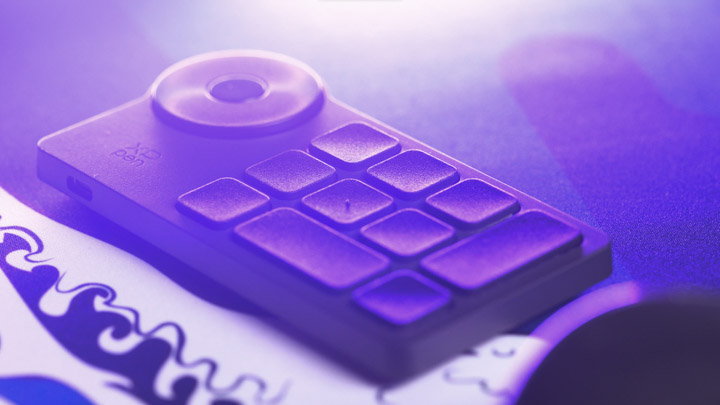
It charges via USB Type-C and its receiver can be found in the aluminum pen case.
Due to its wireless-nature the remote is friendly for both left or right-handed users. So no more flipping your drawing tablet around and remapping the built-in shortcuts to match which hand your draw with.
To be honest, I don’t really have a preference for these things just yet but I think it’s neat! (Being a lefty and all. Just make sure you don’t lose it 'cause that would suck).
Conclusion

Overall the Artist Pro 16 (Gen 2) from XPPen feels pretty solid in build AND performance.
It gets an official price tag of PHP 29,999 from the official XPPen Philippines website, but it is currently on sale at the time of writing for PHP 24,999.
There are other drawing tablets out there similarly priced and just as good, so consider the XPPen Artist Pro 16 Gen 2, for the nice stylus case and its cool flip-out feet.
Now if I wasn’t buying this thing because I’m nothing more than a drawing hobbyist, I would definitely want to see maybe a higher refresh rate and maybe OLED?
--Which you could argue is already available in smart tablets but; I know it’s not about the gear but drawing on smart tablets make me feel like I’m doodling, this thing makes me feel like I’m a low-income anime artist but I love my job.
And this is more affordable than an iPad Pro I reckon, although you could do more with a smart tablet too, but then I’m not even in the Apple ecosystem…
Either way, this was the Artist Pro 16 Gen 2 from XPPen, and in my opinion it's basically THE TOOL budding artists, designers, illustrators, and animators would love to start their passions with.
What do you guys think of drawing tablets, maybe an 11 or 13-inch one would be better for someone just trying to dip their feet into digital illustrations and animations?
XPPen Artist Pro 16 (Gen 2) specs:
16-inch X-Nature Display (2560 x 1600 resolution)
X3 Pro Smart Chip Stylus
Pressure Levels: 16384
Tilt: 60°
Dimensions: 405.11 X 291.37 X 20.23 mm
Work Area: 344.68 X 215.42 mm
Full Lamination
Viewing Angle: 178°
Contrast: 1200:1
Brightness (typical): 250 cd/m2
Resolution: 5080 LPI
Color Gamut Coverage Ratio: 99% sRGB, 97% Adobe RGB, 99% DCI-P3
Color Gamut Area Ratio: 159% sRGB, 118% Adobe RGB, 117% DCI-P3
Reading Height: 10 mm
Response Rate: 20 ms
Report Rate: 200 RPS (max)
Accuracy: ±0.4 mm (center), ±0.8 mm (corner)
Port: 1 x Full-featured USB-C, 1 x 3-in-1 USB-C
Power Input: AC 110-240V
Power Output: DC 5V ⎓ 3A
Compatibility: Windows 7 (or later), macOS 10.10 (or later), Android (USB3.1 DP1.2), Chrome OS 88 (or later), Linux
Order the XPPen Artist Pro 16 (Gen 2) from here, Lazada or Shopee.

0 Comments
Leave a Reply