
随着社区隔离措施的实施,我知道我们大多数人一直把手都粘在手机等电子设备上,尤其是手机。虽然我们习惯性地消毒双手,但我们却常常忽略清洁设备,而现在我们的设备可能已经积满了肉眼难以察觉的污垢。

所以,我们会在这里教你如何操作,以便你现在就可以清洁它们!
Smartphone, Tablet & Monitor
These gadgets are probably the easiest to clean as there are not many ports to scrutinize on. There is a lot of screen cleaning kit that is available in the market (like the one in Miniso), but since we're on lockdown and can't go out to buy one, here's an alternative.

You'll be needing:
- Lint-free microfiber cloth, but if you don't have one you may opt for a clean cotton cloth
- 1/2 cup distilled water
- 1/2 cup isopropyl alcohol
- Cotton buds
- Empty spray bottle
In the empty spray bottle, mix the 1/2 cup distilled water and 1/2 isopropyl alcohol. This will be our cleaning agent on most gadgets. Thus we will name it Walcohol for convenience. By the way, never use pure alcohol to clean your phone. This will strip the oleophobic and hydrophobic coatings that prevent your display and other ports from damage. Spray the walcohol on the microfiber cloth/cotton cloth. Do not over-wet. Wipe the front and back of your device. For small areas such as the camera lens, ports, speaker, clean them using the cotton buds. You can also use the water and alcohol solution to clean the case for these devices.
But if you don't have any alcohol right now, you can use anti-bacterial wet wipes in the meantime.
Laptop, Keyboard & Mouse
For cleaning the laptop's screen and exterior, you may also follow the steps above, but with the addition of the keyboard and the mouse, you'll be needing some extras such as:
- Small brush
- Air pump (if you have one)
- Q-tip
- Clear tape
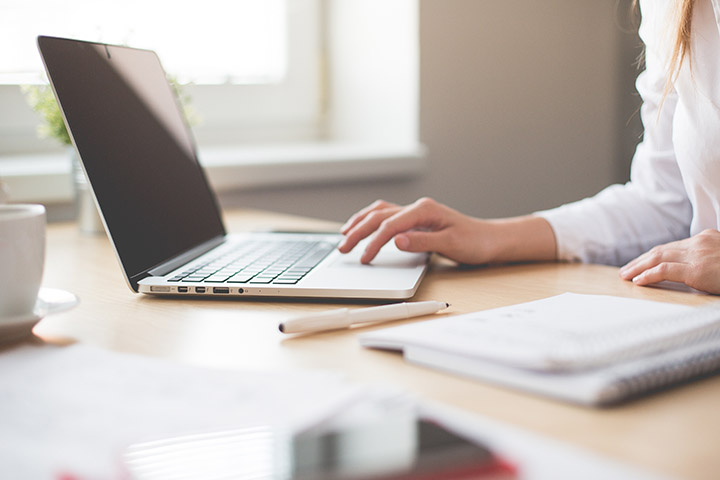
First of all, unplug your keyboard from your computer or turn off your laptop before proceeding. Flip the keyboard and give it a good shake (not too intense) to get rid of any debris. Now use cotton buds or clear tape to go in deeper. Tear off an inch of tape and fold it in half, making sure that sticky sides are facing outward. Insert the tape underneath the edges of the keys and rub it back and forth a few times. Use the brush to remove the bits and pieces of dirt. Lastly, wipe the entire keyboard using the microfiber/cotton cloth with walcohol.
Now for disinfecting your mouse and trackpad, make sure that your mouse is unplugged, and your laptop is shut down. Use toothpick or q-tip to remove gunks on the crevices of the mouse's body, especially on the scrolling wheel. For the sensor underneath, wipe it using the microfiber/cotton cloth or swab it gently using a q-tip. Wipe the exterior of the mouse using the microfiber/cotton cloth with walcohol for the last touch.
Desk
Of course, it's essential to disinfect our desk because this where we work and place most of our gadgets. You'll be needing:
- 1/2 cup of Detergent
- 1 cup of water
- 2 cotton cloth (wet & dry)
- Disinfectant wipes
- Bowl
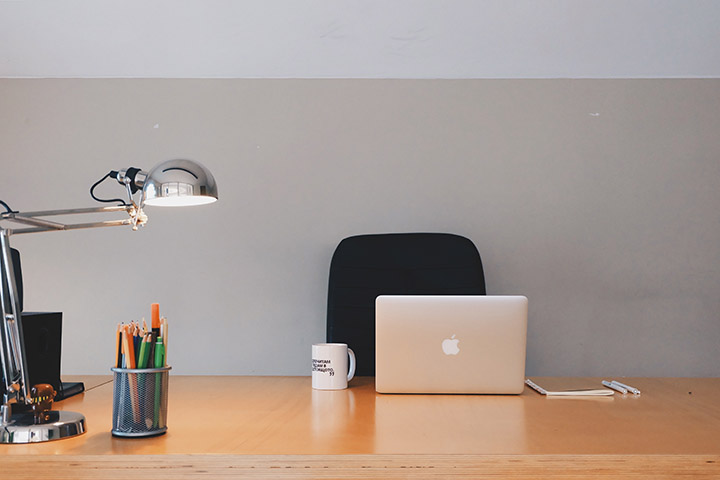
Make sure you get rid of all the stuff that's on your desk. With a dry cloth, give the desk an initial wipe. In an empty bowl, dissolve the detergent, give it a good stir, and dip the cloth. Wring the cloth and start wiping it on the desk. Using the same cloth, rewash it to remove any detergent residue then use it to remove the residue on the desk. After that, you can wait for the desk to get dry, or you can wipe it using a dry cloth.
Earbuds/Headphones
We all know how disgusting it is to see earwax on our earbuds. And it can also be the reason why you're having a hard time listening to your favorite songs. For this, you'll be needing:
- Isopropyl alcohol
- Dishwashing liquid
- Q-tip
- Microfiber/cotton cloth
- Bowl
- Disinfectant wipes

First, remove the silicone tips of your earbuds. In a bowl, dissolve the dishwashing liquid in lukewarm water and submerge the tips and soak it for about 30 minutes or so. Rinse it after and set it aside to dry. Now onto the earbuds, dip the q-tip in alcohol and wipe the mesh with it to remove any earwax residue. Be sure not to make the q-tip very wet to avoid moisture going into the earbuds. Afterward, clean the cord with alcohol-dipped microfiber/cotton cloth.
And there you go. Make sure to keep your gadgets clean all the time!


2 Comments
Leave a Reply