
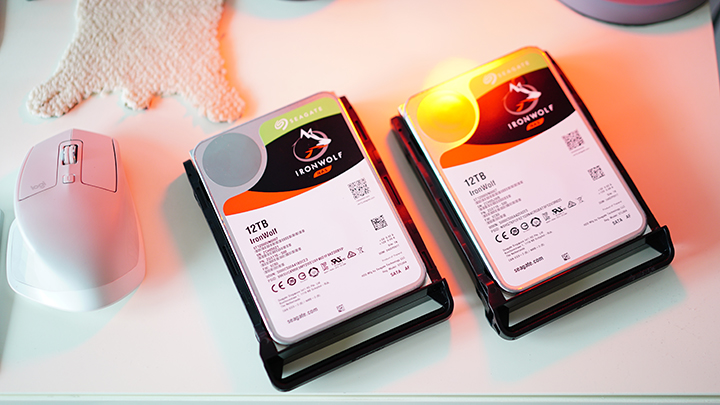
Ang Synology adunay daghang mga solusyon sa networking para sa NAS o Network Attached Storage. Ang mga nangita og posibleng mga solusyon sa NAS para sa ilang balay o gamay nga opisina mahimong tan-awon ang single bay o 2-bay nga NAS sama sa usa nga ania dinhi. Aron mas mapalawom ang pagsulay sa device, gigamit namo ang duha (2) ka 12-terabyte nga Ironwolf HDDs.

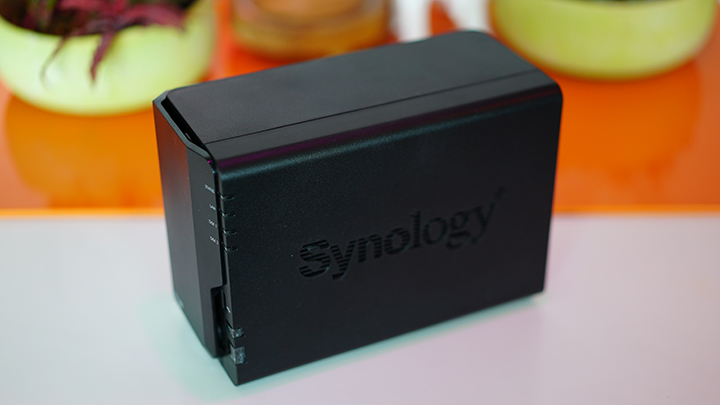
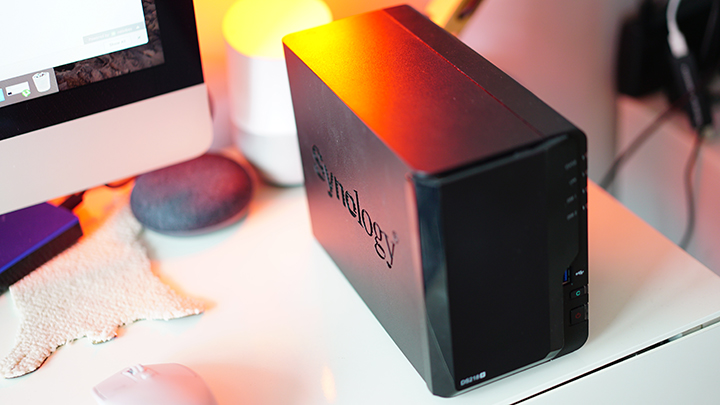
Ang Synology DiskStation DS218 usa ka entry-level, 2-bay nga NAS nga angay gamiton sa gamay nga team o home office. Kini adunay gamay nga puwang ug compact nga lawas nga makasulod og hangtod sa 2 ka full-sized nga hard drive.
Ingon nga bahin sa pagsulay, gigamit namo ang pinakabag-ong 12TB Ironwolf nga hard disk drive gikan sa Seagate. Kini ang pinakataas nga kapasidad nga mga hard drive gikan nila ug ang IronWolf labing angay gamiton sa mga NAS nga device (tan-awa ang among review sa 10TB Ironwolf ).
IronWolf – Ang klase sa mga drive nga kini gi-optimize para sa padayon nga operasyon sa tibuok adlaw. Bisan pa, ang klase sa IronWolf nagdala og espesyal nga mga feature nga nagapahimo niini nga mas angay gamiton sa usa ka NAS nga palibot o uban sa mga RAID system, tungod sa AgileArray nga teknolohiya alang sa optimal nga performance ug system agility. Nag-abot kini sa 3.5-inch nga porma ug mga kapasidad sa storage gikan sa 1TB hangtod sa 12TB.
Ang NAS nagsuporta sa 3.5" SATA HDD ug 2.5" SATA HDD/SSD (uban ang Disk Holder), adunay usa (1) ka gigabit ethernet port, ug duha (2) ka USB 3.0 ports.
Ang DS218+ gipadagan sa Intel Celeron J3355 2.0GHz (2.5GHz burst) nga dual-core nga chip nga adunay 2GB RAM (ma-expand ngadto sa 6GB) aron patakbuhon ang on-board nga sistema sa pagkontrol ug pagdumala sa NAS. Ang maximum nga kapasidad sa NAS kay 24TB (2x12TB) busa kini perpekto kaayo kauban ang 12TB Ironwolf. Apan, ang maximum nga gidak-on sa usa ka volume kay 16TB lamang, mao nga kinahanglan nimo nga bahinon ang mga volume ngadto sa duha kung sobra sa 16TB ang total nga kapasidad.
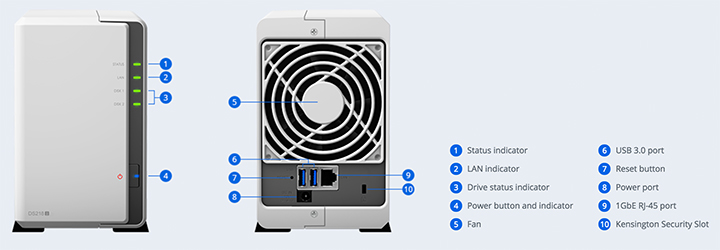
Ang external nga interface sa NAS tan-awon nga yano ug direkta. Ang mga LED indicator anaa sa atubangan samtang ang tanang mga port anaa sa likod.
Sa higayon nga nakonektar na sa router (kinahanglan nga adunay gigabit nga suporta para sa mas paspas nga pagbalhin), mahimo nimo i-install ang Disk Station Manager (DSM) nga motabang kanimo sa pagdumala sa NAS ug tanang mga drive niini.
Powering the Synology NAS is the DSM or the Synology DiskStation Manager OS, a browser-based operating system that helps control the NAS from anywhere in your network. It has a simple interface, easy to use and control although the UI does seem to need a little bit of polishing.
With the DSM, you get a plethora of features to maximize the use of your NAS for personal or work -- office, surveillance, file/server management, backup and multimedia needs (it supports up to 4K video streaming with H.264 AVC, H.265 HEVC, MPEG-2, and VC-1). You can also back up various devices from desktop, laptop and even your smartphone.

The 92mm fan for a cool and quiet operation of the NAS.
For security, there's support for the ff:
Security Advisor
Analyzes system settings, password strength, network preferences, and removes any possible malware.
AppArmor
A kernel-level enhancement that blocks malicious programs from accessing unauthorized system resources.
AES 256-Bit Encryption
Encrypt shared folders and network data transmissions to help keep data from unauthorized access
2-Step Verification
Helps prevent others from logging into your DSM by generating a one-time password (OTP) on your mobile device.
Using the two 12TB Ironwolf drives in the Synology NAS was quick and easy. Installation was fast and you only have to secure the drives to the slots using a couple of screws.
Once booted up, setup the DSM and configure the drives to whatever arrangement you want. The NAS supports a maximum 16TB on each drive bay so the 12TB will do just fine.

Benchmark results show the drives perform very well.
PCMark 7 Score: 3,011
AIDA64 Test: 223MB/s (average)
CrystalDiskMark 3.0: 238MB/s (Read), 219MB/s (Write)
Synology promises encrypted read and writes scripts of up to 113MB/s and 112MB/s, respectively. Supported RAID types include Synology Hybrid Raid, Basic, JBOD, RAID 0, and RAID 1.
The combo between Synology and Seagate Ironwolf drives is an ideal one that could be a starting setup for those looking to get a more solid and robust network storage solution at home or in the office. It's got all the basic features you can think of, an easy to use and control user interface and support for large drives such as the 12TB Seagate Ironwolf.
You can check out more about the Synology NAS here or check out the official Seagate store in Lazada here.






0 Comments
Leave a Reply