

So here at YugaTech, we’ve been using NAS devices for several years now as our primary storage system.
We’ve relied heavily on Synology NAS units in both our home setups and office video production workflows, so we know the ins and outs of how these devices function in real-world scenarios. You can check our recent reviews as well. (Synology DS923+, Synology DS920+, Synology DS-1621+, Synology DS1618+)
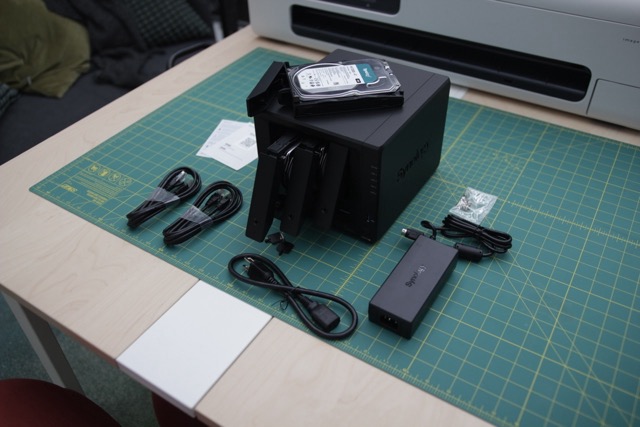
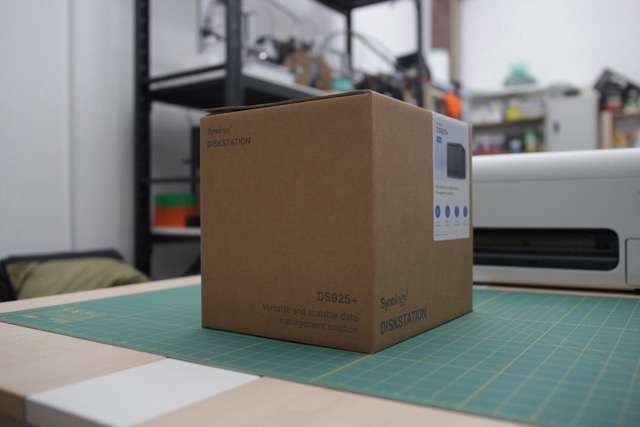
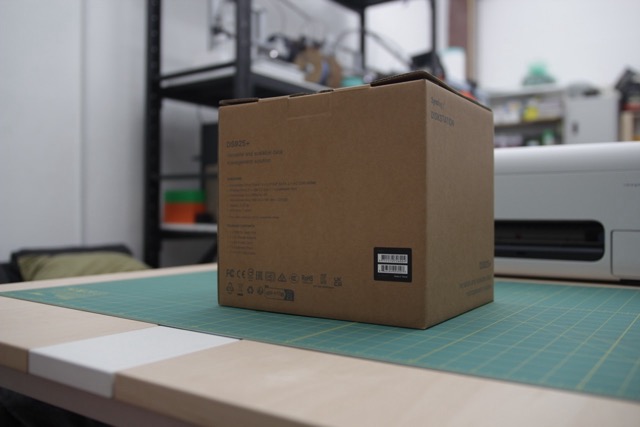
But in this review, we’re focusing on the latest Synology DS925+ in a simple office environment. It’s far from “minimal”, we’ll be storing files from multiple team members and devices. But the goal is everyday utility and reliability, not media-heavy production.
For context of our setup, our simple network backbone is the Xiaomi AX9000 router, a top-tier tri-band Wi‑Fi 6 router with a 2.5GbE WAN/LAN port, three 1GbE LAN ports, six signal amplifiers, and Wi‑Fi speeds up to 8,354 Mbps. Pairing the DS925+ with this router so that it can utilize its dual 2.5GbE ports and deliver the needed transfers throughout our office.
Understanding Synology Model Names
If you’re new to Synology Devices, the model names can look a little daunting and confusing at first glance. But once you break them down, they actually make a lot of sense.
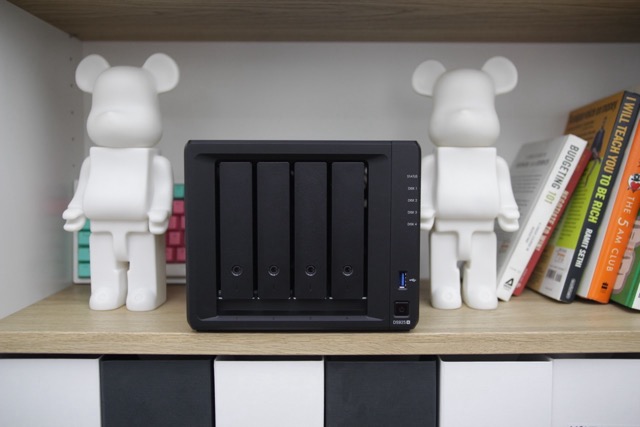
Let’s start! Well, Actually the prefix tells you the product family. DS stands for DiskStation, which are Synology’s desktop-style NAS units; the ones most people buy for home or office use.
If you see RS, that’s RackStation, made for rack-mounted enterprise setups.
FS is FlashStation for all-flash storage, while SA refers to High Scalable Architecture, designed for large-scale enterprise environments.
The numbers in the middle represent two things. The first digit(s) usually indicate the bay count or product class, while the last two digits refer to the release year.
For example, a DS220j has “2” for its 2-bay design and “20” for 2020 release. In the case of the DS925+, the “9” puts it in the more capable midrange series, while “25” confirms it was released in 2025.
Finally, the suffix tells you the trim level. Models with a “j” at the end are entry-level and budget-friendly.
Those with no suffix are considered mainstream. A “+” means you’re getting more performance—better CPU, higher RAM capacity, and support for heavier workloads.
Basically the sweet spot for power users and office environments. And if you see xs or xs+, those are enterprise-grade systems with extended support cycles and higher scalability.
So in short: DS925+ means it’s a desktop DiskStation, positioned in the midrange tier, released this 2025, with the “plus” enhancements for added performance and features.
Synology Product Line Cheat Sheet
| Model Line | What It Stands For | Ideal For… |
|---|---|---|
| DS (DiskStation) | Desktop NAS (tower-style for home/SMB) | Most home and office users |
| RS (RackStation) | Rack-mounted NAS | Enterprise/datacenter rack environments |
| FS (FlashStation) | All-flash NAS | High-speed performance workloads |
| SA (High Scalable Architecture) | Highly scalable rack storage | Large enterprises and studios with massive data needs |
| UC (Uptime Critical) | Dual-controller, fault-tolerant NAS | Mission-critical environments |
| DVA / NVR | AI-powered or Surveillance NAS | Video analytics or network video recording use cases |
| HD (High Density) | High-density rackscale storage | Bulk storage, e.g., backup or archive systems |
DS Series Subcategories
| Sub-Series | Purpose | Look out for… |
|---|---|---|
| J Series | Budget models for everyday personal use | Lower-spec CPUs (ARM/Realtek), ideal for simple backups |
| Value Series | Step-up performance for home or light business | Balanced cost-performance, but lacks Plus-level features |
| Plus Series | x86 performance models with richer features | Fast CPUs, expandable RAM, virtualization support |
| xs / xs+ | Enterprise-tier desktop NAS | High RAM, robust CPU, extended support cycles |
Naming Convention Breakdown
- First digit(s) in the number series generally represent the drive bay count or series class—e.g., “2” for 2-bay, “9” for higher-tier expansions.
- Last two digits typically indicate the release year. For example, DS925+ was launched in 2025.
- Suffix meaning:
- j → Entry-level, basic-use models
- (None) → Standard, middle-tier units
- + → Higher performance with enterprise-grade features
- xs / xs+ → High-end, enterprise-grade, extended service life
Example: DS1522+ – A DiskStation, 5-bay-class, released in 2022, with higher performance (“+”) enhancements.
What’s in the Box
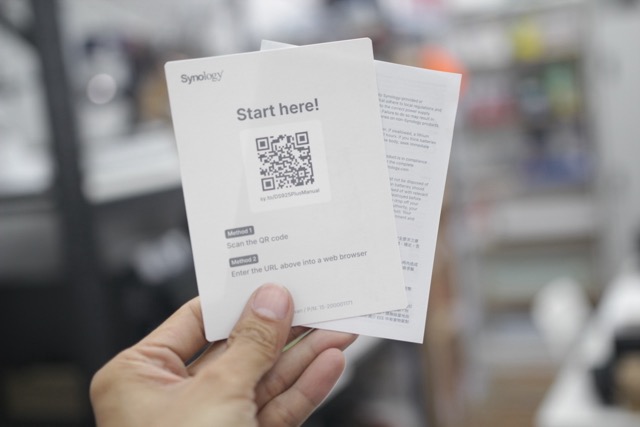
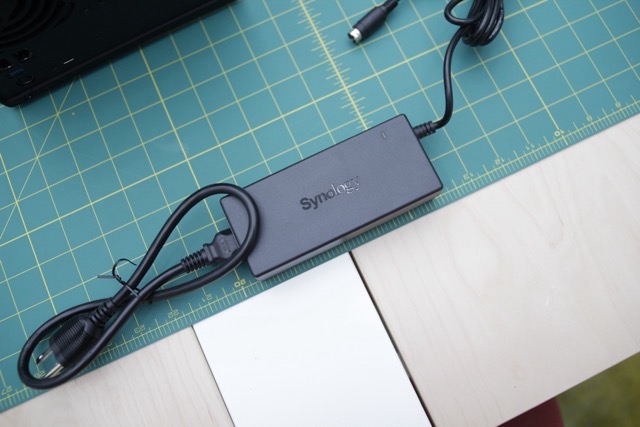
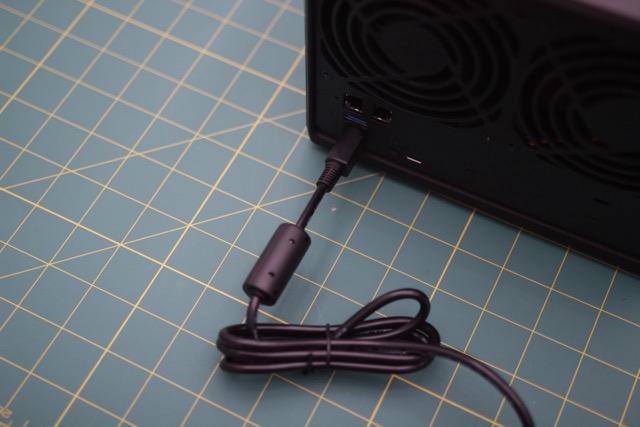
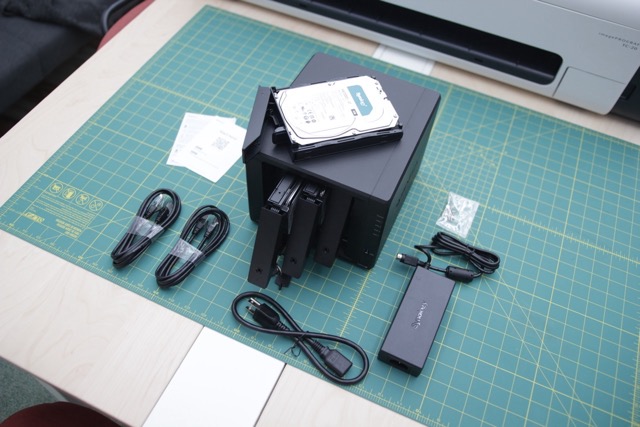
- Synology DS925+ main unit
- AC power cord & adapter
- 2 × RJ‑45 LAN cables
- 2 × hard drive tray keys
- 18 × screws for 2.5″ drives
Design and Setup
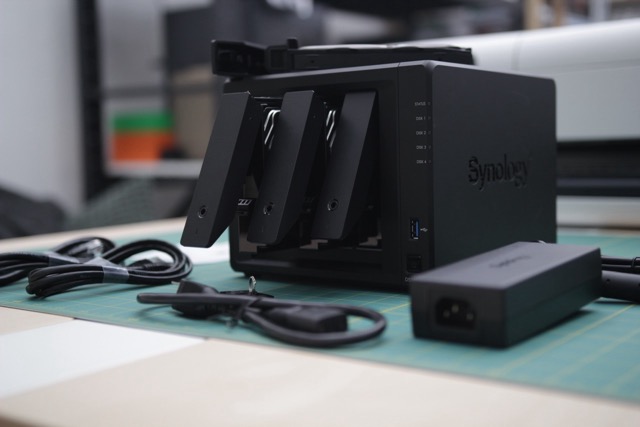
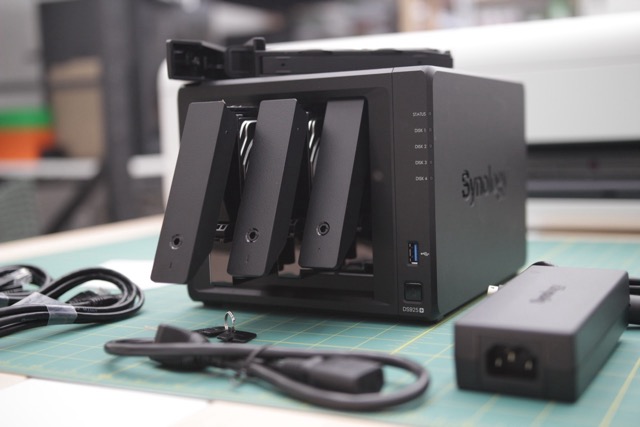
At first glance, the Synology DS925+ follows the familiar look we’ve seen from previous DiskStation models. It comes in a compact black chassis with four front-facing hot-swappable drive bays, LED indicators for status and activity, and dual USB ports for quick access.
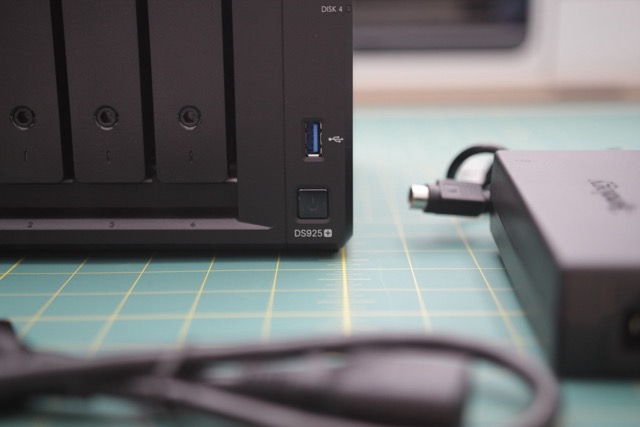
The overall design remains understated, but practical. Synology has always favored function over flashy aesthetics, and this unit is no different.
Now, in terms of the build, there’s really not much of a change from the previous generation. Almost identical. It’s more on the internal that has changed.
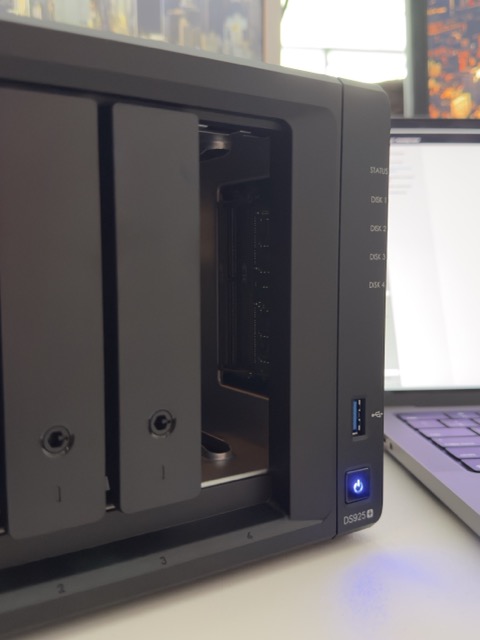
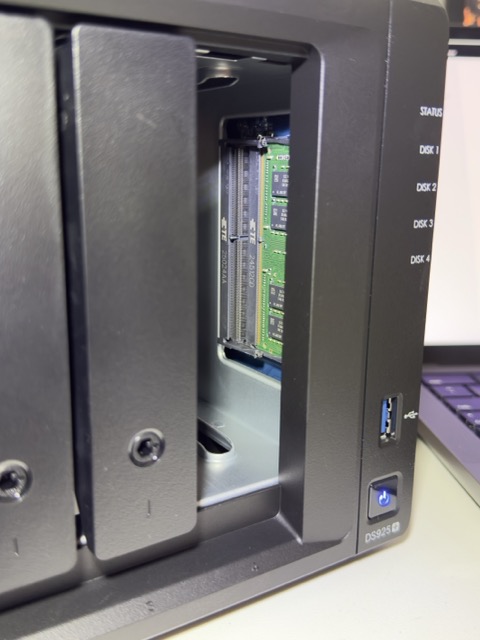
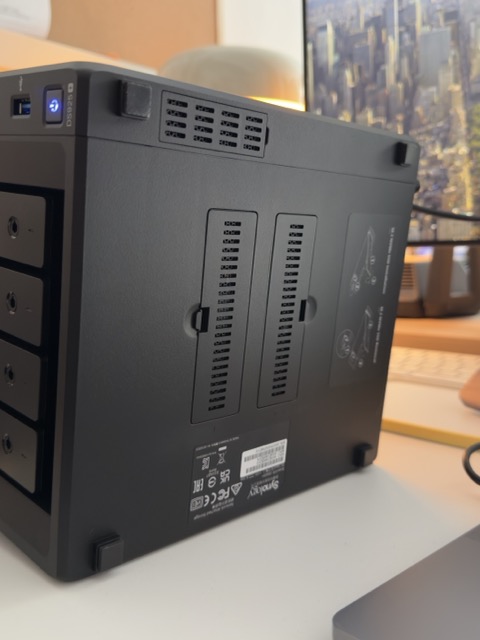
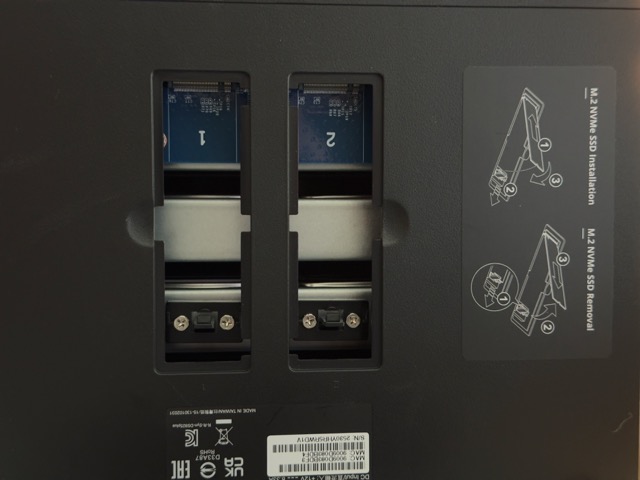
One thing worth pointing out is the expandability. The expansion for the RAM is located on the side, and also at the bottom is the M.2 NVMe caching. It’s easy to install—you just have to open the latch and then you can easily see the expansion slots. This makes upgrading or optimizing your NAS straightforward, even for first-time users.
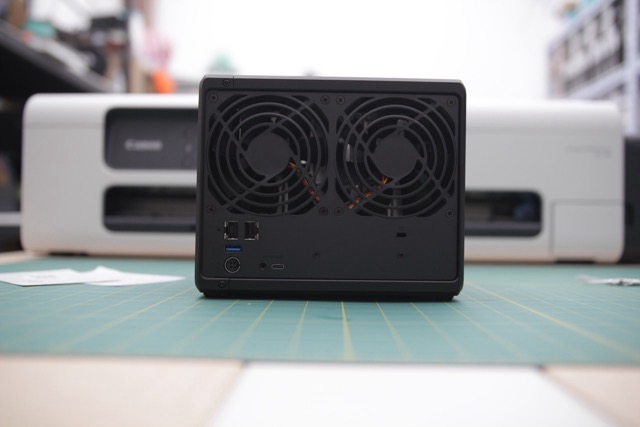
Ventilation is handled by a large rear cooling fan, which is fairly quiet under normal workloads, keeping both the drives and CPU at safe operating temperatures.
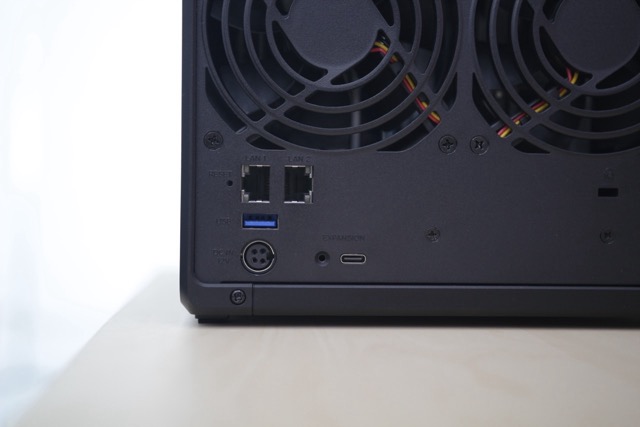
Another highlight is the noise! or the lack of it. Even during boot-up and while loading processes, the DS925+ is noticeably quieter compared to older Synology NAS units we’ve used.
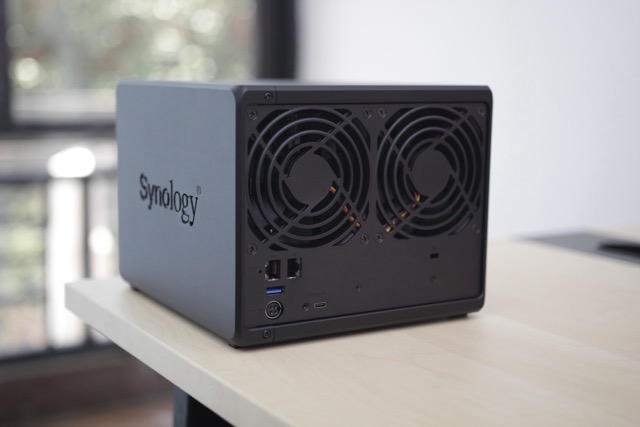
Fan noise is practically unnoticeable, which is a big plus if you’re keeping this in a small office or home environment.
Additional, before you had to press the latch mechanism to unlock the tray; now, you just pull it out directly. It’s a small detail, but a practical one; less chance of the locking piece breaking or getting lost.
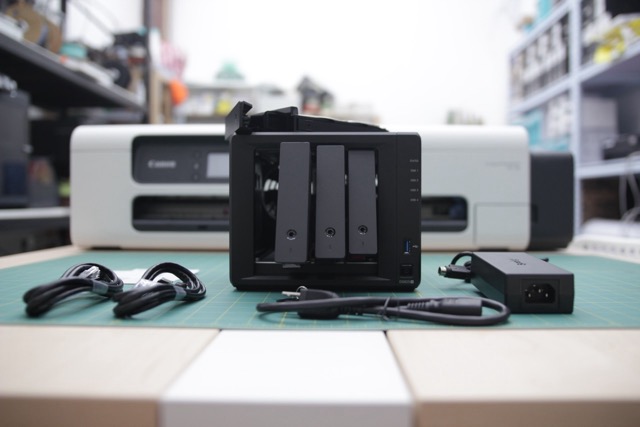
But this has been present since the previous gen like the Synology DS923+.
The overall chassis feels compact and solid, measuring 166 × 199 × 223 mm and weighing just 2.26 kg. Installing the drives was tool-free and straightforward, and the initial setup was impressively fast. In my case, the entire installation took less than three minutes.
Setup Process
Getting the Synology DS925+ up and running is pretty straightforward. Once you connect it to your network and visit the setup page (https://finds.synology.com/), the system automatically detects the device once you have plugged and connected it to your network. From there, it’s just a matter of clicking through the process:
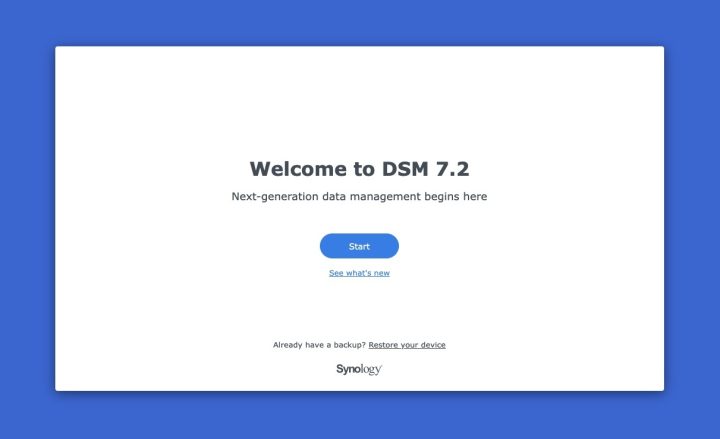
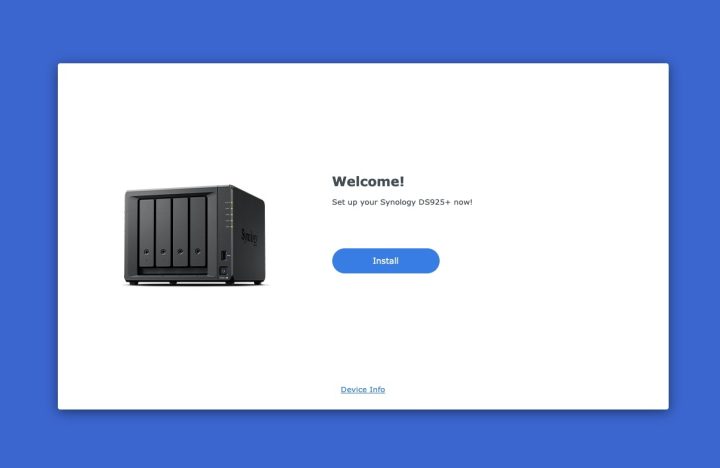
- License Agreement – accept and move forward.
- Install Wizard – select Install.
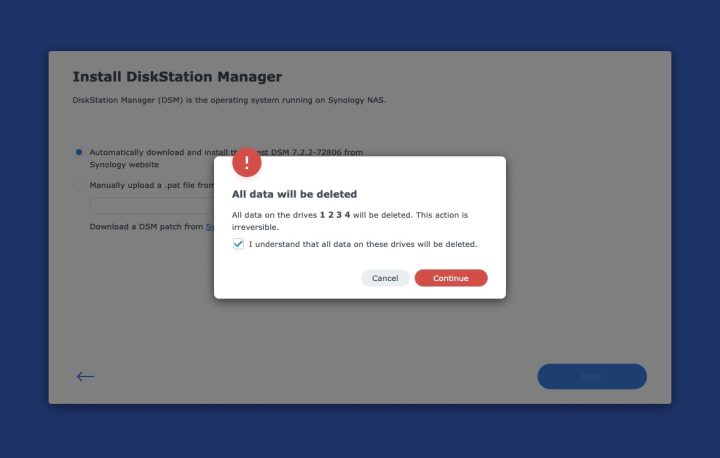
- DSM Installation – choose automatic download and it will install the latest version, currently DSM 7.2.2.
A key reminder here: if you’re using fresh drives, DSM will prompt that all data will be wiped during installation. If you accidentally use an existing drive, everything on it will be erased. Best practice to always start with empty or backup-safe drives.
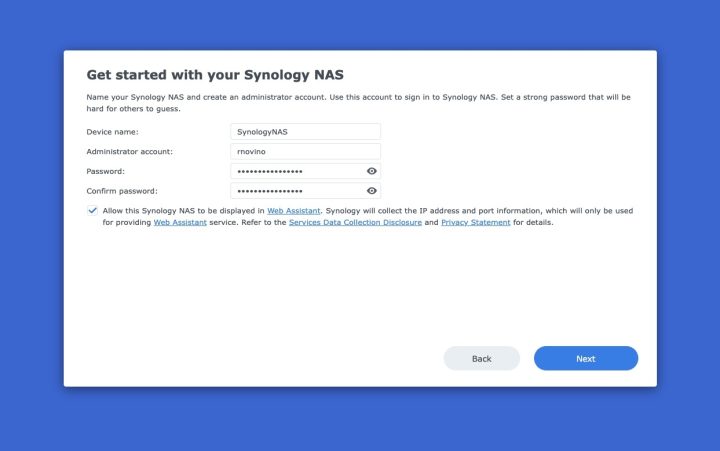
The installation itself took just a few minutes. Once it completes, the system will prompt you to:
- Set a Device Name
- Create an Admin Account
- Assign a Password
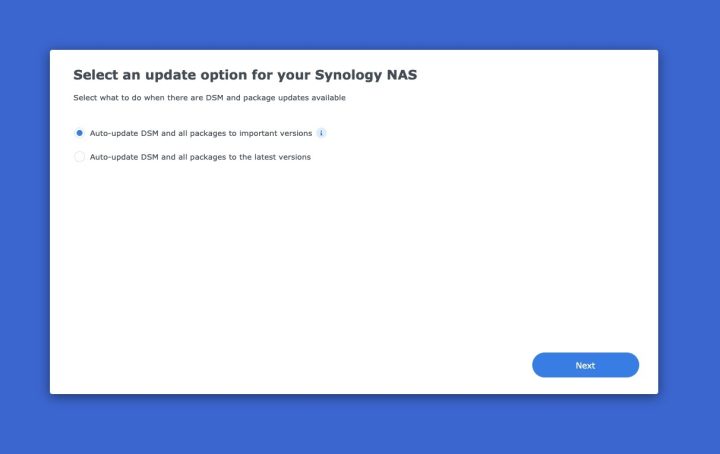
From there, you’ll also be asked if you’d like DSM and its packages to update automatically (highly recommended), and then you’ll be prompted to create a Synology Account. The signup is simple, you can even use a Gmail or Apple email to register, and it unlocks key services like remote management.
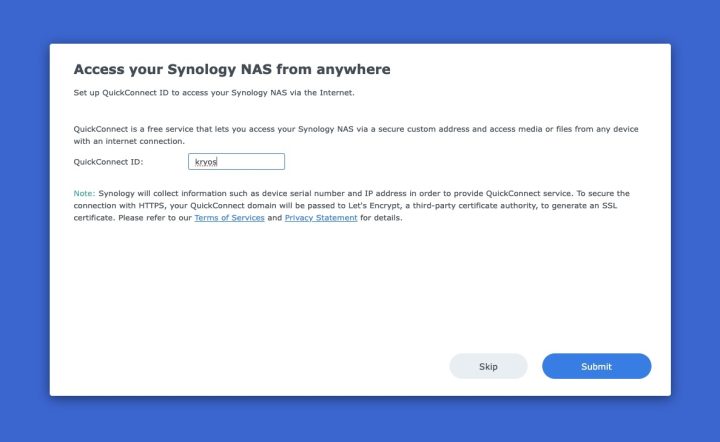
One of those services is the highly popular QuickConnect. Here, you create a unique URL that lets you securely access your NAS remotely from anywhere.
For many users, this becomes one of the most useful features of DSM since it eliminates the need for complex port forwarding or VPNs.
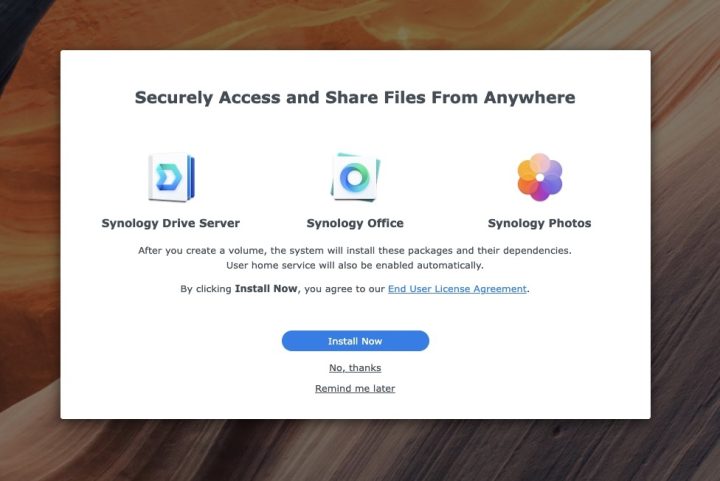
DSM also gives you the option to immediately install core applications like Synology Drive Server, Synology Office, and Synology Photos. These are must-haves if you want to maximize the DS925+ for file sync, collaboration, and media management.
During setup, you’ll also be asked to configure your storage.
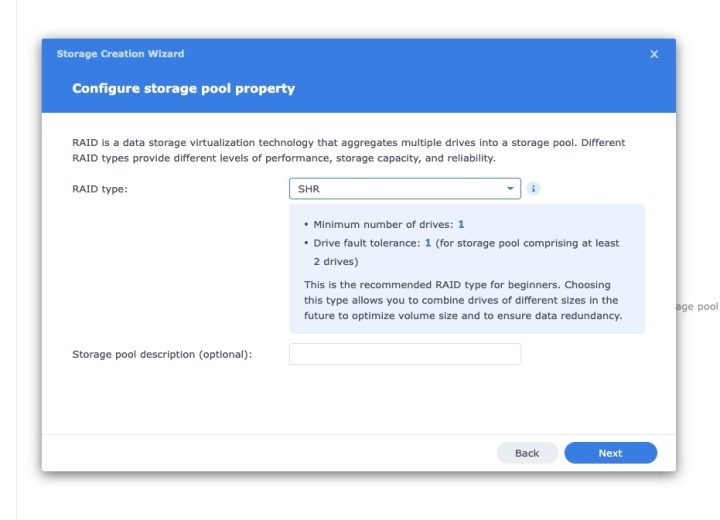
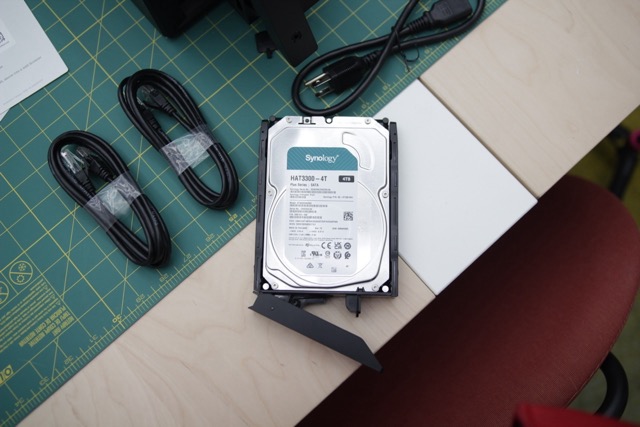
By default, Synology recommends SHR (Synology Hybrid RAID). SHR allows you to combine different drive sizes while still protecting your data with redundancy, making it more flexible than traditional RAID. In our review setup, we used four Synology HAT3300 4TB drives, allocated as a single SHR volume for maximum usable space.
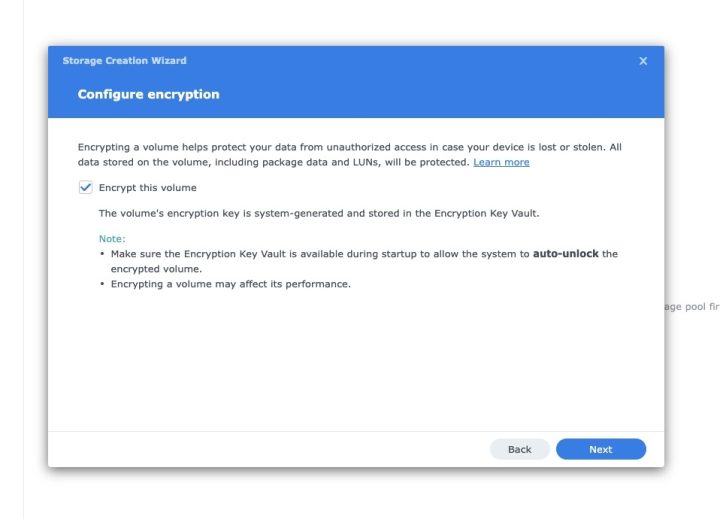
DSM also gives you the option to encrypt this volume. We opted to enable data encryption, which is ideal if you’re handling sensitive information. You’ll be asked to save an encryption key file, store this safely, ideally on a separate computer or secure location, since it’s required to unlock the volume if you need to recover data.
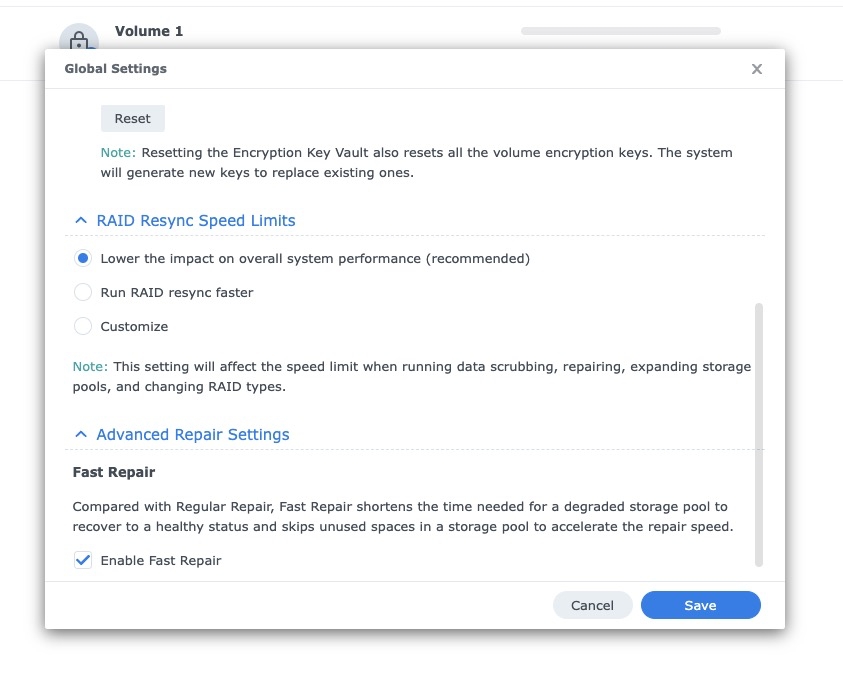
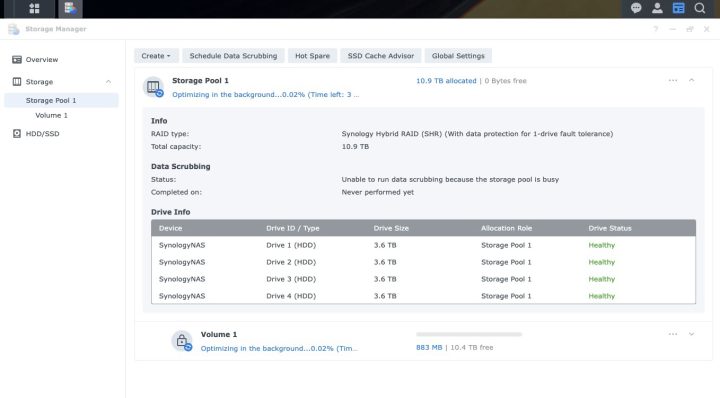
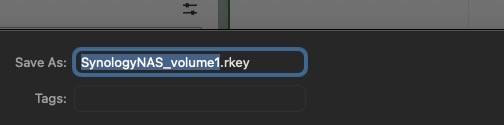
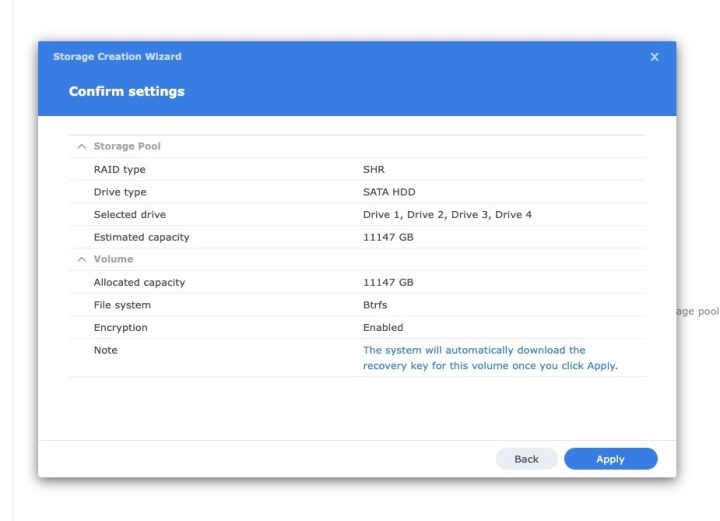
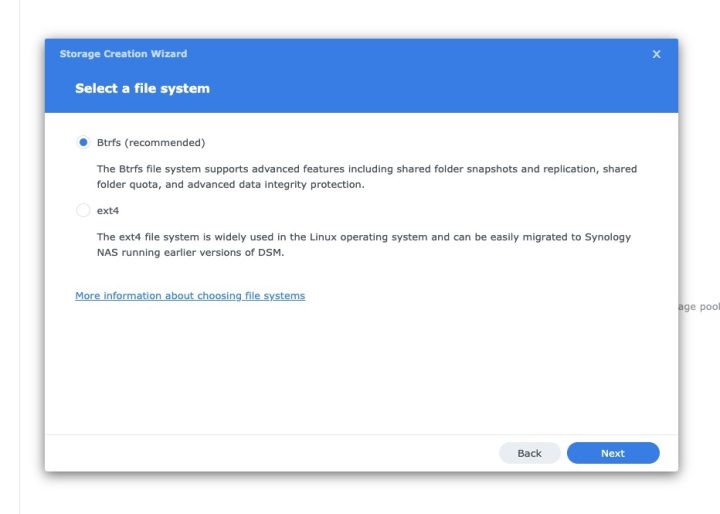
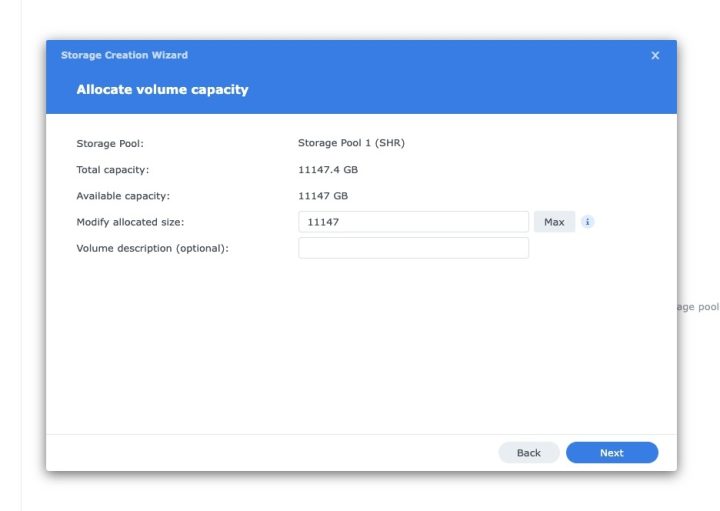
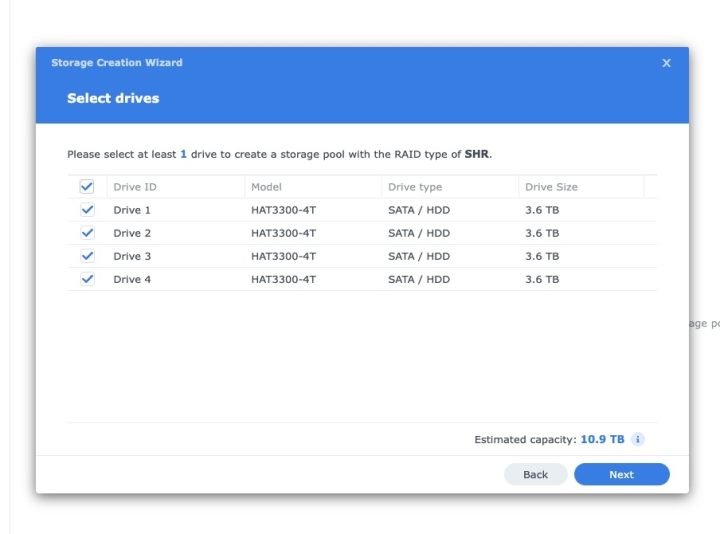
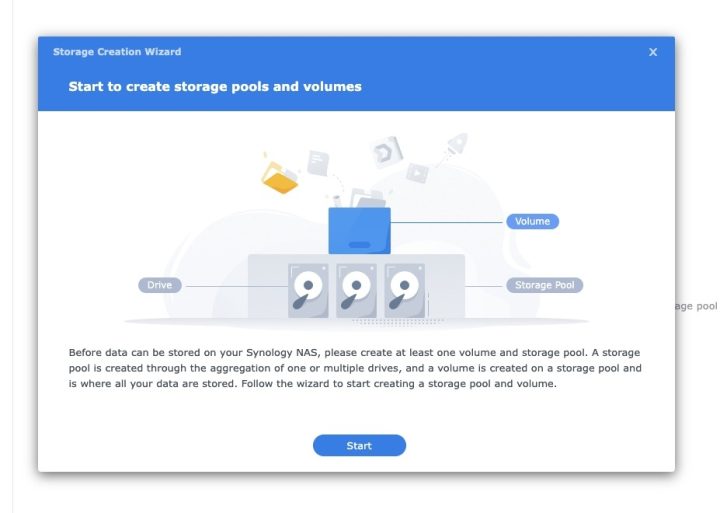
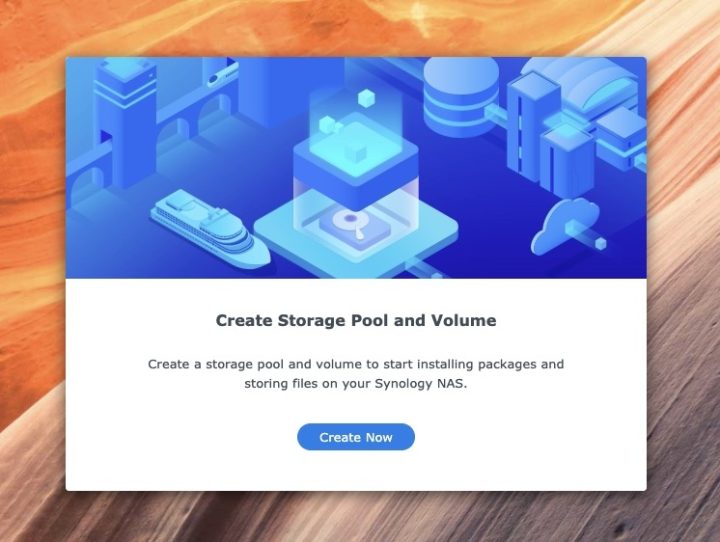
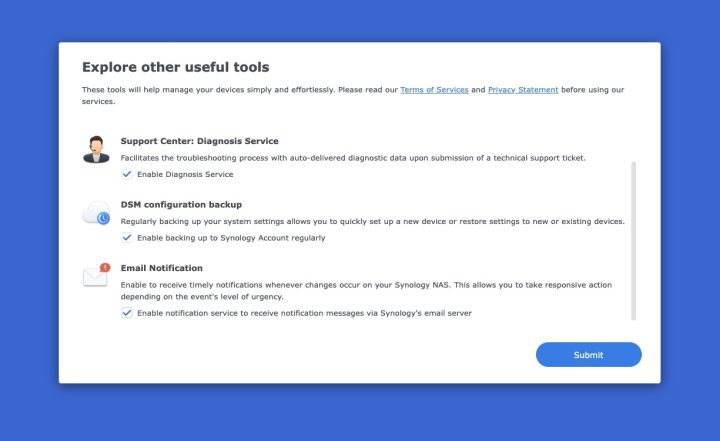
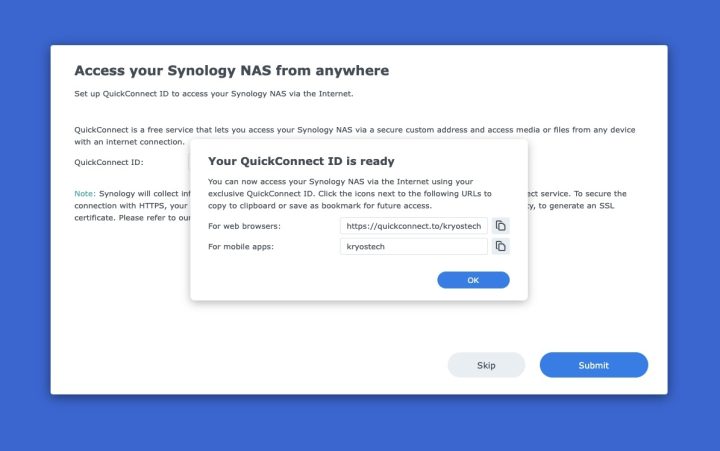
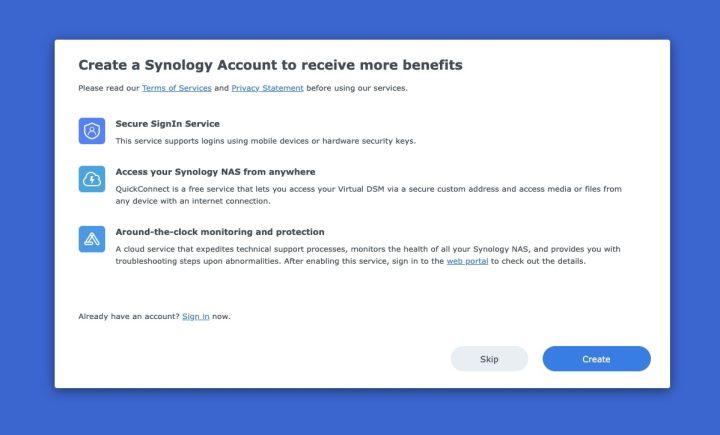
And that’s it! setup complete. From here, you can explore Synology’s Package Center, where you’ll find dozens of official and third-party apps to extend the DS925+ further.
Hardware and Features
- CPU: AMD Ryzen V1500B quad-core, 2.2 GHz
- RAM: 4 GB DDR4 ECC (upgradable to 32 GB)
- Storage: 4 × SATA bays + 2 × M.2 2280 NVMe slots
- Network: 2 × 2.5 GbE LAN ports (Link Aggregation & Failover)
- Drive support: 3.5″/2.5″ SATA x4 + 2 × M.2 2280 NVMe SSD slots
- LAN ports: 2 × 2.5GbE (RJ-45) with Link Aggregation and failover
- Ports: 2 × USB 3.2 Gen 1, 1 × USB-C expansion
- Size/Weight: 166 × 199 × 223 mm, 2.26 kg
- Certifications: FCC, CE, UKCA, BSMI, VCCI, RCM, RoHS, etc.
- Power: 100V–240V AC, 50/60Hz
Performance highlights:
- Dual 2.5GbE gives faster transfers compared to the earlier DS923+ with dual 1GbE.
- Supports up to 180 TB raw storage with the DX525 expansion unit (expands to 9 bays)
- Synology claims up to 522 MB/s read and 565 MB/s write speeds
- However—no PCIe slot means no 10GbE upgrade path; expansion now limited to USB‑C via DX525 (slower than DS923+’s eSATA)
- Requires Synology-certified drives only (DSM won’t install otherwise)
Quick Comparison of Synology DS925+ vs DS923+
| Software capability | DS925+ | DS923+ | Notes |
|---|---|---|---|
| Max Synology Drive / Office users | 80 users each | 50 users each | DS925+ can accommodates bigger teams. |
| Max Synology Chat users | 150 | 100 | Higher concurrency thanks to 4‑core CPU. |
| Max SMB connections | 40 (with RAM expansion) | 30 | DS925+ can handle more simultaneous file connections. |
| Shared folder sync tasks | 8 simultaneous tasks | 4 tasks | Useful for distributed offices. |
| Virtual machines / Virtual DSM instances | Up to 8 VMs and 8 virtual DSM instances | Up to 4 of each | DS925+ is better suited to virtualization. |
| MailPlus users | Up to 90 accounts | 60 users | DS925+ supports bigger mail deployments. |
| VPN server connections | 8 | 4 | Higher concurrency. |
| Max volume size | Up to 200 TB (with 32 GB RAM); default 108 TB | 108 TB | DS925+ supports larger volumes after memory upgrade. |
| Internal volumes | 32 volumes | 64 volumes | DS923+ allows more separate volumes, though each volume cannot exceed 108 TB. |
Real-World Use
In our office, the Synology DS925+ handles:
- File storage for team desktops and laptops
- Backups of key documents and reports
- Archival of photos and project media
- Basic redundancy for shared files
Thanks to the dual 2.5GbE ports and our AX9000 router, transfer speeds are noticeably faster and consistent. For basic workflows, the DS925+ delivers just right.
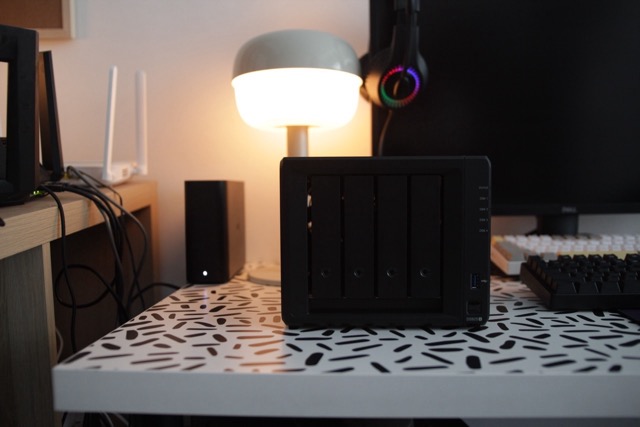
That said, creative professionals or studios who rely on 10GbE or mixing drives may find it limiting in the long run since they have remove this upgrade capability.
DSM remains brilliant—intuitive UI, mobile apps, Hyper Backup, Synology Drive, Surveillance Station, Active Backup Suite, versioning, quick restores, and more (Detailed in the Software section).

What’s new here compared to the previous DS923+ is the faster dual 2.5GbE ports (versus dual 1GbE) which gives better out-of-the-box network speeds. However, unlike its predecessor, the DS925+ no longer has a PCIe slot for 10GbE upgrades. Instead, Synology seems to be focusing on “ready-to-go” performance without add-ons.
The unit also introduces a USB-C expansion port for connecting the DX525 expansion unit. While more modern in appearance, it technically runs a bit slower compared to the eSATA expansion interface of the DS923+.
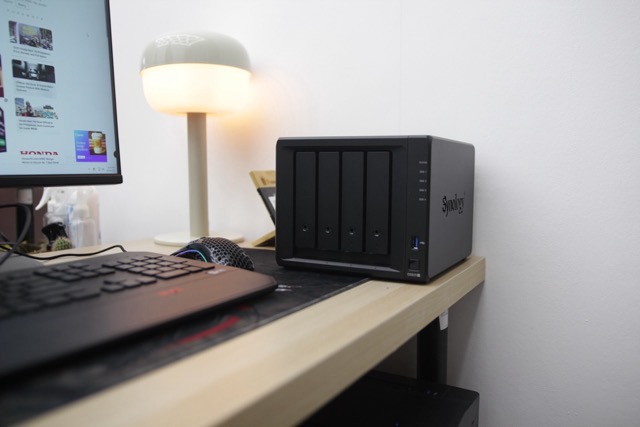
For storage expansion, the DS925+ works with the new DX525 expansion unit via USB-C but sold separately, allowing you to scale from the base 4 bays to a total of 9 drive bays with a maximum raw capacity of 180 TB (using 20 TB drives).
The DS925+ is also quite fast in terms of network transfers. Synology rates it at up to 522 MB/s sequential read and 565 MB/s sequential write over its dual 2.5GbE ports. While it no longer supports 10GbE upgrades like the DS923+, it still delivers solid multi-user transfer speeds right out of the box.
In my setup, I’m currently using the DS925+ for basic office functions—centralized file storage, redundancy for the team’s documents, and syncing smaller media projects.
For more demanding workloads like video editing over 10GbE, this may not be the best fit since the upgrade hardware has been removed.
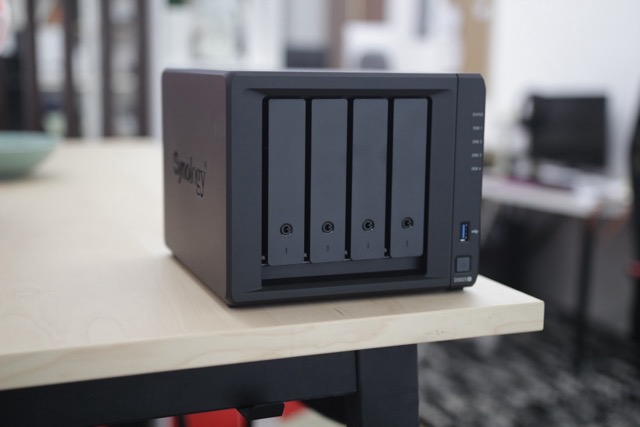
In addition, Synology also enforces a stricter drive compatibility policy with the DS925+. The unit now requires Synology-approved hard drives for DSM installation (which in our case we used Synology HAT3300), unlike older models which allowed third-party drives with just a warning. Personally, I’m not quite sure how this will play out in the long run.
Will have to find out how the market will adopt to this change, because sometimes change is good.
In my opinion, for office use it’s fine, but for enthusiasts or small studios who like mixing different drives, it could feel restrictive for them.
On the flip side, DSM 7 remains one of Synology’s biggest strengths. The interface is still clean, intuitive, and very easy to use. From file management to multimedia streaming, mobile apps, and backup tools like Hyper Backup, the experience is polished and professional.
Personal Observations
- Setup: Under 3 minutes—super slick.
- Noise: Nearly silent even during load.
- Drive policy: Limiting to Synology drives might turn off frugal buyers or prosumers.
- Scalability trade-off: Great now, but less future-flexible without 10GbE.
Software & DSM 7.2 Experience
Of course, hardware is only half the story with any Synology NAS. What really ties everything together is DSM (DiskStation Manager), and the DS925+ ships with the latest DSM 7.2.
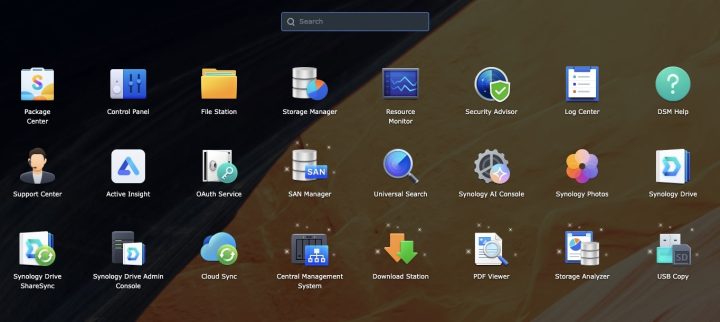
For those who’ve used Synology before, DSM has always been one of the cleanest and most intuitive NAS operating systems out there. The interface feels familiar; almost like a desktop OS inside your browser; so even its your first-time to setup a NAS, you will into the flow.
Now with DSM 7.2, Synology doubled down on security and management. You get support for immutable snapshots and full-volume encryption, which is a big deal for businesses who wants additional protection against ransomware or accidental file deletion. Think of it like a “time machine” that lets you roll back files or folders instantly whenever you want to.
On the productivity side, DSM comes with Synology Drive and Office, which now supports up to 80 concurrent users on this model.
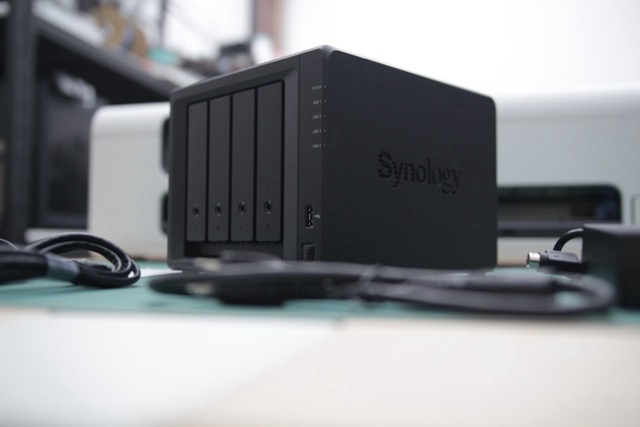
For large teams like us, that means collaborative document editing, versioning, and seamless file sync across devices.
They also have Synology Chat for internal messaging (up to 150 users) and MailPlus for running your own mail server with up to 90 accounts.
Of course Backup is another area where Synology excels. We have here a Hyper Backup, which lets you back up not just to another NAS, but also to cloud providers like (C2, Dropbox, Google Drive, etc.).
Now, If you want real business continuity, you can even run High Availability mode, where two NAS units mirror each other so downtime is almost zero.
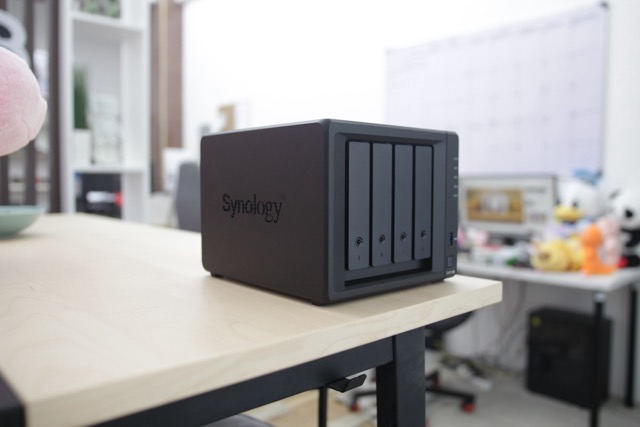
Next is For virtualization, the DS925+ can run up to 8 virtual machines and multiple Virtual DSM instances, given enough RAM. It also works with VMware, Hyper-V, and Citrix.
And then there’s Hybrid Share, one of the standout features of DSM 7.2. It’s basically a hybrid-cloud system: hot data stays on the NAS for speed, while cold files get pushed to Synology’s C2 cloud, freeing up local space but still keeping everything accessible.
What’s new and interesting is the Synology AI Console. This allows integration with third-party AI models, including automatic data de-identification (useful for sensitive information).
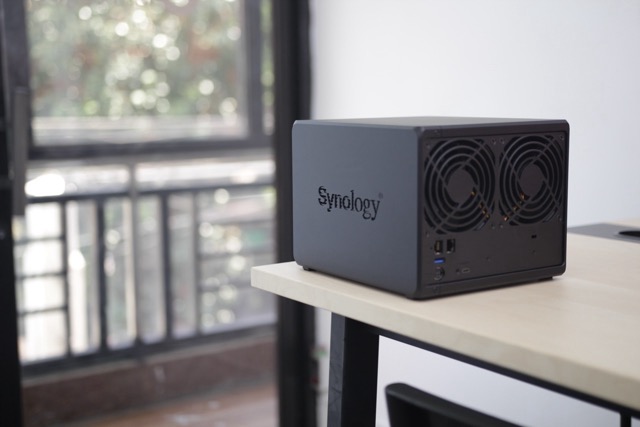
With at least 8GB RAM, the DS925+ can process text anonymization at around 40 words per second; something niche, but future-facing if you’re in industries like healthcare or data analysis.
Pros and Cons
| What we LIKED: | What we LIKED LESS: |
|---|---|
| Dual 2.5GbE LAN for faster out-of-the-box speeds | No PCIe slot → no 10GbE upgrade |
| Quiet operation even under load | USB‑C expansion slower than DS923+’s eSATA |
| Extremely quick setup via QuickConnect | Strict Synology drive compatibility only |
| Performance boost from Ryzen V1500B CPU | Less flexible for future scalability |
| Improved drive tray latch design | — |
Estimated Price (Philippines): ₱36,225 – ₱38,000 (Synology-authorized dealers like listing it at around ₱36,225, Shopee and Lazada or TikTok)
Conclusion
Over-all, the Synology DS925+ is a polished, office-ready NAS, quiet, fast to set up, and delivering strong performance for everyday tasks. The Dual 2.5GbE and a Ryzen V1500B make it reliable for multi-user setups.
But Synology’s pivot toward simplicity; locking upgrades and drive options—does trim down its flexibility.
If you just want dependable office storage, the DS925+ is a solid pick.
Also, Synology still offers a standard 3-year hardware warranty which is extendable to 5 years with Extended Warranty Plus.
More Synology products:
- Synology DS920+ 4-Bay NAS
- Synology RT2600ac 4×4 Gigabit WiFi Router
- Synology DS-1621+ Review
- Synology DS218+
- Synology DS1618+ NAS Review
- How to choose a Synology NAS
- What is a NAS and Why do you need it?
- Build Your Multimedia Hub with Synology
Frequently Asked Questions
What does the 'DS' in Synology model names stand for?
What router was used in the review setup?
What is the main purpose of the DS925+ in the review?







0 Comments
Leave a Reply