
It was bound to happen but we’re still very surprised that Apple made a budget Macbook. For the longest time, the entry-level Macbook Air (at $999) has always been the most affordable in the laptop line-up. So, when Apple announced the Macbook Neo, it broke all expectations.
We’ve seen some tell-tale signs in past years — the iPhone SE, the iPhone 16e, iPhone 17e, Apple Watch SE and now, the MacBook Neo.

So, let’s break down the Neo and see where Apple focused and where it compromised to make a $599 MacBook that got everyone excited all over again.
Design and Construction
The MacBook takes on the same design DNA as the other high-end MacBooks. In fact, the Neo and the Air almost looks exactly the same except for tiny difference in dimensions. The latter is thinner (1.13cm vs. 1.27 cm) while the former is more compact. Both weigh in at exactly 2.7 lbs (1.23 kg).
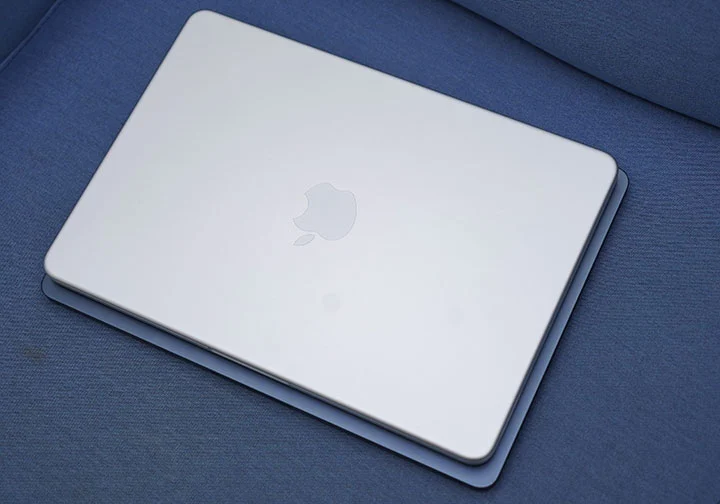
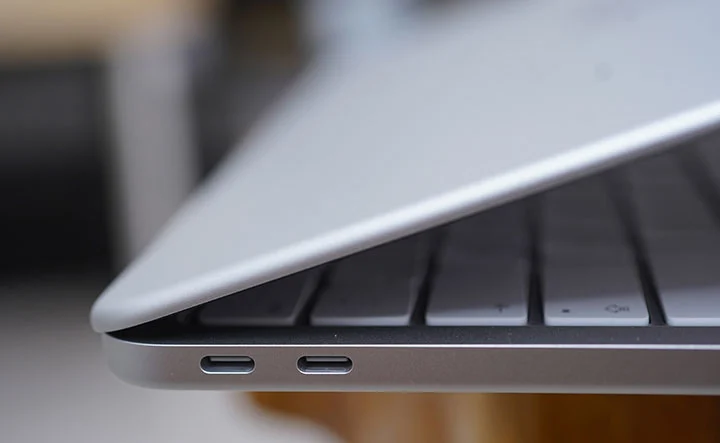
In that aspect, both have almost the same footprint, so neither one takes any advantage in terms of portability. No dedicated MagSafe 3 charging port, two slower USB Type-C ports (USB 3.2 and USB 2.0), two side-firing speakers at both sides (near the palmrests) and a 3.5mm audio port.
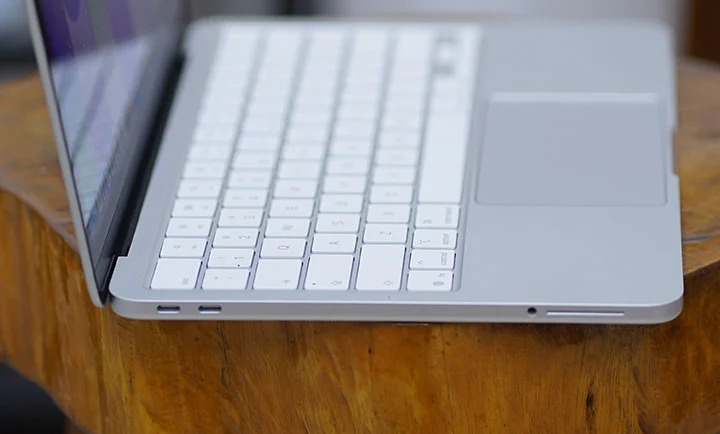
The aluminum unibody design of the Neo is the same as that of the Air and the Pro. Very solid and sturdy, feels premium and very polished finish. Nothing was compromised in terms of build quality. Apple also claims it is made out of pure recycled aluminum.
The last time a MacBook did not have a backlit keyboard was around 2010 with the 13-inch MacBook Air. Sadly, the Neo does not have one.

I can still remember those days with my old MacBook and this time around, when I was writing this review inside the car while traveling from our farm to our house, I found it a bit hard to type effectively under the poorly-lit cabin of our vehicle.
Nothing wrong with the keyboard and trackpad as these two are spot on and feel like any regular MacBook. The mechanical trackpad on the Neo can pass off as a cheaper version of the Force Trackpad on the Air and Pro but if you’re a longtime MacBook user, you will feel the difference.
Also, the base version of the Neo does not have Touch ID while the 512GB model comes with one. That means you’ll be typing your passwords more often on the base version. Something worth considering but not a deal-breaker.

The most exciting part here is that Apple decided to make the Neo in 4 different colorways: Blush, Indigo, Silver, and Citrus. Not as colorful as the iMacs but enough to get people to drool over the bright Citrus colorway.
What I would have wished was for Apple to actually reduced the display size to just 12-inches instead of 13. Then, get to a theoretically lighter weight of about 1.05 to 1.1 kg (2.3 – 2.4lbs) so there’s also a more significant difference between the Neo and the Air in terms of dimensions and weight. That gap would have given people a more definitive reason when choosing between the two and not just price and performance.
Display and Multimedia
The Neo has a 13-inch Liquid Retina display with a resolution of 2408 x 1506 pixels and maximum brightness of 500 nits. This is the same as the ones on the current MacBook Air line-up.
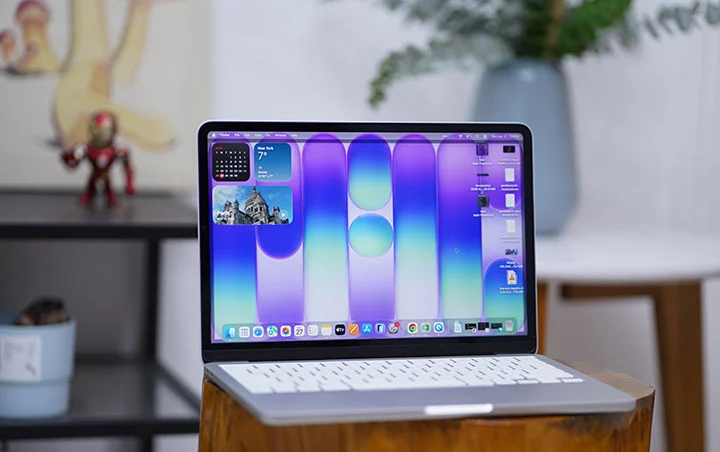
The display offers a bright, vibrant, and color-accurate picture and very suitable for indoor use but becomes harder to view in the outdoors.
One of the very first thing you will notice on the MacBook Neo is the absence of the Notch Display. The camera is conveniently hidden along the thin bezel at the top.
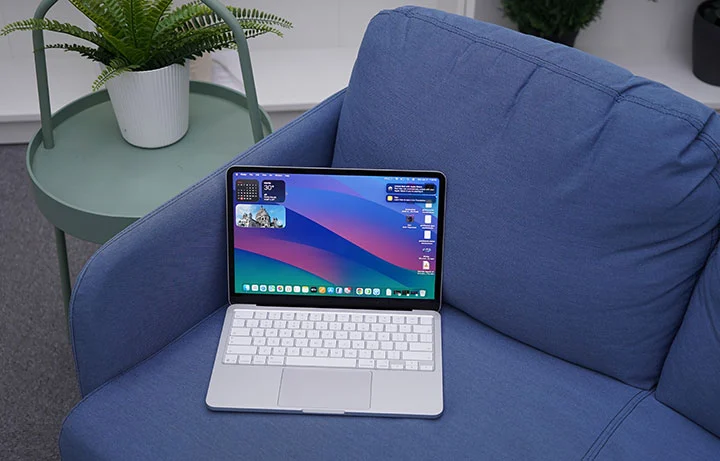
The MacBook Neo supports an external display but you’re limited to only a single 4K display on this one, a far cry from the dual 5K monitors that the MacBook Air can support.
The stereo speakers are situated along the left and right sides, towards the front and provides ample sound for casual music playback, movie and gaming. Volume is pretty loud, crisp and clear, especially when minimal ambient noise is present. In closed quarters, you can really appreciate the spatial audio for a surround-sound effect.
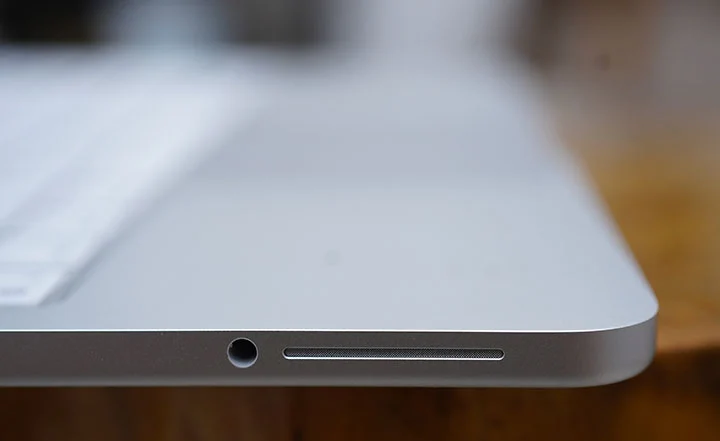
There’s option for a 3.5mm audio port for when you want to hook up an external speaker or headphones. This is also useful when doing video calls using the 1080p Facetime camera.
Performance and Benchmarks
This is the first time we’re seeing an iPhone chip being used for a MacBook. For a time, however, Apple’s iPad line-up used both M-series and A-series chips. The latest iPad Pro uses the M5 chip, the iPad Air uses the M4 chip, the iPad mini uses the A17 Pro, and the standard iPad uses the A16 chip.
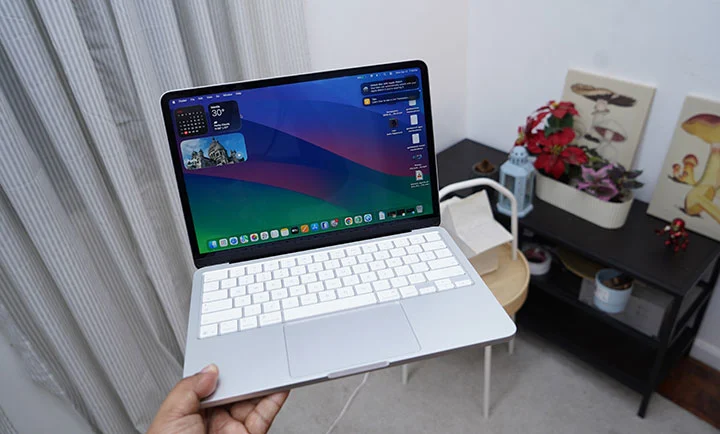
The MacBook Neo uses an Apple A18 Pro chip which comes with a 6-core CPU, a 5-core GPU and 16-core Neural Engine. If you’re using an iPhone 16 Pro, then it’s the same Apple A18 Pro we’re talking about.
So, the next obvious question is: can an iPhone chip properly run on a MacBook? The short answer is yes but there’s a caveat.
Here’s a longer observation/explanation. Based on our practical day-to-day use of the MacBook Neo and the synthetic benchmarks we ran with it, the A18 Pro chip is very comparable to an M1 chip but with striking advantage on power efficiency.
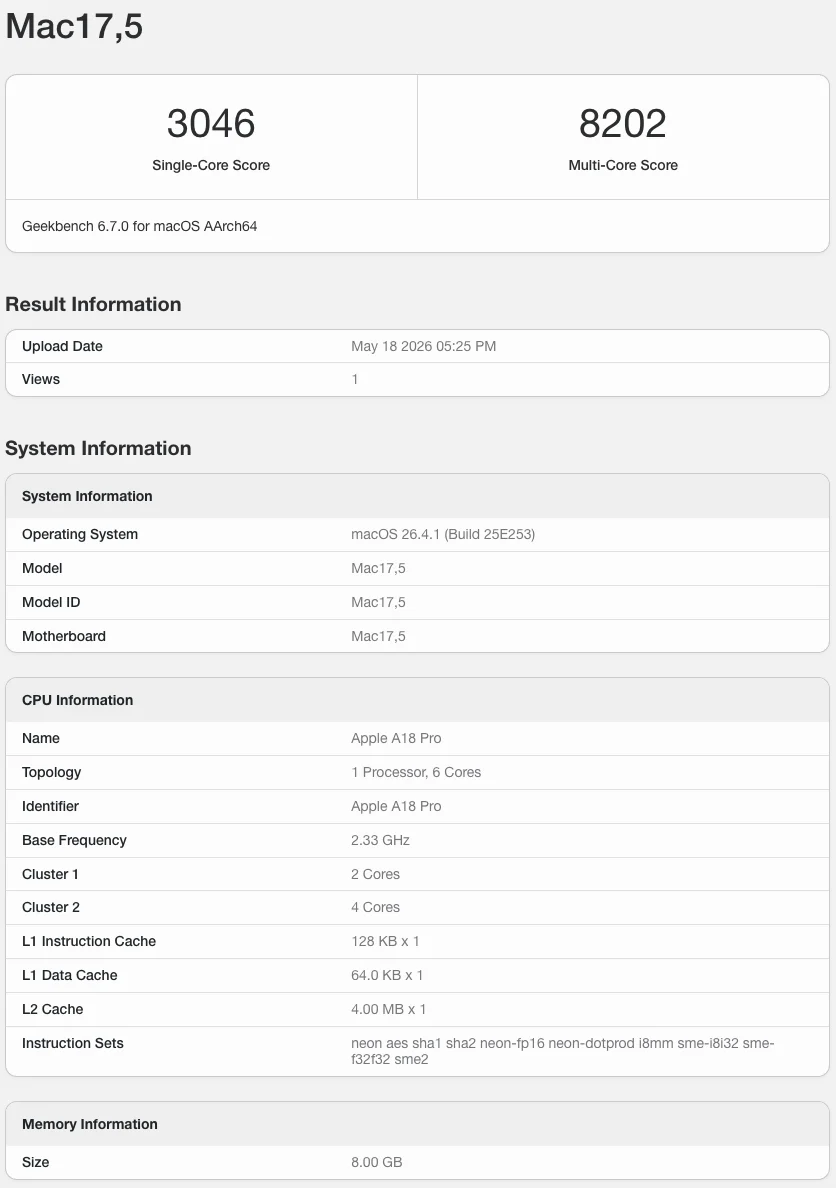
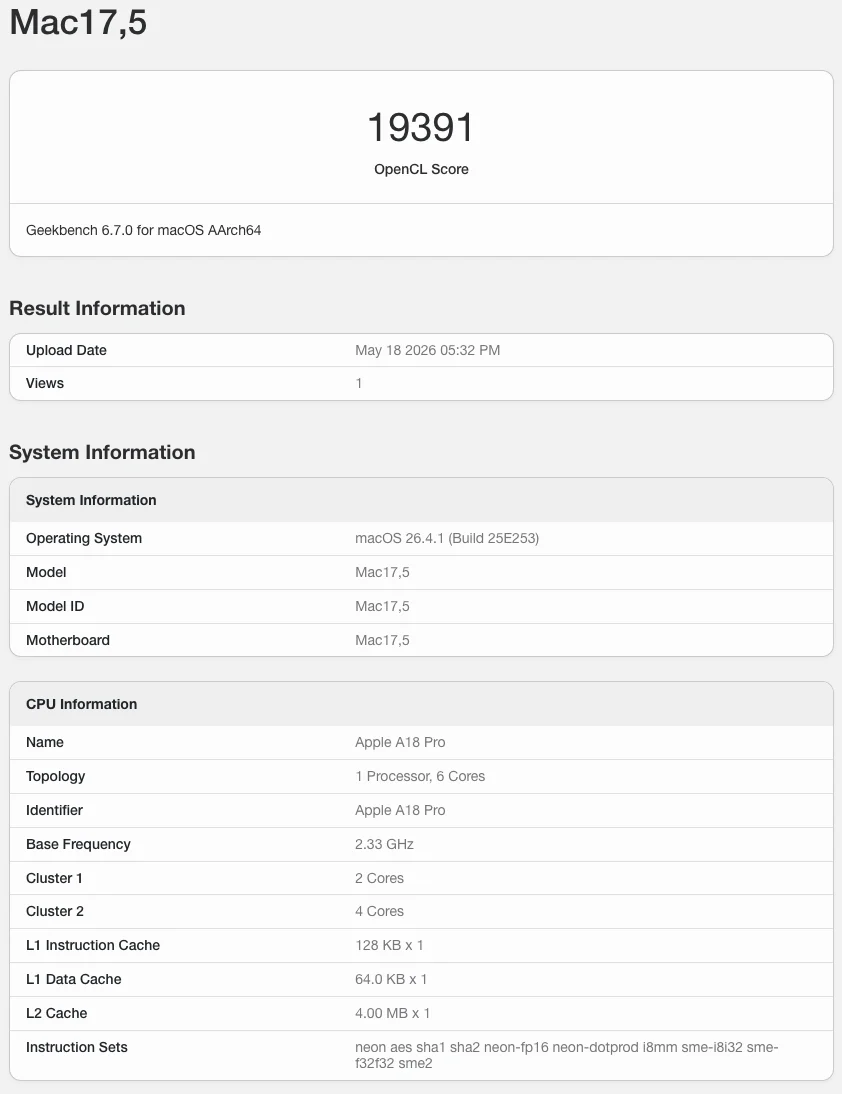
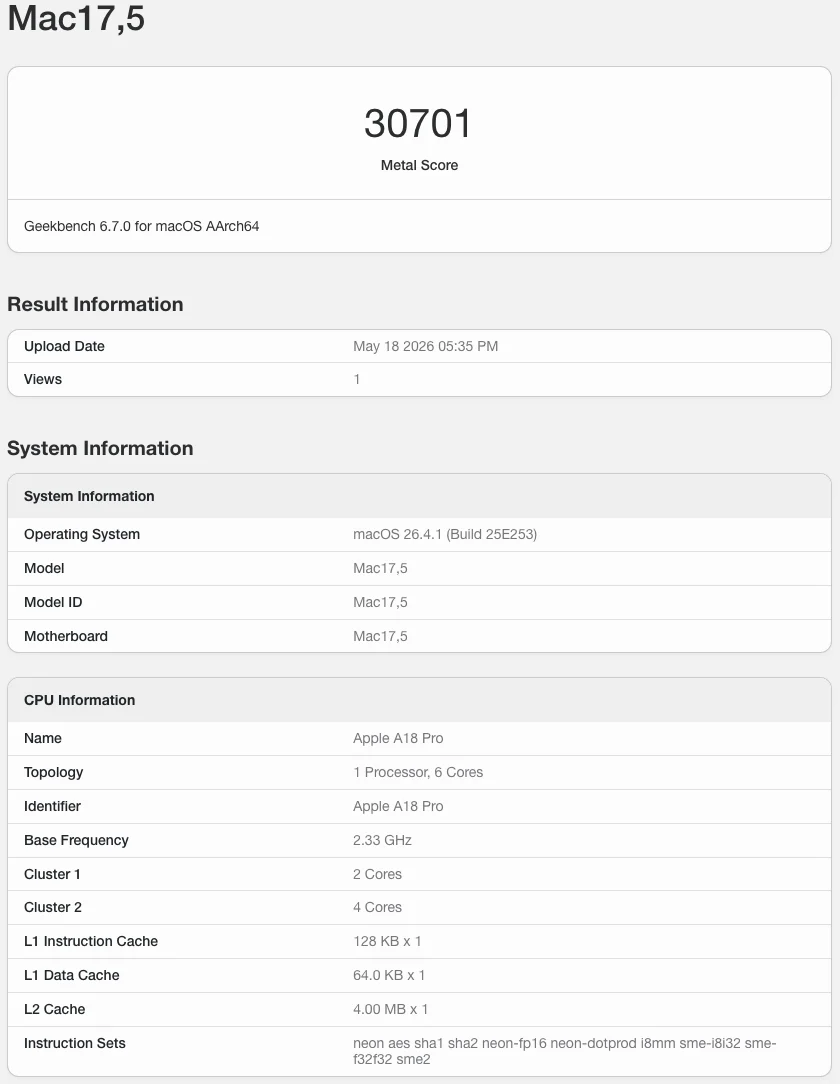
If you’re using the MacBook Neo as a casual school or office laptop, mostly doing web browsing, office productivity, photo editing and light video editing, 4k video streaming and casual gaming, it can easily handle such tasks with ease.
MacBook Neo A18 Pro
GeekBench 6.7 Single-Core score – 3,046
GeekBench 6.7 Multi-Core score – 8,202
GPU OpenCL – 19,391
GPU Metal – 30,701
Mac Mini M1
GeekBench 6.5 Single-Core score – 2,325
GeekBench 6.5 Multi-Core score – 8,061
GPU OpenCL – 18,837
GPU Metal – 32,859
MacBook Air M3
GeekBench 6.5 Single-Core score – 2,944
GeekBench 6.5 Multi-Core score – 11,208
GPU OpenCL – 30,924
GPU Metal – 48,199
I’d say the A18 Pro is comparable to the Apple M1 chip. That’s not bad at all for an iPhone chip with a performance of a 2020 to 2021 MacBook Air.
Note: The A18 Pro in the MacBook Neo is a binned version of the same chip used in the iPhone 16 Pro, with one GPU core disabled so it runs a 5‑core GPU instead of 6 cores. In chip binning, chips whose GPU does not fully meet the highest quality or performance targets have the faulty core fused off and are sold as lower‑tier parts rather than being scrapped. Apple repurposes these binned A18 Pro chips in the Neo, which helps cut silicon costs and makes the laptop’s aggressive entry‑level pricing possible.
OS, Apps and UI
The Neo came with macOS 26.3 Tahoe but automatically prompted for a 16.34GB update to macOS 26.4. Tahoe comes with a new Liquid Glass design system across windows, icons, and navigation, aligning macOS more closely with iOS 26 and iPadOS 26.
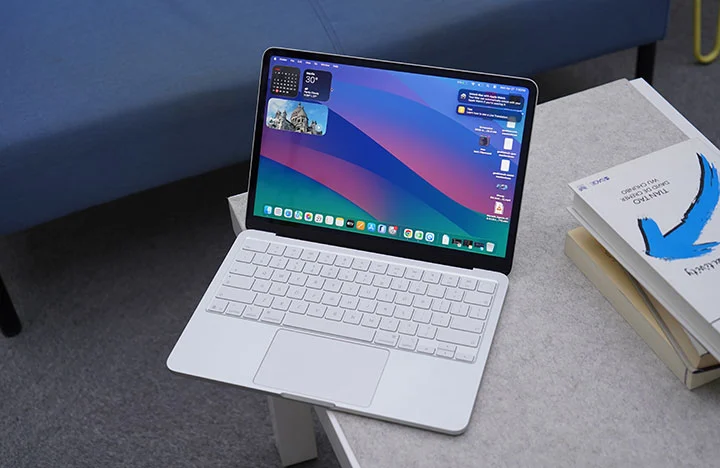
Once you open the Neo for the first time, you’re greeted with a bunch of tools, widgets, apps and pre-installed software that can get you started right away such as iMovie and Garage Band. No need to install Office as their counterparts are already present and come free with macOS (Pages, Numbers and Keynote).
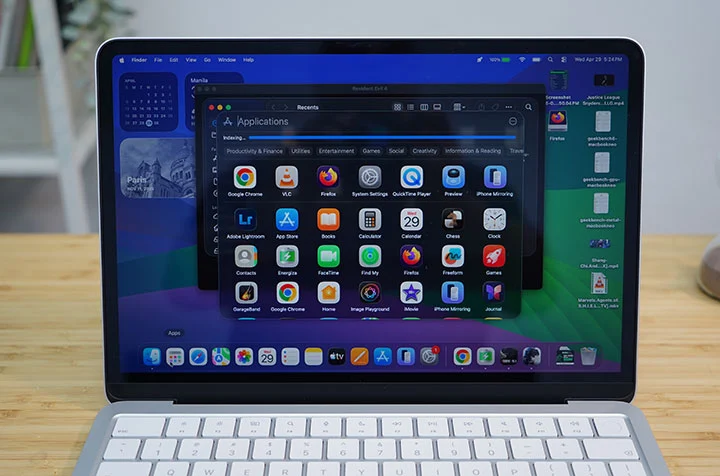
Long-time macOS users also enjoy native features such as Spotlight search, Stage Manager, Time Machine, and Quick Look.
If you’re in the Apple ecosystem (MacBook, iPhone, iPad), you will also love Handoff, Universal Clipboard, iPhone Mirroring and even as simple as syncing Notes across Apple devices.
macOS Tahoe is a powerful operating system with most of the basic tools and apps are already available to the user right out of the box. The interface is relatively easy to understand and navigate with a complement of gesture controls. It also becomes very intuitive and powerful once you harness all the built-in functions and features.
Connectivity and Battery
In terms of connectivity, the MacBook Neo only comes with 2 Type-C ports, one with USB 3.2 while another is an older USB 2.0 which is outdated and rather slow. There’s no MagSafe charging port either so you’re going to have to go back to the “dongle life” with the Neo.
You also have Bluetooth 6 and WiFi 6E for wireless connectivity.
As for the battery, the Neo only comes with 36.5Whr (or 9,516mAh) lithium‑ion battery which is far smaller than the 53.8Whr battery of the Air. That’s a 32% reduction in battery capacity which might be a big deal with many users but in real-world tests, the A18 Pro is more power-efficient that battery life isn’t that far apart.
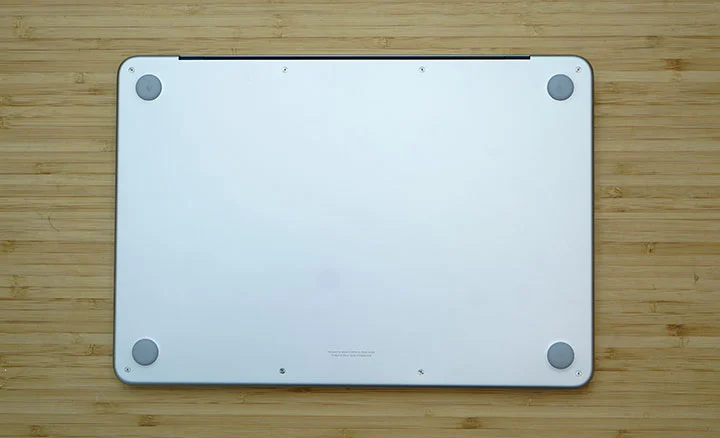
In one of our test video playback, the MacBook Neo got 15 hours and 40 minutes running a 1080p movie at 50% brightness and 50% volume with WiFi turned on. That’s not as long as the 22 to 24 hours & 26 minutes we got on the MacBook Pro M5 but certainly nothing to cough about.
The MacBook Neo also charges via USB-C with a slower 20W charger included in the box. Should you use a faster charging brick, you can get up to 45W of charging which is quite decent.
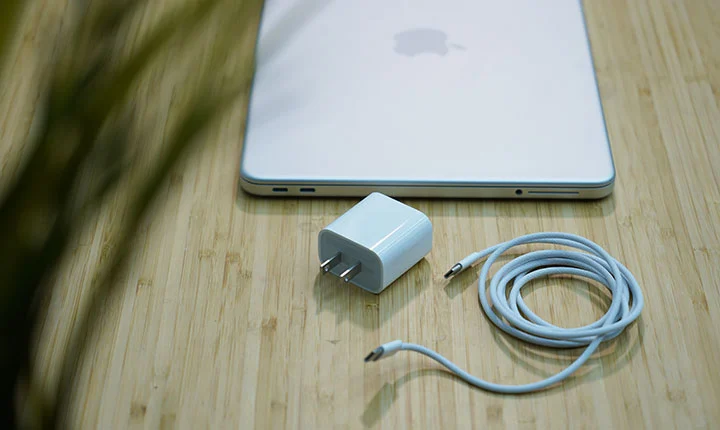
During our charging test, we managed to get from 20% to 80% battery charge in just 62 minutes; then, it slows down after 80%. Based on this observation, we reckon the normal charging time would be around 2 hours and 5 minutes to get from zero to 100%.
In order to bypass this trickle charging, you will need to go into the Settings (Battery Health) and disable the “Optimized Battery Charging” option. This way, the charging time is theoretically shortened to just 1 hours and 45 minutes.
* Charging test was done at 50% brightness and WiFi turned OFF.
Conclusion
The MacBook Neo is a masterful way for Apple to take a big chunk of the pie in the sub-$600 laptop market (or under the Php 40,000 price category, if we’re talking Philippine settings). There’s technically nothing really new in the Neo but the fact that Apple was able to make a reasonable compromise and set their entry-level MacBook at this price point poses a serious threat against similarly-priced Windows laptop.
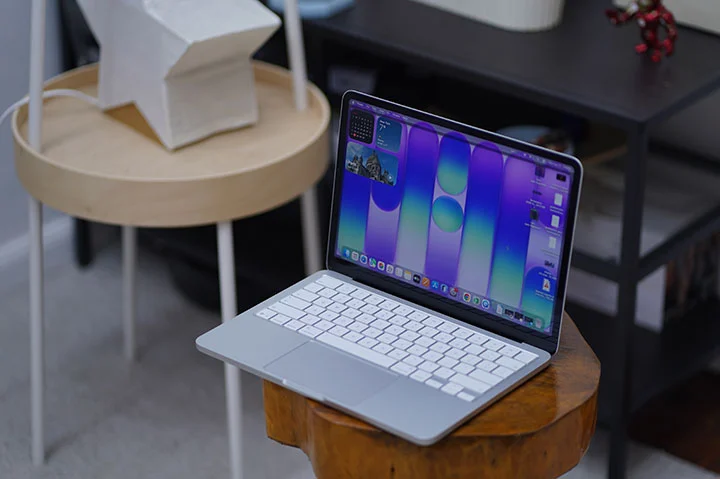
The MacBook Neo is a great looking laptop, built in the same high quality level as any other premium MacBooks, with a commendable performance but at almost half the price of the previously most affordable Apple laptop (i.e. MacBook Air).
The Neo is ideal for people are starting out on a MacBook for the first time, for students who needs a typical computing device that’s capable but affordable or for those who travel a lot and have to have their laptop with them for some short and quick work tasks.
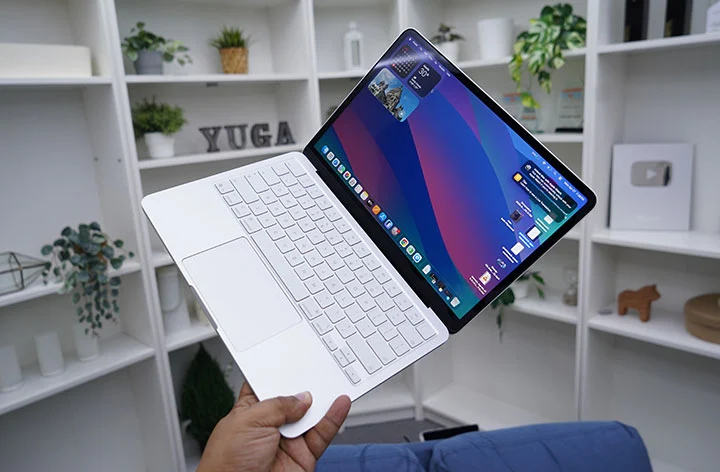
I reckon hard-core users who favor the 16-inch MacBook Pro would also prefer to get the MacBook Neo as a secondary laptop to carry around and just leave the heavier one at home or office for serious work.
Should you go for the Neo or the Air?
The Neo starts at Php39,999 and goes up to Php46,999 for the 8GB + 512GB variant. The entry-level MacBook Neo is a great option if you are starting out on a Mac and don’t have a huge budget.
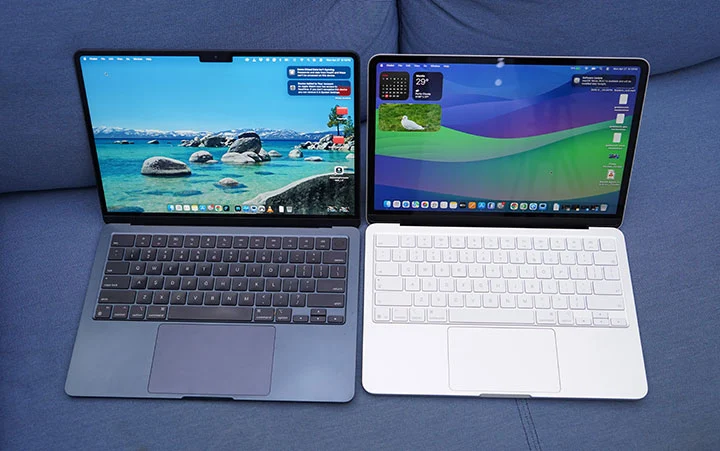
However, if you have a budget below Php50,000, then there’s the option to go for the Macbook Air M2 (starts at Php49,990) or the Air M3 (starts at Php48,500). Based on local Apple Retailers (Power Mac Center), here are the options you can get at that price point.
Macbook Neo (8GB + 512GB) – Php46,999
Macbook Air M2 (16GB + 256GB) – Php48,500
Macbook Air M3 (8GB + 256GB) – Php49,990
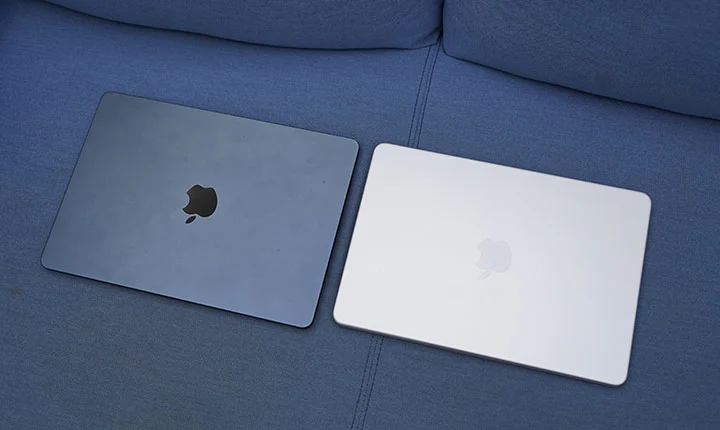
Either the M2 or M3 MacBook Air is a strong alternative to the Neo around the Php50k budget. Aside from the performance gain, you get better display and audio, Thunderbolt ports, MagSafe support, and better battery life.
Ultimately, what Apple is doing here is giving consumers more option when going Mac with a much lower starting price. And that can only be good for everyone.
What we liked:
* Great build quality like any other MacBooks
* Nice brilliant display
* Attractive price point as an entry-level device
* Nice color options
What we did not like:
* Slow charging
* Minimal ports
* No backlit keyboard (that I missed the most)
Apple MacBook Neo specs:
13-inch Liquid Retina display, 2408 x 1506 resolution, 500 nits brightness
Apple A18 Pro chip
6-core CPU @ 4.04GHz base clock speed
5-core GPU
16-core Neural Engine
8GB RAM
256GB, 512GB storage
1080p FaceTime camera
Spatial Audio, Dolby Atmos speakers
Magic Keyboard, Touch ID
1x USB-C 3.2 port
1x USB-C 2.0 port
WiFi 6E
Bluetooth 6
macOS 26.3 Tahoe
36.5Whr lithium‑ion battery
Blush, Indigo, Silver, Citrus (colorways)




0 Comments
Leave a Reply