

यह होने ही वाला था लेकिन हम अभी भी बहुत आश्चर्यचकित हैं कि Apple ने एक बजट मैकबुक बनाया। बहुत लंबे समय तक, एंट्री-लेवल मैकबुक एयर (₹999) हमेशा लैपटॉप लाइन‑अप में सबसे किफायती रहा है। इसलिए, जब Apple ने मैकबुक नियो की घोषणा की, तो उसने सभी उम्मीदों को तोड़ दिया।
हमने पिछले वर्षों में कुछ स्पष्ट संकेत देखे हैं — iPhone SE, iPhone 16e, iPhone 17e, Apple Watch SE और अब, MacBook Neo।

तो, चलिए Neo को तोड़‑तोड़ कर देखें कि Apple ने कहाँ फोकस किया और कहाँ समझौता किया ताकि $599 का MacBook बन सके, जिसने फिर से सभी को उत्साहित कर दिया।
डिज़ाइन और निर्माण
MacBook का डिज़ाइन DNA अन्य हाई-एंड MacBooks के समान है। वास्तव में, Neo और Air लगभग बिल्कुल एक जैसे दिखते हैं, केवल आयामों में छोटे अंतर के साथ। latter पतला है (1.13cm बनाम 1.27 cm) जबकि former अधिक कॉम्पैक्ट है। दोनों का वजन ठीक 2.7 lbs (1.23 kg) है।
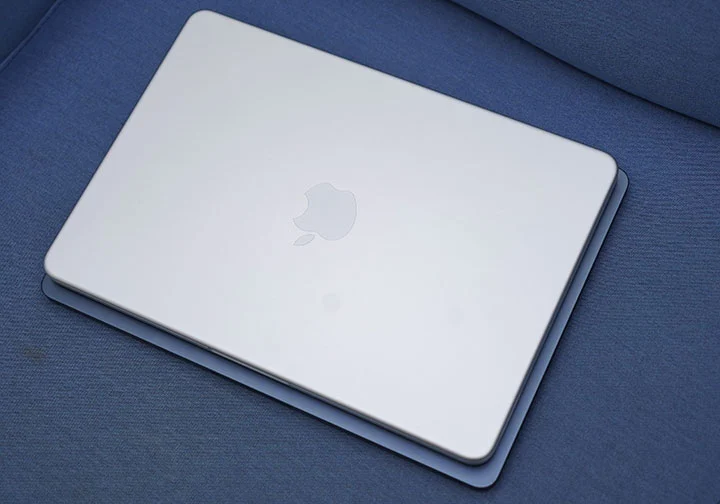
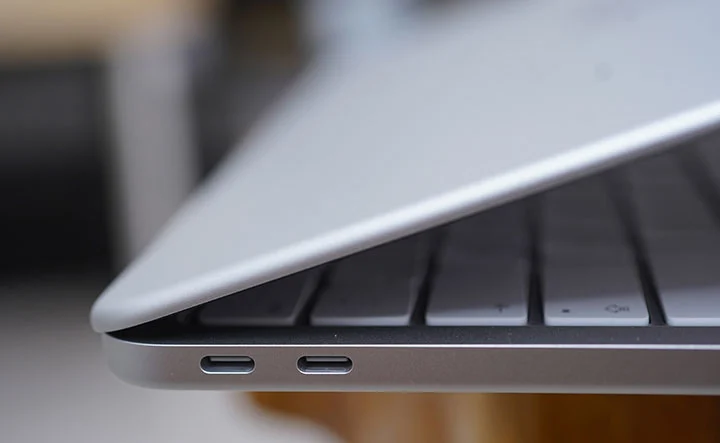
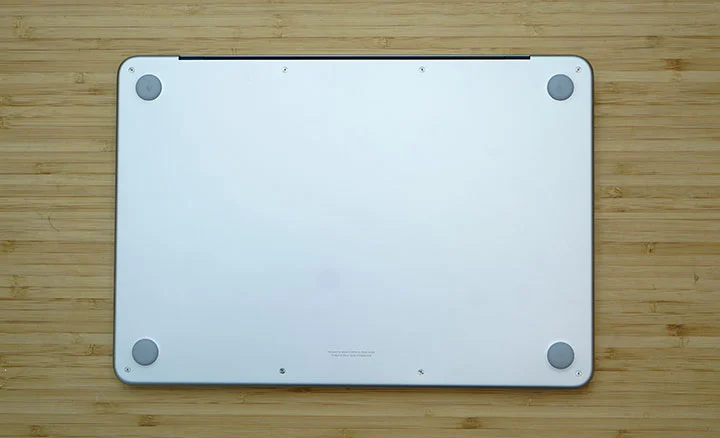
उस पहलू में, दोनों का फुटप्रिंट लगभग समान है, इसलिए पोर्टेबिलिटी के मामले में कोई भी लाभ नहीं लेता। कोई समर्पित MagSafe 3 चार्जिंग पोर्ट नहीं, दो धीमे USB Type-C पोर्ट (USB 3.2 और USB 2.0), दोनों पक्षों पर दो साइड-फ़ायरिंग स्पीकर (पामरेस्ट के पास) और एक 3.5mm ऑडियो पोर्ट।
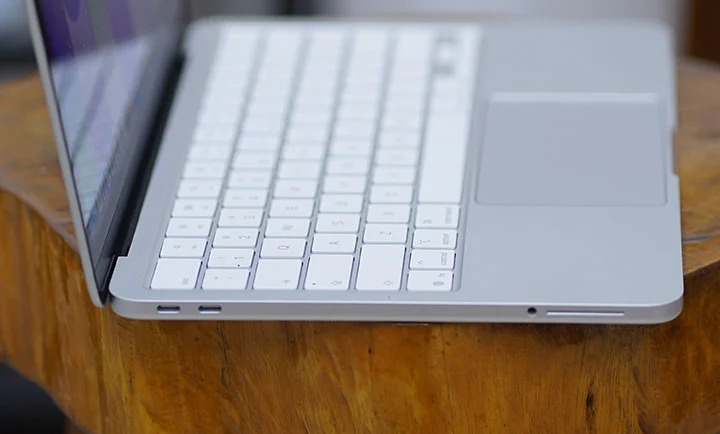
Neo का एल्युमिनियम यूनिबॉडी डिज़ाइन Air और Pro के समान है। बहुत ठोस और मजबूत, प्रीमियम महसूस होता है और बहुत पॉलिश्ड फिनिश है। निर्माण गुणवत्ता के संदर्भ में कुछ भी समझौता नहीं किया गया। Apple यह भी दावा करता है कि यह शुद्ध पुनर्नवीनीकृत एल्युमिनियम से बना है।
पिछली बार जब मैकबुक में बैकलिट कीबोर्ड नहीं था, वह लगभग 2010 में 13‑इंच मैकबुक एयर के साथ था। दुर्भाग्यवश, नियो में यह नहीं है।

मैं अभी भी उन दिनों को याद कर सकता हूँ जब मेरे पुराने मैकबुक के साथ और इस बार, जब मैं इस समीक्षा को कार के अंदर लिख रहा था जबकि हम अपने खेत से घर की ओर यात्रा कर रहे थे, तो मुझे हमारे वाहन के कम रोशनी वाले केबिन में प्रभावी ढंग से टाइप करना थोड़ा कठिन लगा।
कीबोर्ड और ट्रैकपैड में कोई समस्या नहीं है क्योंकि ये दोनों बिल्कुल सही हैं और किसी सामान्य मैकबुक की तरह महसूस होते हैं। नियो पर मैकेनिकल ट्रैकपैड एयर और प्रो के फ़ोर्स ट्रैकपैड का सस्ता संस्करण जैसा दिख सकता है, लेकिन यदि आप लंबे समय से मैकबुक उपयोगकर्ता हैं, तो आप अंतर महसूस करेंगे।
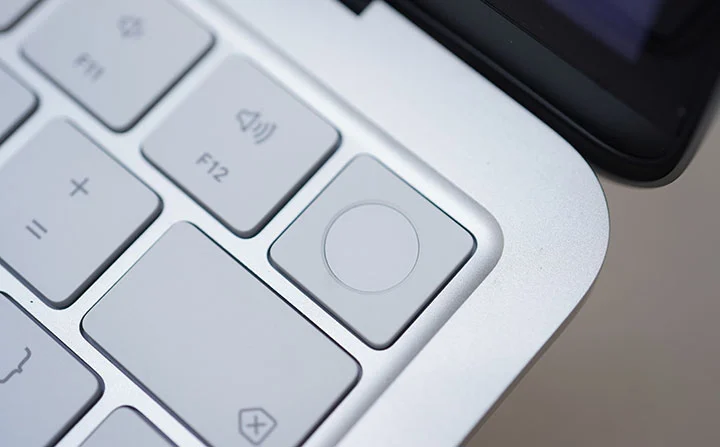
इसके अलावा, Neo के बेस संस्करण में Touch ID नहीं है जबकि 512GB मॉडल में यह उपलब्ध है। इसका मतलब है कि आपको बेस संस्करण पर अपने पासवर्ड अधिक बार टाइप करने पड़ेंगे। यह विचार करने योग्य है लेकिन कोई निर्णायक बाधा नहीं है।
यहाँ सबसे रोमांचक भाग यह है कि Apple ने नेओ को 4 विभिन्न रंगों में बनाया: ब्लश, इंडिगो, सिल्वर, और सिट्रस। iMacs जितना रंगीन नहीं है लेकिन चमकीले सिट्रस रंग को देखकर लोग ललचा उठेंगे।
मैं चाहता था कि Apple वास्तव में डिस्प्ले आकार को 13 इंच की बजाय केवल 12 इंच कर दे। फिर, लगभग 1.05 तक 1.1 kg (2.3 – 2.4 पाउंड) का सैद्धांतिक रूप से हल्का वजन प्राप्त हो, ताकि नेओ और एयर के आयाम और वजन में अधिक स्पष्ट अंतर हो। यह अंतर लोगों को दोनों के बीच चुनते समय केवल कीमत और प्रदर्शन के अलावा एक अधिक निर्णायक कारण प्रदान करता।
डिस्प्ले और मल्टीमीडिया
Neo में 13‑इंच का लिक्विड रेटिना डिस्प्ले है, जिसका रिज़ॉल्यूशन 2408 x 1506 पिक्सेल और अधिकतम चमक 500 निट्स है। यह वर्तमान मैकबुक एयर लाइन‑अप के समान है।
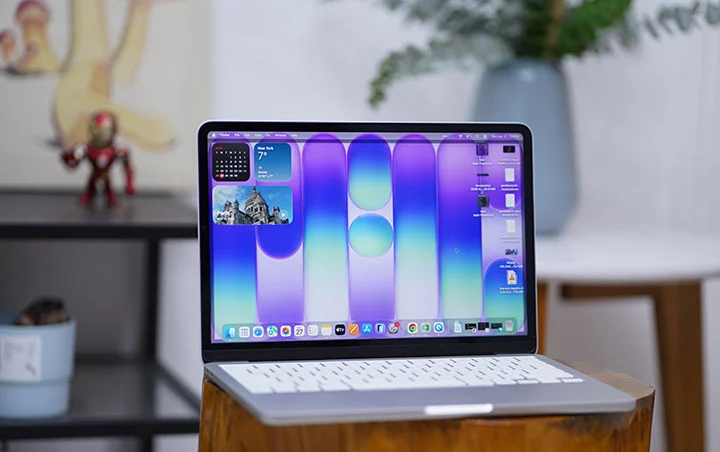
डिस्प्ले एक उज्ज्वल, जीवंत, और रंग-सटीक चित्र प्रदान करता है और इनडोर उपयोग के लिए बहुत उपयुक्त है, लेकिन बाहर उपयोग करने पर इसे देखना कठिन हो जाता है।
MacBook Neo पर आप जो सबसे पहली चीज़ नोटिस करेंगे वह है Notch Display की अनुपस्थिति। कैमरा शीर्ष पर पतली बेज़ल के साथ सुविधाजनक रूप से छिपा हुआ है।
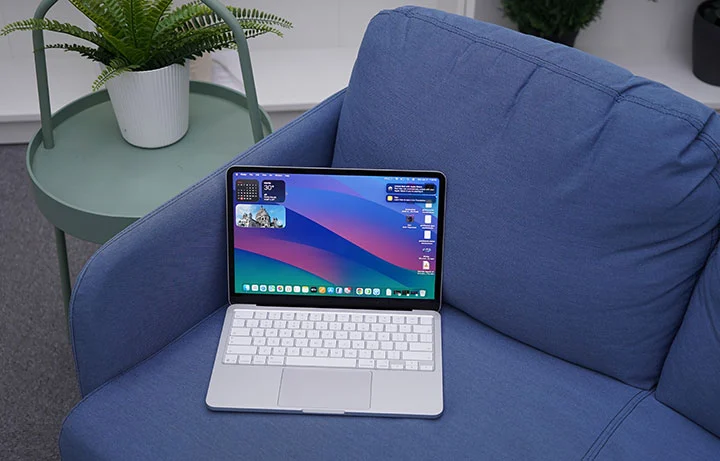
MacBook Neo बाहरी डिस्प्ले का समर्थन करता है, लेकिन इस मॉडल पर आप केवल एक ही 4K डिस्प्ले तक सीमित हैं, जो MacBook Air द्वारा समर्थित दो 5K मॉनीटरों से बहुत दूर है।
स्टेरियो स्पीकर बाएँ और दाएँ पक्षों के साथ, सामने की ओर स्थित हैं और सामान्य संगीत प्लेबैक, फ़िल्म और गेमिंग के लिए पर्याप्त ध्वनि प्रदान करते हैं। वॉल्यूम काफी तेज़, स्पष्ट और साफ़ है, विशेष रूप से जब न्यूनतम पर्यावरणीय शोर मौजूद हो। बंद स्थानों में, आप साउंडराउंड प्रभाव के लिए स्पैशियल ऑडियो की वास्तव में सराहना कर सकते हैं।
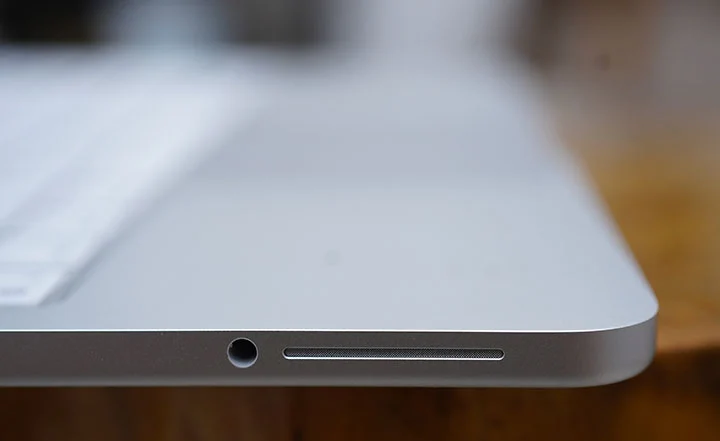
जब आप बाहरी स्पीकर या हेडफ़ोन जोड़ना चाहते हैं तो 3.5mm ऑडियो पोर्ट का विकल्प उपलब्ध है। यह 1080p फ़ेसटाइम कैमरा का उपयोग करके वीडियो कॉल करने के समय भी उपयोगी है।
प्रदर्शन और बेंचमार्क
यह पहली बार है कि हम एक iPhone चिप को मैकबुक में उपयोग होते देख रहे हैं। एक समय के लिए, हालांकि, Apple की iPad लाइन‑अप ने दोनों M‑सीरीज़ और A‑सीरीज़ चिप्स का उपयोग किया था। नवीनतम iPad प्रो M5 चिप का उपयोग करता है, iPad एयर M4 चिप का उपयोग करता है, iPad मिनी A17 प्रो का उपयोग करता है, और मानक iPad A16 चिप का उपयोग करता है।
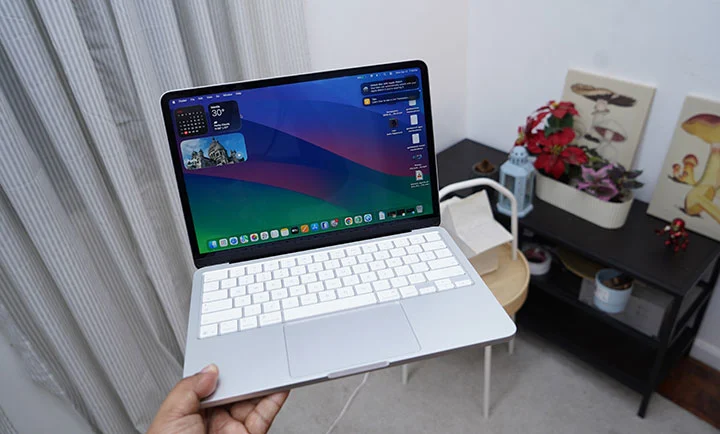
MacBook Neo में Apple A18 Pro चिप का उपयोग किया गया है जिसमें 6‑कोर CPU, 5‑कोर GPU और 16‑कोर न्यूरल इंजन है। यदि आप iPhone 16 Pro का उपयोग कर रहे हैं, तो यह वही Apple A18 Pro है जिसके बारे में हम बात कर रहे हैं।
तो, अगला स्पष्ट प्रश्न है: क्या एक iPhone चिप मैकबुक पर सही ढंग से चल सकती है? संक्षिप्त उत्तर हाँ है लेकिन एक शर्त है।
यहाँ एक लंबा अवलोकन/व्याख्या है। मैकबुक नियो के हमारे व्यावहारिक दैनिक उपयोग और इसके साथ किए गए सिंथेटिक बेंचमार्क के आधार पर, A18 प्रो चिप M1 चिप के बहुत समान है लेकिन पावर दक्षता में उल्लेखनीय लाभ के साथ।
If you’re using the MacBook Neo as a casual school or office laptop, mostly doing web browsing, office productivity, photo editing and light video editing, 4k video streaming and casual gaming, it can easily handle such tasks with ease.
MacBook Neo A18 Pro
GeekBench 6.7 Single-Core score – 3,046
GeekBench 6.7 Multi-Core score – 8,202
GPU OpenCL – 19,391
GPU Metal – 30,701
Mac Mini M1
GeekBench 6.5 Single-Core score – 2,325
GeekBench 6.5 Multi-Core score – 8,061
GPU OpenCL – 18,837
GPU Metal – 32,859
MacBook Air M3
GeekBench 6.5 Single-Core score – 2,944
GeekBench 6.5 Multi-Core score – 11,208
GPU OpenCL – 30,924
GPU Metal – 48,199
I’d say the A18 Pro is comparable to the Apple M1 chip. That’s not bad at all for an iPhone chip with a performance of a 2020 to 2021 MacBook Air.
Note: The A18 Pro in the MacBook Neo is a binned version of the same chip used in the iPhone 16 Pro, with one GPU core disabled so it runs a 5‑core GPU instead of 6 cores. In chip binning, chips whose GPU does not fully meet the highest quality or performance targets have the faulty core fused off and are sold as lower‑tier parts rather than being scrapped. Apple repurposes these binned A18 Pro chips in the Neo, which helps cut silicon costs and makes the laptop’s aggressive entry‑level pricing possible.
OS, Apps and UI
The Neo came with macOS 26.3 Tahoe but automatically prompted for a 16.34GB update to macOS 26.4. Tahoe comes with a new Liquid Glass design system across windows, icons, and navigation, aligning macOS more closely with iOS 26 and iPadOS 26.
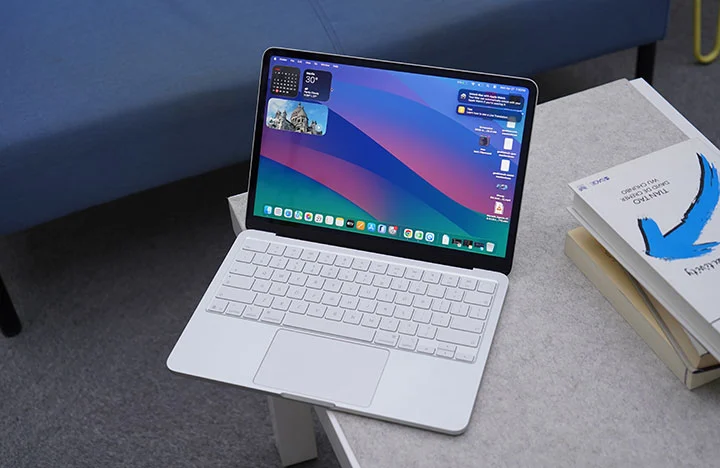
Once you open the Neo for the first time, you’re greeted with a bunch of tools, widgets, apps and pre-installed software that can get you started right away such as iMovie and Garage Band. No need to install Office as their counterparts are already present and come free with macOS (Pages, Numbers and Keynote).
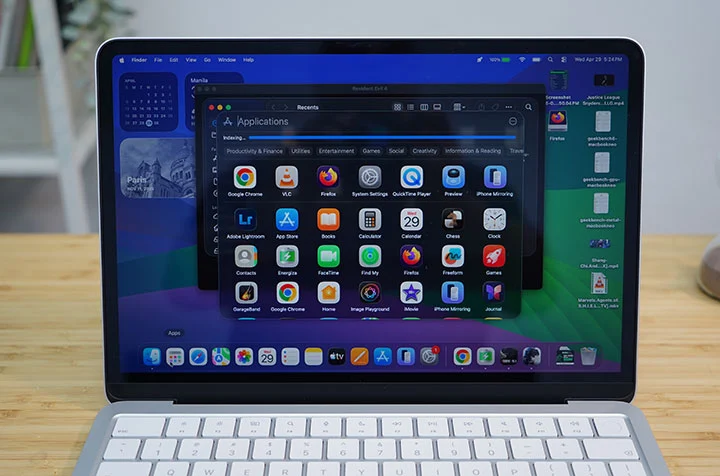
Long-time macOS users also enjoy native features such as Spotlight search, Stage Manager, Time Machine, and Quick Look.
If you’re in the Apple ecosystem (MacBook, iPhone, iPad), you will also love Handoff, Universal Clipboard, iPhone Mirroring and even as simple as syncing Notes across Apple devices.
macOS Tahoe is a powerful operating system with most of the basic tools and apps are already available to the user right out of the box. The interface is relatively easy to understand and navigate with a complement of gesture controls. It also becomes very intuitive and powerful once you harness all the built-in functions and features.
Connectivity and Battery
In terms of connectivity, the MacBook Neo only comes with 2 Type-C ports, one with USB 3.2 while another is an older USB 2.0 which is outdated and rather slow. There’s no MagSafe charging port either so you’re going to have to go back to the “dongle life” with the Neo.
You also have Bluetooth 6 and WiFi 6E for wireless connectivity.
As for the battery, the Neo only comes with 36.5Whr (or 9,516mAh) lithium‑ion battery which is far smaller than the 53.8Whr battery of the Air. That’s a 32% reduction in battery capacity which might be a big deal with many users but in real-world tests, the A18 Pro is more power-efficient that battery life isn’t that far apart.
In one of our test video playback, the MacBook Neo got 15 hours and 40 minutes running a 1080p movie at 50% brightness and 50% volume with WiFi turned on. That’s not as long as the 22 to 24 hours & 26 minutes we got on the MacBook Pro M5 but certainly nothing to cough about.
The MacBook Neo also charges via USB-C with a slower 20W charger included in the box. Should you use a faster charging brick, you can get up to 45W of charging which is quite decent.
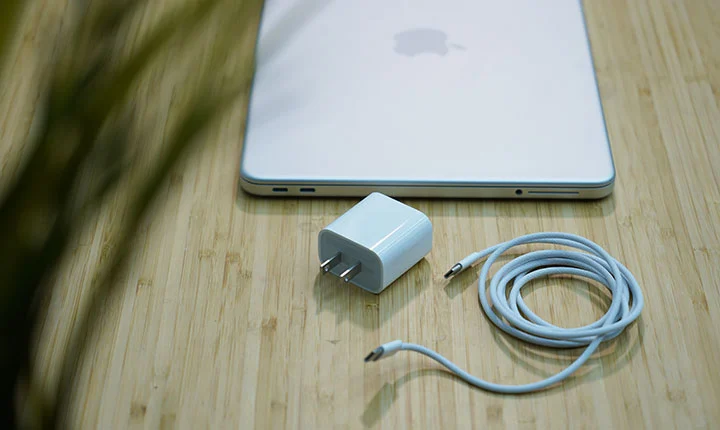
During our charging test, we managed to get from 20% to 80% battery charge in just 62 minutes; then, it slows down after 80%. Based on this observation, we reckon the normal charging time would be around 2 hours and 5 minutes to get from zero to 100%.
In order to bypass this trickle charging, you will need to go into the Settings (Battery Health) and disable the “Optimized Battery Charging” option. This way, the charging time is theoretically shortened to just 1 hours and 45 minutes.
* Charging test was done at 50% brightness and WiFi turned OFF.
Conclusion
The MacBook Neo is a masterful way for Apple to take a big chunk of the pie in the sub-$600 laptop market (or under the Php 40,000 price category, if we’re talking Philippine settings). There’s technically nothing really new in the Neo but the fact that Apple was able to make a reasonable compromise and set their entry-level MacBook at this price point poses a serious threat against similarly-priced Windows laptop.
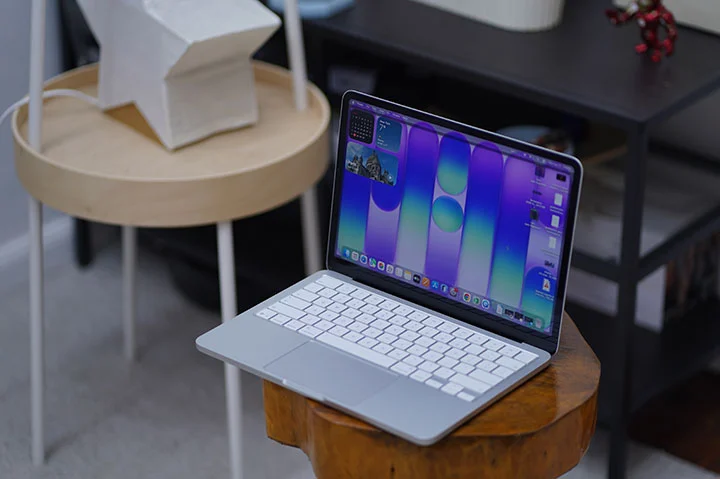
The MacBook Neo is a great looking laptop, built in the same high quality level as any other premium MacBooks, with a commendable performance but at almost half the price of the previously most affordable Apple laptop (i.e. MacBook Air).
The Neo is ideal for people are starting out on a MacBook for the first time, for students who needs a typical computing device that’s capable but affordable or for those who travel a lot and have to have their laptop with them for some short and quick work tasks.
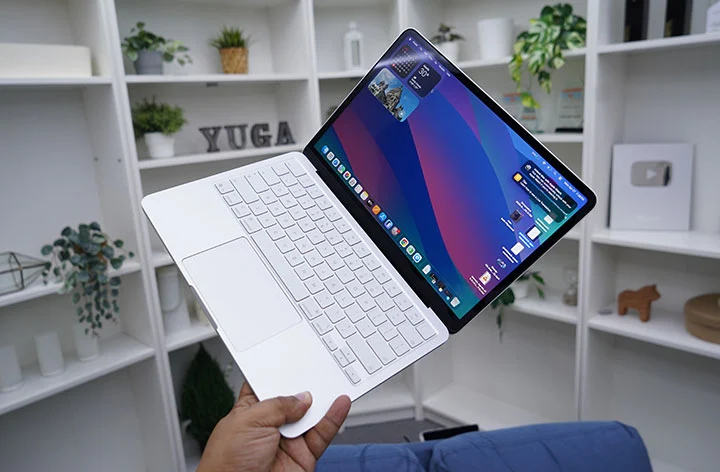
I reckon hard-core users who favor the 16-inch MacBook Pro would also prefer to get the MacBook Neo as a secondary laptop to carry around and just leave the heavier one at home or office for serious work.
Should you go for the Neo or the Air?
The Neo starts at Php39,999 and goes up to Php46,999 for the 8GB + 512GB variant. The entry-level MacBook Neo is a great option if you are starting out on a Mac and don’t have a huge budget.
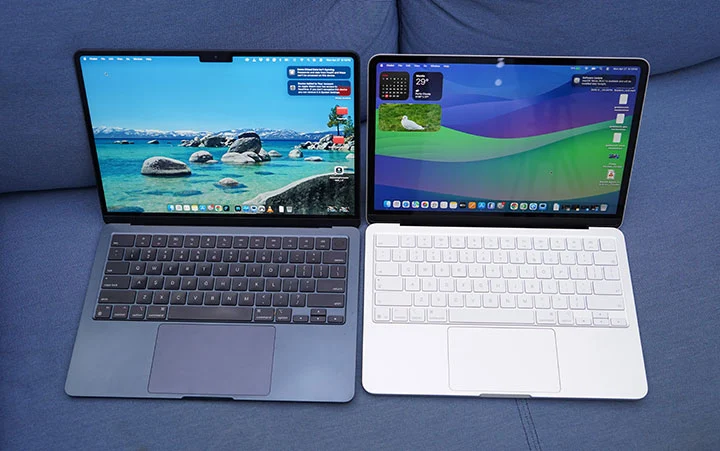
However, if you have a budget below Php50,000, then there’s the option to go for the Macbook Air M2 (starts at Php49,990) or the Air M3 (starts at Php48,500). Based on local Apple Retailers (Power Mac Center), here are the options you can get at that price point.
Macbook Neo (8GB + 512GB) – Php46,999
Macbook Air M2 (16GB + 256GB) – Php48,500
Macbook Air M3 (8GB + 256GB) – Php49,990
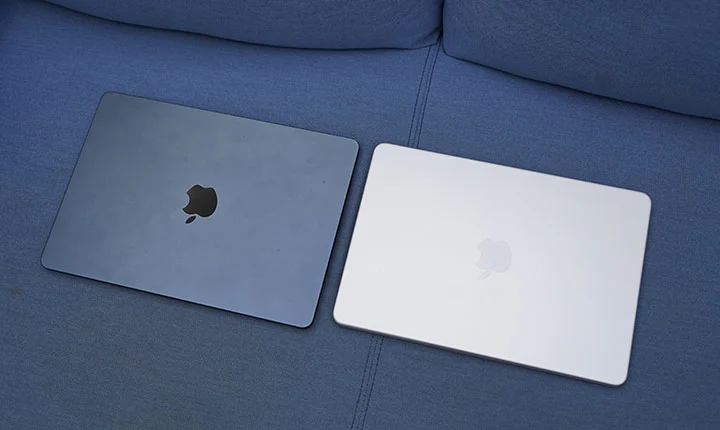
Either the M2 or M3 MacBook Air is a strong alternative to the Neo around the Php50k budget. Aside from the performance gain, you get better display and audio, Thunderbolt ports, MagSafe support, and better battery life.
Ultimately, what Apple is doing here is giving consumers more option when going Mac with a much lower starting price. And that can only be good for everyone.
What we liked:
* Great build quality like any other MacBooks
* Nice brilliant display
* Attractive price point as an entry-level device
* Nice color options
What we did not like:
* Slow charging
* Minimal ports
* No backlit keyboard (that I missed the most)
Apple MacBook Neo specs:
13-inch Liquid Retina display, 2408 x 1506 resolution, 500 nits brightness
Apple A18 Pro chip
6-core CPU @ 4.04GHz base clock speed
5-core GPU
16-core Neural Engine
8GB RAM
256GB, 512GB storage
1080p FaceTime camera
Spatial Audio, Dolby Atmos speakers
Magic Keyboard, Touch ID
1x USB-C 3.2 port
1x USB-C 2.0 port
WiFi 6E
Bluetooth 6
macOS 26.3 Tahoe
36.5Whr lithium‑ion battery
Blush, Indigo, Silver, Citrus (colorways)





0 Comments
Leave a Reply