

그럴 수밖에 없었지만 Apple가 예산형 맥북을 만든 것은 여전히 놀랍습니다. 오랫동안 엔트리 레벨 맥북 에어(가격 $999)가 노트북 라인업 중 가장 저렴한 제품이었습니다. 그래서 Apple가 맥북 네오를 발표했을 때 모든 기대를 깨뜨렸습니다.
우리는 과거 몇 년간 몇 가지 징후를 보아왔습니다 — iPhone SE, iPhone 16e, iPhone 17e, Apple Watch SE 그리고 지금은 MacBook Neo입니다.

그럼, Neo를 분석해보고 Apple가 집중한 부분과 $599 맥북을 만들기 위해 타협한 부분을 살펴보겠습니다. 이 맥북은 다시 한 번 모두를 흥분시켰습니다.
디자인 및 건설
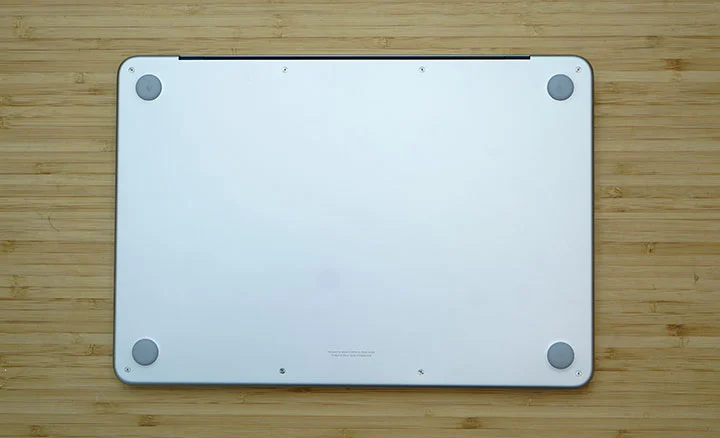
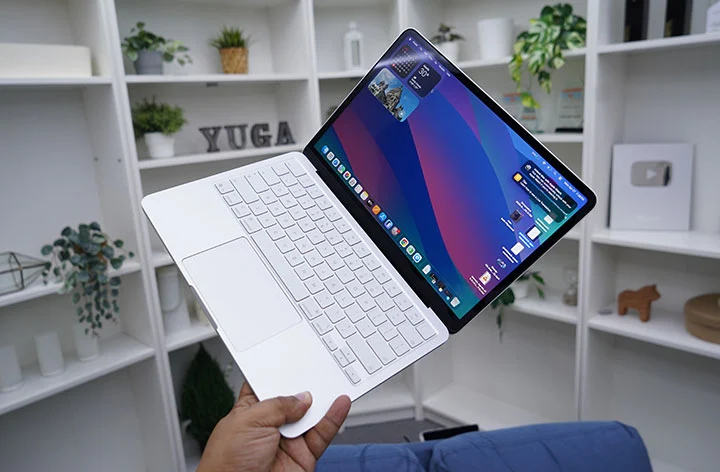
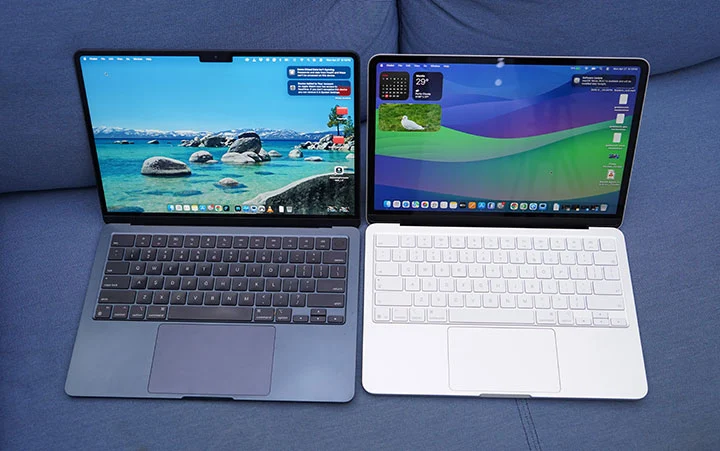
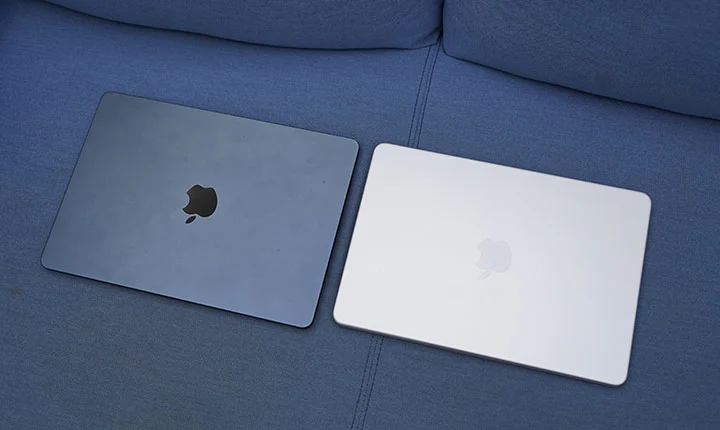
MacBook은 다른 고급형 MacBook과 동일한 디자인 DNA를 가지고 있습니다. 실제로 Neo와 Air는 크기 차이만 제외하고 거의 똑같이 보입니다. 후자는 더 얇습니다(1.13cm vs. 1.27 cm), 전자는 더 컴팩트합니다. 두 제품 모두 정확히 2.7파운드(1.23 kg)입니다.
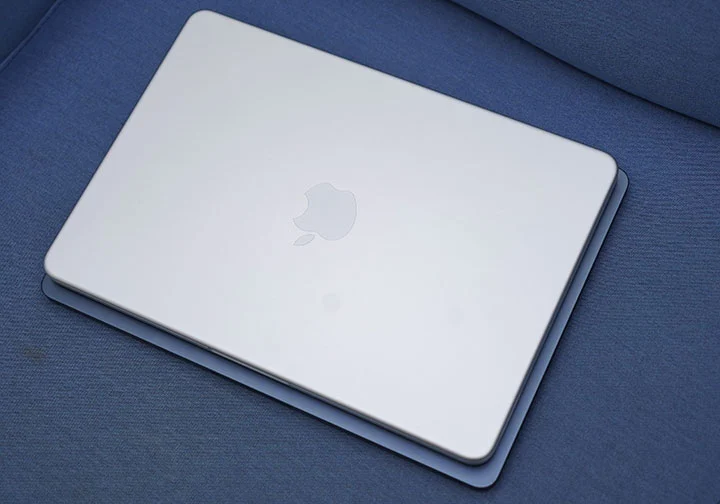
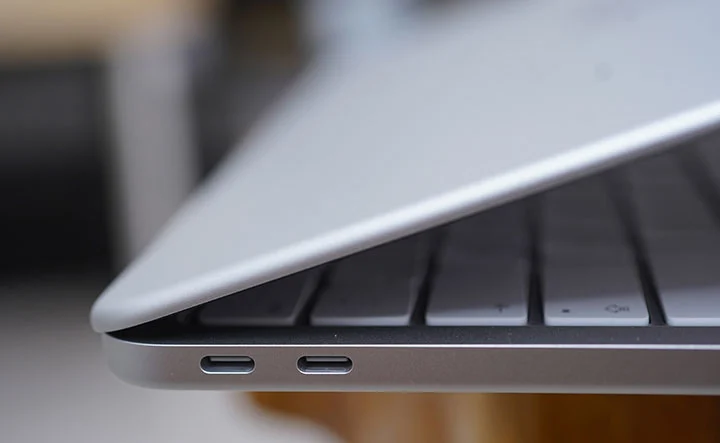
그 측면에서 두 제품은 거의 동일한 발자국을 가지고 있어 휴대성 측면에서 어느 쪽도 이점을 갖지 못합니다. 전용 MagSafe 3 충전 포트가 없고, 두 개의 느린 USB Type‑C 포트(USB 3.2 및 USB 2.0), 양쪽(손받침 근처)에 위치한 두 개의 사이드 파이어링 스피커 및 3.5mm 오디오 포트가 있습니다.
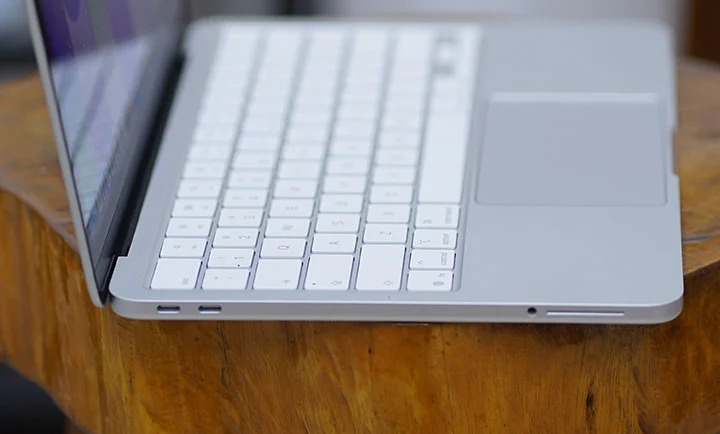
Neo의 알루미늄 일체형 디자인은 Air와 Pro와 동일합니다. 매우 견고하고 튼튼하며 프리미엄 느낌과 매우 정교한 마감 처리를 자랑합니다. 빌드 품질 면에서 타협된 부분이 없습니다. Apple는 또한 순수 재활용 알루미늄으로 제작되었다고 주장합니다.
마지막으로 백라이트 키보드가 없는 맥북은 2010년경 13인치 맥북 에어였습니다. 안타깝게도 Neo에는 백라이트 키보드가 없습니다.

나는 아직도 옛날 맥북을 사용하던 그 시절을 기억한다. 이번에는 우리 농장에서 집으로 이동 중 차 안에서 이 리뷰를 쓰면서, 차량의 어두운 실내에서 효과적으로 타이핑하기가 다소 힘들었다.
키보드와 트랙패드에는 문제가 없으며, 두 제품 모두 정확히 맞아떨어지고 일반적인 맥북과 같은 느낌을 줍니다. 네오의 기계식 트랙패드는 에어와 프로의 포스 트랙패드보다 저렴한 버전처럼 보일 수 있지만, 오랜 맥북 사용자라면 차이를 느낄 수 있습니다.
또한, Neo 기본 버전에는 Touch ID가 없으며 512GB 모델에는 포함되어 있습니다. 이는 기본 버전에서 비밀번호를 더 자주 입력해야 함을 의미합니다. 고려해볼 만하지만 결정적인 요인은 아닙니다.

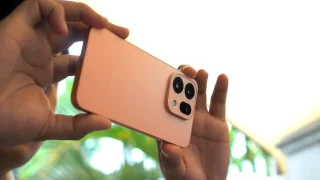
가장 흥미로운 점은 Apple가 Neo를 네 가지 색상으로 출시하기로 결정했다는 것이다: 블러시, 인디고, 실버, 그리고 시트러스. iMac만큼 화려하진 않지만, 밝은 시트러스 색상에 사람들을 군침 돌게 할 만큼 충분하다.
제가 바랐던 것은 Apple가 실제로 디스플레이 크기를 13인치가 아닌 12인치로 줄여 주는 것이었습니다. 그리고 이론적으로 약 1.05에 해당하는 무게(2.3 – 2.4lbs)로 1.1 kg까지 가볍게 만들어서 Neo와 Air 사이의 크기와 무게 차이가 더 뚜렷해졌으면 좋겠습니다. 그런 차이가 있으면 두 제품 중 하나를 선택할 때 가격과 성능뿐만 아니라 더 확실한 이유를 제공할 수 있었을 것입니다.
디스플레이 및 멀티미디어
Neo는 13인치 Liquid Retina 디스플레이를 탑재했으며 해상도는 2408 x 1506 픽셀, 최대 밝기는 500 니트입니다. 이는 현재 MacBook Air 라인업의 디스플레이와 동일합니다.
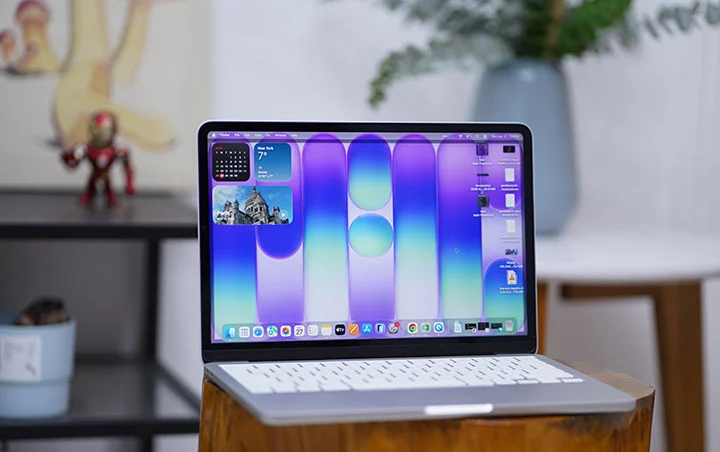
디스플레이는 밝고 생생하며 색 정확도가 높은 화면을 제공하여 실내 사용에 매우 적합하지만, 야외에서는 보기 어려워집니다.
MacBook Neo에서 가장 먼저 눈에 띄는 점 중 하나는 노치 디스플레이가 없다는 것입니다. 카메라는 상단 얇은 베젤에 편리하게 숨겨져 있습니다.
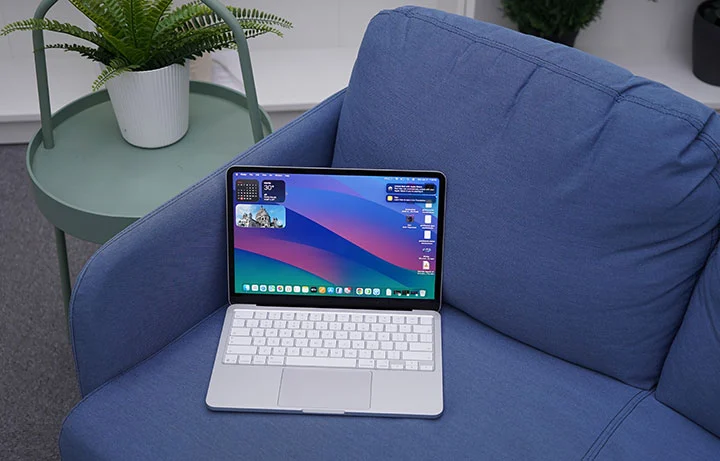
MacBook Neo는 외부 디스플레이를 지원하지만 이 모델에서는 단일 4K 디스플레이만 사용할 수 있어, MacBook Air가 지원할 수 있는 듀얼 5K 모니터와는 큰 차이가 있습니다.
스테레오 스피커는 좌우 측면 앞쪽에 배치되어 있어 캐주얼한 음악 재생, 영화 및 게임에 충분한 사운드를 제공합니다. 볼륨은 꽤 크고, 선명하며, 특히 주변 소음이 최소일 때 깨끗합니다. 밀폐된 공간에서는 서라운드 사운드 효과를 위한 공간 오디오를 정말로 감상할 수 있습니다.
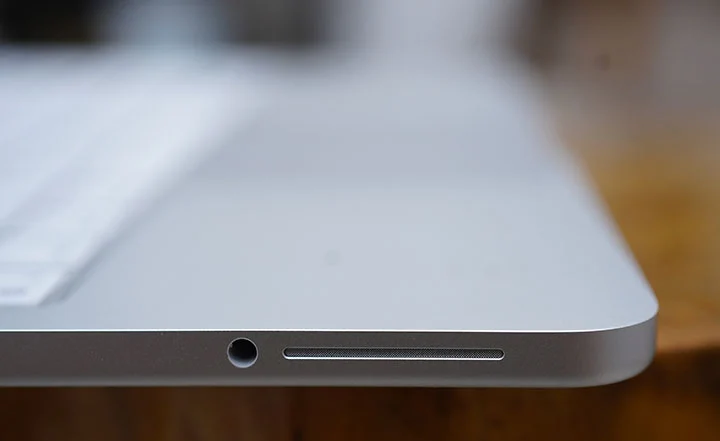
외부 스피커나 헤드폰을 연결하고 싶을 때 사용할 수 있는 3.5mm 오디오 포트 옵션이 있습니다. 이는 1080p Facetime 카메라를 이용한 영상 통화 시에도 유용합니다.
성능 및 벤치마크
이번에 처음으로 iPhone 칩이 MacBook에 사용되는 것을 보았습니다. 한때 Apple의 iPad 라인업은 M 시리즈와 A 시리즈 칩을 모두 사용했습니다. 최신 iPad Pro는 M5 칩을 사용하고, iPad Air는 M4 칩을 사용하며, iPad mini는 A17 Pro를, 표준 iPad는 A16 칩을 사용합니다.
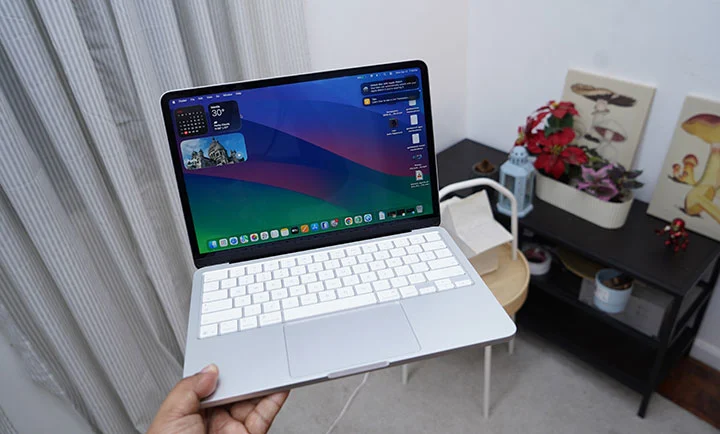
MacBook Neo는 Apple A18 Pro 칩을 사용하며, 6코어 CPU, 5코어 GPU 및 16코어 Neural Engine을 탑재했습니다. iPhone 16 Pro를 사용 중이라면, 우리가 말하는 것은 동일한 Apple A18 Pro입니다.
그렇다면 다음 당연한 질문은: iPhone 칩을 맥북에서 제대로 실행할 수 있나요? 짧은 대답은 예이지만, 조건이 있습니다.
다음은 더 긴 관찰/설명입니다. MacBook Neo를 일상적으로 사용하고 수행한 합성 벤치마크를 기반으로 볼 때, A18 Pro 칩은 M1 칩과 매우 비슷하지만 전력 효율성에서 눈에 띄는 장점을 가지고 있습니다.
If you’re using the MacBook Neo as a casual school or office laptop, mostly doing web browsing, office productivity, photo editing and light video editing, 4k video streaming and casual gaming, it can easily handle such tasks with ease.
MacBook Neo A18 Pro
GeekBench 6.7 Single-Core score – 3,046
GeekBench 6.7 Multi-Core score – 8,202
GPU OpenCL – 19,391
GPU Metal – 30,701
Mac Mini M1
GeekBench 6.5 Single-Core score – 2,325
GeekBench 6.5 Multi-Core score – 8,061
GPU OpenCL – 18,837
GPU Metal – 32,859
MacBook Air M3
GeekBench 6.5 Single-Core score – 2,944
GeekBench 6.5 Multi-Core score – 11,208
GPU OpenCL – 30,924
GPU Metal – 48,199
I’d say the A18 Pro is comparable to the Apple M1 chip. That’s not bad at all for an iPhone chip with a performance of a 2020 to 2021 MacBook Air.
Note: The A18 Pro in the MacBook Neo is a binned version of the same chip used in the iPhone 16 Pro, with one GPU core disabled so it runs a 5‑core GPU instead of 6 cores. In chip binning, chips whose GPU does not fully meet the highest quality or performance targets have the faulty core fused off and are sold as lower‑tier parts rather than being scrapped. Apple repurposes these binned A18 Pro chips in the Neo, which helps cut silicon costs and makes the laptop’s aggressive entry‑level pricing possible.
OS, Apps and UI
The Neo came with macOS 26.3 Tahoe but automatically prompted for a 16.34GB update to macOS 26.4. Tahoe comes with a new Liquid Glass design system across windows, icons, and navigation, aligning macOS more closely with iOS 26 and iPadOS 26.
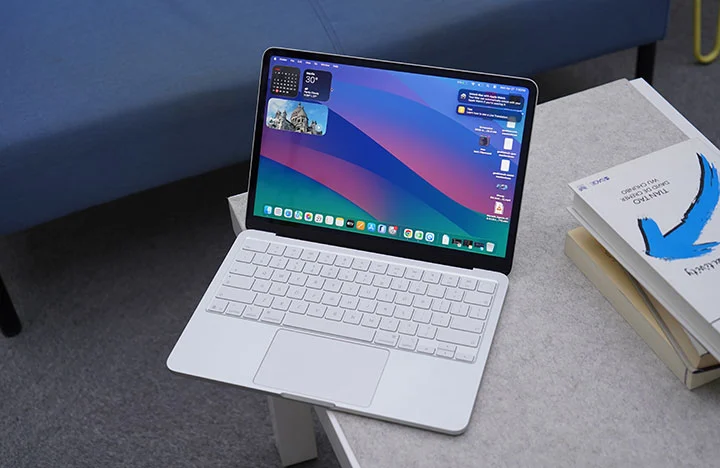
Once you open the Neo for the first time, you’re greeted with a bunch of tools, widgets, apps and pre-installed software that can get you started right away such as iMovie and Garage Band. No need to install Office as their counterparts are already present and come free with macOS (Pages, Numbers and Keynote).
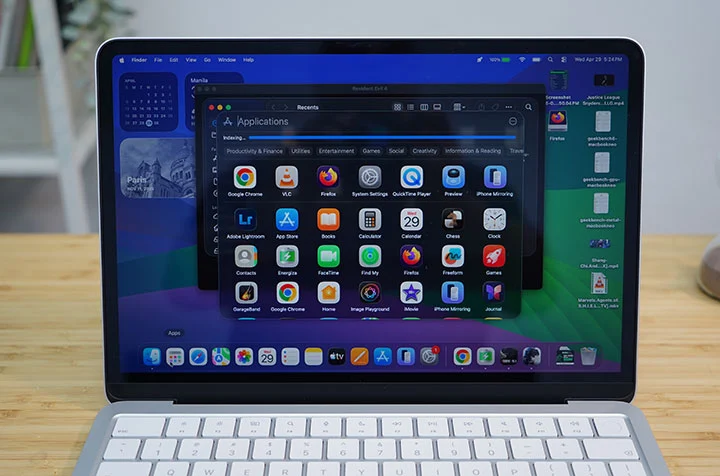
Long-time macOS users also enjoy native features such as Spotlight search, Stage Manager, Time Machine, and Quick Look.
If you’re in the Apple ecosystem (MacBook, iPhone, iPad), you will also love Handoff, Universal Clipboard, iPhone Mirroring and even as simple as syncing Notes across Apple devices.
macOS Tahoe is a powerful operating system with most of the basic tools and apps are already available to the user right out of the box. The interface is relatively easy to understand and navigate with a complement of gesture controls. It also becomes very intuitive and powerful once you harness all the built-in functions and features.
Connectivity and Battery
In terms of connectivity, the MacBook Neo only comes with 2 Type-C ports, one with USB 3.2 while another is an older USB 2.0 which is outdated and rather slow. There’s no MagSafe charging port either so you’re going to have to go back to the “dongle life” with the Neo.
You also have Bluetooth 6 and WiFi 6E for wireless connectivity.
As for the battery, the Neo only comes with 36.5Whr (or 9,516mAh) lithium‑ion battery which is far smaller than the 53.8Whr battery of the Air. That’s a 32% reduction in battery capacity which might be a big deal with many users but in real-world tests, the A18 Pro is more power-efficient that battery life isn’t that far apart.
In one of our test video playback, the MacBook Neo got 15 hours and 40 minutes running a 1080p movie at 50% brightness and 50% volume with WiFi turned on. That’s not as long as the 22 to 24 hours & 26 minutes we got on the MacBook Pro M5 but certainly nothing to cough about.
The MacBook Neo also charges via USB-C with a slower 20W charger included in the box. Should you use a faster charging brick, you can get up to 45W of charging which is quite decent.
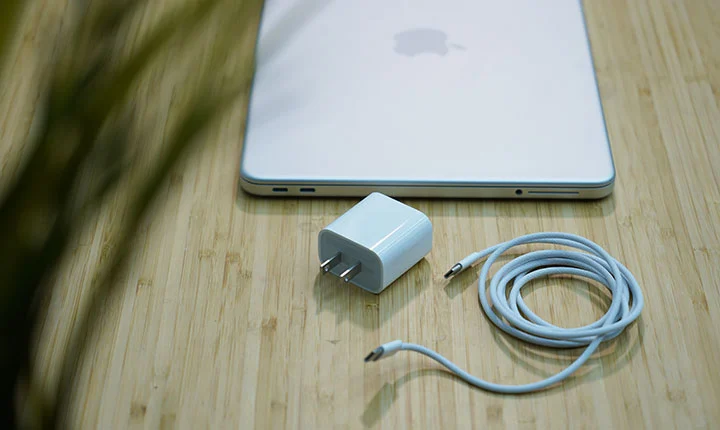
During our charging test, we managed to get from 20% to 80% battery charge in just 62 minutes; then, it slows down after 80%. Based on this observation, we reckon the normal charging time would be around 2 hours and 5 minutes to get from zero to 100%.
In order to bypass this trickle charging, you will need to go into the Settings (Battery Health) and disable the “Optimized Battery Charging” option. This way, the charging time is theoretically shortened to just 1 hours and 45 minutes.
* Charging test was done at 50% brightness and WiFi turned OFF.
Conclusion
The MacBook Neo is a masterful way for Apple to take a big chunk of the pie in the sub-$600 laptop market (or under the Php 40,000 price category, if we’re talking Philippine settings). There’s technically nothing really new in the Neo but the fact that Apple was able to make a reasonable compromise and set their entry-level MacBook at this price point poses a serious threat against similarly-priced Windows laptop.
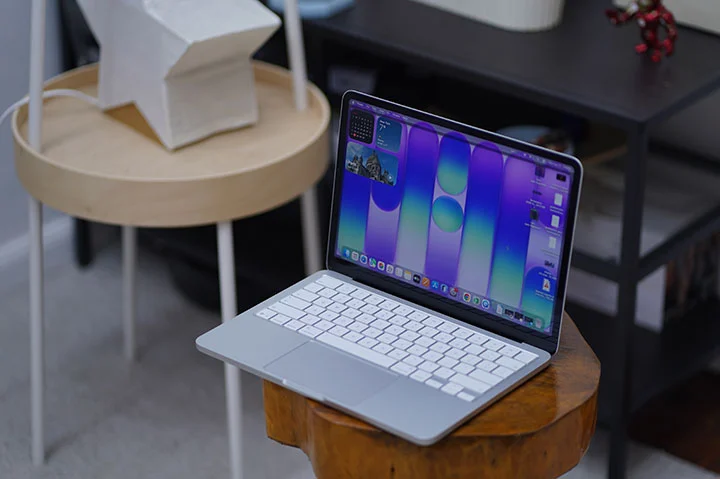
The MacBook Neo is a great looking laptop, built in the same high quality level as any other premium MacBooks, with a commendable performance but at almost half the price of the previously most affordable Apple laptop (i.e. MacBook Air).
The Neo is ideal for people are starting out on a MacBook for the first time, for students who needs a typical computing device that’s capable but affordable or for those who travel a lot and have to have their laptop with them for some short and quick work tasks.
I reckon hard-core users who favor the 16-inch MacBook Pro would also prefer to get the MacBook Neo as a secondary laptop to carry around and just leave the heavier one at home or office for serious work.
Should you go for the Neo or the Air?
The Neo starts at Php39,999 and goes up to Php46,999 for the 8GB + 512GB variant. The entry-level MacBook Neo is a great option if you are starting out on a Mac and don’t have a huge budget.
However, if you have a budget below Php50,000, then there’s the option to go for the Macbook Air M2 (starts at Php49,990) or the Air M3 (starts at Php48,500). Based on local Apple Retailers (Power Mac Center), here are the options you can get at that price point.
Macbook Neo (8GB + 512GB) – Php46,999
Macbook Air M2 (16GB + 256GB) – Php48,500
Macbook Air M3 (8GB + 256GB) – Php49,990
Either the M2 or M3 MacBook Air is a strong alternative to the Neo around the Php50k budget. Aside from the performance gain, you get better display and audio, Thunderbolt ports, MagSafe support, and better battery life.
Ultimately, what Apple is doing here is giving consumers more option when going Mac with a much lower starting price. And that can only be good for everyone.
What we liked:
* Great build quality like any other MacBooks
* Nice brilliant display
* Attractive price point as an entry-level device
* Nice color options
What we did not like:
* Slow charging
* Minimal ports
* No backlit keyboard (that I missed the most)
Apple MacBook Neo specs:
13-inch Liquid Retina display, 2408 x 1506 resolution, 500 nits brightness
Apple A18 Pro chip
6-core CPU @ 4.04GHz base clock speed
5-core GPU
16-core Neural Engine
8GB RAM
256GB, 512GB storage
1080p FaceTime camera
Spatial Audio, Dolby Atmos speakers
Magic Keyboard, Touch ID
1x USB-C 3.2 port
1x USB-C 2.0 port
WiFi 6E
Bluetooth 6
macOS 26.3 Tahoe
36.5Whr lithium‑ion battery
Blush, Indigo, Silver, Citrus (colorways)





0 Comments
Leave a Reply