

Aunque era inevitable, seguimos muy sorprendidos de que Apple haya lanzado un MacBook económico. Durante mucho tiempo, el MacBook Air de gama de entrada (a $999) ha sido siempre la opción más asequible en la línea de portátiles. Por eso, cuando Apple anunció el MacBook Neo, rompió todas las expectativas.
Hemos visto algunas señales reveladoras en años anteriores: el iPhone SE, el iPhone 16e, el iPhone 17e, el Apple Watch SE y ahora, el MacBook Neo.

Bien, analicemos el Neo y veamos dónde se enfocó Apple y en qué cedió para crear una MacBook de $599 que volvió a entusiasmar a todos.
Diseño y Construcción
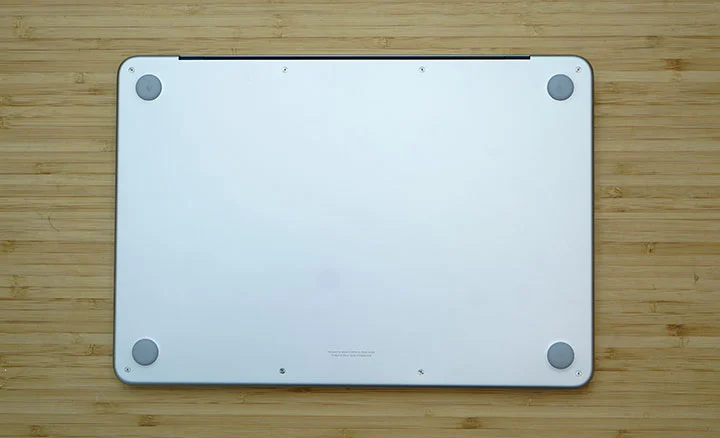
El MacBook adopta la misma ADN de diseño que los demás MacBooks de gama alta. De hecho, el Neo y el Air parecen casi idénticos, salvo por una minúscula diferencia en sus dimensiones. El último es más delgado (1.13cm vs. 1.27 cm), mientras que el primero es más compacto. Ambos pesan exactamente 2.7 libras (1.23 kg).
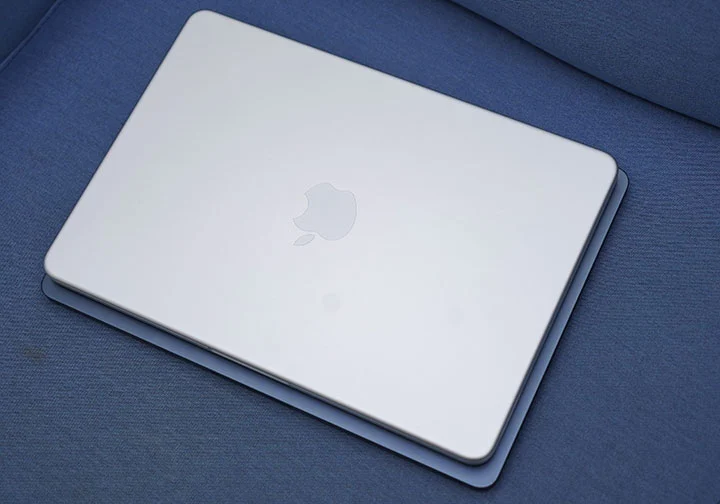
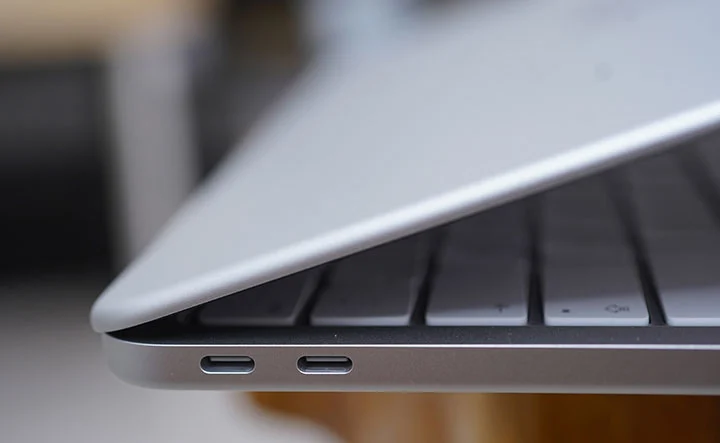
En ese aspecto, ambos tienen una huella casi idéntica, por lo que ninguno tiene ventaja en términos de portabilidad. No hay puerto de carga MagSafe 3 dedicado, dos puertos USB Type-C más lentos (USB 3.2 y USB 2.0), dos altavoces laterales en ambos lados (cerca del reposamuñecas) y un puerto de audio 3.5mm.
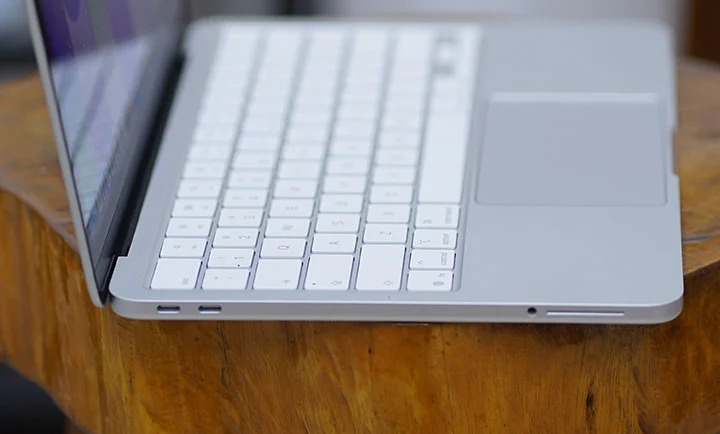
El diseño de unibody de aluminio del Neo es el mismo que el del Air y del Pro. Muy sólido y robusto, se siente premium con un acabado muy pulido. No hubo compromisos en términos de calidad de construcción. Apple también afirma que está fabricado con aluminio 100% reciclado.
La última vez que un MacBook no tenía teclado retroiluminado fue alrededor de 2010 con el MacBook Air de 13 pulgadas. Lamentablemente, el Neo tampoco lo tiene.

Aún recuerdo aquellos días con mi viejo MacBook y esta vez, mientras escribía esta reseña dentro del auto viajando de nuestra finca a nuestra casa, encontré un poco difícil escribir eficazmente bajo la iluminación deficiente de nuestro vehículo.
No hay nada malo con el teclado y la pista táctil, ya que ambos están perfectos y se sienten como cualquier MacBook regular. La pista táctil mecánica del Neo puede pasar por una versión más económica de la Force Trackpad de Air y Pro, pero si eres un usuario habitual de MacBook, notarás la diferencia.
Además, la versión base del Neo no tiene Touch ID, mientras que el modelo 512GB sí lo incluye. Esto significa que tendrás que escribir tus contraseñas con más frecuencia en la versión base. Algo digno de considerar, pero no un impedimento.

La parte más emocionante aquí es que Apple decidió hacer el Neo en 4 variantes de colores: Blush, Indigo, Silver y Citrus. No tan colorido como los iMacs, pero suficiente para hacer que la gente se quede con la boca abierta por el vibrante color Citrus.
Lo que habría deseado es que Apple realmente redujera el tamaño de la pantalla a solo 12 pulgadas en lugar de 13. Luego, alcanzar un peso teóricamente más ligero de aproximadamente 1.05 a 1.1 kg (2.3 - 2.4 libras), para que también haya una diferencia más significativa entre el Neo y el Air en términos de dimensiones y peso. Esa brecha habría dado a las personas una razón más definitiva al elegir entre los dos, no solo precio y rendimiento.
Pantalla y multimedia
El Neo cuenta con una pantalla Liquid Retina de 13 pulgadas con una resolución de 2408 x 1506 píxeles y un brillo máximo de 500 nits. Esto es lo mismo que el de los modelos actuales de la línea MacBook Air.
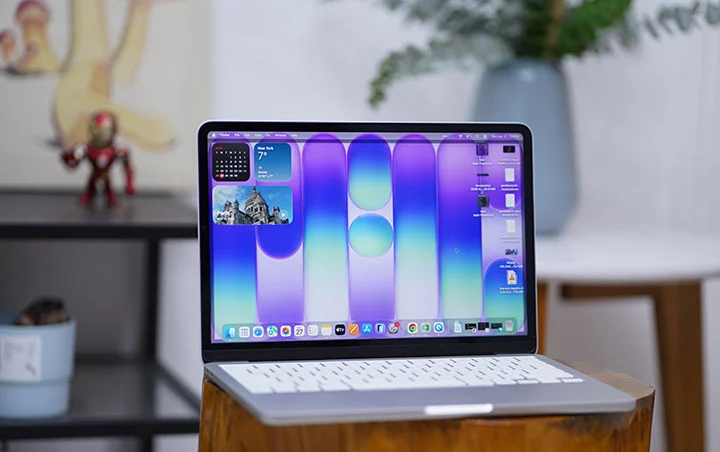
La pantalla ofrece una imagen brillante, vibrante y con colores precisos, siendo muy adecuada para uso en interiores, pero se vuelve más difícil de ver al aire libre.
Una de las primeras cosas que notarás en el MacBook Neo es la ausencia del Notch Display. La cámara está convenientemente oculta a lo largo del bisel delgado en la parte superior.
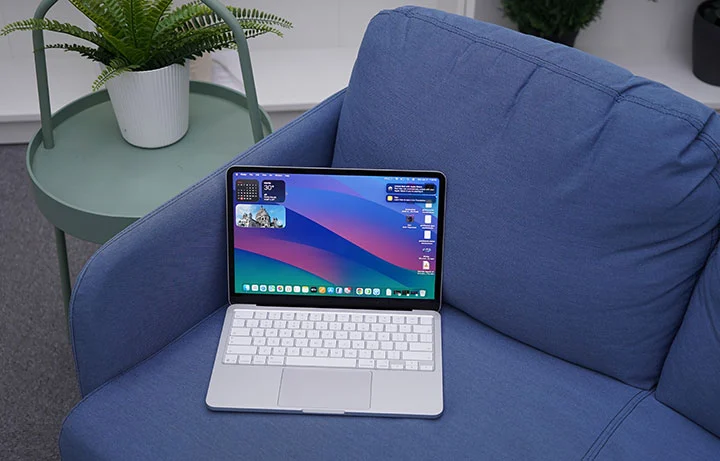
El MacBook Neo admite una pantalla externa, pero estás limitado a solo una sola pantalla 4K en este modelo, muy lejos de los dos monitores 5K que puede soportar el MacBook Air.
Los altavoces estéreo están ubicados en los lados izquierdo y derecho, hacia el frente, y proporcionan un sonido abundante para la reproducción casual de música, películas y juegos. El volumen es bastante alto, nítido y claro, especialmente cuando hay poco ruido ambiental. En espacios cerrados, puedes apreciar realmente el audio espacial para un efecto de sonido envolvente.
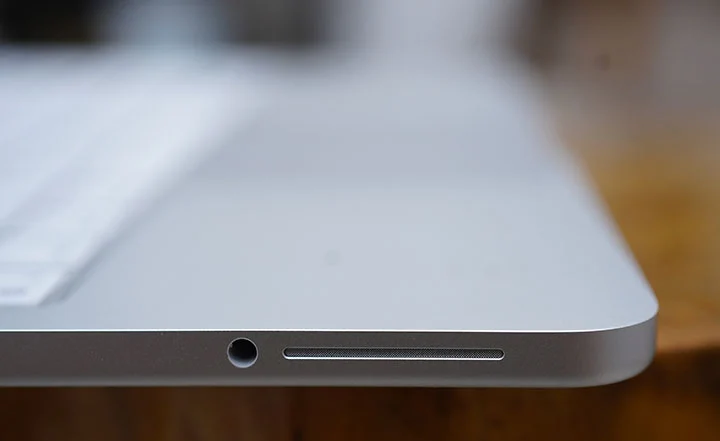
Hay una opción para un puerto de audio 3.5mm cuando desea conectar altavoces o auriculares externos. Esto también es útil al realizar videollamadas usando la cámara FaceTime de 1080p.
Rendimiento y Puntuaciones
Esta es la primera vez que vemos un chip iPhone siendo utilizado en un MacBook. Sin embargo, durante cierto tiempo, la línea de productos iPad de Apple utilizó tanto chips de la serie M como de la serie A. El último iPad Pro utiliza el chip M5, el iPad Air emplea el chip M4, el iPad mini usa el A17 Pro y el estándar iPad incorpora el chip A16.
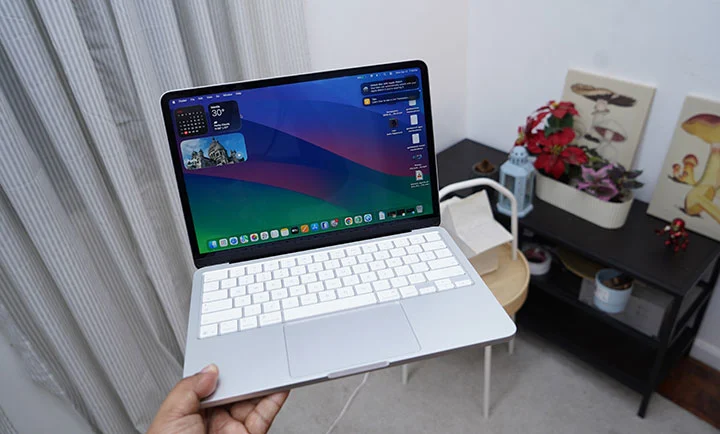
El MacBook Neo utiliza un chip A18 Pro Apple que viene con una CPU de 6 núcleos, una GPU de 5 núcleos y un Motor Neural de 16 núcleos. Si estás usando un 16 Pro iPhone, entonces es el mismo chip A18 Pro Apple del que estamos hablando.
Por lo tanto, la siguiente pregunta obvia es: ¿puede un chip iPhone ejecutarse correctamente en una MacBook? La respuesta corta es sí, pero hay una salvedad.
Aquí hay una observación/explicación más detallada. Basado en nuestro uso práctico diario del MacBook Neo y las pruebas sintéticas que realizamos con él, el chip A18 Pro es muy comparable a un chip M1, pero con una ventaja notable en eficiencia energética.
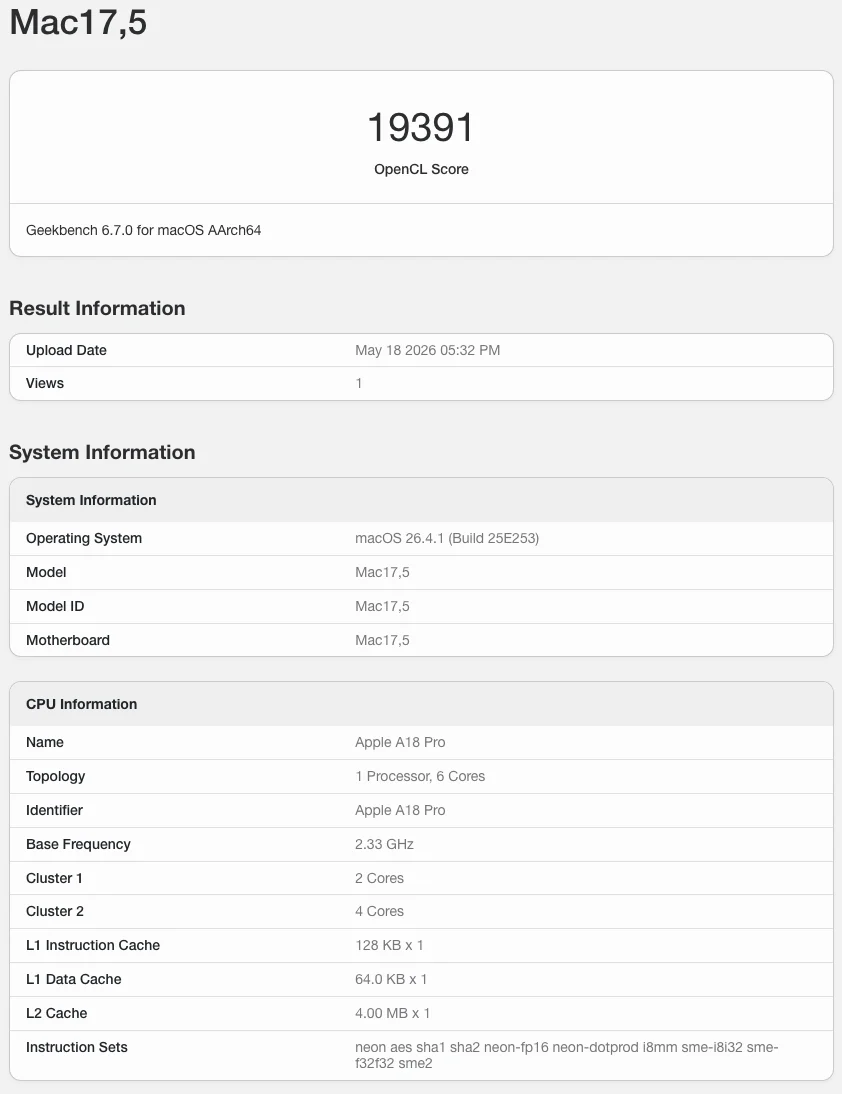
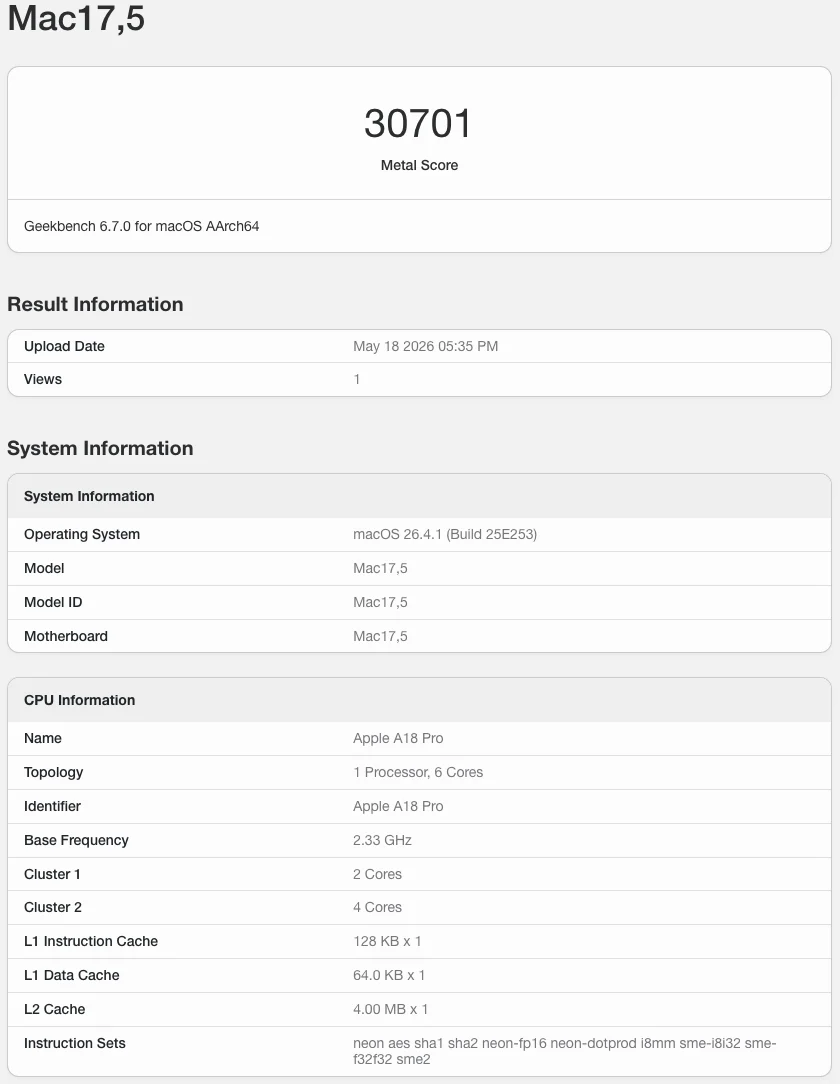
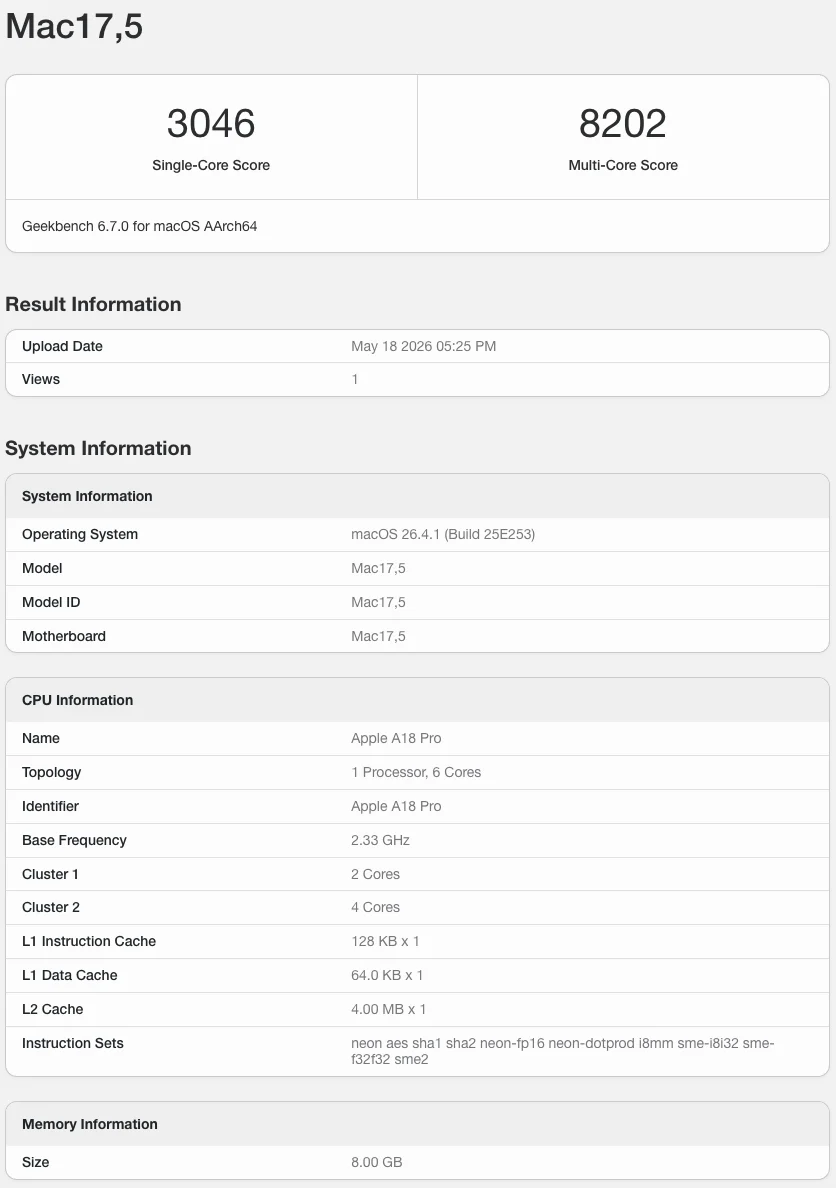
If you're using the MacBook Neo as a casual school or office laptop, mostly doing web browsing, office productivity, photo editing and light video editing, 4k video streaming and casual gaming, it can easily handle such tasks with ease.
MacBook Neo A18 Pro
GeekBench 6.7 Single-Core score - 3,046
GeekBench 6.7 Multi-Core score - 8,202
GPU OpenCL - 19,391
GPU Metal - 30,701
Mac Mini M1
GeekBench 6.5 Single-Core score - 2,325
GeekBench 6.5 Multi-Core score - 8,061
GPU OpenCL - 18,837
GPU Metal - 32,859
MacBook Air M3
GeekBench 6.5 Single-Core score - 2,944
GeekBench 6.5 Multi-Core score - 11,208
GPU OpenCL - 30,924
GPU Metal - 48,199
I'd say the A18 Pro is comparable to the Apple M1 chip. That's not bad at all for an iPhone chip with a performance of a 2020 to 2021 MacBook Air.
Note: The A18 Pro in the MacBook Neo is a binned version of the same chip used in the iPhone 16 Pro, with one GPU core disabled so it runs a 5‑core GPU instead of 6 cores. In chip binning, chips whose GPU does not fully meet the highest quality or performance targets have the faulty core fused off and are sold as lower‑tier parts rather than being scrapped. Apple repurposes these binned A18 Pro chips in the Neo, which helps cut silicon costs and makes the laptop’s aggressive entry‑level pricing possible.
OS, Apps and UI
The Neo came with macOS 26.3 Tahoe but automatically prompted for a 16.34GB update to macOS 26.4. Tahoe comes with a new Liquid Glass design system across windows, icons, and navigation, aligning macOS more closely with iOS 26 and iPadOS 26.
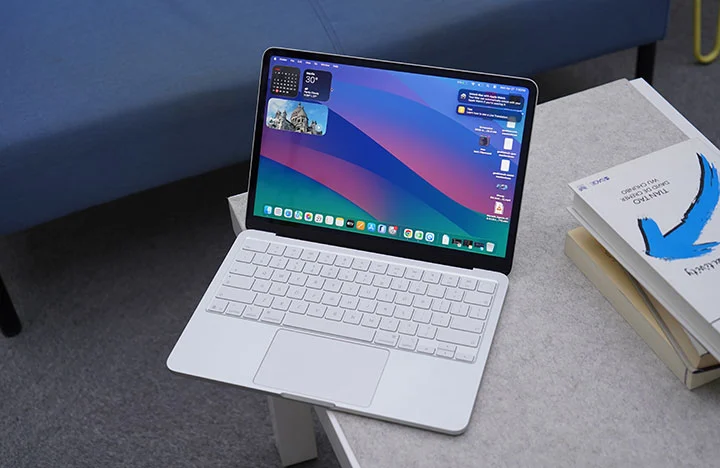
Once you open the Neo for the first time, you're greeted with a bunch of tools, widgets, apps and pre-installed software that can get you started right away such as iMovie and Garage Band. No need to install Office as their counterparts are already present and come free with macOS (Pages, Numbers and Keynote).
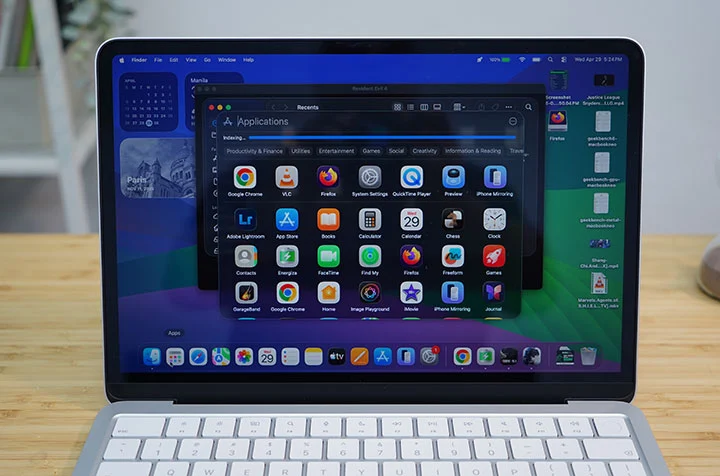
Long-time macOS users also enjoy native features such as Spotlight search, Stage Manager, Time Machine, and Quick Look.
If you’re in the Apple ecosystem (MacBook, iPhone, iPad), you will also love Handoff, Universal Clipboard, iPhone Mirroring and even as simple as syncing Notes across Apple devices.
macOS Tahoe is a powerful operating system with most of the basic tools and apps are already available to the user right out of the box. The interface is relatively easy to understand and navigate with a complement of gesture controls. It also becomes very intuitive and powerful once you harness all the built-in functions and features.
Connectivity and Battery
In terms of connectivity, the MacBook Neo only comes with 2 Type-C ports, one with USB 3.2 while another is an older USB 2.0 which is outdated and rather slow. There's no MagSafe charging port either so you're going to have to go back to the "dongle life" with the Neo.
You also have Bluetooth 6 and WiFi 6E for wireless connectivity.
As for the battery, the Neo only comes with 36.5Whr (or 9,516mAh) lithium‑ion battery which is far smaller than the 53.8Whr battery of the Air. That's a 32% reduction in battery capacity which might be a big deal with many users but in real-world tests, the A18 Pro is more power-efficient that battery life isn't that far apart.
In one of our test video playback, the MacBook Neo got 15 hours and 40 minutes running a 1080p movie at 50% brightness and 50% volume with WiFi turned on. That's not as long as the 22 to 24 hours & 26 minutes we got on the MacBook Pro M5 but certainly nothing to cough about.
The MacBook Neo also charges via USB-C with a slower 20W charger included in the box. Should you use a faster charging brick, you can get up to 45W of charging which is quite decent.
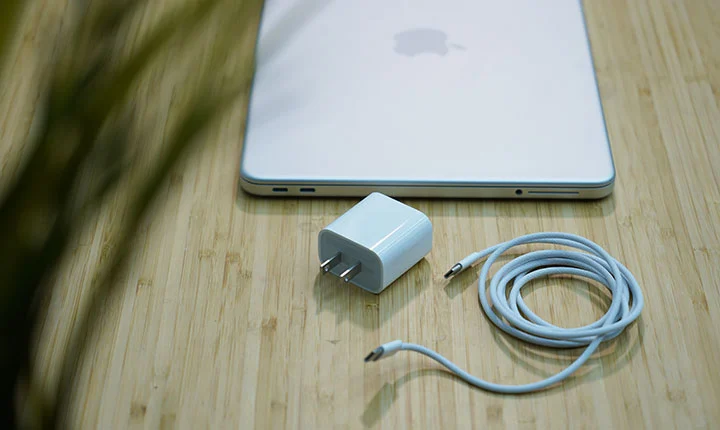
During our charging test, we managed to get from 20% to 80% battery charge in just 62 minutes; then, it slows down after 80%. Based on this observation, we reckon the normal charging time would be around 2 hours and 5 minutes to get from zero to 100%.
In order to bypass this trickle charging, you will need to go into the Settings (Battery Health) and disable the "Optimized Battery Charging" option. This way, the charging time is theoretically shortened to just 1 hours and 45 minutes.
* Charging test was done at 50% brightness and WiFi turned OFF.
Conclusion
The MacBook Neo is a masterful way for Apple to take a big chunk of the pie in the sub-$600 laptop market (or under the Php 40,000 price category, if we're talking Philippine settings). There's technically nothing really new in the Neo but the fact that Apple was able to make a reasonable compromise and set their entry-level MacBook at this price point poses a serious threat against similarly-priced Windows laptop.
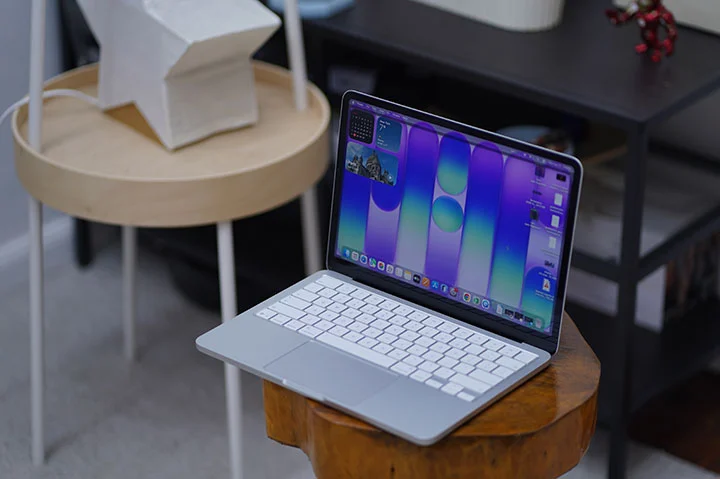
The MacBook Neo is a great looking laptop, built in the same high quality level as any other premium MacBooks, with a commendable performance but at almost half the price of the previously most affordable Apple laptop (i.e. MacBook Air).
The Neo is ideal for people are starting out on a MacBook for the first time, for students who needs a typical computing device that's capable but affordable or for those who travel a lot and have to have their laptop with them for some short and quick work tasks.
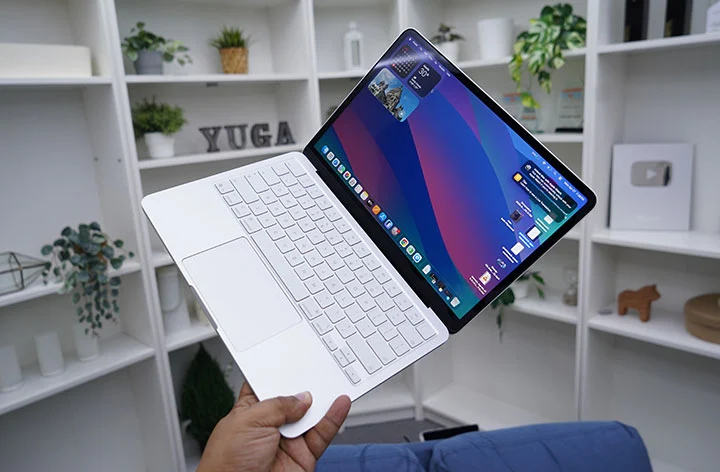
I reckon hard-core users who favor the 16-inch MacBook Pro would also prefer to get the MacBook Neo as a secondary laptop to carry around and just leave the heavier one at home or office for serious work.
Should you go for the Neo or the Air?
The Neo starts at Php39,999 and goes up to Php46,999 for the 8GB + 512GB variant. The entry-level MacBook Neo is a great option if you are starting out on a Mac and don't have a huge budget.
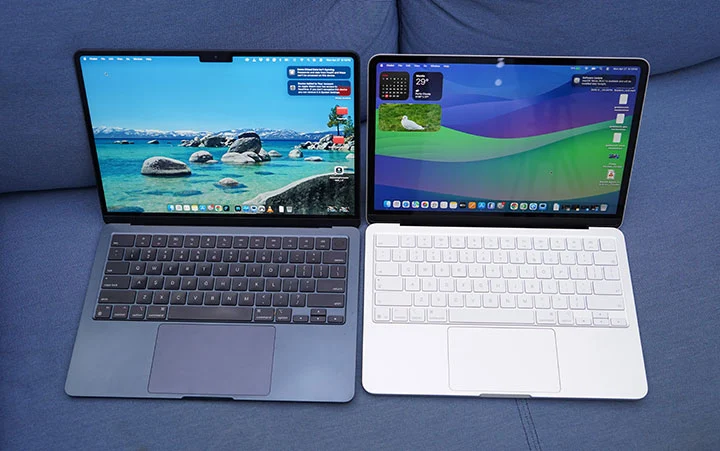
However, if you have a budget below Php50,000, then there's the option to go for the Macbook Air M2 (starts at Php49,990) or the Air M3 (starts at Php48,500). Based on local Apple Retailers (Power Mac Center), here are the options you can get at that price point.
Macbook Neo (8GB + 512GB) - Php46,999
Macbook Air M2 (16GB + 256GB) - Php48,500
Macbook Air M3 (8GB + 256GB) - Php49,990
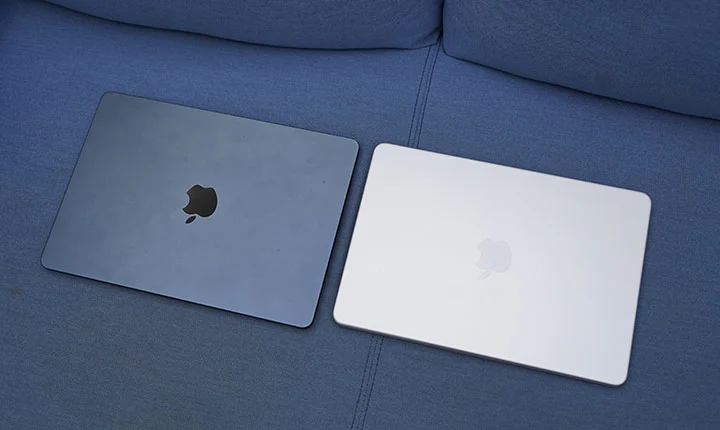
Either the M2 or M3 MacBook Air is a strong alternative to the Neo around the Php50k budget. Aside from the performance gain, you get better display and audio, Thunderbolt ports, MagSafe support, and better battery life.
Ultimately, what Apple is doing here is giving consumers more option when going Mac with a much lower starting price. And that can only be good for everyone.
What we liked:
* Great build quality like any other MacBooks
* Nice brilliant display
* Attractive price point as an entry-level device
* Nice color options
What we did not like:
* Slow charging
* Minimal ports
* No backlit keyboard (that I missed the most)
Apple MacBook Neo specs:
13-inch Liquid Retina display, 2408 x 1506 resolution, 500 nits brightness
Apple A18 Pro chip
6-core CPU @ 4.04GHz base clock speed
5-core GPU
16-core Neural Engine
8GB RAM
256GB, 512GB storage
1080p FaceTime camera
Spatial Audio, Dolby Atmos speakers
Magic Keyboard, Touch ID
1x USB-C 3.2 port
1x USB-C 2.0 port
WiFi 6E
Bluetooth 6
macOS 26.3 Tahoe
36.5Whr lithium‑ion battery
Blush, Indigo, Silver, Citrus (colorways)







0 Comments
Leave a Reply