
ProtoArc is a computer peripherals brand that is making ergonomics the central theme of its product line. “A workspace for wellness,” the brand says, and it carries that saying throughout its lineup of ergonomic keyboards, chairs, accessories, and of course, mice—all of which seem perfect for a home-office or office-office.
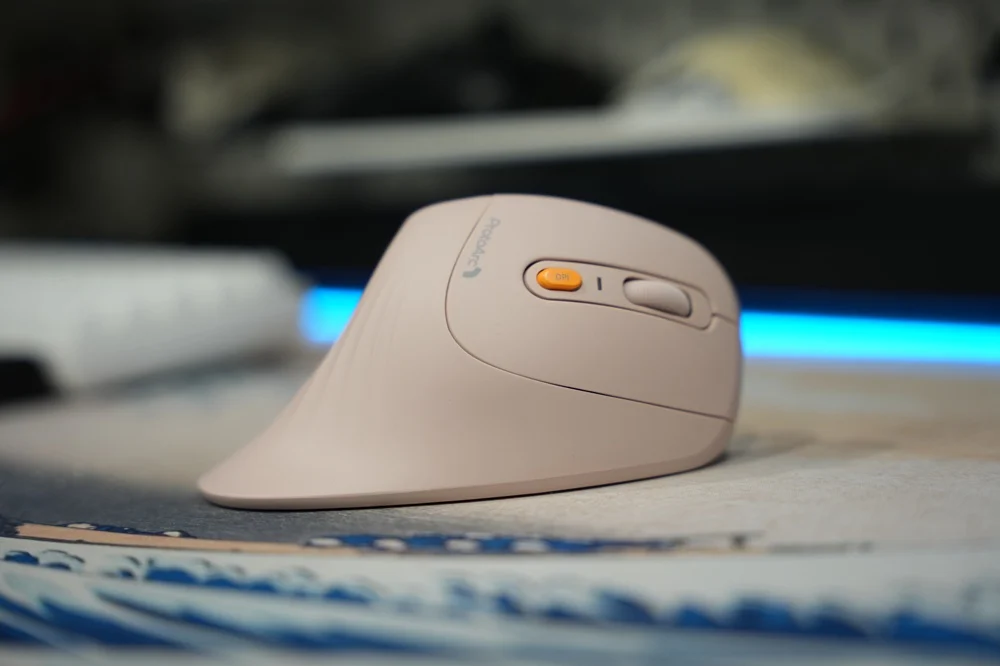
Before this, I’ve never really done any sort of research or had any desire to purchase an ergonomic productivity mouse because sensor speed and precision, and overall lightness are key factors for me when choosing a mouse. That’s why I’ve been using a gaming mouse for “productivity” all these years. While I may not be the target demographic for something like this, the EM11 NL does pose an interesting value proposition.
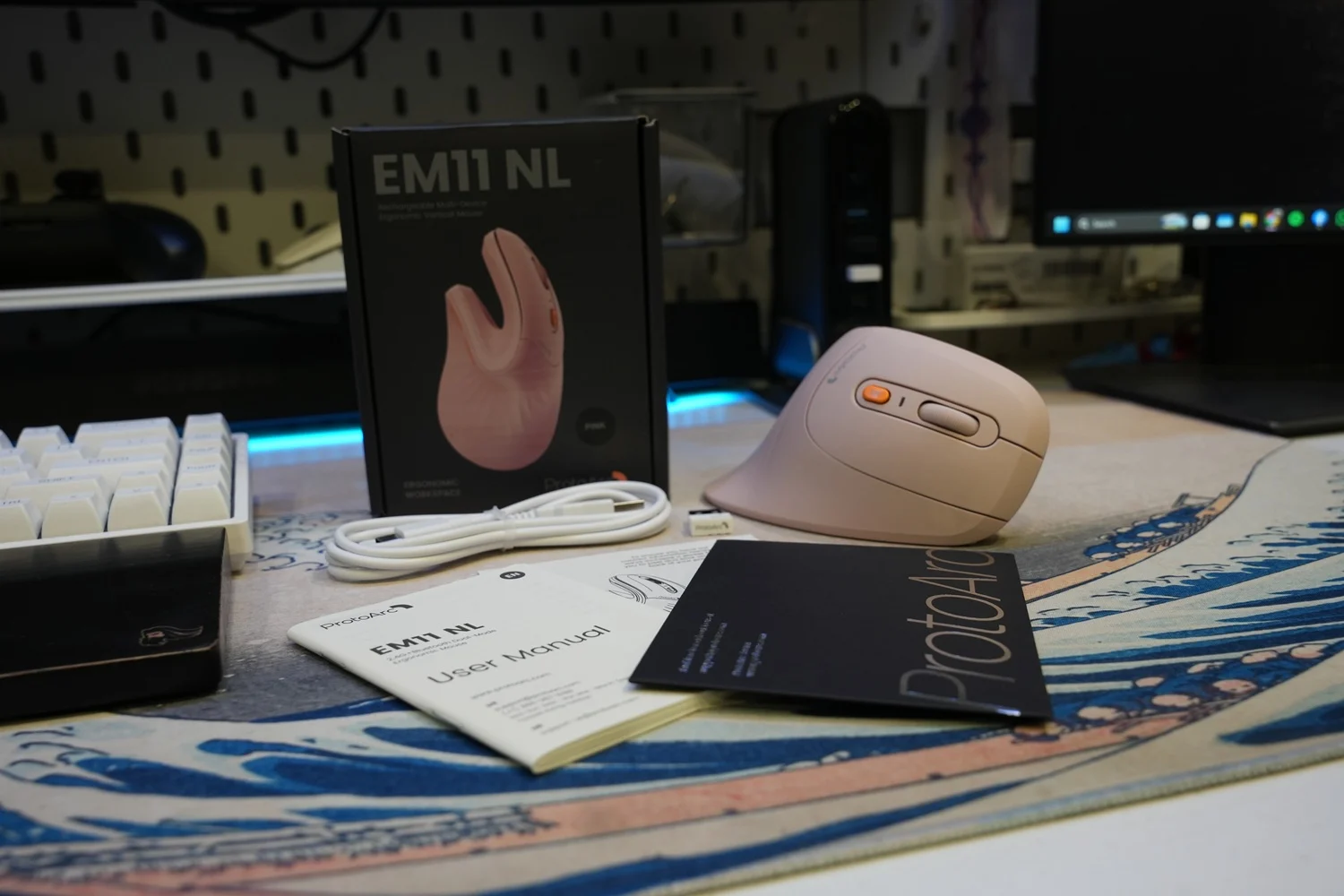
What’s in the box?
* ProtoArc EM11 NL
* 1x 2.4 GHz Receiver
* 1x USB-C to USB-A Cable
* Manuals and Welcome Cards
Design
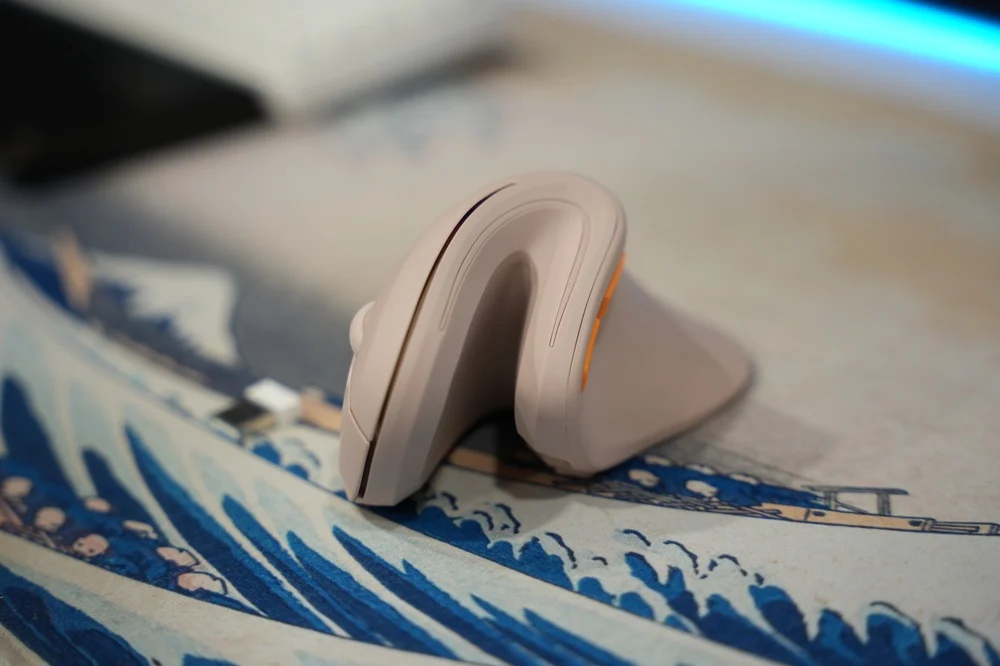
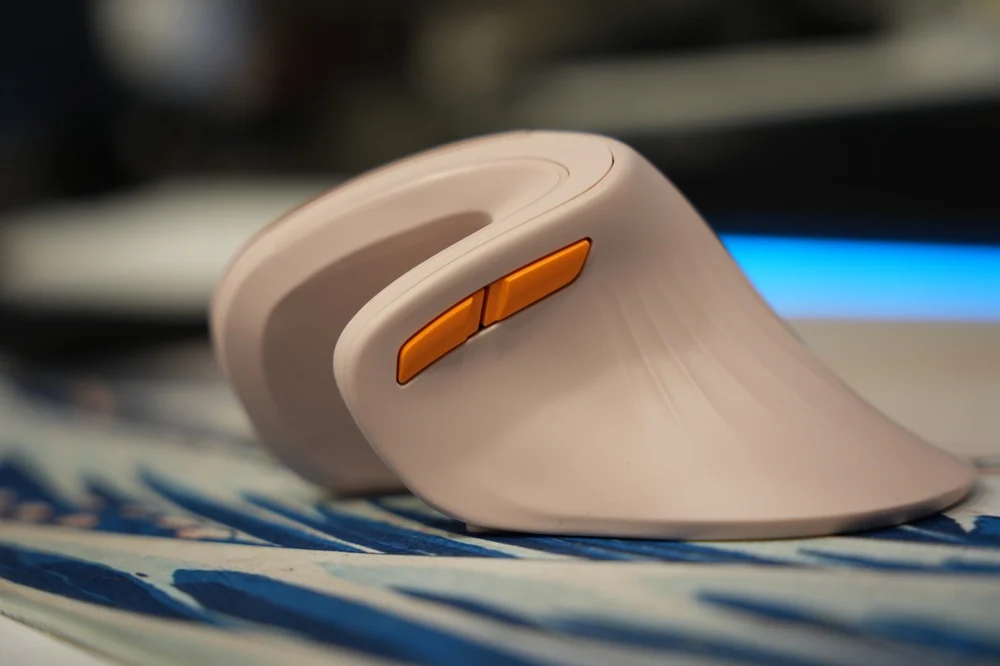
The design of the ProtoArc EM11 NL is unique to the brand. Other ergonomic mice might look strikingly similar to the Logitech MX Vertical, but for good reason: it’s a formula that works. However, props to ProtoArc for fielding a unique design of their own with the EM11 NL. While it is not the most sleek, it is at least different.
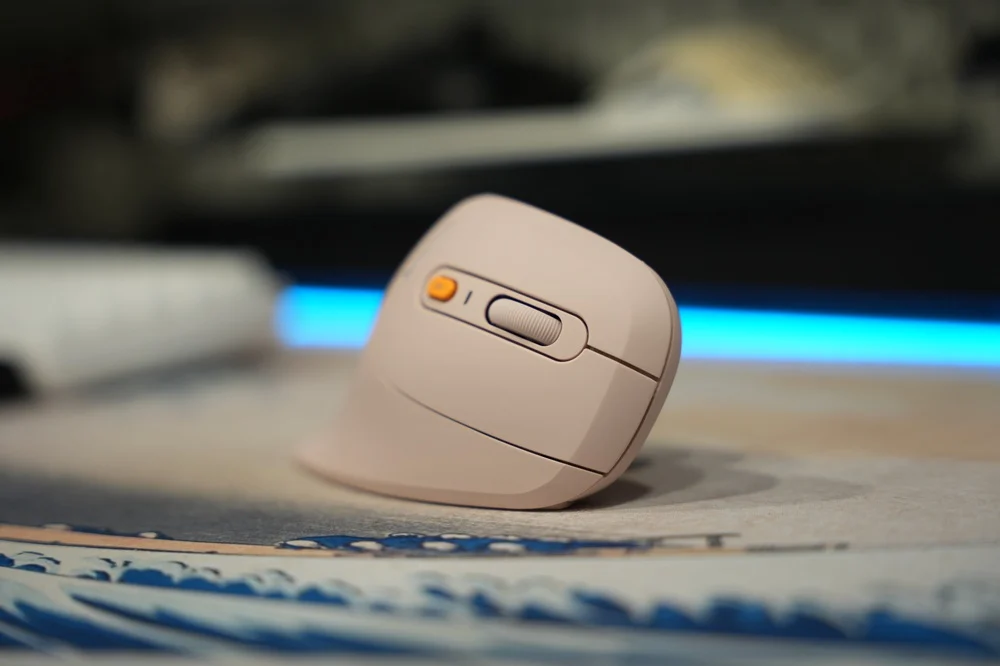
“But how does it feel?” Having palmed an MX Master series mouse, a myriad of gaming mice, and finally this one, I can say that the ergonomics are what you would expect from a vertical mouse. All-encompassing, form-fitted, and very tall. ProtoArc states that it uses a 58-degree tilt that simulates a handshake and that “weird” gap in the makes it look a bit like an oven mitt, especially in the provided color. The whole mouse is covered in a soft-touch rubber coating, which feels premium and gives the mouse an “airy” feel when you hold it, but give it a year and inject some hand oils into it, and all the stains will eventually show, especially if you have sweaty hands.
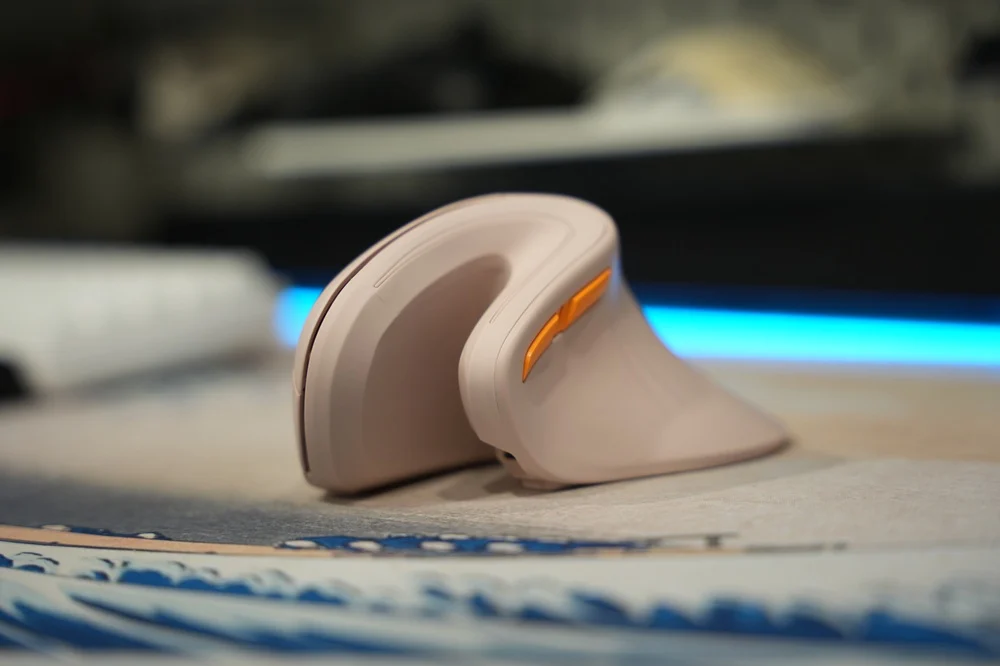
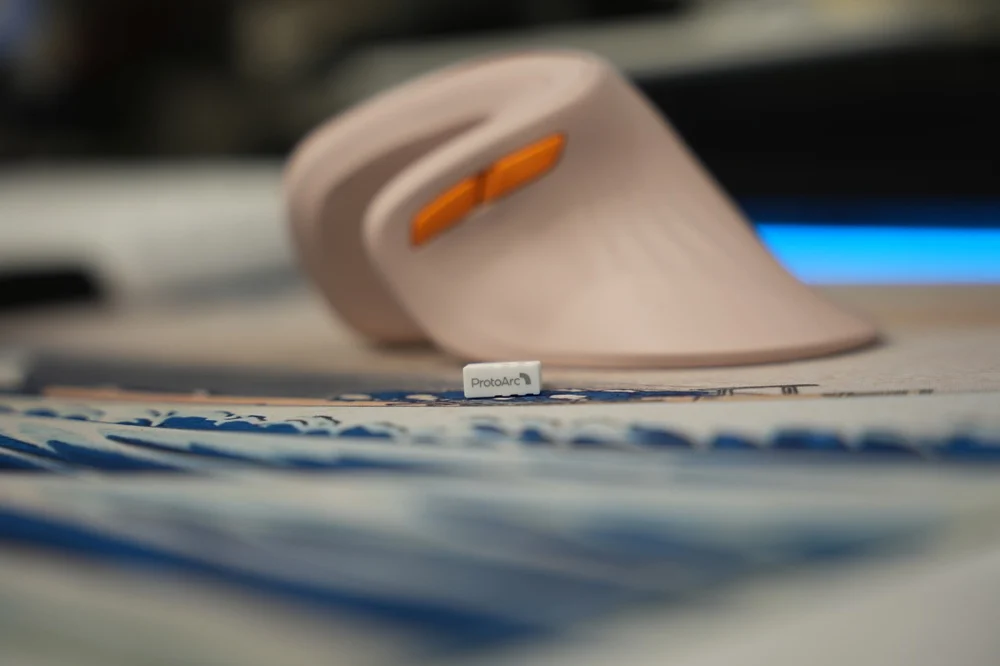
The button layout is what I’d call “standard” in a modern mouse with left and right clicks, a scroll wheel, a third button, a DPI switch with up to three modes, and forward and back buttons for browsing the web. Underneath is a set of decently slippery mouse skates, a button for 2.4 GHz and Bluetooth modes, and your on-off switch. I also appreciate that there is a slot for the receiver, which sits flush with the bottom of the mouse. No qualms yet, but I’ll nitpick in a bit in the next section.
Ergonomics and Handling
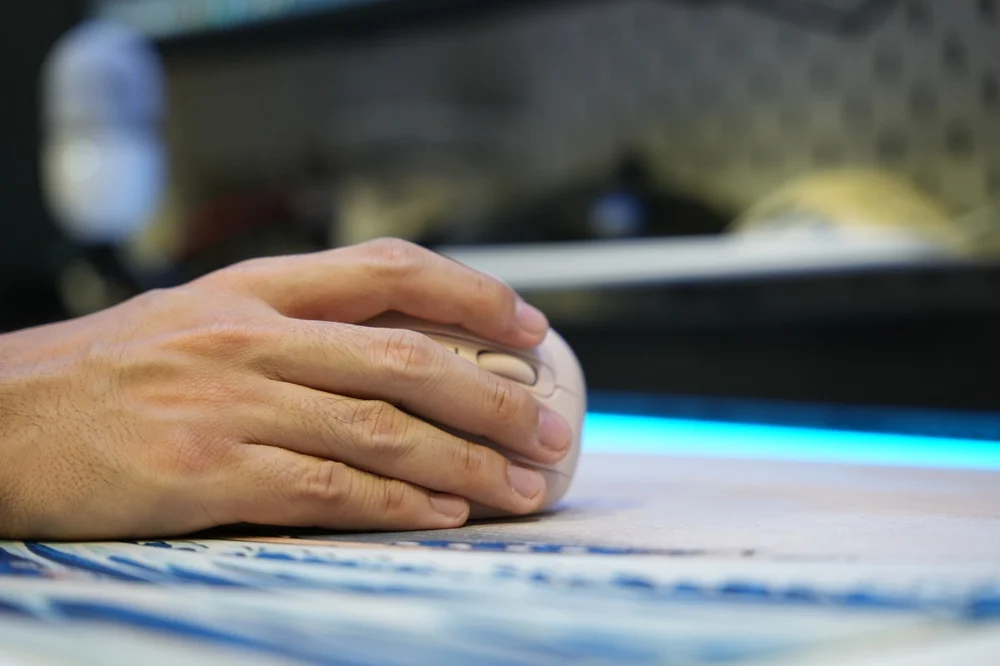
My hands are small to medium-sized, so I have no issues palming the EM11 NL. ProtoArc states that this mouse is sized appropriately for most normal-sized hands, but individuals with large hands may not feel at home on the EM11 NL. As long as your hands come in under 7.5 inches from palm to tip, you will be able to fit the mouse well enough.

Going from a standard to a vertical mouse does take some getting used to, and if you’re anything like me, your muscle memory will have to be rewritten. Your reflexes when clicking on some items throughout your UI might change, and accuracy might also take a dip. Regardless, if you give it a week or two to adapt to the vertical hand position, then I’m sure your wrist will thank you. The form factor is inviting to hold, and if you fully relax your hand, it kind of resembles the shape of this mouse. It is more relaxing to use this mouse. With standard mice, my pinky tends to get tight after a long work day with after-hours gaming. With the EM11, that fatigue was way less pronounced, so points to the vertical mouse enjoyers and to ProtoArc for that one.
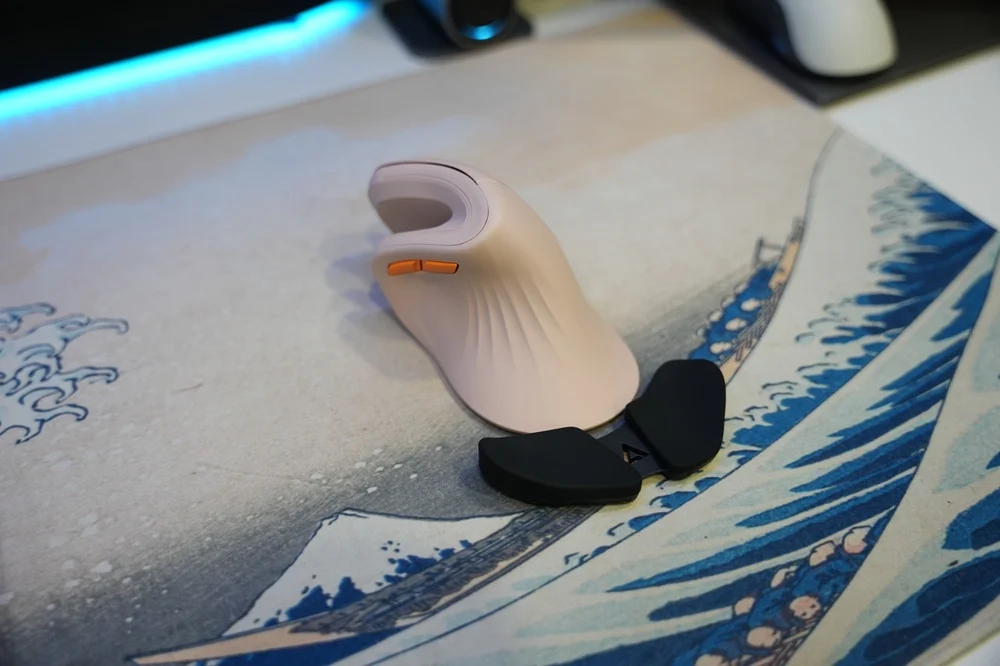
Ergonomic design features that I like include: a soft-touch coating that gives the EM11 a very airy feel, an indent for your thumb for added leverage when lifting it off the table, and an extended back-end. Though if you have a DeltaHub Carpio 2.0, the rear of the mouse may get in the way. On that note, the main clickers are fitted with silent switches, perfect for any office setting; however, the other buttons, like the scroll wheel and forward and back buttons, are clicky. It’s a slight nitpick because I would’ve appreciated the consistency, but it’s not a deal breaker.
Features and Usability
The ProtoArc EM11 NL meets most of my expectations for productivity-grade mice; however, it falls short for the more “hardcore” productivity professional. For starters, this mouse is wireless with up to three connection modes: 2.4 GHz, Bluetooth 1, and Bluetooth 2. Up to three devices can be paired at a time. However, there is no software that you can install to “flow” between devices—you’d have to press a button to switch your connection mode.
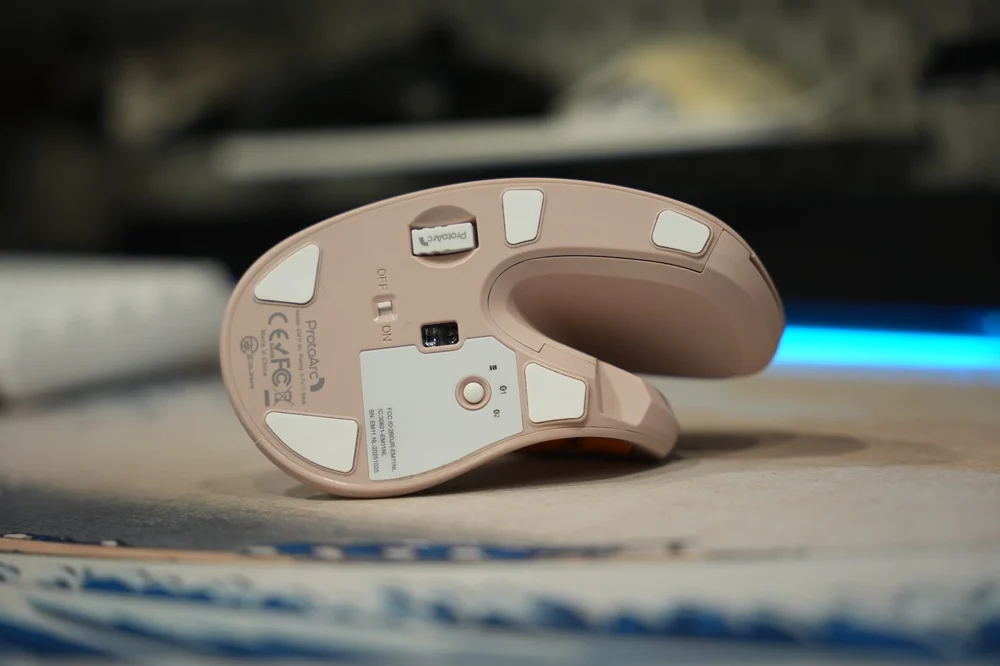
In the box, you will also receive a USB-C cable for charging. There is a port near the thumb side of the mouse, but that port is for charging only. Speaking of, there is a 500 mAh battery, which results in about 90 days of standby time. While in use, you might have to charge it every month if you’re using the 2.4 GHz connection, but I do suspect that extended Bluetooth use will see the battery life of this mouse dip.
All in all, the featureset is that of a mouse that just works for most people. However, one point of improvement for ProtoArc to cater to the more tech-savvy crowd is to maybe provide a web utility or a software suite for its products. I usually remap the forward button or the DPI switcher to act as a shortcut to Windows Task View so that I can fly through the OS a little faster instead of pressing the Windows key and Tab, but that’s just my personal preference, and I can’t complain given the price of this gadget—more on that a little later.
Performance
The sensor in this mouse is what I’d call conventional. It goes from 1,000 to 1,600, and all the way up to 2,400 DPI, similar to other mice you’ll find at PC Hardware stores. It still uses an old-school optical sensor with a red light, and in practice, it was reasonably accurate once you get used to it. On the positive side of things, the sensor does work on glass, so you won’t need to bring a mouse pad or a piece of paper with you if ever you decide to travel with this mouse. Though I suspect that the sheer size of it may incentivise you to leave it at your desk.
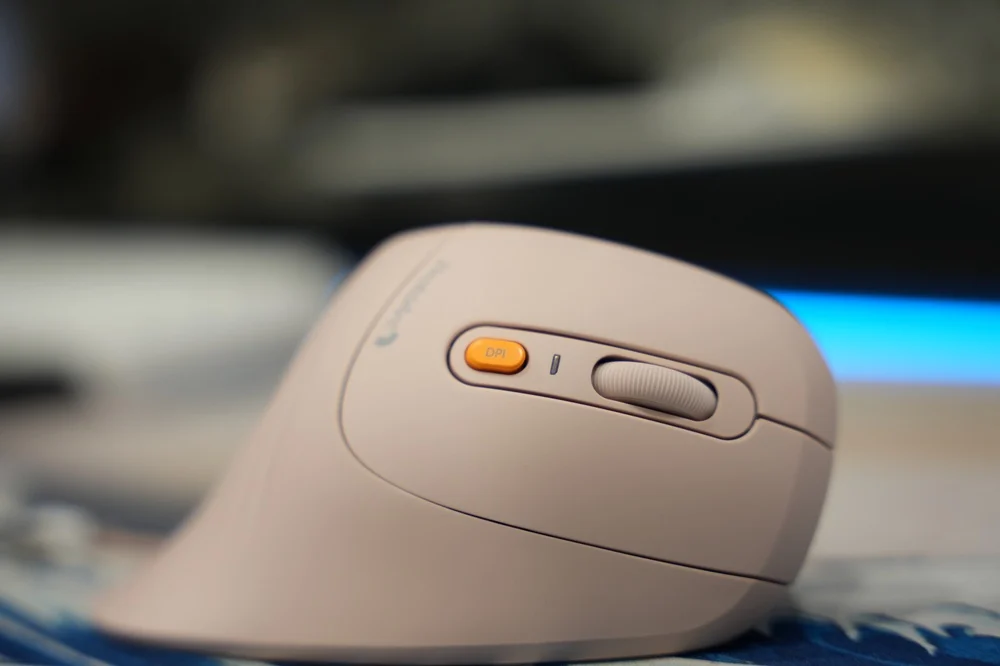
Coming in at 119 grams, the mouse is hefty. To most people, this would signal quality, but to the guys and girls who spend perhaps too much time on their desks, the equivalent of going to the gym (kidding). To be fair, that is lighter than a Logitech MX Vertical and Logitech Lift, but only by a few grams. Also, when you lift the mouse off the table, it feels solid when it comes back down with minimal rattles and secondary vibrations. There is almost no flex from the chassis as well, which is great for when you’re really passionately or furiously clicking send on that email you’ve been dying to send to your boss.
For the after-hours activities, I don’t recommend this mouse for hardcore gaming. Casual titles like Genshin Impact, Neverness to Everness, or Wutherwing Waves are fine for the most part, but if you play e-sports titles, stick to a dedicated gaming mouse instead. The weight will weigh down your flicks, and the sensor accuracy and response will leave something to be desired, among other things.
Conclusion
Nowadays, it’s rare to see wired mice anymore, but those things can be had for a few hundred pesos, and they’ll browse the web, navigate your OS, and do everything that a mouse should. If you’re sitting on a desk for hours at a time, and you just need a mouse that is more comfortable than the standard-issue stuff they give you at the office, then this is a nice choice. It’s wireless, it can connect to your tablet, laptop, or phone, and it can definitely sit on your desk with minimal charging thanks to its outstanding standby times.
The cases against the ProtoArc EM11 NL will be its lack of software utility for more hardcore productivity users to really customize the experience, and its sensor accuracy for gaming. It works fine for either, but more demanding users may need to look elsewhere.
However, if you are a power user or gamer, this could serve as your main at-office or secondary at-home mouse. I see that there’s an upside to giving your wrist a break for most of the day. Given that the ProtoArc EM11 NL only costs P1,195, I can forgive most of its shortcomings. If you’ve been thinking about getting a more expensive vertical mouse like the Logitech MX Vertical, but don’t need the extra features, then consider the ProtoArc because it’s about 75% there in practice, at just about a quarter of the price. It’s kinda hard to argue with that.
What you’ll like:
- Solid Build Quality
- Unique Ergonomic Design
- Connect up to 3 devices (2.4 GHz and 2x Bluetooth)
- Long Battery Life (90 hours of standby time)
- Built-in Battery with USB-C charging
- Very affordable for an ergonomic mouse
- Comes in a myriad of colors to match your workstation
What may disappoint you:
- Bog-standard optical sensor with average accuracy
- Limited customization
- Limited DPI options
- Rubberized coating won’t age well
- Small to Medium hands only
- Relatively steep learning curve if you’re coming from a standard mouse



0 Comments
Leave a Reply