
Creator laptops today are trying to do it all, be thin, powerful, and versatile, but very few actually balance those three aspects well. Some lean too heavily into gaming, while others sacrifice performance in favor of portability.

The ASUS ProArt P16 (H7606WW) aims to sit right in the middle: a creator-first machine that delivers workstation-level performance in a slim and travel-friendly form factor.
After using it for about a month across video editing, design work, and even some gaming on the side, it’s clear that ASUS had a very specific type of user in mind, and for the most part, they nailed it.
Design and Construction

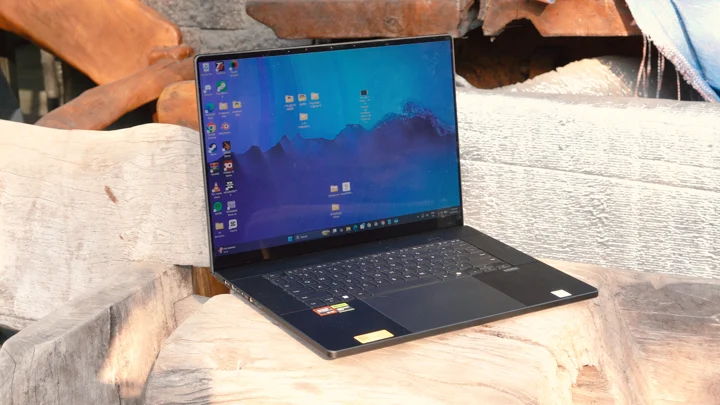
The 2026 ProArt P16 keeps things clean and professional, which immediately sets it apart from more aggressive-looking performance machines like the ROG Zephyrus G16 for example (which is a good example since they practically use the same chassis.)
Only available in “Nano Black,” the device has a stealthy, minimalist aesthetic that works just as well in a studio environment as it does in meetings or cafés. It doesn’t try too hard to stand out, and we think that adds to its class.
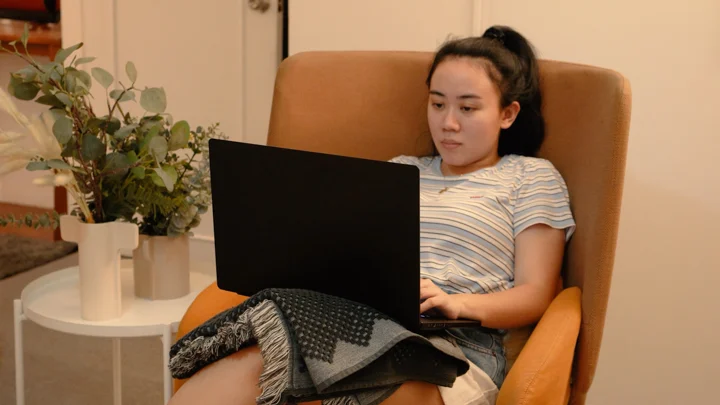
The smudge-resistant coating does a good job of keeping fingerprints under control, even after long hours of use. Obviously those with sweatier palms can give the finish a run for its money, but nothing that can’t be solved with a good microfiber towel.
Despite housing high-end components, the laptop remains relatively portable at around 1.95kg (4.3 lbs) and under 15mm thin with the lid shut. Which makes it easy to bring along for shoots or editing sessions outside the house, even with the included 6.7kg (14.7 lbs) 240W DC charger.
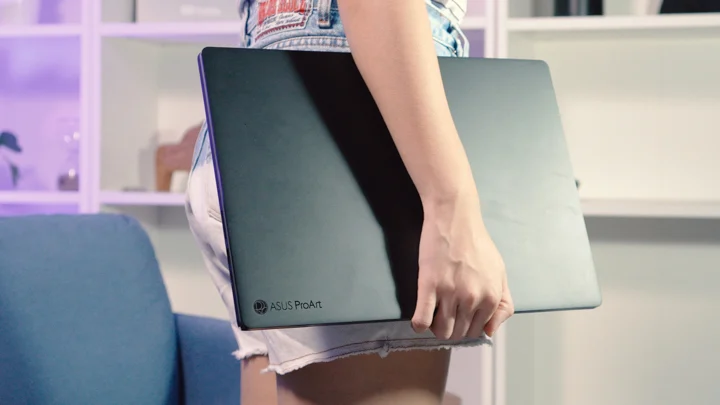
Build quality is excellent throughout. The chassis feels solid and well put together with essentially no deck flex, while the hinge offers good stability with minimal screen wobble.
It’s a device that feels dependable, whether it’s sitting on a desk, a dock or being carried around daily.
I/O and Connectivity
The ProArt P16 offers a well-rounded selection of ports that practically eliminates the need for constant dongle use.
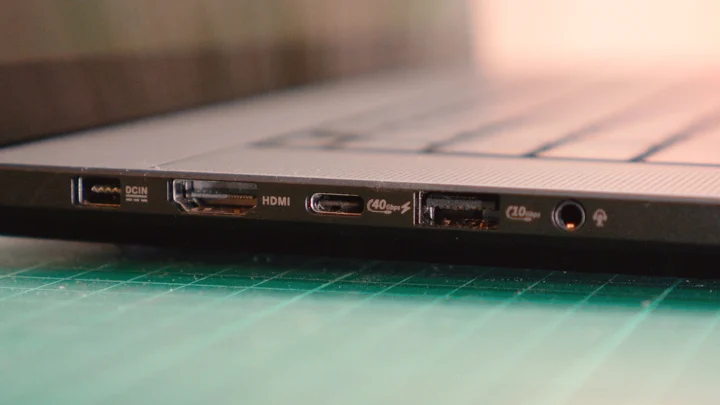
We get get the aforementioned proprietary DC-in for charging, two USB 3.2 Gen 2 Type-A ports rated for up to 10 Gbps transfer speeds, a USB 4.0 Gen 3 Type-C port rated for 40 Gbps with Power Delivery, and a USB 3.2 Gen 2 Type-C rated for 10 Gbps transfer speeds but also gets Power Delivery.
–Giving us a total of three ports we can charge the laptop with.
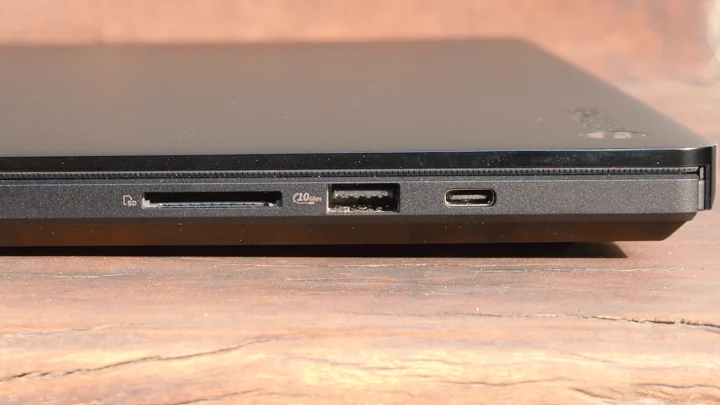
There’s also an HDMI 2.1 port for external displays (which also gives 3 ports to output displays with), a 3.5mm combo audio jack, and a full-sized SD card reader.
A big standout inclusion here is the SD Express 7.0 card reader, which makes transferring footage from our cameras straight to the editing timeline very quick and convenient.
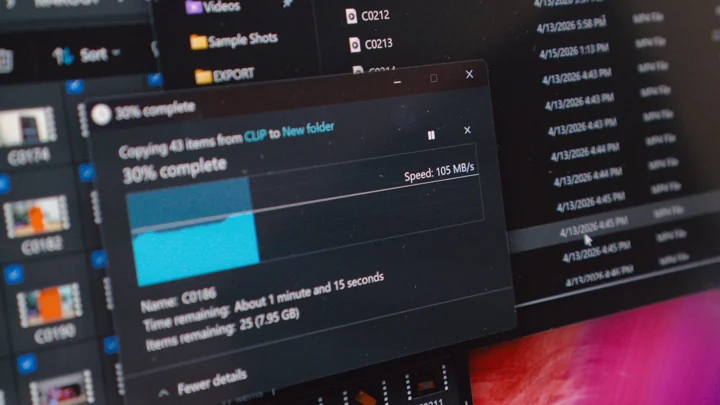
We were able to achieve 100MB/s write speeds when transferring 4K videos from a 64GB V30 card, and we were pleasantly impressed. But it’s worth mentioning that the port is capable of up to 987 MB/s for those with V90 cards.
Wireless connectivity is just as up to date, with Wi-Fi 7 and Bluetooth 5.4 ensuring fast and stable connections. In day-to-day use, everything from file transfers to cloud uploads worked reliably without any hiccups.
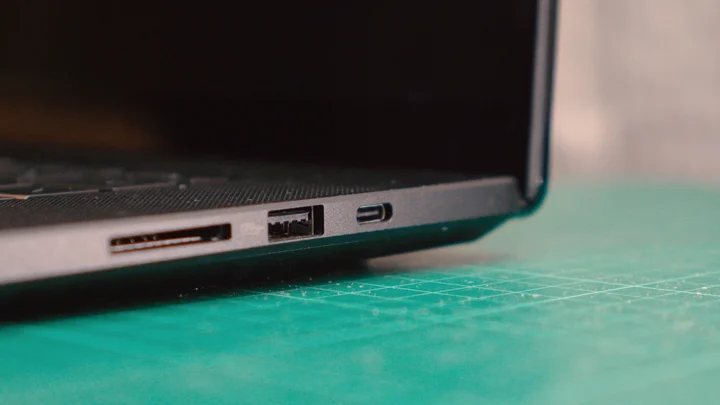
Overall, for I/O ASUS clearly understands the needs of creators, but I still wish it had an RJ45 (but maybe I’m just old-fashioned.) So, we’ll still need a dongle for wired connections.
Display and Multimedia
The display is easily one of the highlights of the ProArt P16, and it’s immediately noticeable the moment you open the lid.
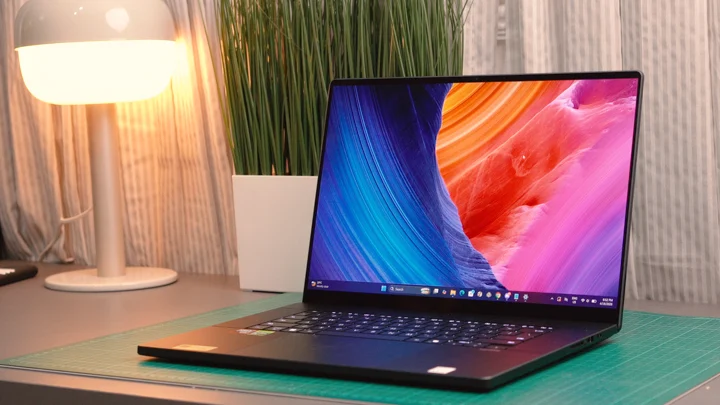
The 16-inch 4K+ (3840 x 2400) ASUS Lumina Pro OLED panel is amazing. It features a 16:10 aspect ratio and delivers excellent color accuracy with 100% coverage of the DCI-P3 color gamut and is Pantone validated.
The OLED panel also provides an amazing 1,000,000:1 contrast ratio with its VESA Certified DisplayHDR True Black 1000 certification, and impressive HDR peak brightness levels of 16,000 nits; Making it ideal for both creative work and HDR media consumption.
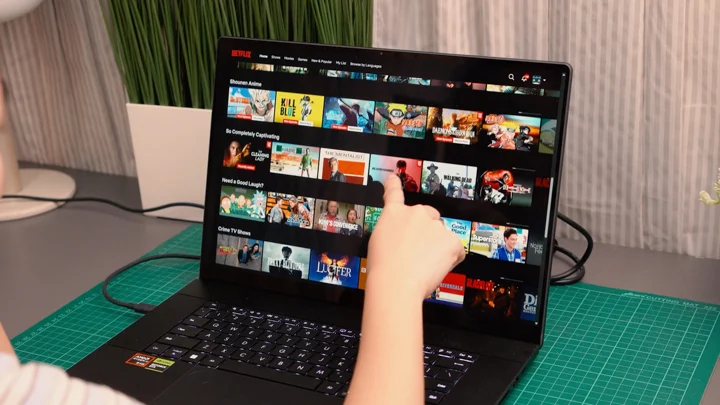
It’s also worth noting that the display has touch and pen support, if you’re into that.
In real-world use, this translates to a highly reliable canvas for editing photos and videos. Colors appear accurate and consistent, which is crucial for tasks like color grading, photo retouching, and graphic design.
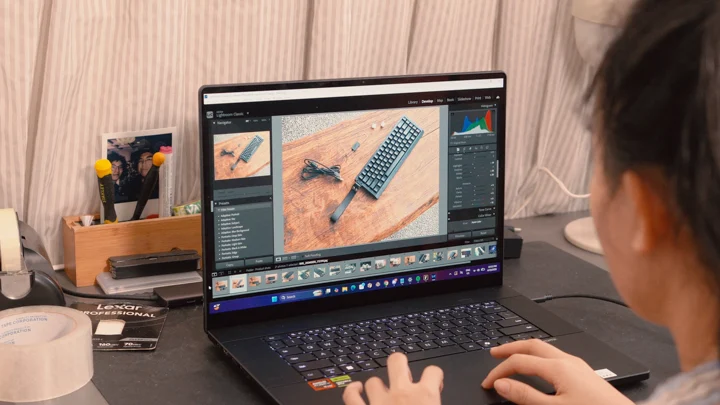
Beyond work, the display is simply enjoyable to use. Whether for creating content, watching videos, or casual gaming, the OLED panel delivers a level of depth and clarity that’s hard to go back from once you’ve experienced it.
Doubling down on media consumption and creation, audio performance on the ProArt P16 is amazing.
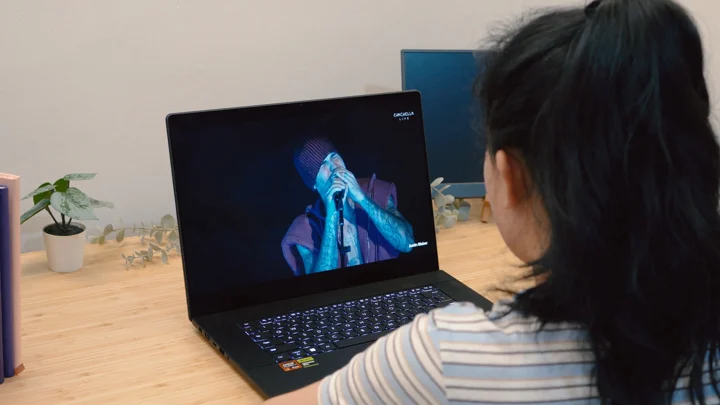
The built-in speaker system sounds phenomenal and produces clear, full-bodied sound with enough volume for casual listening, viewing and previewing edits, making external speakers optional for most situations.
We rarely passed 26% in volume when working late nights. And of course, just like most modern high-end ASUS laptops, there’s Dolby Access on here to tune the EQ or select preset profiles for Dolby Atmos. Like always, we settled on Dynamic.
Keyboard and Trackpad
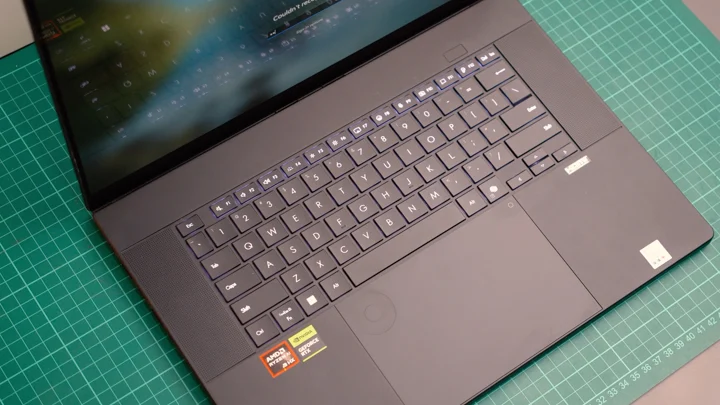
Typing on the ProArt P16 feels natural and comfortable, with well-spaced chiclet keys and enough travel (1.7mm) to easily support long writing or editing sessions. There’s also backlighting albeit just white with no RGB. Which means, it’s not overly flashy but it gets the job done reliably.
The laptop also features a dedicated CoPilot key, because it is a CoPilot+ PC (more on that later.)
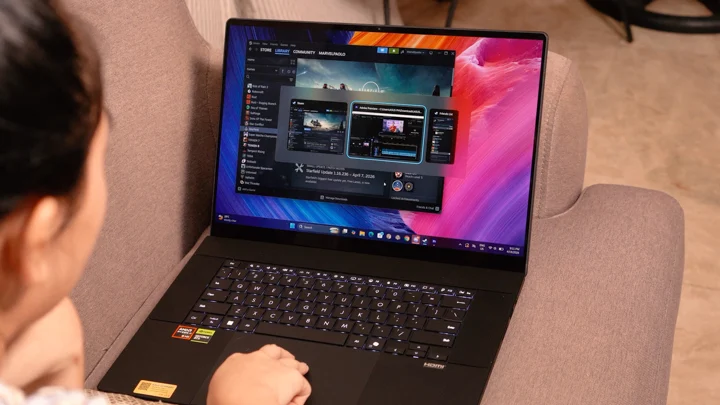
The glass trackpad is large and responsive, offering precise control for users who prefer working without a mouse. Windows trackpad gestures register accurately, and overall navigation feels smooth.
This laptop also features a more muted iteration of the ASUS DialPad which adds a unique layer of functionality.
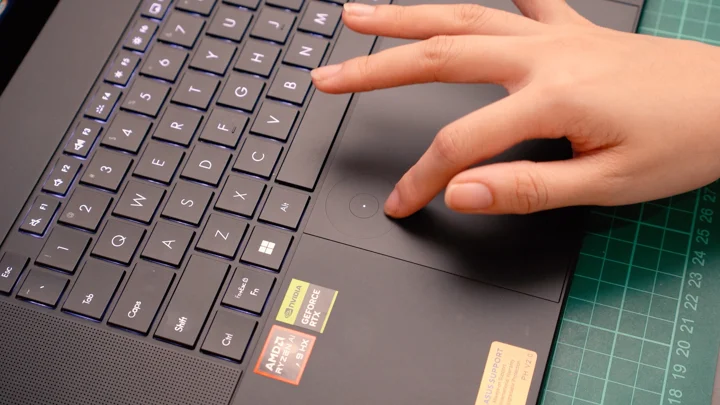
Integrated into the trackpad, it allows for quick adjustments in supported creative applications, such as scrubbing through timelines in Premiere, as well as, adjusting brush sizes, or zooming in and out within Photoshop to name a few. Basic uses are for adjusting display brightness and volume.
Unlike many experimental features, this one proves to be genuinely useful once you incorporate it into your workflow, helping speed up repetitive actions.
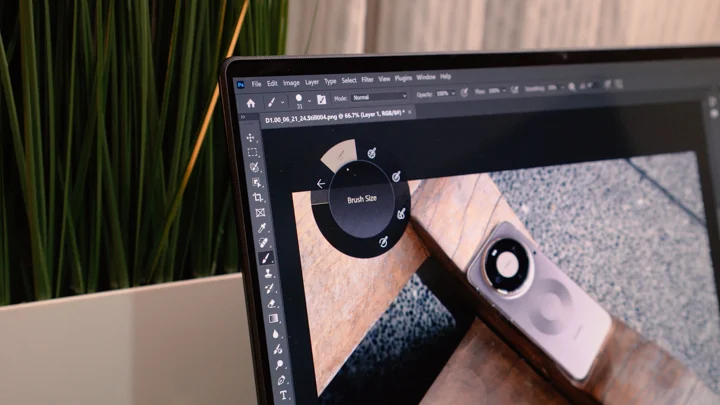
But in my personal opinion, it still isn’t a make it or break it feature, which is a good thing. But I understand the notion of it being a waste not to use for those fortunate enough to own this machine.
Performance and Benchmarks
The 2026 ProArt P16 is equipped with an AMD Ryzen AI 9 HX370 processor paired with an AMD Radeon 890M iGPU and an NVIDIA GeForce RTX 5080 Laptop dGPU (16GB GDDR7).
Out of the box it’s configured with fast 64GB LPDDR5X memory (which is soldered) and a 2TB PCIe Gen 4 SSD (with an extra M.2 slot for adding storage.)
On paper alone, this already positions it as a serious contender in the creator laptop space.
| Device: | ASUS ProArt P16 (H7606WW) |
|---|---|
| CPU: | AMD Ryzen AI 9 HX370 |
| GPU: | NVIDIA GeForce RTX 5080 Laptop (16GB GDDR7) |
| RAM | 64GB LPDDR5X |
| Performance Mode: | Performance |
| Cinebench 2026 GPU | 77,667 |
| Cinebench 2026 CPU (multi thread) | 3,965 |
| Cinebench 2026 CPU (single core) | 624 |
| Cinebench 2026 CPU (single thread) | 455 |
| PCMark 10 | 8,977 |
| Geekbench 6 (Single-Core) | 2,761 |
| Geekbench 6 (Multi-Core) | 15,124 |
| Geekbench 6 (OpenCL) | 178,641 |
| Geekbench 6 (Vulkan) | 46,652 |
| 3DMark (Steel Nomad) | 4,093 (40.93 FPS) |
| Blender 5.0.0 (CPU) | 293.4 |
| Blender 5.0.0 (GPU) | 3,730.63 |
| CrystalDisk Seq. Read | 7,129.04 MB/s |
| CrystalDisk Seq. Write | 6,375.37 MB/s |
In actual use, these numbers translate to consistently strong performance across creative workloads.
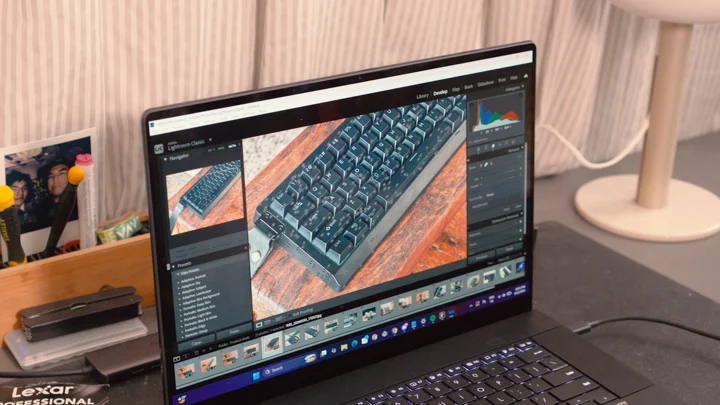
Over the past month, the laptop handled applications like Adobe Premiere Pro, After Effects, Media Encoder, Photoshop, and Lightroom Classic without breaking a sweat.
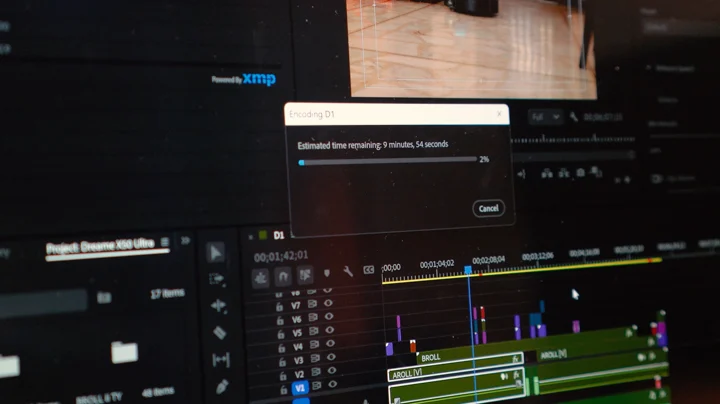
Timeline scrubbing remains smooth even on heavier projects, while applying effects and switching between apps feels responsive. And encoding 2K (.WEBM) video files to (H.264) was so quick, I forgot to note down how long it took.
Exporting 6-10 minute 4K at 30p videos never lasted more than 15 minutes give or take, depending on how heavy the projects were. And even when juggling multiple applications, the system maintains stability.
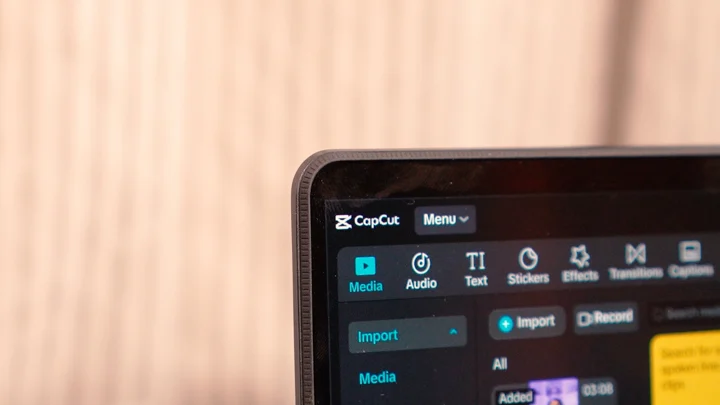
For quicker workflows, apps like CapCut also run flawlessly, making it easy to switch between long-form editing and short-form content creation.
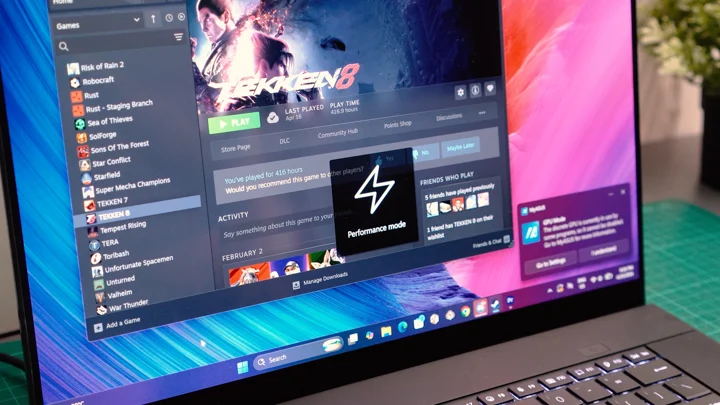
Gaming on the ProArt P16 is more of a secondary feature than a primary focus. Titles like Tekken 8 and Helldivers 2 run well and are perfectly playable.
Tekken 8
- Ultra – 60 FPS
Helldivers 2
- High – 70-90 FPS
Although, the experience isn’t quite as seamless as what you’d get from a dedicated gaming laptop. During testing, a minor issue came up when waking the laptop from sleep while unplugged.
It’s also worth noting that this happens after I put the laptop to sleep with the charger plugged-in (I sometimes unplug after putting it to sleep.)
In these instances, games like Tekken 8 would run as if the system was still in a lower power mode even after reconnecting to charger and switching performance profiles.
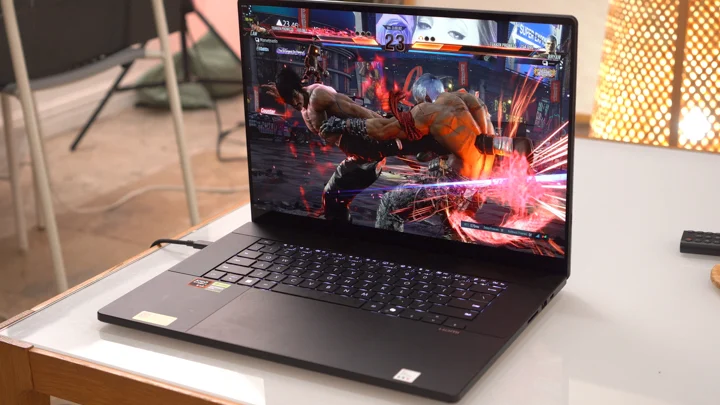
A quick restart resolves the issue completely, and it doesn’t affect creative workloads, but it’s worth noting for users who frequently switch between unplugged use and gaming sessions.
This wasn’t really that big of a deal in everyday use, but it is worth noting. And the bug will probably get fixed in a future update.
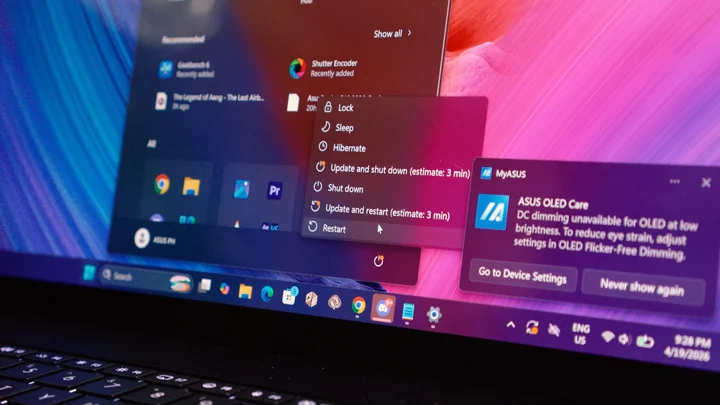
Overall, the ProArt P16 delivers excellent workflow consistency. It doesn’t just perform well in short bursts, it sustains that performance across longer sessions, which is exactly what we’d expect from a powerful portable workstation.
Thermal performance is well managed, even under sustained workloads like rendering or exporting. The system maintains stable performance without noticeable throttling, which is crucial for longer creative sessions.
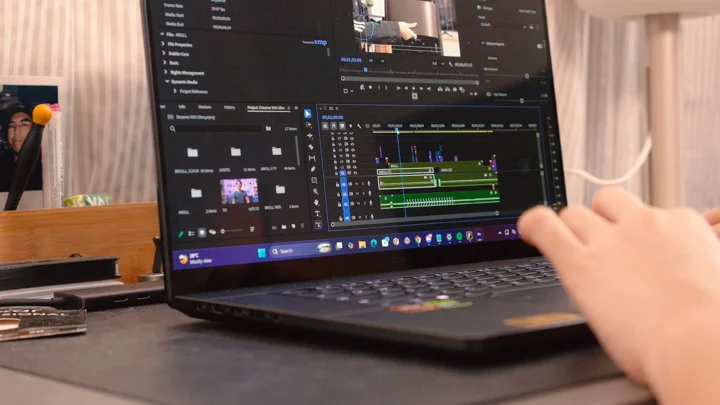
Fan noise is present under load, as expected, but it remains at a reasonable level and doesn’t become overly distracting for us. Another thing we noticed is that, unlike the Zephyrus G16, the palm area can get a little toasty especially when working on heavier projects.
For lighter tasks, Whisper or Windows mode helps keep things more subdued, making it suitable for shared workspaces like a library or common rooms, especially when used unplugged.
Webcam
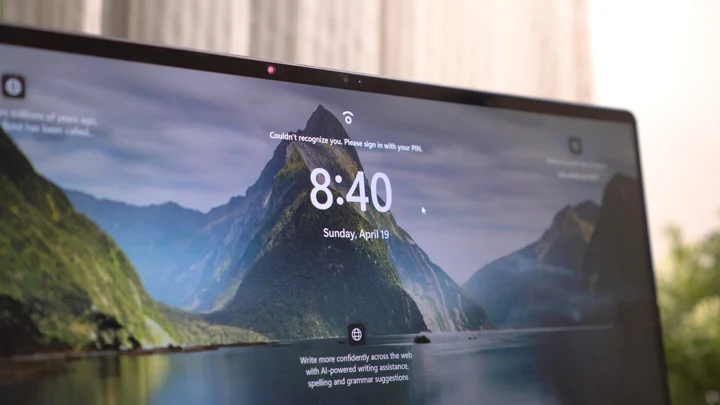
The ASUS ProArt P16 (2026) features a FHD webcam capable of recording at 30 fps. There’s also an infrared sensor for Windows Hello support.
Pro Tip: Turn off the auto dim when looking away setting and other affiliated settings (they’re stacked on top of each other) if you find that annoying. I found it cool at first, then after a couple weeks, found it annoying especially when leaving the laptop for a bit to wait for a download.
Battery
Battery life is respectable for a laptop in this category. With its 90Wh battery, the ProArt P16 can last around five to eight hours under mixed workloads such as browsing, writing, streaming media, and light editing.
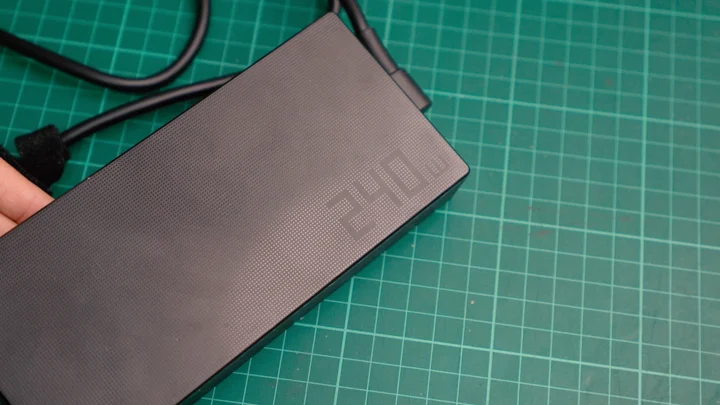
For those of you wondering, we can access Performance mode while untethered to the 240W charger, and we can even access a lower state of said performance profile when charging using either of the Type-C ports (100W).
In turn, heavier tasks like editing more serious video projects that entail bouncing between Premiere and AE for heavier motion graphics made from scratch, or even 3D work will naturally drain the battery much faster.
It’s not designed to be an all-day unplugged workstation, but it definitely offers enough flexibility for mobile productivity on the go when needed. Which could even make this a great option for video editors that specialize in SDE event coverage.
OS and Software
As a Copilot+ PC, the ProArt P16 gets Microsoft Copilot, ASUS StoryCube, and ASUS MuseTree pre-installed.
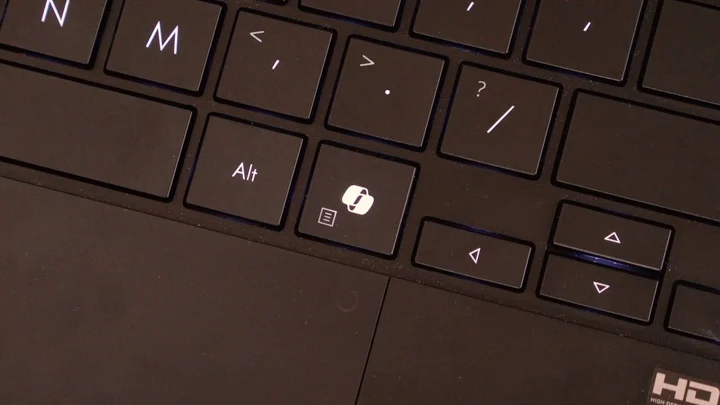
Copilot is Microsoft’s built-in LLM which we can use to generate content, summarize information, and automate tasks across Windows. StoryCube is pretty much an AI-powered file explorer that supposedly gives us smarter search results.
While, MuseTree is ASUS’s own image generation app, like Google’s Nano Banana. It seems promising but also feels like it could use more work with instances like editing the generated image.
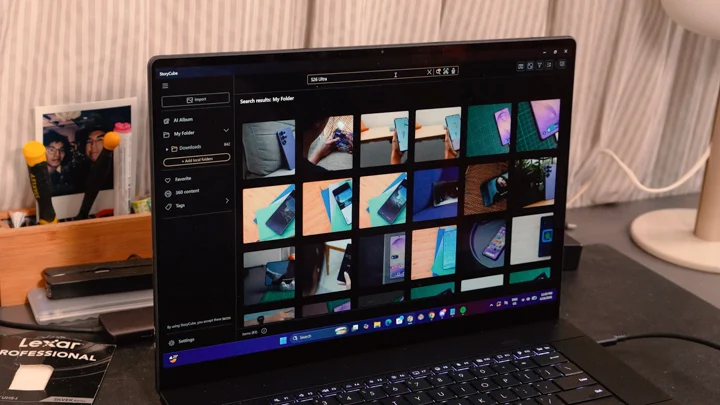
In our opinion, these features are potentially useful, especially for organizing files and experimenting with AI-assisted creation, but they’re more of a bonus rather than a core reason to buy the device.
For the most part, this review unit shipped with Window 11 Home and we don’t really have much of anything to complain about.
Those more familiar Armoury Crate from ROG laptops, should feel right at home with ProArt Creator hub which is the app that gives us access to ASUS’ performance modes and display color control.
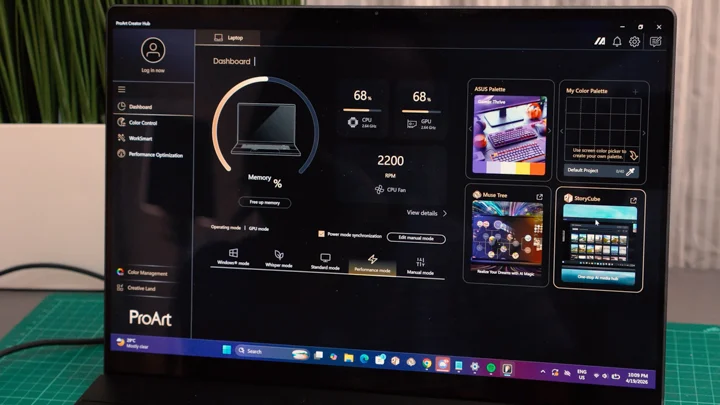
Otherwise, it’s pretty typical Windows 11.
Sometimes we experience weird bugs, and if a restart doesn’t fix it, an update will; If that update doesn’t arrive then we roll back! And if the issues persist, we google it.
All in all for software, I’ve run into no issues I couldn’t fix myself, and I’m confident those who have the pockets to purchase this fella, shouldn’t either.
Conclusion
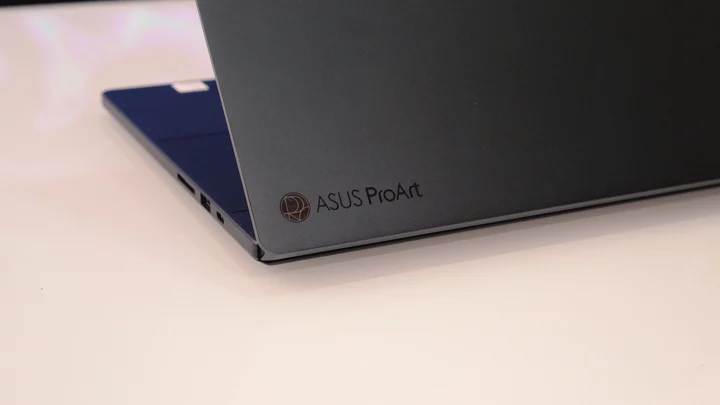
The ASUS ProArt P16 (H7606WW) succeeds at what it sets out to do. It’s a creator-focused laptop that delivers strong and consistent performance where it matters most, all while maintaining a sleek and portable design.
The OLED display stands out as one of the best in its class, the DialPad adds meaningful functionality once you’re used to it, and the overall experience feels tailored for creative professionals.
While it isn’t optimized for gaming, it’s definitely a non-issue running most modern AAA and competitive games. And so, if you’re someone with a workflow that revolves around photo manipulation, post production, designing, and crative work, this is a machine that can keep up with pretty-much no compromise.
Price and Availability
ASUS ProArt P16 (H7606WW) – PHP 289,995 (introductory price)
The ProArt P16 sits firmly in premium territory, competing with devices like the MacBook Pro 16-inch (M3 Pro). It’s clearly aimed at professionals who depend on their machines for demanding creative work, and its pricing reflects that positioning.
What we LIKED:
- Excellent 4K+ OLED display
- Phenomenal sounding speakers
- Strong and consistent creative performance
- Useful DialPad integration
- 99% complete port selection (still needs Ethernet imo)
- CNC aluminum chassis
- Good keyboard and trackpad feel
What we DIDN’T Like:
- Unupgradable RAM
- Expensive
ASUS ProArt P16 (H7606WW) specs:
16-inch 4K OLED Display, 16:10 (3840 x 2400)
120Hz refresh rate, 0.2ms response time, up to 1600 nits HDR peak brightness
100% DCI-P3, 1,000,000:1 contrast ratio, Pantone Validated,
VESA DisplayHDR True Black 1000, Touchscreen with stylus support
OS: Windows 11 Home
CPU: AMD Ryzen AI 9 HX 370 (36MB cache, up to 5.1GHz, 12 cores / 24 threads)
NPU: AMD XDNA up to 50 TOPS
GPU: NVIDIA GeForce RTX 5080 Laptop GPU (16GB GDDR7) + AMD Radeon 890M
Memory: 64GB LPDDR5X (soldered)
Storage: 2TB PCIe 4.0 NVMe M.2 SSD (with extra slot)
DC-in
2x USB 3.2 Gen 2 Type-A
USB4 Type-C (DisplayPort, Power Delivery)
USB 3.2 Gen 2 Type-C (DisplayPort, Power Delivery)
HDMI 2.1 FRL
SD Express 7.0 card reader
3.5mm combo audio jack
Backlit chiclet keyboard with Copilot key
Glass trackpad with ASUS DialPad
FHD IR webcam, Windows Hello support
Wi-Fi 7 (802.11be, tri-band)
Bluetooth 5.4
90Wh battery
240W AC Adapter
1.95 kg (weight)
354.9 x 246.9 x 14.9 ~ 18.3 mm (dimensions)
Microsoft Office Home 2024 + Microsoft 365 Basic (100GB cloud storage)





0 Comments
Leave a Reply