
If you can blow hundreds of thousands of pesos on a high–end gaming laptop, chances are a few thousand pesos doesn’t really make a difference for you. This is especially true for gaming laptops above the PHP 200,000 mark.
But what if I told you that you can splurge on one of those gaming laptops and still save a bit of money…somewhat? That’s what I thought when we got our hands on the HP Omen MAX 16.
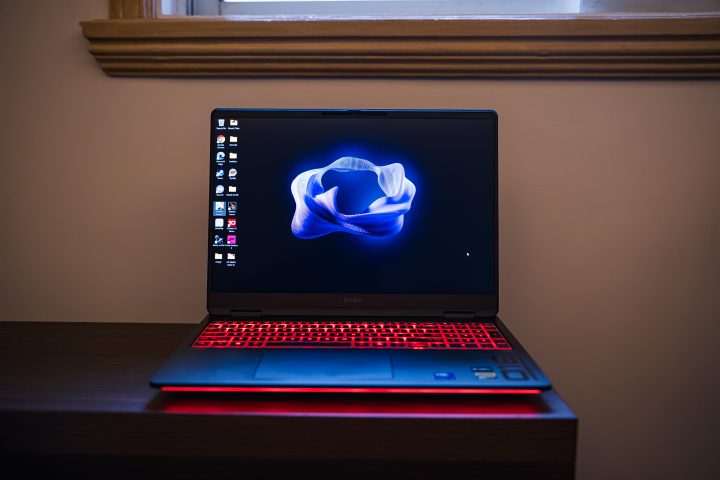
It comes with all of the things you want in a top-spec gaming laptop – a 16-inch 240Hz display, an RTX 5080 GPU, an Intel Core Ultra 9 CPU, and a lot of RGB. Best of all, it comes with an SRP of PHP 229,990.
Yes, that’s still a lot of money for most. In fact, you can already build a high-end gaming PC with peripherals for that amount. But if you want to game on the go properly is the HP OMEN Max 16 the new choice?
More importantly, can the HP Omen MAX 16 sway buyers away from more popular gaming laptop brands with its relatively more affordable price? Let’s find out.
Design and Construction
First and foremost, let’s talk about the design of the HP Omen MAX 16. When the laptop is closed, you wouldn’t really think it’s a gaming laptop. There are no overly exciting design features here apart from the small number 016 above the exhaust vent.
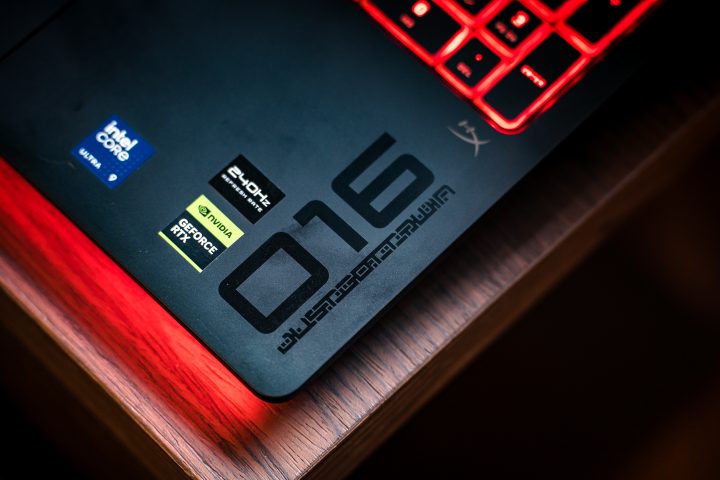
The matte black lid features a minimalist design with just the gloss OMEN logo at the center. Even when you open it up, there’s not a lot of crazy gaming cues here. Again, there’s the 016 number featured on the bottom right corner of the base. The only hints of it being a gaming PC are the stickers. It certainly reminds me of the Alienware laptops given how minimal the design is.
But like we always say style is subjective. Personally, I like this minimalist approach HP went for the OMEN Max 16. It’s clean and can easily blend in at work. Well, assuming you don’t turn on all of the RGB lights it has.
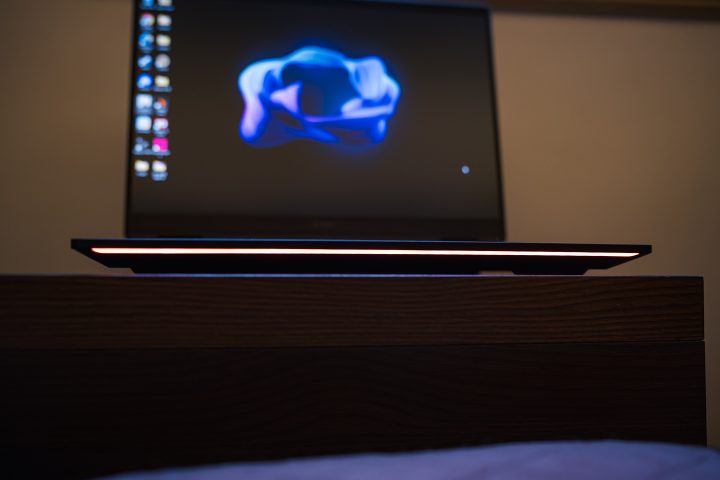
While the clean aesthetic might not be for everyone, it does feel premium thanks to the aluminum base and lid. Because of this metal build, the laptop is quite heavy, weighing 2.75kg. It’s also big and bulky, still measuring almost 1-inch thick when closed. As such it’s not exactly the easiest gaming laptop to bring around.
The trade off with the bulky body is that you have a bunch of ports at your disposal. The majority of them are neatly hidden at the back featuring a USB-A port, an HDMI 2.1 port, a LAN port, and a power socket. On the left are two USB-C Thunderbolt 4 ports and a 3.5mm audio port, and there’s also a lone USB-A port on the right.
Unfortunately, there is no SD or even a microSD card slot. With that, you will need to bring an adapter if you plan on using this laptop for content creation. It’s a bit disappointing considering how much space the laptop still has on the sides.
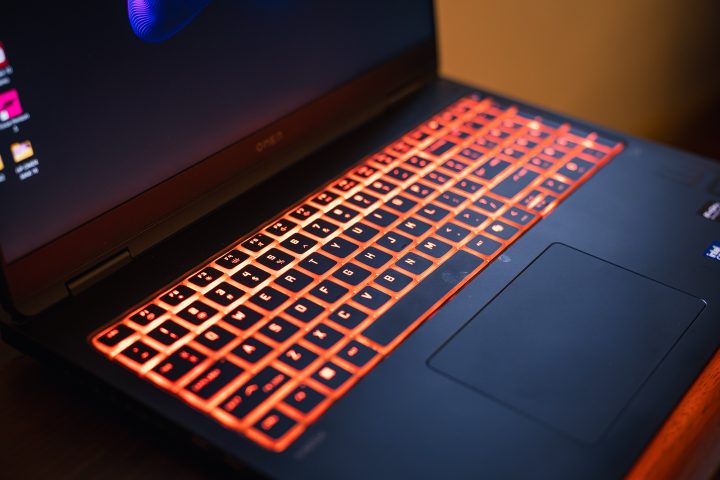
Open up the laptop, and you have a full-sized keyboard. If you remember the HP Omen Transcend 14 from last year, the keys feel very similar except this time they’re in black. They’re properly spaced out, making it easy to type.
It’s not the best feeling laptop keyboard out there, but hey, it works. More importantly, they’re comfy for typing. When gaming, you might want to bring a keyboard with you.
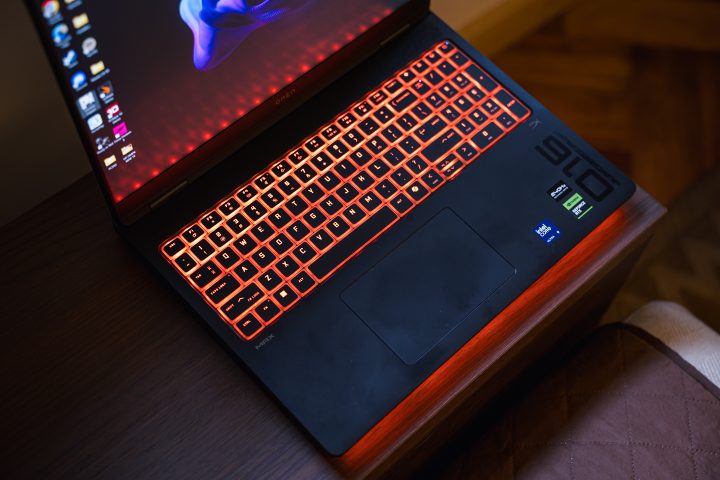
The letters and numbers, together with the edge of the keys are translucent to let the RGB properly shine through. And yes, you can set the RGB lighting to whatever you want in the settings.
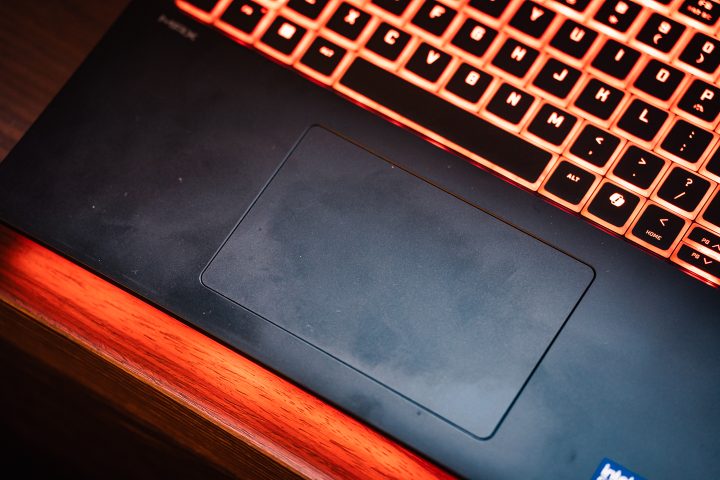
As for the trackpad, it’s slightly offset to the left, and the finish is similar to that of the base. It’s ergonomic to use and to the touch. No special functions here though, but it has good palm rejection for those long hours of typing.
Still, it’s best to bring a mouse or a controller if you plan on gaming. You can’t really game on a trackpad after all (but change my mind if you can).
Display and Multimedia
Moving on the display, as mentioned earlier the Omen MAX 16 features a 16-inch panel with up to 240Hz refresh rate, 2K resolution and 500 nits of peak brightness. At first I thought this was an OLED panel, but it’s actually an IPS panel.
Yes, I know. A laptop over PHP 200,000 but no OLED? I feel you. However, this is a great IPS panel all things considered. The colors are surprisingly vivid, and you do have good viewing angles. It’s still not as visually immersive as compared to an OLED display, but for gaming what’s more important is the refresh rate.
The high refresh rate display helps a lot, especially when you’re playing competitive games like Valorant or Call of Duty. Even on more graphic intensive titles like Forza Horizon 5, you get to enjoy super smooth gameplay on screen.
When you’re not playing, you can enjoy watching binge watching shows on this laptop. It’s also more than adequate for editing photos and videos. Out of the box, the colors are relatively accurate when compared to my monitor and even my phone.
As for the speakers, they’re tuned by Hyper-X, giving users a great soundstage out of the box. They’re also relatively loud, making it a viable option to play without using earphones. However, they’re geared more towards games as compared to audio listening.
They’re a bit on the bassy side, but still overall decent for listening to music. Still, I would recommend using earphones when gaming for the best immersive experience. You do have a 3.5mm headphone jack at your disposal after all.
Performance and Benchmarks
Now, let’s talk about performance, and this is where the HP OMEN Max 16 really shines. Our review unit of the OMEN MAX 16 runs the Intel Core Ultra 9 275HX chip paired with 32GB of DDR5 RAM (2x16GB configuration) and 1TB of SSD storage. If you find the RAM and SSD lacking, these are upgradable.
This being an Omen laptop, you also have the Omen Gaming Hub at your disposal to switch modes. Of course, I always set it to Unleashed Mode to give me the maximum performance all the time. You can even manually overclock and adjust settings to your liking.
Since this isn’t really mine, I didn’t want to brick an expensive laptop by running it to the max. With that, I kept the parameters standards with the exception of running it in Unleashed mode all the time.
As you would expect, it can run almost anything and everything you throw at it. Even if you run games maxed out together with other heavy applications like Lightroom and Adobe Premiere, there won’t be any issue. In fact, you will still have steady FPS all throughout.
Like I mentioned earlier, this was done using Unleashed Mode. But even when you’re just in Performance mode, you can run most graphically intensive titles without issue. Of course, you do have Unleashed Mode, so why not use it? However, the laptop must be plugged in to use this mode.
For reference, I mostly played Forza Horizon 5 on this laptop along with the shooter Ready or Not. Both games had the graphic settings maxed out, and they had no issues whatsoever. On Forza, I didn’t have the usual stutter or frame rate drops when playing custom maps with heavy loads.
Of course, you can expect the same when playing lighter games like Valorant, Genshin or even ZZZ. This means you no longer need to lower the graphics settings just to have higher frame rates when playing.
We also ran our usual benchmarks, and as we expected they had high scores all throughout. You can check them out below.
Geekbench 6
CPU Single – 2936
CPU Multi – 19014
GPU OpenCL – 201477
GPU Vulkan – 19523
CrystalDiskMark
Read – 11452.69 MB/s
Write – 8355.52 MB/s
Cinebench 2024
GPU – n/a
CPU Multi – 1953
CPU Single – 129
PCMark10 – 8284
Battery
However, the battery isn’t the best as expected with most gaming laptops. It packs an 83Wh Li-ion polymer battery pack, which is relatively big for its size. However, the laptop is still quite power hungry, which is expected from a gaming laptop.
After just 30 minutes of unplugged play time with Tekken 8, the battery went down from 100% to just 60%. For reference, we were connected to Wi-Fi and the screen brightness was maxed out. We were also in Performance mode.
The battery lasts longer when you’re in eco mode, have the RGB turned off, and are not playing games. That means you can get some productivity work done. However, it still runs out of juice relatively quickly as compared to a non-gaming laptop.
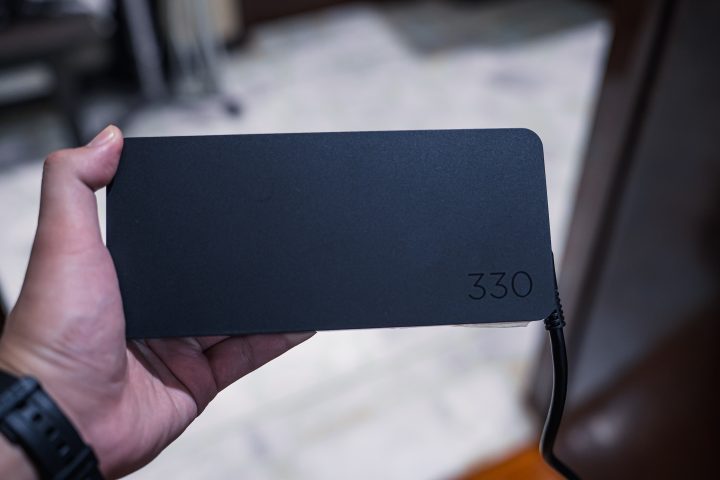
While you can charge it via the Thunderbolt 4 port, it’s a slower charge. And you will need a high-wattage brick and cable to do so.
Still, it’s better than bringing the 330W charger around, which is heavy and bulky. In fact, we can already consider it as a deadly weapon if we used it to hit someone on the head.
Price and Conclusion
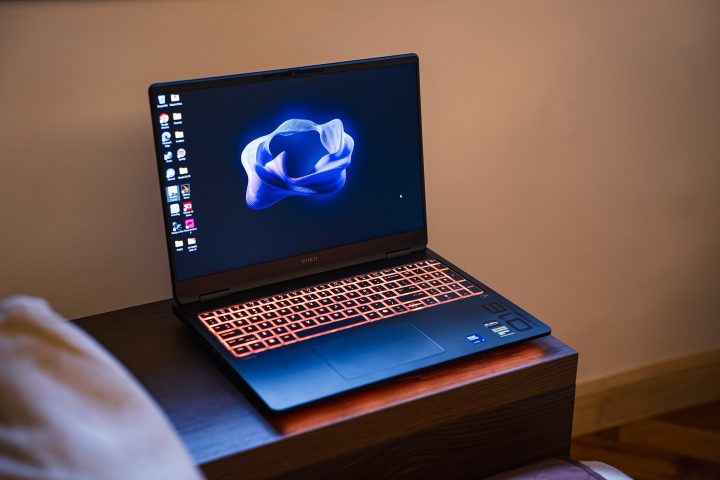
Overall, the HP Omen Max 16 is a great gaming laptop for the price of PHP 229,990.
It’s not perfect, in fact far from it. For starters, it’s not exactly the easiest to bring around. This specific variant of the Omen Max 16 also uses an IPS display only. The OLED version is a bit more expensive. But for the performance it offers, you get your bang for the buck.
Still, at this price point, you will have a lot of options at your disposal. More importantly, if you’re looking at this segment of gaming laptops, I’m sure you can easily stretch your budget by PHP 20,000 to PHP 40,000 more if you want a gaming laptop with an OLED panel or even more powerful RTX5090.
But if you want to save a bit, you can’t go wrong with HP Omen Max 16.
So, what do you think of the HP Omen Max 16? Would you consider it as your next gaming laptop? Share your thoughts in the comments below.
What we liked:
* Great performance
* Lots of RGB
* Good value
What we didn’t like:
* Short battery life
* Speakers could be louder
* Very heavy charger


0 Comments
Leave a Reply