
Last month, we received a bunch of items from Havit, including one of its gaming accessories– the Havit HV-G89W Gamepad. Wanna know how it fares? Read our first impressions and hands-on to find out.
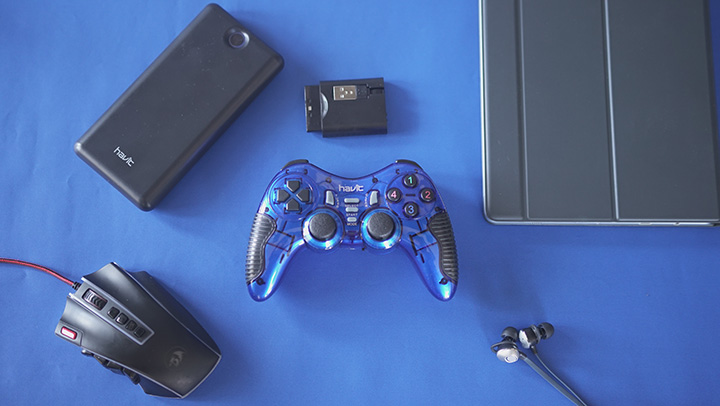
The Havit Wireless Gamepad looks pretty cool; however, its all plastic body somehow leaves an impression that it is quite fragile. If you’re planning to buy this one, we suggest that you take extra good care of it due to its build. It’s relatively light and we like that it’s got grooved inserts for a more comfortable grip. Since this is wireless, it is easier to handle and you have more freedom when playing games.

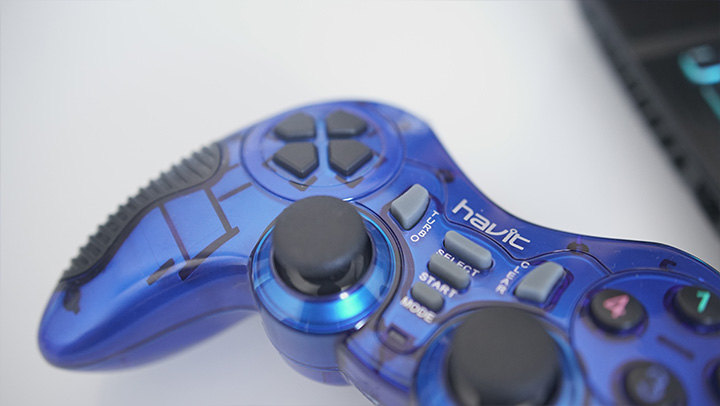
It has eight directional buttons and 12 fire buttons. The buttons are all in the right place but our concern is that they feel mushy and they don’t have much tactile feedback. The analog sticks, though, feel smooth which is nice. It also equipped with a 2nd Generation vibration motor, “Dual vibration feedback,” Havit claims to provide a sense of realism in games.

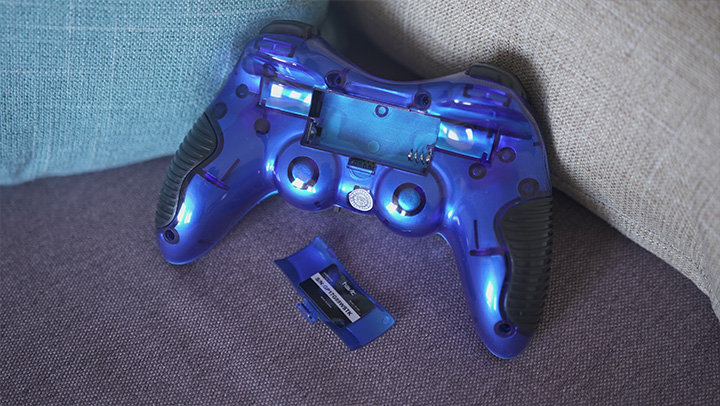
The wireless gamepad requires 2 triple A and one Double A batteries for it to work. You can use this on the following platforms: PC (via USB), PlayStation 2 and PlayStation 3.
You can watch our Havit Gadget Haul below.
Havit HV-G89W Gamepad specs:
- Directional Buttons: 8
- Fire Buttons: 12
- Operation Range: 5-20m
- Built-in Motors: Supported
- Double Vibration: Supported
- Turbo and clear special function
- Wireless: 2.4G
- Connector Options : USB, PS2, 3in1
- Low Power Alarm
- Sleep Mode
- Digital Mode
- Analogue Mode
- Connecting and Modes shifting LED Indicators
- 3 external batteries (AAA DC:1.2-1.5V)






How much?