
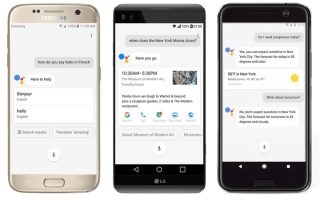
 यह सुनिश्चित नहीं है कि सभी ने Google Mobile (मोबाइल फोन या उपकरण पर वेब ब्राउज़र के माध्यम से Gmail तक पहुंचें, मानचित्र और उपग्रह चित्र देखें, स्थानीय व्यवसाय खोजें, और अपने फोन पर ड्राइविंग दिशाएं प्राप्त करें, या Google SMS का उपयोग करके फोन बुक सूची, मौसम की स्थिति, प्रश्न-उत्तर, फिल्म शोटाइम्स, उत्पाद मूल्य आदि प्राप्त करें) के बारे में सुना है, लेकिन यदि आप चाहते हैं कि आपका ब्लॉग/साइट मोबाइल उपकरणों या PDA के लिए तैयार हो, तो यहाँ देखें: http://www.google.com/gwt/n
यदि आपका फोन थोड़ी और बैटरी संभाल सकता है, तो Opera Mini देखें:

Hi guys. It’s been fixed by one of my staff na.