
The Nothing Phone (1) finally receives its stable Android 14-based NothingOS 2.5 upgrade, marking the end of the beta testing period.
Over a month after Phone (2) received its Android 14 update last December 2023, the OG Nothing Phone (1) can now enjoy the benefits of the latest software.
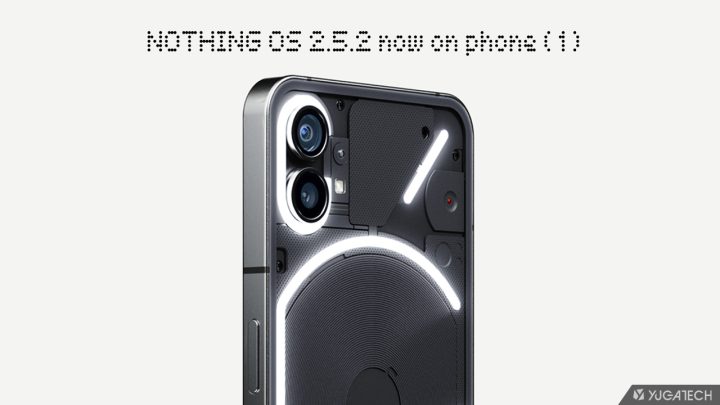
NothingOS 2.5 focuses on deeper personalization options, improved Glyph Interface interaction, streamlined gestures and shortcuts, quick access to enhanced Quick Settings, informative widgets, and overall system refinement, offering a smoother and more efficient user experience.
To upgrade your Phone (1), head over to Settings > System > System Update. Note that the rollout is staggered and will gradually reach all Phone (1) units within the coming days.
Here’s the full changelog for reference:
Customisation:
✨ Redesigned a joint Home Screen and Lock Screen customisation page and improved the edit wallpaper flow for a more comprehensive view of options.
🌌 New Atmosphere wallpaper effect. Transform your background photo into a dynamic wallpaper that brings motion to colours on your home screen. A seamless transition between your lock and home screens.
🎨 Introduced solid colour wallpapers for a cleaner Home Screen appearance.
⚪️ Added a monochrome colour theme in the basic colour section.
Glyph Interface: 🎶 Get direct access to the Glyph Interface’s Music Visualisation feature (some of you may have already discovered it).
🌟 Improved overall Glyph light playback effect when synchronising with your device’s audio.
💫 Added a new Glyph animation for when NFC is being used.
🔄Improved the experience of Flip to Glyph.
Gesture:
💡 Customisable double-press power button to quickly access a chosen feature. Just head to Settings > System > Gestures.
🤖 More Lock Screen shortcut options like: Do Not Disturb, mute, QR code scanner, and video camera.
📸 Capture screenshots quickly with a three-finger swipe gesture.
✏️ New screenshot editor and menu, allowing for more advanced editing features and quick deletions.
⬅️ Refreshed the back gesture arrow visual to be more in line with Nothing’s style.
Quick Settings:
🔔 Added support for switching ring modes in Quick Settings.
📶 You can now directly set your network via Quick Settings without unlocking the device.
⚙️ Updated Quick Settings layout and support to show more devices icons.
New Widgets:
🚶 Pedometer Widget: Track your daily steps directly from your home screen. Set goals and monitor your progress to stay motivated.
🎵 Media Player Widget: Displays the song currently playing. Control your music easily while on-the-move.
⌛️ Screen Time Widget: Monitor and manage your daily screen time to maintain a healthy digital lifestyle.
More improvements:
⛅️ Optimised the experience of the Weather app and improved the notification of weather alerts.
🔔 Made it possible to set ringtone and notification sound volumes separately, with an updated volume control interface.
📸 Automatically excludes the preview of the previous screenshot when taking continuous screenshots.
📷 Improved the stability of the camera.
🚀 Enhanced the overall smoothness and responsiveness of the system for a more fluid user experience.
👾 Enhanced system stability and improved battery life.


Nice to get