infinix x yugatech

Android 4.2.2 업데이트가 드디어 넥서스 4 에 도착했습니다

Listen to article

Google의 현재 플래그십 핸드셋인 LG 넥서스 4 는 이제 온라인 검색 거대 기업이 유리 뒷면이 달린 이 핸드셋을 위해 Android 4.2.2 업데이트를 출시함에 따라 그 형제들 (Samsung 갤럭시 넥서스, ASUS 넥서스 7 및 Samsung 넥서스 10) 과 함께 합류할 수 있게 되었습니다.

지난달 초, 브라질과 말레이시아의 일부 사용자가 Nexus 4가 Jellybean 최신 버전을 바로 실행하고 있다는 사실에 놀랐다는 소식을 보도한 바 있습니다. 당시에는 업데이트로 인해 제공되는 것이 일반적인 버그 수정 외에 무엇인지에 대한 정보는 없었습니다.
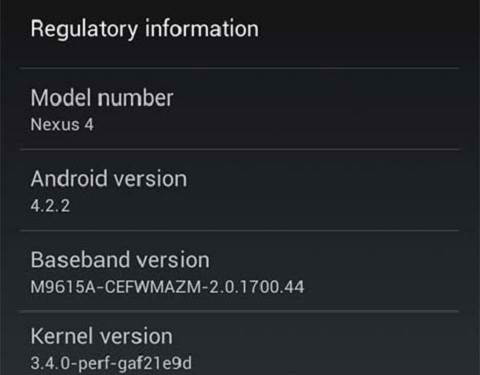
jelly bean

다행히도 이미 업데이트를 받은 다른 사용자들은 패치가 가져온 업그레이드에 대한 통찰력을 공유했습니다. 요약하자면 그들이 발견한 내용은 다음과 같습니다.

• 앱 다운로드 알림에 남은 백분율이 표시됩니다.
• 빠른 설정에서 토글 기능을 사용할 수 있습니다.
• 무선 충전 및 배터리 부족 시 새로운 사운드 알림이 제공됩니다.

보시다시피 이번 업데이트는 기기에 많은 새로운 기능을 추가하지는 않습니다. 중요 여부와 상관없이 Google가 기기들을 잘 관리하고 문제를 해결해 주고 있음에 우리는 모두 감사할 수 있습니다. 문제와 관련하여, 이번 업데이트는 Nexus 4의 비공식 LTE 지원을 마침내 종료한다고 합니다. 다만 이는 크게 걱정하실 필요는 없습니다. 해당 하드웨어는 우리 국가에서 사용되지 않는 LTE 대역 4만 활용하기 때문입니다.
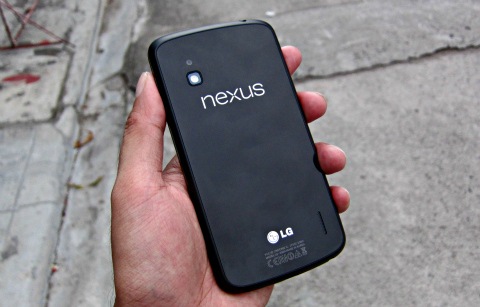
nexus4

안타깝게도 아직 Nexus 4(JOP40D 빌드) 에 대한 업데이트 알림을 받지 못하고 있습니다. 이미 4.2.2 업데이트를 받은 사용자는 JDQ39 빌드를 탑재한 스마트폰을 소유하고 있다고 합니다. 저희는 기기를 계속 확인하며 업데이트가 되면 이 게시물을 갱신하겠습니다. 만약 업데이트를 받지 못하신다면, Google 에서 패치를 직접 다운로드하여 수동으로 설치하실 수 있습니다.

{소스}

Frequently Asked Questions

What new features does the Android 4.2.2 update bring to the Nexus 4?
The update adds app download notification with remaining percentage, Quick Settings toggles, and new sounds for Wireless Charging and Battery Low.
Does the Android 4.2.2 update affect the Nexus 4's LTE support?
The update ends unofficial LTE support, but it only affects LTE Band 4, which is not used in the country.
What build number indicates a Nexus 4 has received the Android 4.2.2 update?
Users who received the update have the JDQ39 build on their Nexus 4.
React to this article:
Written by
Ronnie Bulaong

This article was written by Ronnie Bulaong, a special features contributor and correspondent for YugaTech. Follow him on Twitter @turonbulaong.

View all posts by Ronnie Bulaong →

37 Comments

CR
crApple · 13 years ago

from cebu here. my nexus 4 is now updated to 4.2.2… build JDQ39

Reply
CA
Carlos Pascual · 13 years ago

My Nexus 4 automatically downloaded it yesterday. So far, so good. . .

Reply
RA
Raul · 13 years ago

Are you fro philippines?

PA
parangano · 13 years ago

i’ve been waiting for this update since a couple of days ago on my N4 but no such luck. :( will check it again later.

@Next: I got mine from kimstore. they had a 5k off sale online two weeks ago. 17500!

Reply
LO
Louie Diangson · 13 years ago

What build number do you have?

PA
parangano · 13 years ago

I got build number JOP40D. Checked it again earlier this morning. none yet. I read online it also somehow disbales that LTE band 4 on the device, not that it actually matters unless you’re in canada.

MA
madz · 13 years ago

@Next us 4 I just got nexus 4 from hotgadgets best price so far 21580 they have store at eton cyberpod ortigas

Reply
NE
Next us 4 · 13 years ago

Guys,
Where’s the BEST place to get a nexus 4?
Best price
Best after service
Trustworthy dealer

Thank you

Reply
ME
meh · 13 years ago

I have a Nexus 4 but havent got the update yet grrr

Reply
RO
Rome · 13 years ago

Hehehe! I got mine earlier this morning. Nagulat ako for installation na yung update sa Galaxy Nexus ko. :-D

Reply
ER
erwin · 13 years ago

Ianvarivs. Are u from philippines? I haven’t received any updates yet… I want this update. Whew

Reply
IA
IANVARIVS · 13 years ago

Yep!

IY
Iyan Sommerset · 13 years ago

Woke up this morning to find my mom’s Nexus 7 had already downloaded the update and was prompting for installation. Took less than 10 minutes. So far, so good – nothing broken. I hear the Bluetooth is fixed/better, haven’t checked yet. The long press toggles for WiFi and Bluetooth will be useful, but will take some time getting used to.

Reply
GH
Ghosthunter · 13 years ago

Same thing with my Nexus 7. Woke up with the prompt to install 4.2.2.

I was praying nothing untoward would happen. The install went uneventful.

So… what advantages do we get from the update?

IA
IANVARIVS · 13 years ago

Followed a guide for my Nexus 7 (WiFi Only)

Go to Settings – Apps – All

Find Google Services Framework, tap it and tap Force Stop

Press back and tap Google Services Framework again and tap Clear Data.

Restart the device and try OTA updates…

The update was 47.7 MB on my device (from 4.2.1)

Reply
NI
Nino · 13 years ago

Thanks for this, it worked as described!

NA
NadaNote1 · 13 years ago

How about Sammy Note1? yan ang mahirap kasi nakiki-OS lang si Sam, mabuti pa si Luis may sariling OS. Oh well huwag na ako umasa tsk tsk tsk

Reply
ME
meh · 13 years ago

Samsung doesn’t support the products properly it took so long for the s2 to get jellybean and the note 1 is still waiting. What a shame

Leave a Reply

Loading next article...